
- Name Scan to PDF.
- Category Business
- Available on PC, Mobile, Surface Hub, HoloLens
- OS Windows 10 version 17763.0 or higher
- Mouse Integrated Mouse
- languages English (United States)
Streamlining Your Document Workflow: An In-Depth Look at Scan to PDF for Windows
Imagine transforming your physical documents into crisp, editable PDFs with just a few clicks—Scan to PDF for Windows by NZ Software promises to do just that, simplifying what used to be a cluttered, manual process into a seamless digital experience. Whether you're a busy professional, a student, or someone managing personal records, this app aims to be your reliable scanner companion.
Key Features That Make Scanning Smarter
Advanced Scanning and OCR Capabilities
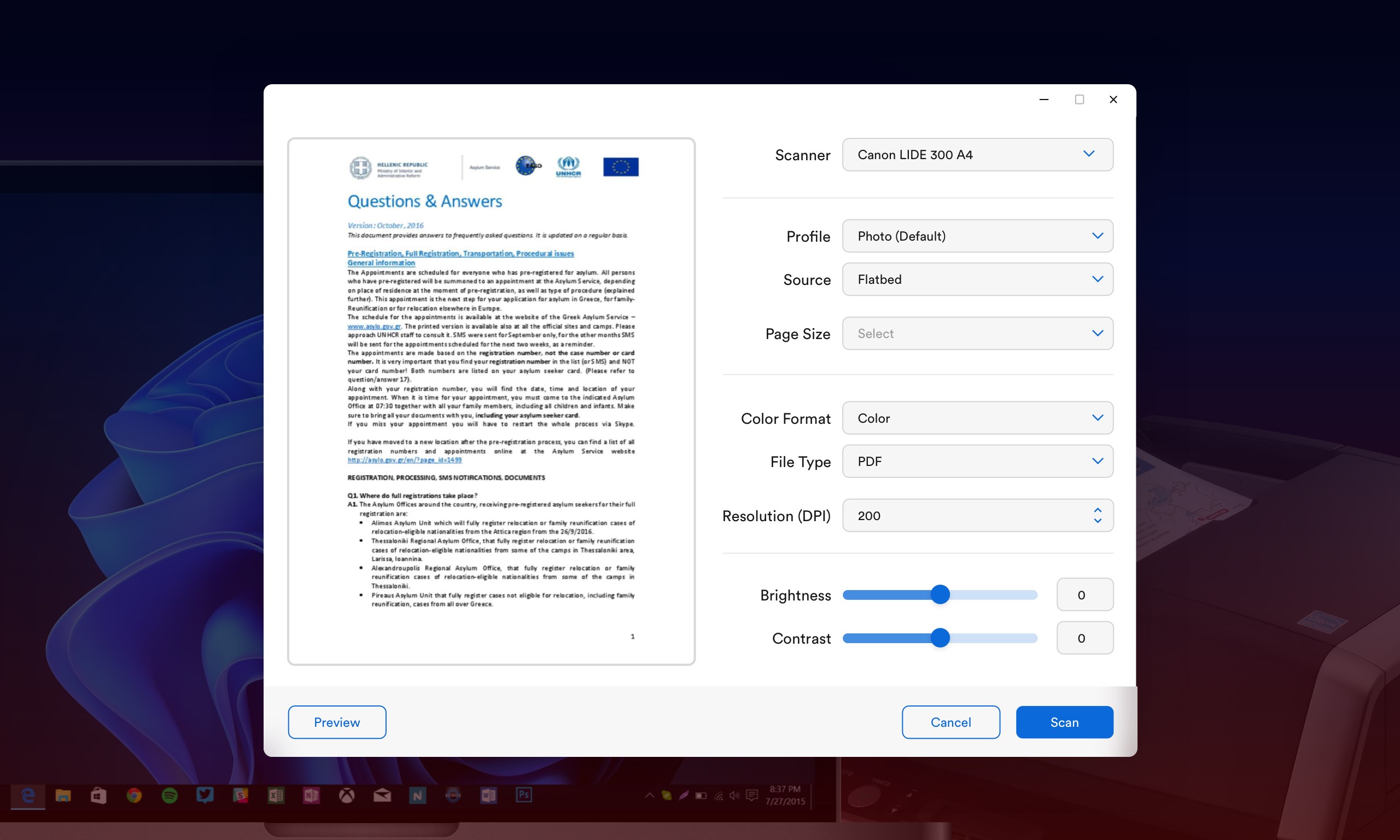
The core strength of Scan to PDF lies in its ability to swiftly convert paper documents into digital files. Equipped with intelligent OCR (Optical Character Recognition), the app not only scans images but also recognizes and extracts text, making your PDFs searchable and editable. This feature transforms a tedious task into an efficient workflow—no more manual re-typing or hunting for documents buried in files.
Organized Document Management and Export Options
Beyond simple scanning, the app offers organized storage and versatile export options, including saving as PDF, JPEG, or even sharing directly via email or cloud services. The interface promotes easy management—batch scanning, automatic document naming, and simple editing tools—so users can keep their digital files tidy and accessible. The ability to create multi-page PDFs consolidates several scans into one document, greatly enhancing user convenience.
A User Experience That Speaks to Simplicity and Efficiency
Design, Usability, and Learning Curve
The interface of Scan to PDF strikes a balance between straightforwardness and sophistication. Its clean, minimalist design resembles a familiar camera app—click, scan, save—and that simplicity allows even tech novices to pick it up effortlessly. The app's responsive controls and quick processing ensure smooth operation, with no noticeable lag or hiccups. For new users, the learning curve is gentle, aided by intuitive icons and straightforward workflows, making digital scanning feel less like a chore and more like a natural part of everyday tasks.
Differentiation Through Collaborative and Workflow Features
While many scanning apps focus solely on capturing images, Scan to PDF stands out by integrating features tailored for collaborative tasks. Its ability to easily organize, edit, and export documents supports work-sharing in a team environment. Unlike typical apps, it emphasizes not just capturing scans but also streamlining task management—allowing users to assign, annotate, and distribute documents effortlessly. This sets it apart from basic scanner tools by acting as a mini document hub, facilitating smoother teamwork and document handling.
Final Verdict: Is It Worth Your Attention?
Overall, Scan to PDF for Windows proves to be a reliable, user-friendly tool that bridges the gap between physical documents and digital workflows. Its standout feature—robust OCR combined with intuitive document management—makes it particularly suitable for professionals who handle multiple scans regularly. While it may not replace dedicated enterprise solutions for extensive collaboration, it excels as a portable, easy-to-use scanner app for daily use.
Highly recommend for users seeking a straightforward yet powerful scanning tool that supports better organization and small team collaboration. For those in need of a quick, reliable, and feature-rich app to convert paper into digital files, Scan to PDF is certainly worth trying out.
Pros
- Accurate OCR text extraction
- Simple and user-friendly interface
- Quick conversion process
- Supports multiple input methods
- Secure file handling
Cons
- Limited editing features within the app
- Occasional misreads of complex fonts or handwriting
- Limited customization options for PDF output
- Requires internet connection for some features
- Occasional lag with high-resolution scans











