

- Name Samsung Flow
- Category Utilities & tools
- Available on PC
- OS Windows 10 version 16299.0 or higher
- languages Arabic, Azerbaijani, Chinese (Simplified), Chinese (Traditional), Chinese (Traditional, Hong Kong SAR), Danish, Dutch, English (United Kingdom), English (United States), Finnish, French, French (Canada), German, Hebrew, Hindi, Hungarian, Icelandic, Indonesian, Italian, Japanese, Kazakh, Korean , Malay, Norwegian (Bokmål), Persian, Polish , Portuguese (Brazil), Portuguese (Portugal), Russian, Spanish (Argentina), Spanish (Chile), Spanish (Latin America), Spanish (Mexico), Spanish (Paraguay), Spanish (Spain), Spanish (Uruguay), Swedish, Thai, Turkish, Ukrainian, Uzbek, Vietnamese
Introduction: Seamless Connectivity at Your Fingertips
Samsung Flow for Windows is a thoughtfully designed application that bridges your Samsung devices with your Windows PC, turning multi-device management into a simple, intuitive experience. Whether you're a busy professional or a tech enthusiast, this app aims to streamline your workflow by keeping your devices interconnected effortlessly, much like having a digital handshake that keeps everything in sync.
Core Features: Unlocking Efficiency and Convenience
1. Mirroring and Continuity: The Art of Seamless Transition
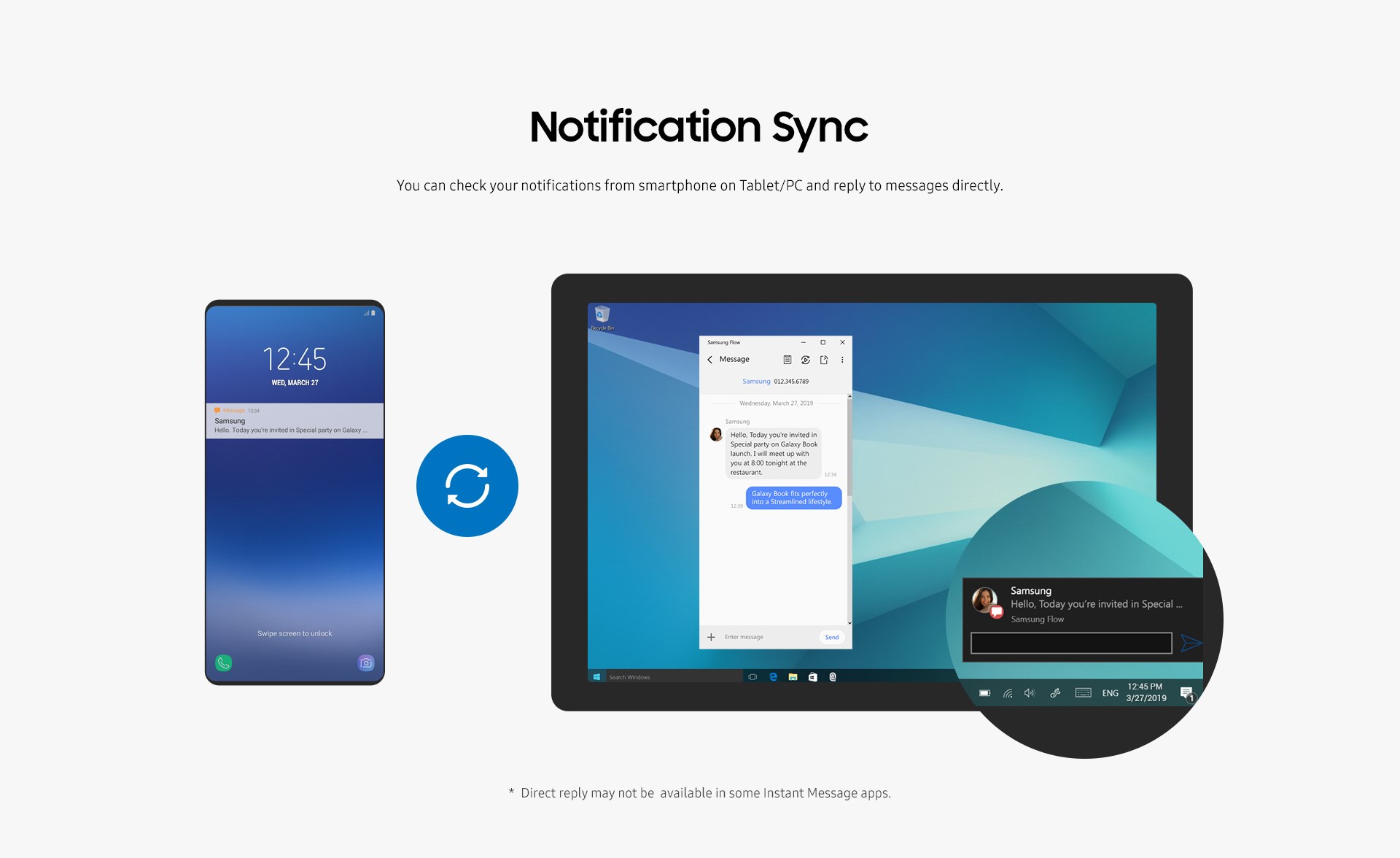
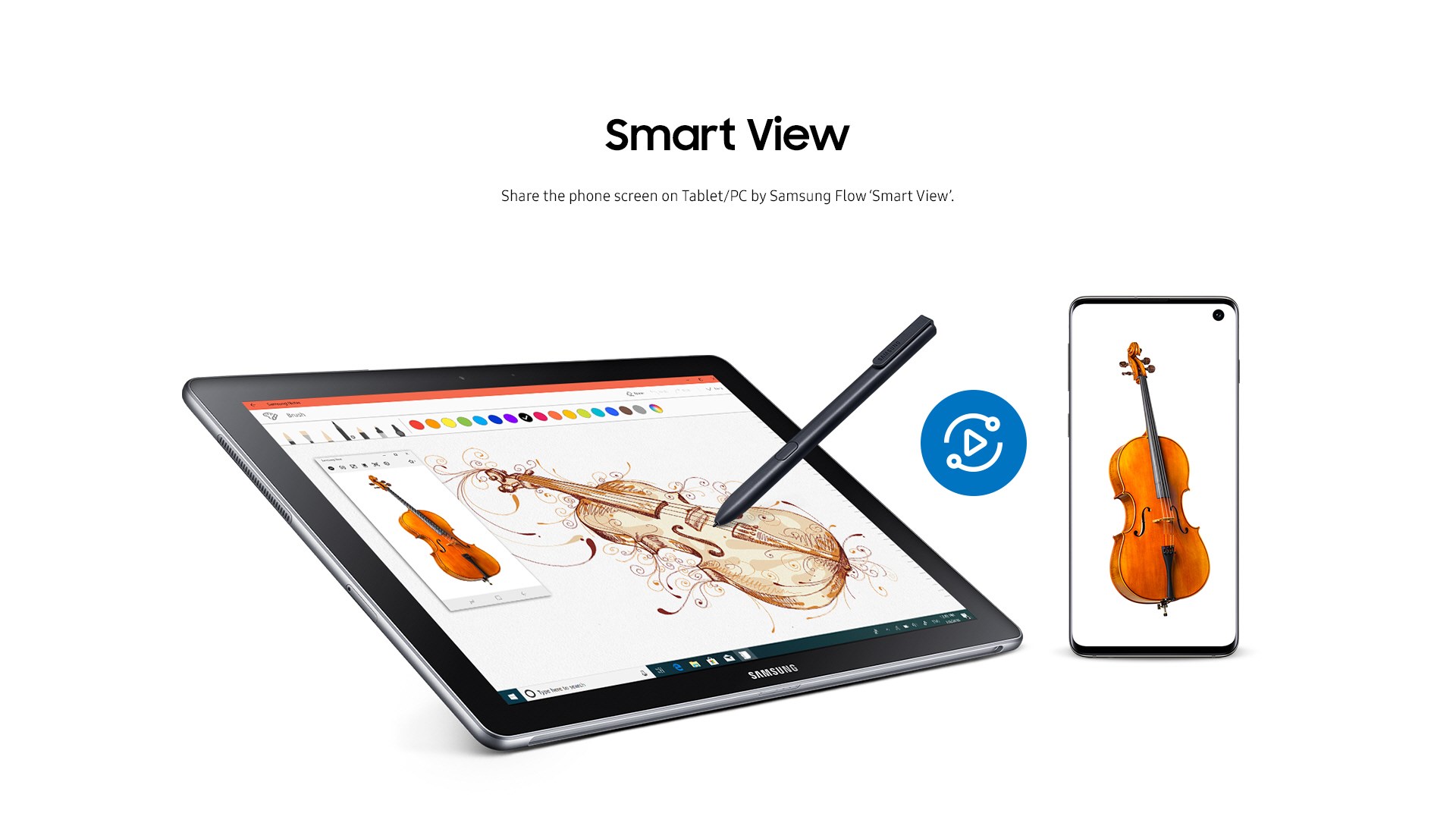
Imagine starting a task on your phone—perhaps drafting an email or browsing a website—and effortlessly transferring it to your PC to pick up right where you left off. Samsung Flow's device mirroring feature enables real-time display of your Samsung phone's screen on your Windows desktop, making multitasking feel natural. The continuation feature allows you to answer calls, view notifications, and access mobile apps directly from your PC, transforming your dual-device ecosystem into a cohesive workspace.
2. Secure and Convenient File Sharing
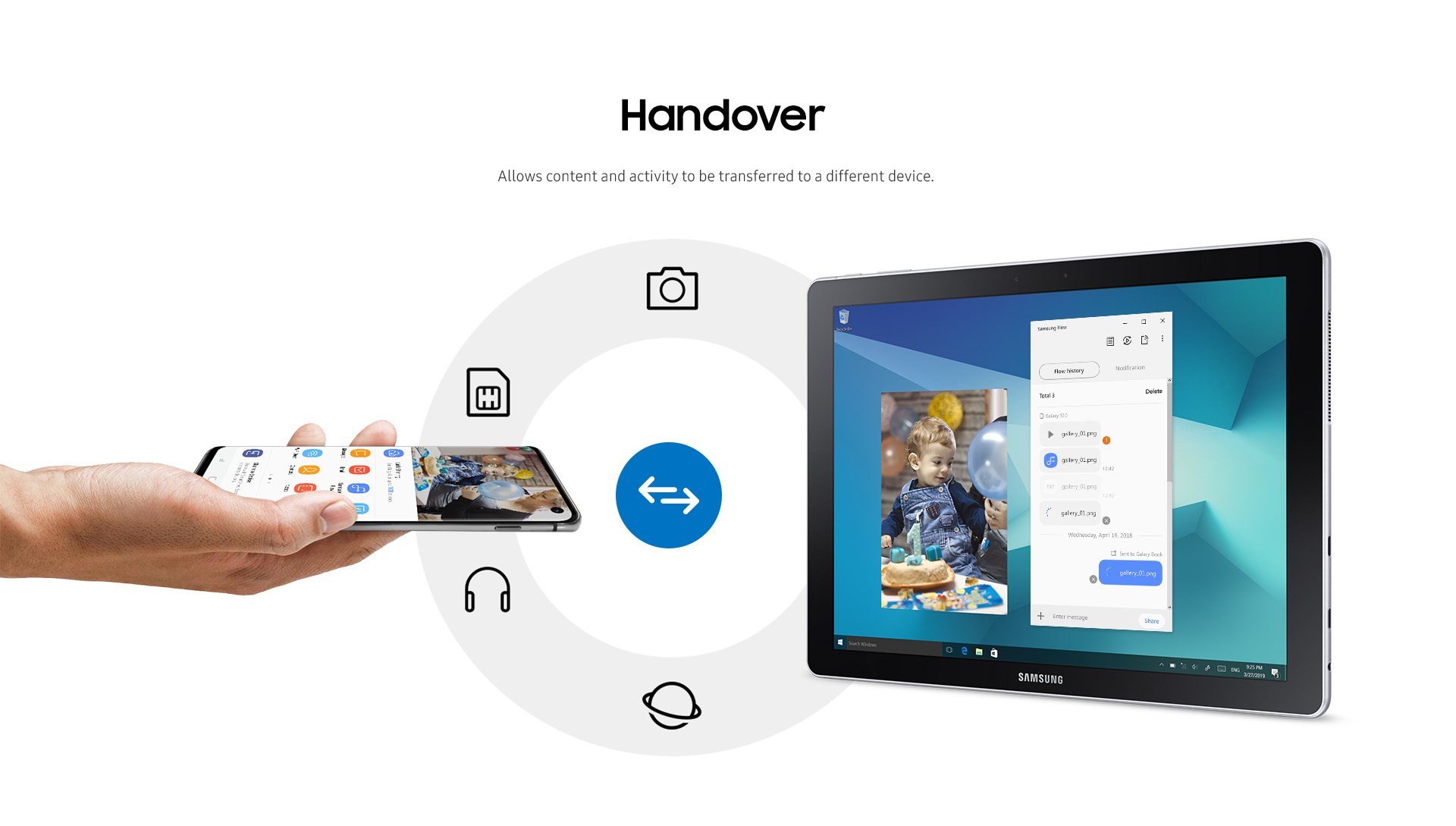
Gone are the days of emailing yourself documents or struggling with cables. With Samsung Flow, you can effortlessly transfer files between your mobile device and PC with just a few clicks or taps. It supports drag-and-drop functionality and maintains a secure connection, ensuring your data stays protected during transfer. This feature is particularly handy for quick document edits or sharing multimedia content on the go.
3. Enhanced Security through Device Lock/Unlock
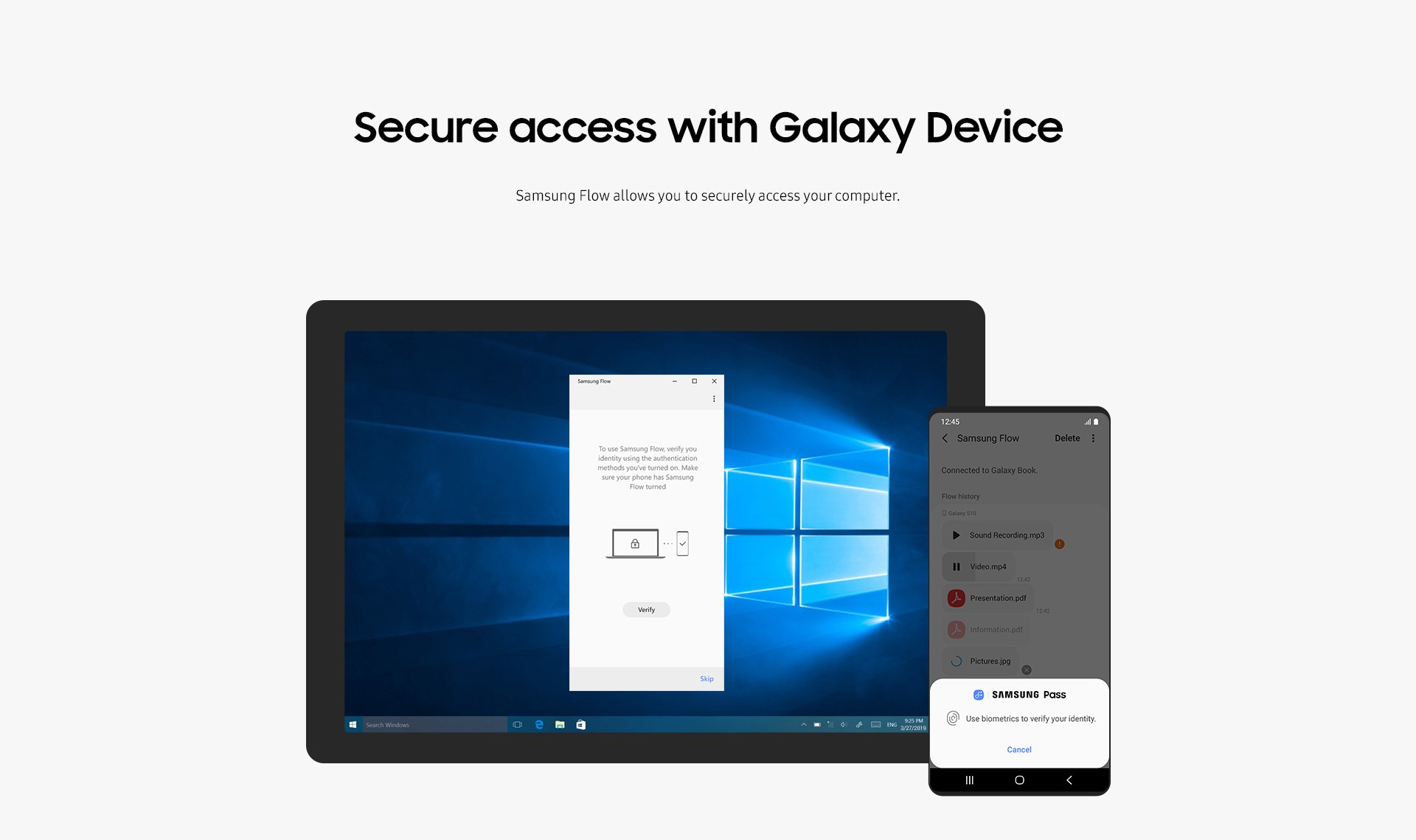
The app also features a nifty lock/unlock mechanism that leverages your phone's biometric authentication to unlock your PC. Imagine being able to secure your work session with your fingerprint on your phone, bypassing the need for entering passwords repeatedly. This not only boosts security but also saves time, especially in environments where quick access is critical.
User Experience: Intuitive, Smooth, and Accessible
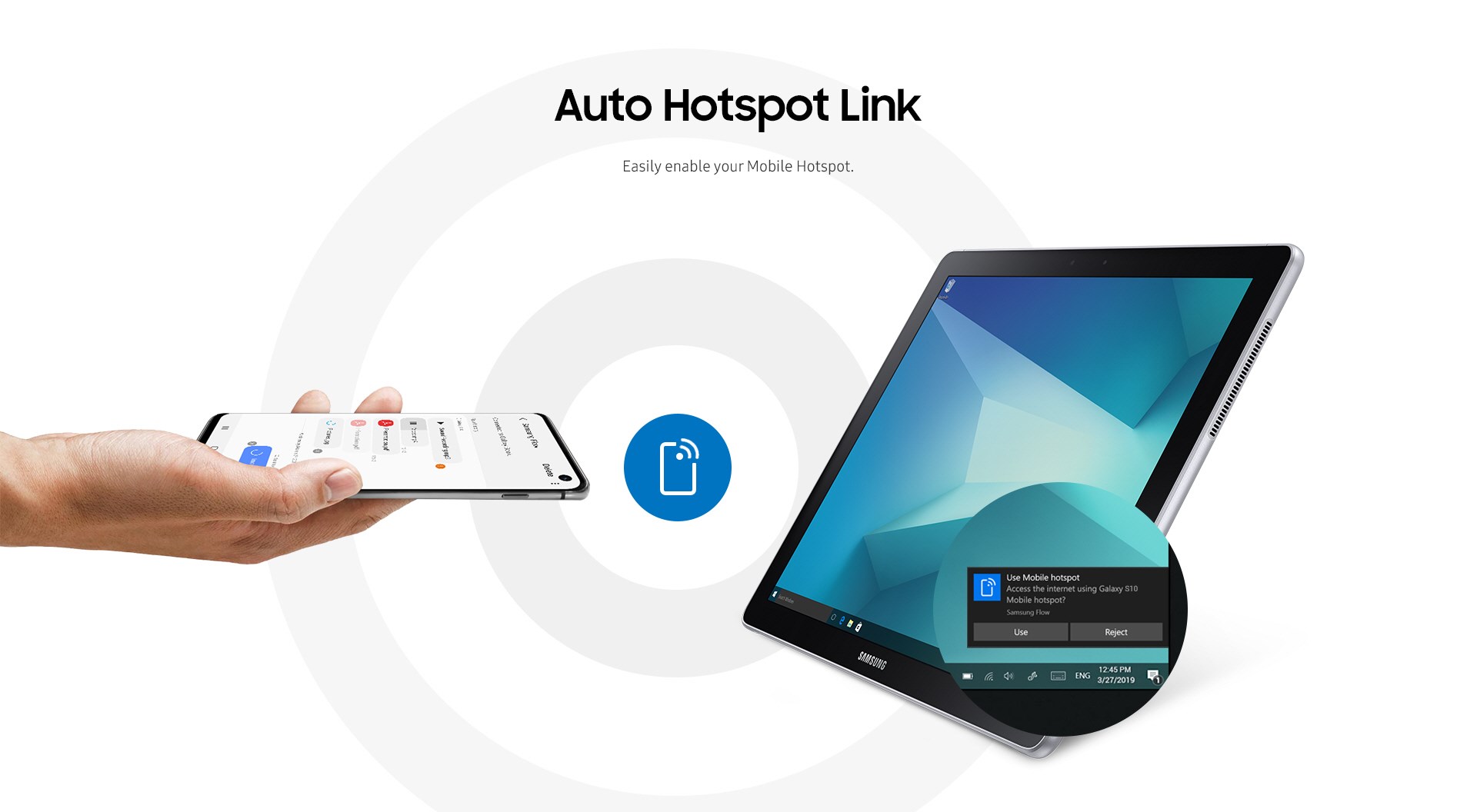
The interface of Samsung Flow strikes a balance between simplicity and functionality. It adopts a clean, modern design with clear icons and straightforward navigation—much like a well-organized control panel that you can easily master. Setting up the connection is a breeze, often requiring just a few steps involving Bluetooth pairing and Wi-Fi connection, making the learning curve gentle even for newcomers to such technology.
Performance-wise, the app boasts minimal lag and snappy responsiveness, ensuring that mirroring and file transfers happen swiftly, almost as if your devices are whispering to each other. Users report that once set up, using Samsung Flow feels like managing multiple screens of a single, unified system—each function flowing seamlessly into the next.
Distinctive Advantages: Standing Out in a Crowded Market
Compared to other utility tools that offer device connection features, Samsung Flow shines with its deep integration within the Samsung ecosystem. Its ability to provide real-time screen sharing, coupled with seamless notifications and secure device unlocking, makes it a versatile and reliable companion. Unlike generic remote desktop apps, Samsung Flow maintains a focus on security and device-specific features, such as unlocking your PC with biometric authentication tied to your mobile device—an edge that many other tools lack.
Final Verdict: A Solid Choice for Samsung Users
All in all, Samsung Flow for Windows earns a well-deserved recommendation for users within the Samsung universe. It's particularly beneficial for those seeking a streamlined way to manage notifications, transfer files, and keep their devices in sync without intrusive setups or complex configurations. The app's smooth operation and thoughtful design make it a practical utility rather than just a gimmick — a helpful digital assistant that quietly makes your multi-device experience more efficient and secure. For anyone already immersed in Samsung's ecosystem, this app is definitely worth trying out to unlock the full potential of your devices working together.
Pros
- Seamless device pairing
- Secure unlock feature
- Cross-platform notifications
- Content sharing made easy
- Enhanced productivity tools
Cons
- Limited device compatibility
- Occasional connection stability issues
- Battery drain during use
- Limited functionality on older Windows versions
- Some features require additional permissions











