

- Name Revo Uninstaller
- Category Utilities & tools
- Developer VS Revo Group Ltd.
- Available on PC
- OS Windows 10 version 0.0 or higher
- Keyboard Integrated Keyboard
- Mouse Integrated Mouse
- Memory 1 GB
- languages Albanian, Arabic, Armenian, Azerbaijani, Bulgarian, Chinese, Chinese (Simplified), Chinese (Traditional Chinese), Croatian, Czech, Danish, Dutch, English, Estonian, Finnish, French, Georgian, German, Greek, Gujarati, Hebrew, Hindi, Hungarian, Indonesian, Italian, Japanese, Korean, Kurdish, Macedonian, Norwegian, Persian/Farsi, Polish, Portuguese, Portuguese (Brazil), Portuguese (Portugal), Romanian, Russian, Serbian, Serbian (Cyrillic), Serbian (Latin), Slovak, Slovenian, Spanish, Swedish, Thai, Turkish, Ukrainian, Vietnamese, Bangla
Revo Uninstaller for Windows: A Trusted Companion for Safer PC Maintenance
Revo Uninstaller for Windows, developed by VS Revo Group Ltd., positions itself as a reliable tool for thoroughly removing unwanted applications and freeing up system clutter. With a focus on deep cleaning and system stability, this utility serves a broad spectrum of users—from everyday PC users to tech enthusiasts seeking efficient maintenance solutions.
Basic Information and Target Users
The app is designed to be an easy-to-use yet powerful uninstaller that ensures leftovers are not left behind. VS Revo Group Ltd., the developer behind Revo Uninstaller, has built a reputation in the utility software domain. Its key features include advanced scanning for residual files, forced uninstall options, and strategic cleaning tools. The primary users are individuals who want to maintain optimal system performance, IT professionals managing multiple devices, or users discouraged by incomplete uninstallers from other applications.
Getting to Know Revo Uninstaller: A User-Friendly yet Powerful Tool
Imagine having a meticulous cleaner at your disposal, one that not only tidies up the usual mess but also digs deep into the corners where digital dust tends to hide. That's the experience Revo Uninstaller offers—an interface that feels approachable, yet packed with features that make the uninstall process thorough and reliable. It's like having a digital detective ensuring no trace is left behind, making your system leaner and healthier.
Uninstall with Precision and Confidence
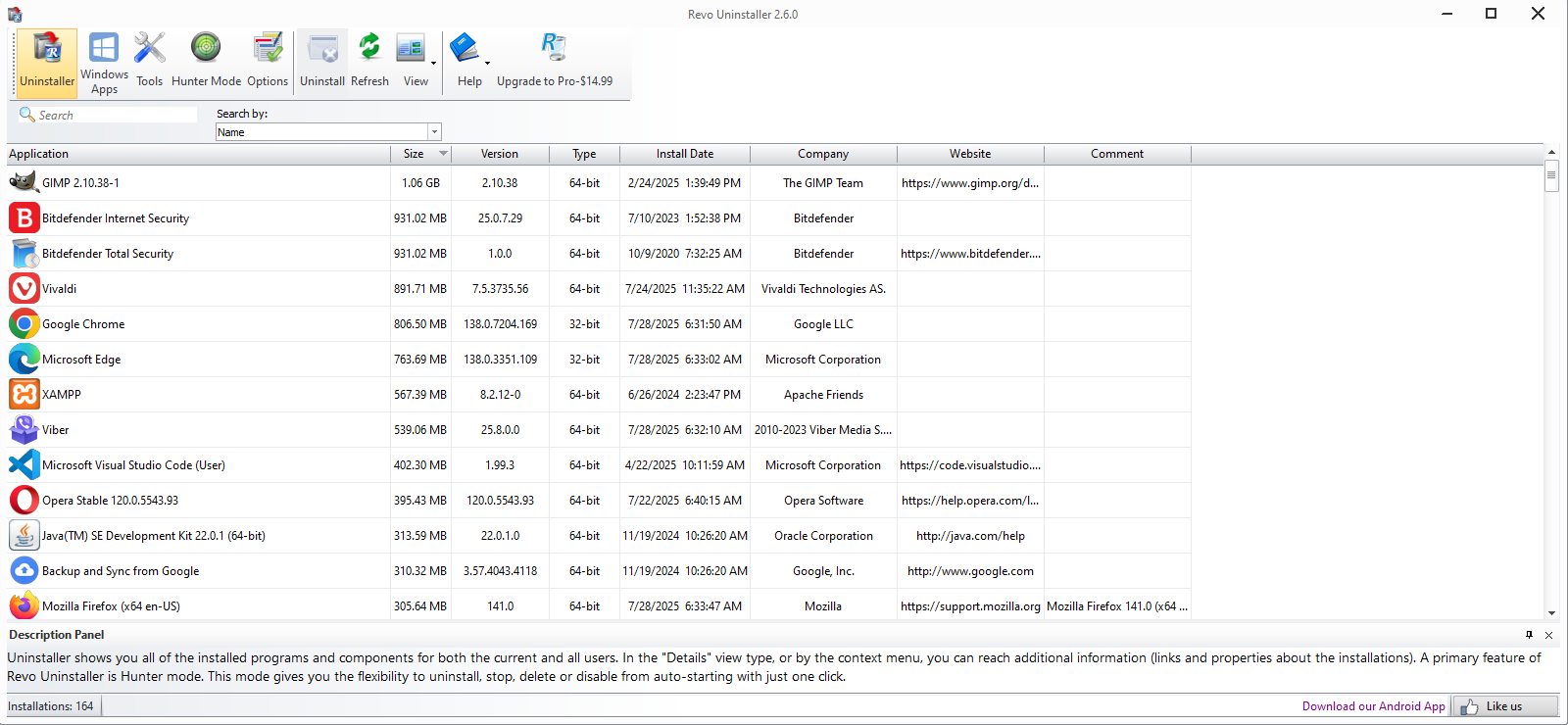
One of Revo Uninstaller's standout features is its robust uninstall engine. Unlike the default Windows uninstaller, which often leaves behind orphaned files and registry entries, Revo scans your system before and after uninstallation, detecting and removing all remnants. Its Multi-Level Backup system is comparable to having a safety net, allowing you to restore previous states if needed. This feature is especially useful when removing stubborn or deeply integrated programs, such as browser toolbars or legacy software.
The "Forced Uninstall" feature is another highlight. When standard uninstallers fail or are unavailable—say, for malware or corrupted software—Revo steps up as a digital locksmith, forcing the removal of troublesome items without compromising system stability or security. This ensures you can reclaim space and system resources even from problematic applications.
Deep Cleaning and System Optimization
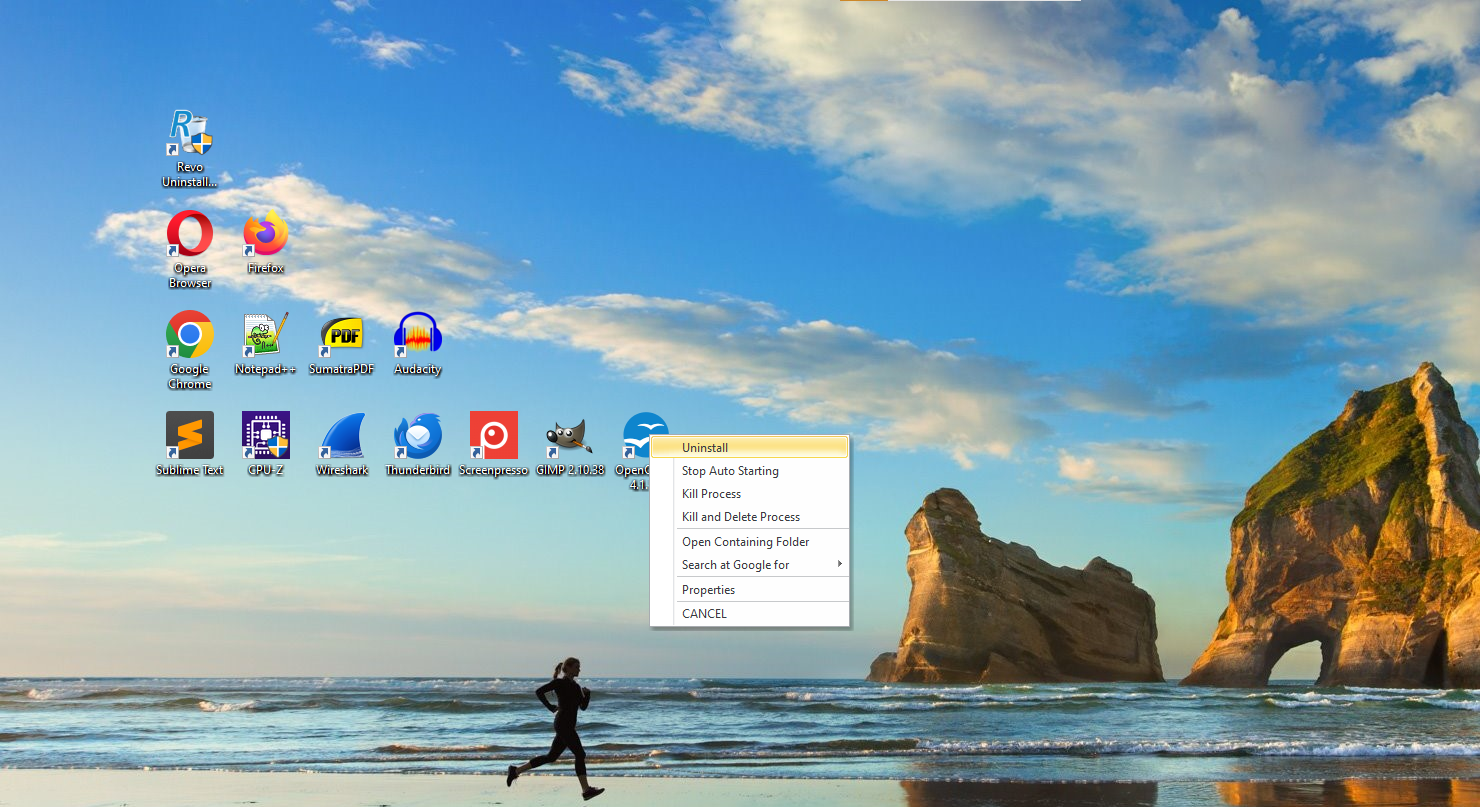
Beyond uninstallation, Revo Uninstaller excels in deep cleaning. Its "Hunter Mode" allows users to target active programs quickly—simply drag and drop the target icon onto the app's interface, and Revo will identify the associated files and registry entries for removal. This tool is akin to a precise surgical instrument, eliminating only what's necessary without disturbing the rest of your system.
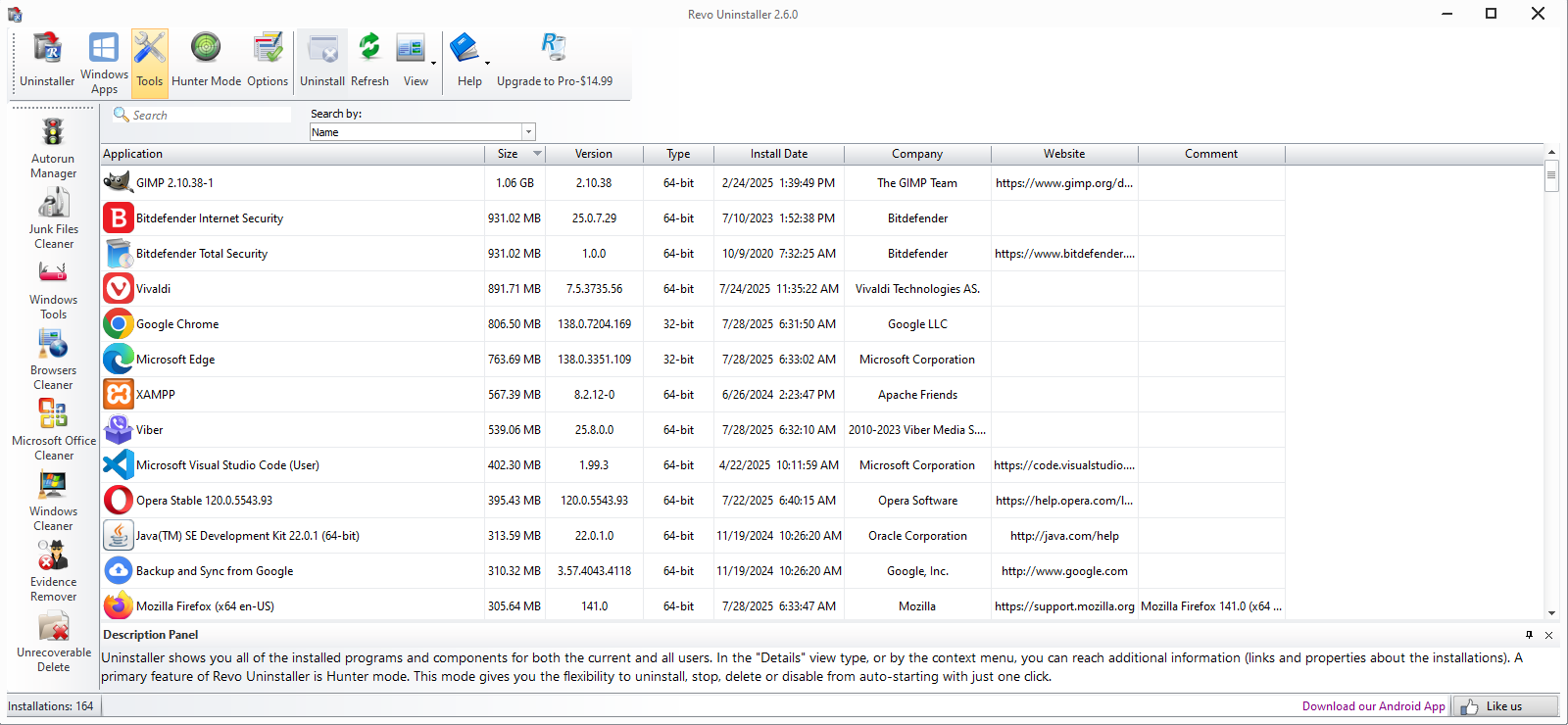
The built-in Junk Files Cleaner complements the uninstall features by scanning for leftover cache, logs, and temporary files, helping to free up disk space and improve performance. This layered approach transforms Revo into a comprehensive system maintenance ally, rather than just an uninstaller.
Interface and User Experience: Friendly and Intuitive
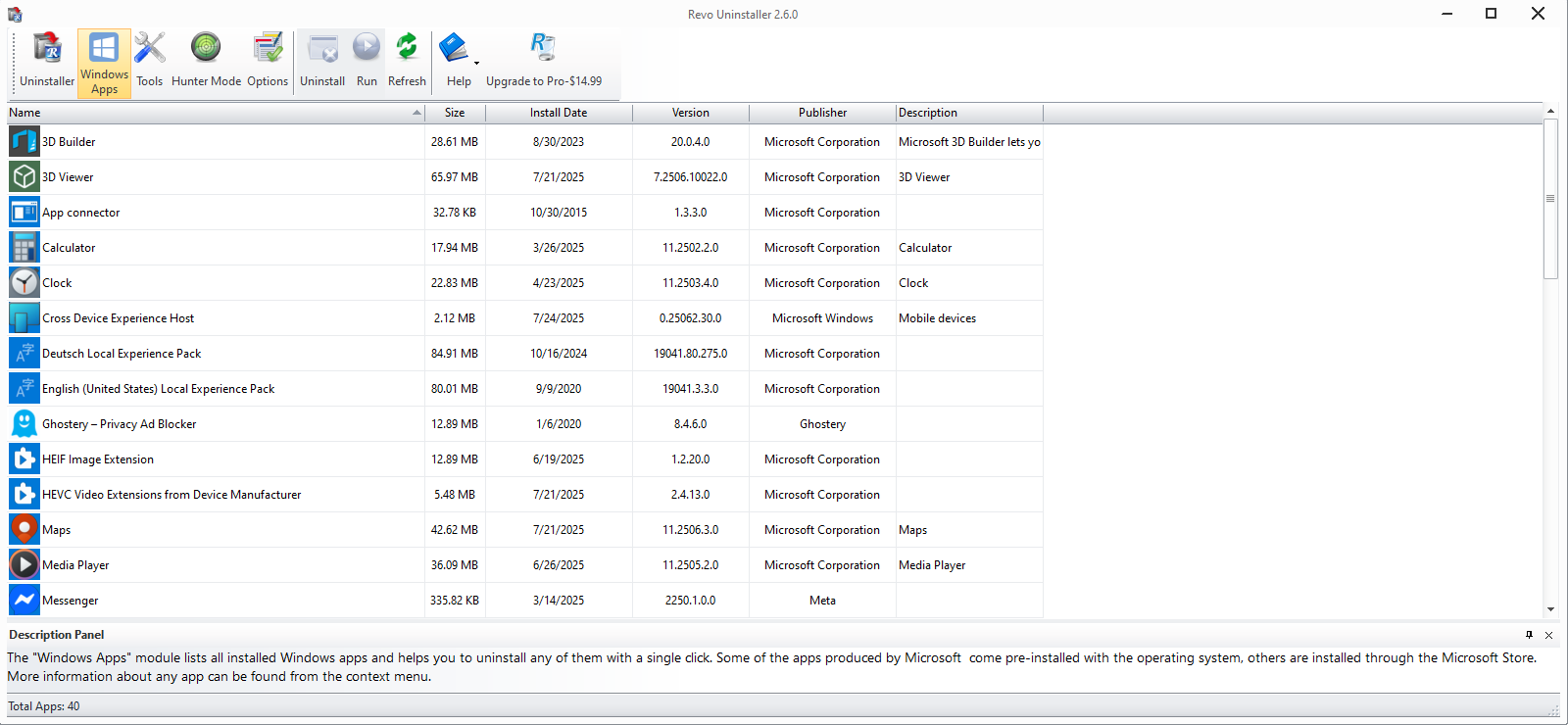
The interface of Revo Uninstaller is sleek, modern, and accessible, much like a well-organized toolbox where every tool is within easy reach. Navigation is straightforward, with clear categories and step-by-step guides suitable for both novices and experienced users. Operations are smooth and responsive, with minimal lag or confusing menus, making the learning curve gentle. Even users new to system utilities will find the app approachable, thanks to its guided uninstall processes and helpful prompts.
Unique Selling Points and Differentiation
What sets Revo Uninstaller apart from many competitors is its focus on residual removal and system safety. Its multi-level scanning, backup, and forced uninstall capabilities ensure thoroughness that generic uninstallers often lack. Compared to free tools, Revo offers a more comprehensive cleaning process without sacrificing ease of use. It's also less intrusive than some aggressive system cleaners, maintaining a balanced approach that respects system stability. These features make it particularly attractive for users who want effective cleaning without risking their system's health.
Final Thoughts and Recommendations
Overall, Revo Uninstaller for Windows is a solid choice for anyone looking to enhance their system maintenance routine. Its robust uninstallation engine, deep cleaning capabilities, and user-friendly design make it stand out among utility tools. I'd recommend it particularly for users dealing with stubborn applications or those seeking a reliable way to keep their PC clutter-free. With a modest learning curve and clear advantages, it's a tool worth having in your digital toolbox.
Pros
- Thorough Uninstallation
- User-Friendly Interface
- Real-Time Monitoring
- Batch Uninstallation Support
- Additional Tools
Cons
- Limited Free Version
- Slower Scan Speed on Large Software Suites
- Occasional False Positives
- No Mac Version
- Learning Curve for Advanced Features











