

- Name QR Code Scanner PRO
- Category Utilities & tools
- Developer Matthias Duyck
- Available on PC, Mobile, Surface Hub, HoloLens
- OS Windows 10 version 18362.0 or higher
- Mouse Integrated Mouse
- languages English (United States)
Introducing QR Code Scanner PRO for Windows: Your Reliable Barcode Companion
QR Code Scanner PRO for Windows, developed and published by Matthias Duyck, is a dedicated application designed to effortlessly read and interpret QR codes and barcodes directly from your desktop. Whether you're scanning product labels, event tickets, or Wi-Fi credentials, this tool promises a seamless experience tailored for efficiency and simplicity.
Essential Details at a Glance
Developer and Publisher
Both roles are handled by Matthias Duyck, ensuring a unified vision and consistent quality in the app's design and functionality.
Main Features Highlights
- Rapid scanning capabilities with real-time decoding of QR codes and various barcodes.
- Supports multiple barcode formats such as QR, Code 39, Code 128, EAN, and more.
- User-friendly interface that makes scanning straightforward and accessible for all levels.
- Lightweight and optimized for smooth operation without taxing system resources.
Target Audience
This application is ideal for individuals and businesses needing quick and accurate barcode or QR code scanning — from retail staff managing inventory, event organizers checking tickets, to tech enthusiasts exploring QR codes as part of their daily routines.
Engaging and Practical: An Introduction to Your New Scanning Companion
If you've ever tried to scan a QR code with your phone only to be met with lag and clunky interfaces, you'll appreciate the charm of QR Code Scanner PRO for Windows. Think of it as having a trusty scanner sitting right at your desk, prepared to decode all those cryptic patterns stashed in product manuals, event passes, or Wi-Fi configurations — without the need to juggle your smartphone. Its clean design and responsive performance make it feel more like a polished pro tool than just a simple utility, turning what is usually a mundane chore into an almost enjoyable task.
Core Functionality: Decoding the Barcode Universe
Speed and Accuracy: Think Quick, Decode Faster
One of the application's most striking features is its rapid decoding engine. It uses efficient algorithms to analyze images instantly, delivering results in the blink of an eye. Whether you're facing a printed QR code or a digital barcode on your screen, the app's responsiveness is almost magical. This speed drastically reduces the frustration often encountered with sluggish or unreliable scanners, making it a trustworthy partner during busy moments.
Format Versatility: More Than Just QR Codes
While many scanning apps specialize solely in QR codes, QR Code Scanner PRO for Windows embraces a wider universe of barcodes. From classic EAN and UPC to Code 39 and Code 128, the app's multi-format support ensures you'll rarely need to switch tools. This comprehensive compatibility makes it a versatile asset, whether you're scanning product barcodes at a retail check-out or decoding complex inventory tags.
Ease of Use and User Experience
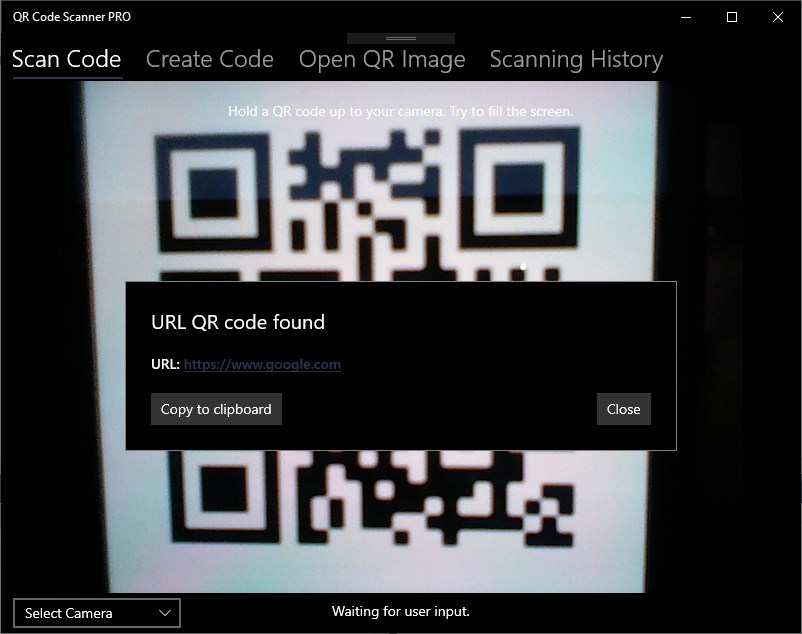
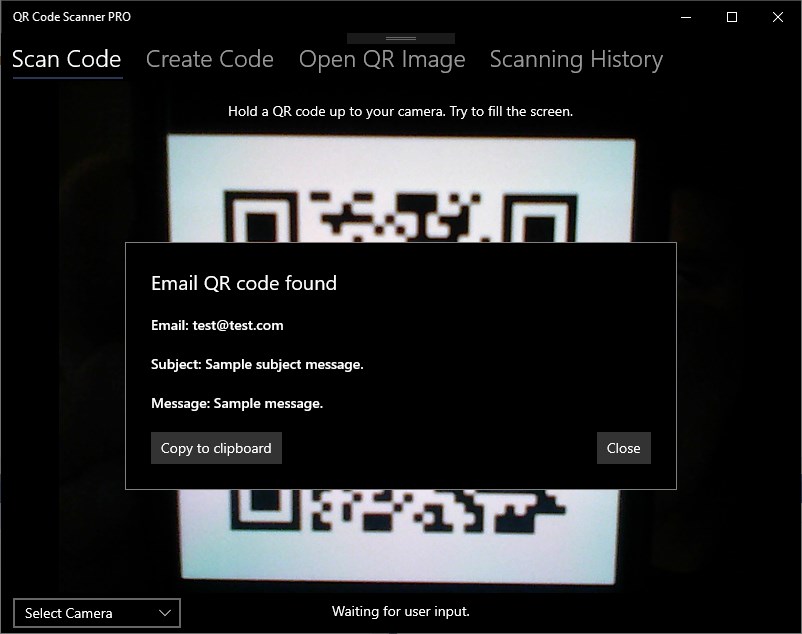
The interface is intuitively designed — a simple camera viewfinder dominates the window, with minimal clutter, making it feel more like wielding a high-tech device than fiddling with a software menu. The scanner's operation is straightforward: open the app, align the code within the on-screen frame, and watch the magic happen. It's so smooth that even users unfamiliar with barcode technology can start scanning confidently within seconds. The learning curve is practically nonexistent, and the app's stability ensures a frustration-free experience even during frequent use.
What Sets It Apart? The Unique Advantages
Compared to other utilities and tools in the same space, QR Code Scanner PRO for Windows prides itself on its simplicity paired with robust performance. Its standout feature is the balance of speed and format support, ensuring it handles a wide array of barcodes with a quick, accurate response. Unlike some apps that get bogged down with unnecessary features or clutter, this app focuses on doing one thing well — scanning and decoding — and doing it excellently. Additionally, its lightweight nature means it can run unobtrusively in the background, not consuming precious system resources or causing slowdown during multitasking.
Final Verdict and Usage Recommendations
Overall, QR Code Scanner PRO for Windows earns a solid recommendation for anyone requiring a dependable, straightforward barcode scanning tool. It's particularly advantageous for retail workers, event organizers, or hobbyists who need quick results without fuss. For casual users or those seeking a free, no-nonsense scanner, this app presents a compelling choice. While it may lack some advanced features found in more comprehensive mobile apps, its core strengths — speed, accuracy, and ease of use — make it a top contender in desktop barcode utilities.
Pros
- Fast and Accurate Scanning
- User-Friendly Interface
- Supports Multiple QR Code Types
- No Need for Internet After Installation
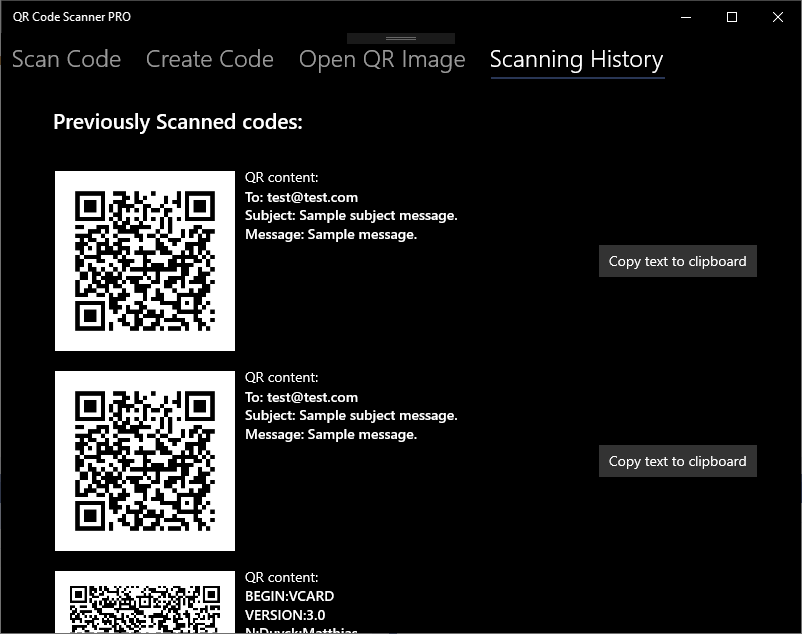
- Built-in History Storage
Cons
- Limited Customization Options
- Advertisement Occasional Interruptions
- Limited Support for Non-Standard Codes
- No Cloud Backup for History
- No Batch Scanning Mode











