

- Name Pro Widgets for Widget Launcher
- Category Utilities & tools
- Developer Allen Chan
- Available on PC
- OS Windows 10 version 19041.0 or higher
- Memory 4 GB
- Keyboard Not specified
- Mouse Not specified
- languages English (United States), French, German, Italian, Japanese, Polish, Russian, Spanish
A Fresh Take on Windows Launchers: Pro Widgets for Widget Launcher
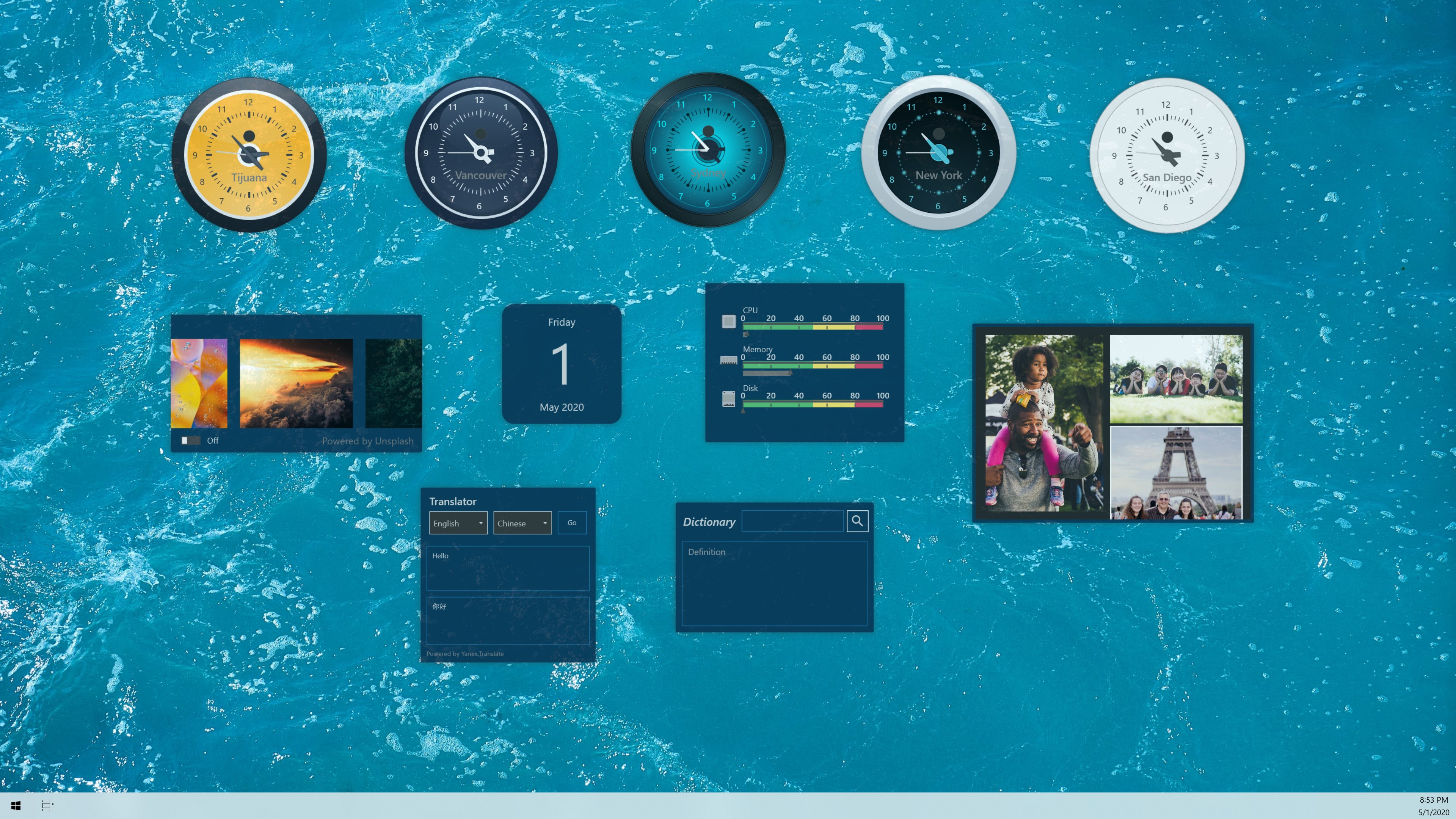
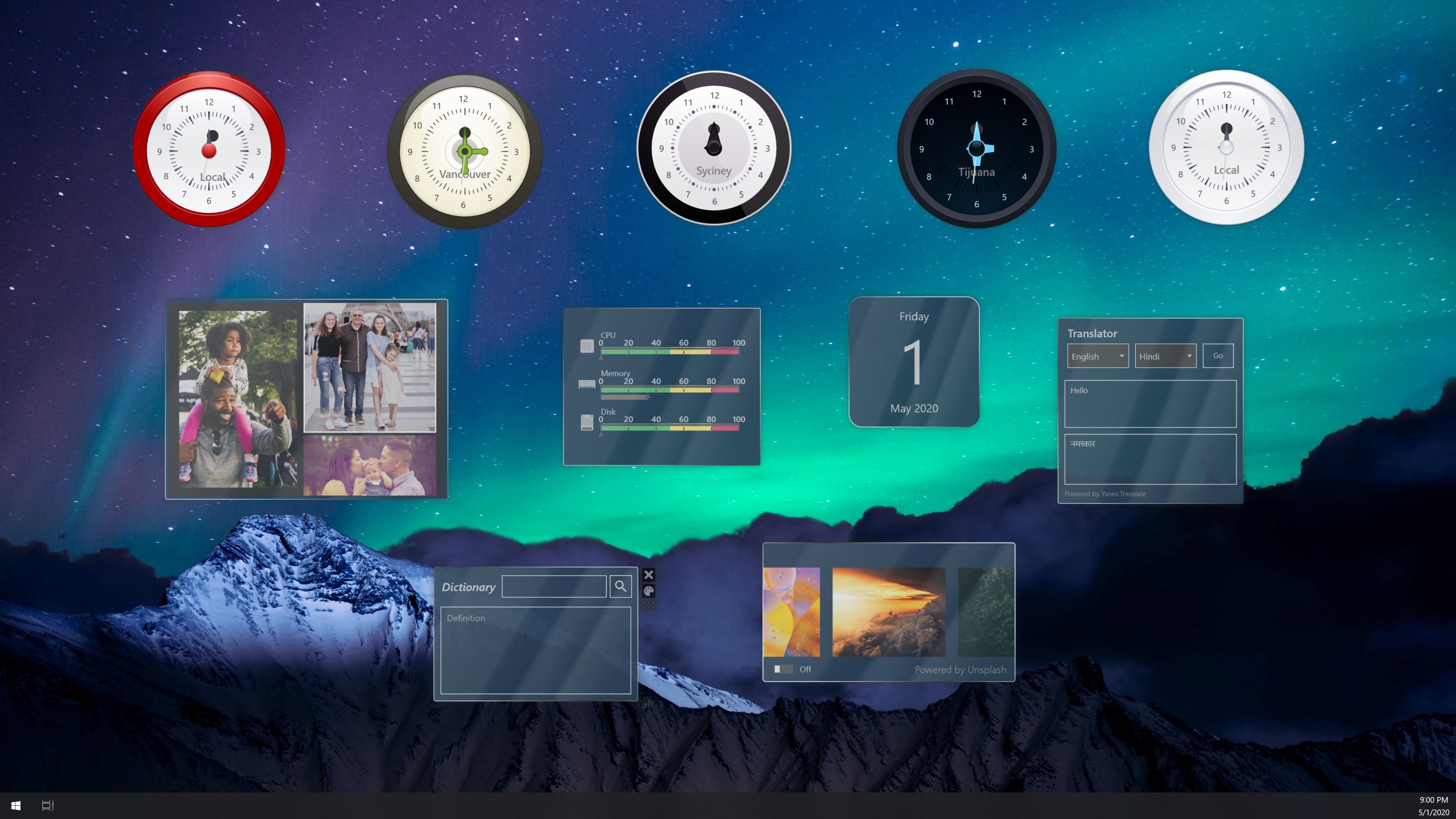
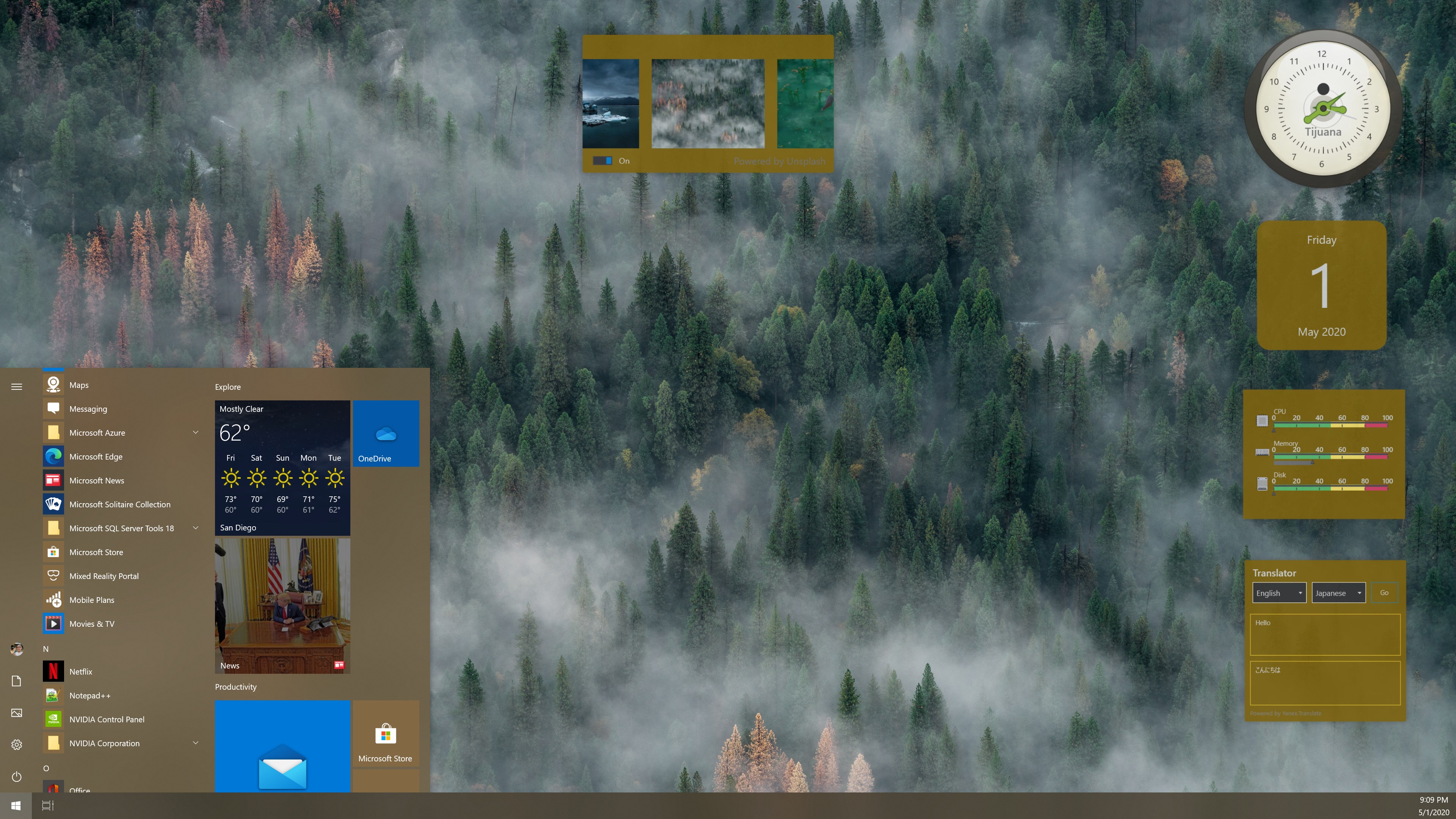
If you find your Windows desktop cluttered and yearn for a more dynamic and organized workspace, Pro Widgets for Widget Launcher might just be the tool to spice things up. This application promises to transform how you access your favorite programs and utilities by bringing powerful, customizable widgets right to your desktop in an intuitive way. Developed by Allen Chan under Chan Software Solutions, it's designed for users seeking a streamlined and visually appealing way to launch applications efficiently without resorting to traditional Start Menu hunting or taskbar clutter.
Key Features That Shine Bright
Pro Widgets for Widget Launcher isn't just another add-on; it aims to elevate your Windows experience with thoughtful features. The most notable highlights include:
- Customizable Widget Collection: Tailor your widget dashboard to showcase your most-used apps, shortcuts, or utilities, making accessibility quick and effortless.
- Seamless Integration with Windows: Designed to work smoothly alongside your existing tools, minimizing lag and ensuring that launching applications is lightning-fast.
- Elegant and Adaptive Interface: The app boasts a sleek, modern look that adapts well to different screen sizes and user preferences, adding a touch of sophistication to your desktop environment.
- Easy-to-Use Configuration: No steep learning curve here—setting up widgets is as simple as drag-and-drop, enabling even casual users to customize their workspace efficiently.
A User-Friendly, Scene-Setting Interface
Imagine your Windows desktop as a cluttered craft table; now, picture turning it into an organized station with a single glance—Pro Widgets turns this vision into reality. The interface is designed with a clean, minimal aesthetic, resembling a digital dashboard rather than an obtrusive overlay. It invites users in with its straightforward layout, where configuring widgets feels as natural as placing items on a virtual shelf. The app responds swiftly to user inputs, with minimal lag, making the entire experience smooth as silk.
Getting started is intuitive. Once installed, the widget launcher appears as a sleek panel, which you can customize by adding your favorite applications, folders, or tools. The learning curve is gentle—much like assembling a simple model kit—requiring only a few minutes to master the basics, but offering ample room for advanced customization for power users.
Core Functionalities: Power and Personalization Hand in Hand
Dynamic Application Docking
The heart of Pro Widgets lies in its ability to serve as a personalized launching dock. Unlike traditional static icons or cumbersome taskbars, this app allows users to dynamically populate their dashboard with widgets representing their most frequented apps or files. Imagine pressing a button and instantly vanishing an elaborate menu to reveal your own curated application collection—it's like having your personal app concierge at your fingertips. This flexibility helps in reducing desktop clutter and boosts productivity by cutting down search and navigation time.
Smart Widget Management and Customization
This feature is the app's pièce de résistance. The widget system is highly adaptable—users can resize, rearrange, and categorize their widgets for maximum efficiency. Want your social media buttons in one corner, quick-launch files in another? No problem! Additionally, you can assign unique icons or animations, making your workspace truly tailored. Its straightforward drag-and-drop setup means customizing your environment is less like configuring a spaceship and more like decorating your home—quick, easy, and satisfying.
Responsive and Adaptive Design
Pro Widgets boasts a design that feels as natural as a well-tailored suit—snug and fitting across various display sizes. Whether on a compact laptop or a large monitor, the widget launcher adjusts seamlessly, maintaining clarity and ease of access. The smooth animations and responsive control contribute to a glass-smooth user experience, making interactions feel as effortless as flipping a page in a magazine.
Comparison and Unique Strengths
When stacked against similar utilities and tools, Pro Widgets stands out primarily due to its balance of simplicity and customization. Many application launchers boast extensive features but often at the cost of complexity and sluggishness. In contrast, Pro Widgets excels at providing essential functionalities without overwhelming the user. Its real edge lies in its elegant user interface combined with potent customization options—think of it as a luxury car that's easy to drive yet packed with advanced features accessible when needed.
Moreover, its smooth integration with Windows ensures that it feels like a native part of the environment rather than an external add-on. This level of cohesion makes switching between applications feel natural, akin to moving objects on a well-organized toolbelt—efficient and satisfying.
Final Thoughts: A Personal Recommendation
If you're a Windows user tired of juggling multiple icons and looking for a smarter, more personalized way to access your applications, Pro Widgets for Widget Launcher deserves your attention. Its most distinctive feature—customizable, dynamic widgets—offers a level of flexibility that's hard to find elsewhere. While it remains accessible to casual users, its depth of customization also caters to power users who appreciate thoughtful details and seamless performance.
In terms of overall value, I'd rate it as a solid recommendation—particularly for those seeking an elegant yet straightforward way to declutter their desktop while maintaining quick access to essential tools. Think of it as transforming your workspace into a sleek command center, where everything you need is just a widget away. Give it a try, and see how it can make your Windows environment both more beautiful and more efficient.
Pros
- User-friendly customization
- Wide selection of widgets
- Seamless integration with Windows
- Lightweight and efficient
- Regular updates and improvements
Cons
- Limited widget customization options
- Occasional widget lag or delay
- Restricted free features
- Minor UI glitches
- Limited widget library compared to competitors











