
- Name PDF Deskew Tool v2
- Category Utilities & tools
- Developer TeruTeku
- Available on PC
- OS Windows 10 version 17763.0 or higher
- Keyboard Integrated Keyboard
- Mouse Integrated Mouse
- Memory 8 GB
- languages English (United States)
Introduction to PDF Deskew Tool v2 for Windows
Imagine finally saying goodbye to the cumbersome challenge of straightening scanned documents or crooked PDFs—welcome to PDF Deskew Tool v2, a dedicated utility designed to streamline the process of deskewing PDFs with precision and ease. Developed by TeruTeku, this application aims to rescue your documents from the frustration of misaligned pages, offering a straightforward solution targeted at users seeking efficiency without sacrificing accuracy.
Who Created It? The Team Behind the Tool
TeruTeku, a software developer committed to crafting focused and user-friendly utilities, stands behind PDF Deskew Tool v2. Their dedication to simplicity combined with effectiveness allows them to produce tools that serve a precise purpose—helping everyday users and professionals alike handle document corrections swiftly and reliably.
Core Features That Stand Out
- Automated Skew Detection and Correction: Utilizes advanced algorithms to analyze scanned PDFs and automatically straighten pages, minimizing manual intervention.
- Batch Processing Capability: Enables multiple PDFs to be deskewed simultaneously, saving time during bulk operations.
- Intuitive User Interface: Designed with clarity in mind, allowing users of all levels to navigate and operate the app effortlessly.
- High Precision Results: Ensures that the deskewed PDFs retain their original layout and readability, making documents professional and presentable.
A Deep Dive into the App's Performance and Experience
Stepping into PDF Deskew Tool v2 feels akin to having a meticulous editor at your fingertips. Its interface is clean and thoughtfully organized, resembling a well-ordered desk—everything accessible and easy to find. From launching the app to completing your deskewed PDFs, the process flows smoothly, like a gentle stream guiding you through its features.
User Interface and Usability
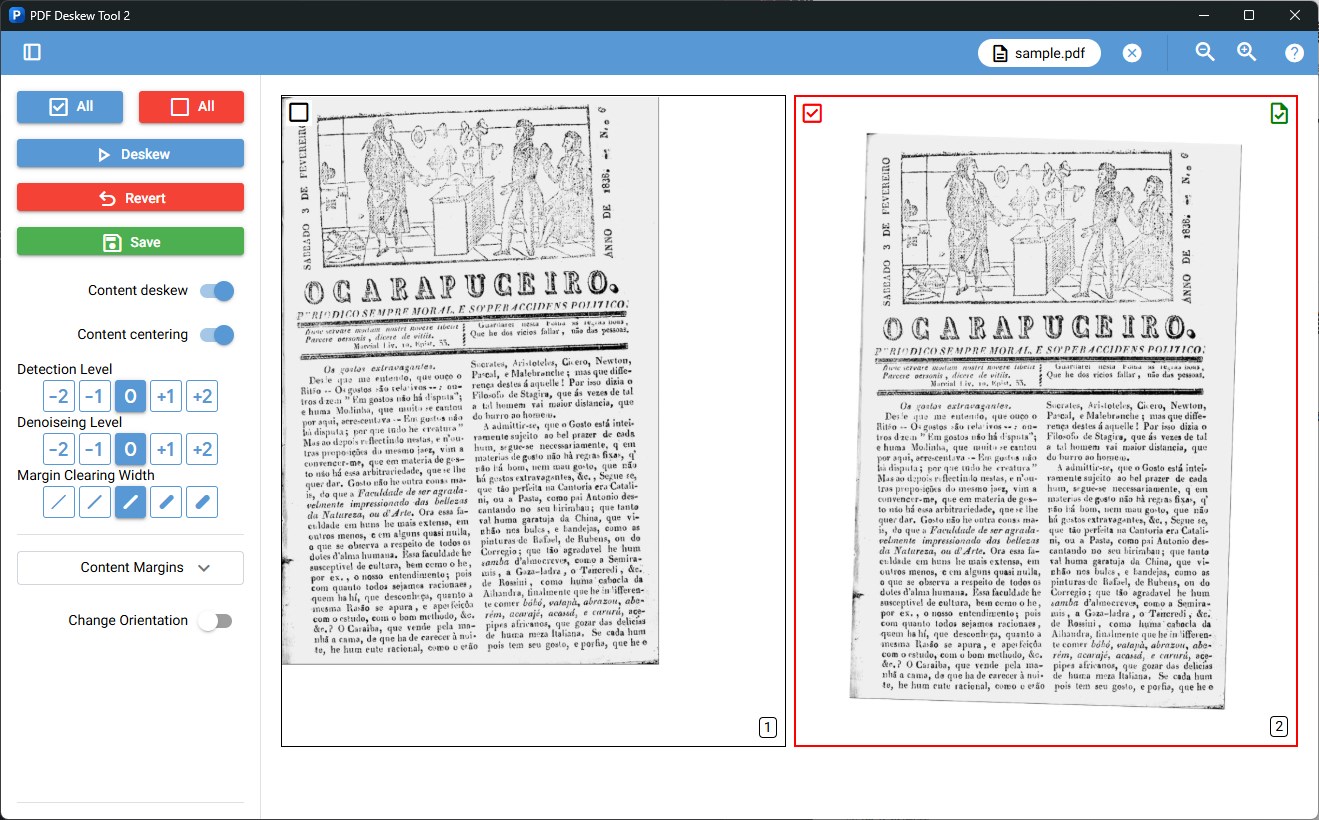
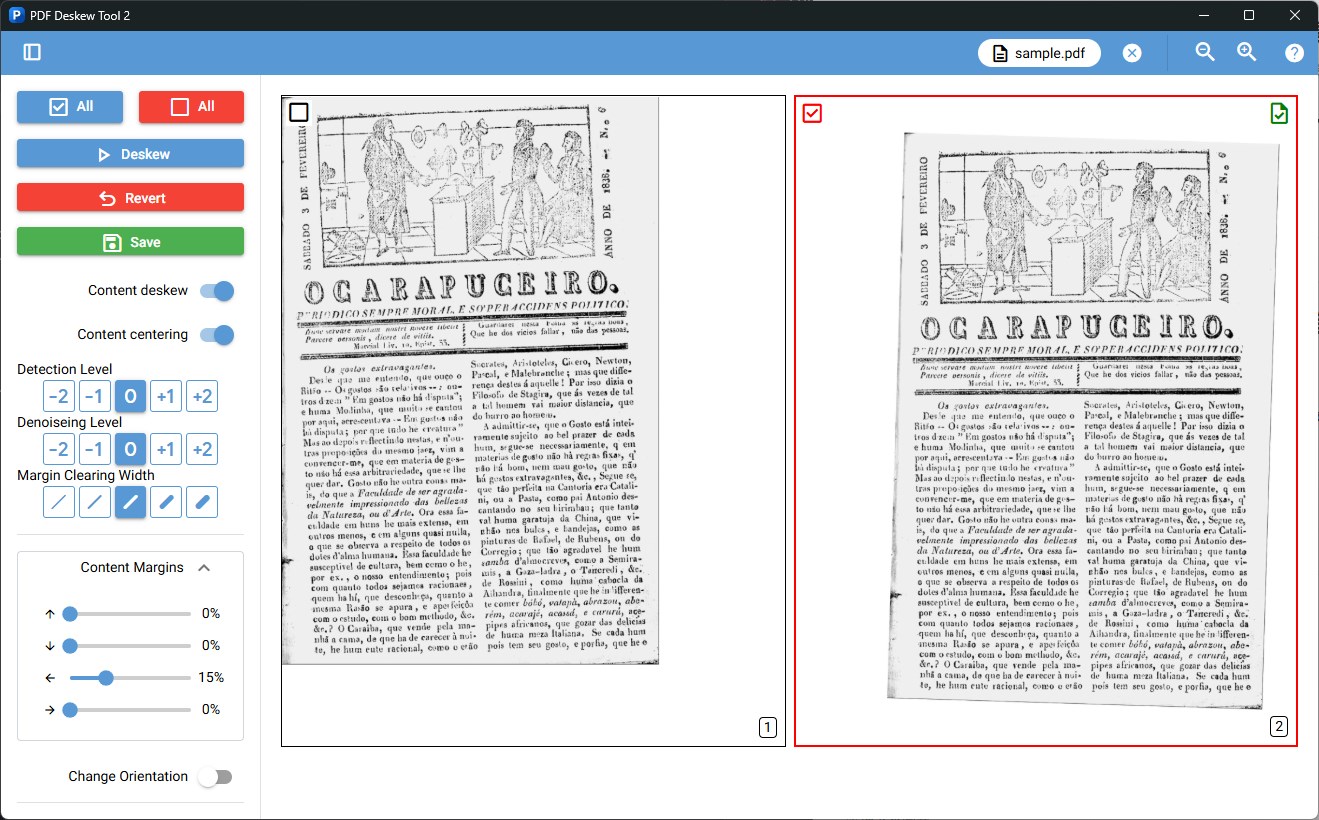
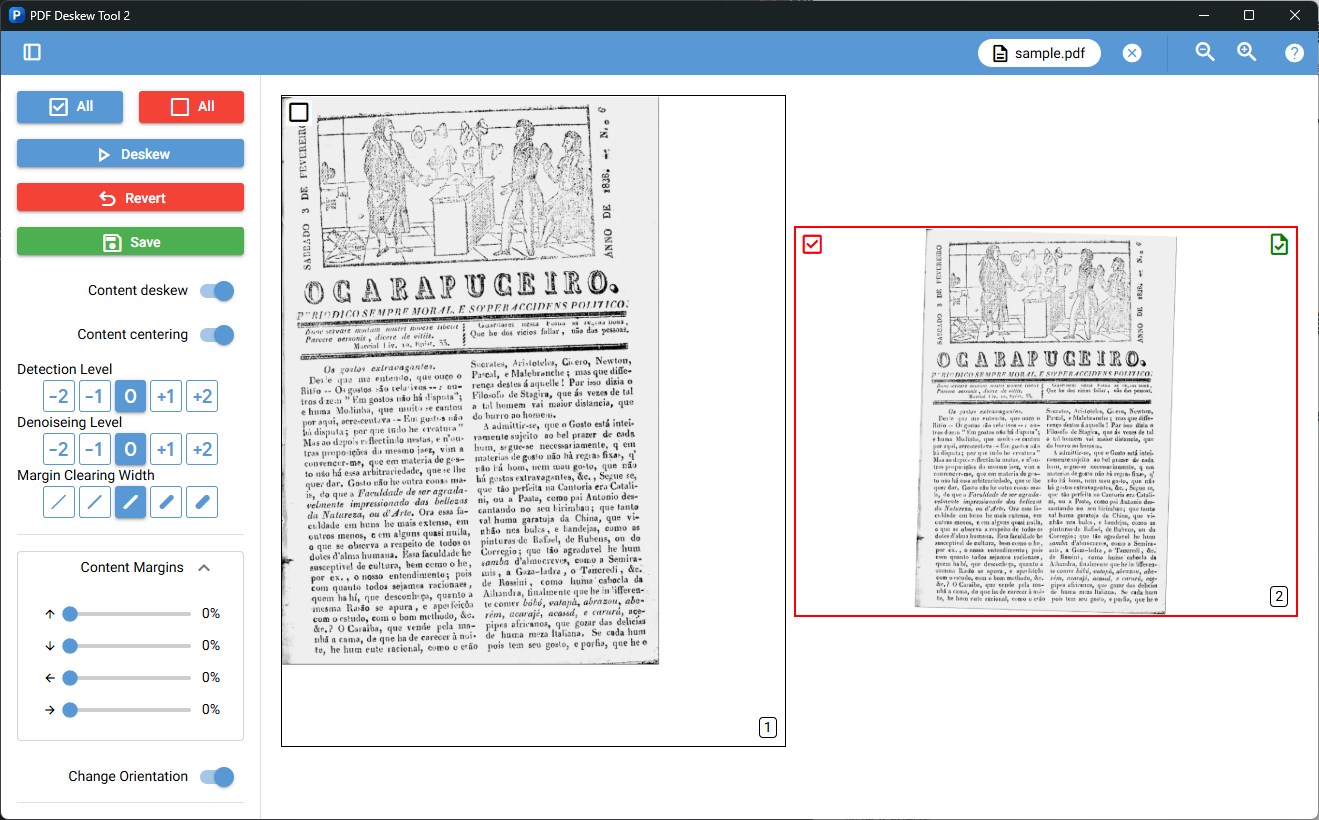
The app embraces a minimalist design, with clear labels and straightforward controls that lower the learning curve. Even newcomers will find it approachable; a few clicks are enough to select your PDFs, set options if needed, and let the tool do the rest. Its drag-and-drop feature feels as natural as dropping papers onto a desk, and progress indicators keep you informed without overwhelming you.
Core Functionalities in Action
The standout feature—the automatic skew detection—is truly intelligent. Unlike generic utilities that require you to manually draw lines or input angles, PDF Deskew Tool v2's algorithms analyze each page's text orientation and line patterns to adjust orientation seamlessly. For users handling scanned documents from diverse sources, this means consistent results without tedious calibration.
Additionally, the batch processing function dramatically enhances productivity. Imagine needing to straighten a stack of resumes or legal documents; the app processes all files in a single go, saving you hours. This efficiency is a key differentiator, especially in professional or academic environments where time is precious.
Unique Advantages Over Similar Tools
While many PDF utilities offer deskew features, PDF Deskew Tool v2 excels in its automation and accuracy. Its perception of the document layout means it handles skewed images with high precision, often outperforming more generic tools that rely on basic rotation methods. Moreover, its simple interface reduces the stress associated with technical PDFs, making this app accessible even to those less tech-savvy. Compared to more bloated PDF editors or complex OCR solutions, this tool focuses solely on deskewing, delivering results quickly without unnecessary clutter.
Final Thoughts and Recommendations
If you're frequently dealing with scanned PDFs or similar digital content that requires tidy formatting, PDF Deskew Tool v2 is a reliable companion. Its most compelling feature—the automatic, accurate skew correction—is like having a personal editor who just gets it right every time. The batch processing adds a time-saving edge, making it suitable for both individual users and professionals managing large document volumes.
Given its straightforward interface and impressive functionality, I recommend this tool to users seeking a dedicated, no-fuss solution for PDF correction. While it may lack some advanced editing features found in larger suites, its specialization in deskewing makes it a must-have for document clarity and presentation.
In summary, PDF Deskew Tool v2 combines practicality with precision, making crooked PDFs a thing of the past. It's a heartfelt recommendation for anyone who values efficiency and accuracy in document management—simple, effective, and dependable.
Pros
- User-Friendly Interface
- Effective Image Deskewing
- Fast Processing Speed
- Lightweight and Minimal Setup
- Supports Multiple PDF Formats
Cons
- Limited Editing Features
- Occasional OCR Limitations
- Lack of Batch Processing Options
- Limited Customization Settings
- No Cloud Storage Integration











