

- Name NAPS2 - Not Another PDF Scanner
- Category Utilities & tools
- Developer NAPS2 Software
- Available on PC
- OS Windows 10 version 19041.0 or higher
- Memory 1 GB
- Keyboard Not specified
- Mouse Not specified
- languages Afrikaans, Albanian, Arabic, Bosnian (Latin), Bulgarian, Catalan, Chinese (Simplified), Chinese (Traditional), Croatian, Czech, Danish, Dutch, English (United States), Estonian, Finnish, French, German, Greek, Hebrew, Hindi, Hungarian, Indonesian, Italian, Japanese, Korean, Latvian, Lithuanian, Norwegian (Bokmål), Norwegian (Nynorsk), Persian/Farsi, Polish, Portuguese (Brazil), Portuguese (Portugal), Romanian, Russian, Serbian (Cyrillic), Serbian (Latin), Sinhala, Slovak, Slovenian, Spanish, Swedish, Thai, Turkish, Ukrainian, Vietnamese
Introducing NAPS2: A Reliable Companion for Your Document Scanning Needs
NAPS2 (Not Another PDF Scanner 2) for Windows stands out as a straightforward, efficient tool designed to simplify the digitization of physical documents with minimal fuss. Its goal is to provide users with an easy-to-use yet powerful scanner interface that caters to both casual users and professionals seeking a free, open-source solution.
About the Developer and Core Features
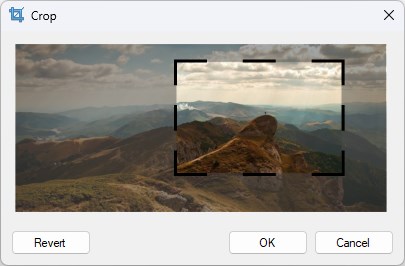
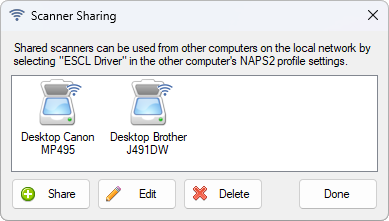
Developed and published by NAPS2 Software, this application is a product crafted by a dedicated team committed to creating accessible document management tools. Its main highlights include support for multiple scanner brands and models, flexible output formats (PDF, TIFF, JPEG), customizable scanning profiles, and robust document editing features such as reordering or cropping pages. It is tailored mainly toward students, small businesses, and anyone needing quick, reliable scans without the complexity of premium software.
A Bright Spot in the World of PDF Scanners
Imagine sitting at your desk with a pile of receipts, notes, or contracts that need quick digitization—NAPS2 steps in like a trusty sidekick, turning clutter into organized digital files with just a few clicks. Its intuitive interface makes scanning feel less like a chore and more like an efficient, almost enjoyable ritual—it's like having a mini photo studio for your documents right on your Windows PC.
Core Functionality 1: Seamless Multi-Page PDF Creation
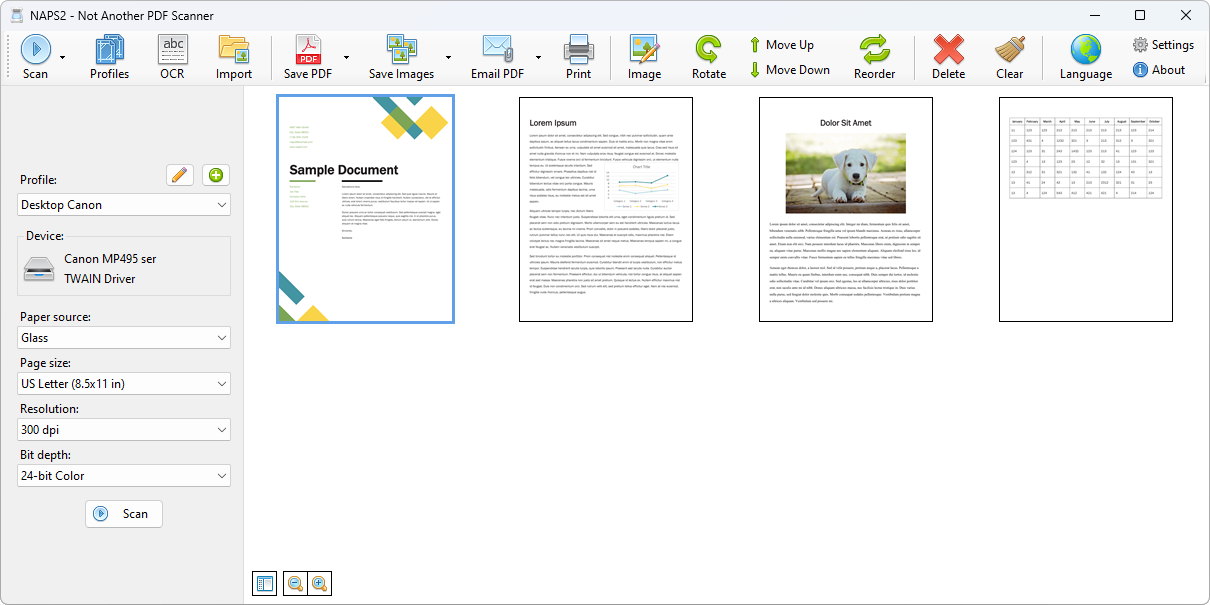
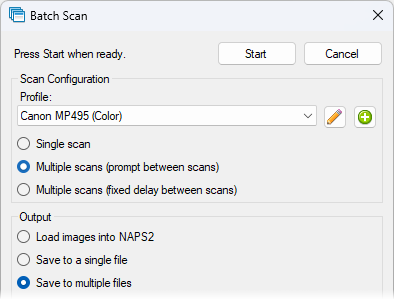
One of NAPS2's standout features is its smooth multi-page PDF assembly. After loading your scanner, you can effortlessly scan multiple documents in succession, see previews in real-time, and reorder pages by drag-and-drop—think of it as a digital scrapbook for your paperwork. The application intelligently detects boundaries, minimizing the need for manual cropping, and grants you the ability to add annotations or highlights, turning simple scans into more informative files.
Core Functionality 2: Customizable Scanning Profiles & Formats
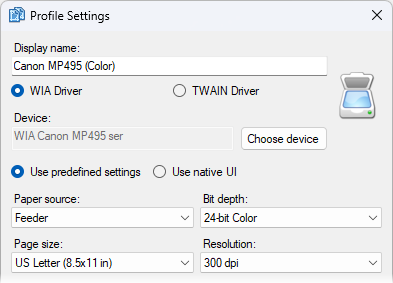
NAPS2 shines in flexibility through its customizable profiles. Want higher resolution for important contracts but lower quality for everyday memos? Create profiles tailored to different needs—saving time and ensuring consistency. Its support for various output formats like PDF, TIFF, or JPEG means you can use your files anywhere, whether for professional presentation, archival, or casual sharing. This versatility ensures NAPS2 adapts neatly to a range of workflows, giving users a tailored experience without fuss.
User Experience: Intuitive Design Meets Practicality
Visually, NAPS2 sports a clean, minimalist interface that strips away unnecessary clutter, guiding users toward their goal with straightforward icons and well-organized menus. The operation flow is fluid—scanning, editing, and saving feel natural, almost like flipping through pages of a well-loved notebook. Its learning curve is gentle; even those new to scanners find it easy to grasp under a few minutes of exploration. This user-centric design is a far cry from the often intimidating interfaces of traditional scan software.
What Sets NAPS2 Apart from the Crowd
While many scanner apps aim for feature overload, NAPS2 distinguishes itself with two key advantages. First, its open-source nature means it's continually improved and customizable—no locked-in ecosystems or subscription traps. Second, its ability to seamlessly handle multiple file outputs and professional-grade editing tools in a lightweight package makes it uniquely appealing. Compared to bulky commercial solutions, NAPS2's lean design and focus on core functionality provide a refreshingly straightforward experience, particularly cherished by users who prefer simplicity over complex setups.
Final Verdict: A Solid Choice for Efficient Document Handling
Overall, NAPS2 is highly recommended for those seeking a free, reliable, and easy-to-use PDF scanner on Windows. Its standout features—multi-page PDF assembly and customizable profiles—are particularly valuable for small-scale users or those with varied scanning needs. While it may not have all the bells and whistles of premium software, its focus on core functionalities and user-friendly design make it a practical choice for everyday document digitization.
Whether you're a student managing lecture notes, a small business owner archiving receipts, or anyone who wants a straightforward scanning tool, NAPS2 offers a compelling, no-fuss solution. Just set it up, scan away, and enjoy the neat digital files it creates—your future self will thank you!
Pros
- Intuitive scanning interface
- Supports multiple file formats including PDF, TIFF, and PNG
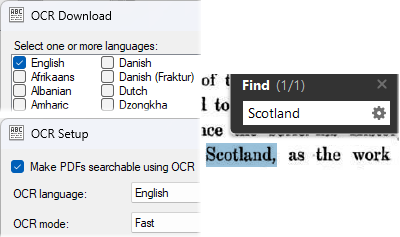
- OCR functionality available for searchable PDFs
- Customizable scanning profiles
- Lightweight and free
Cons
- Limited editing features within the app
- Occasional stability issues with large file scans
- Basic image enhancement options
- No cloud storage integration
- Older scanner compatibility issues











