

- Name MSI Center
- Category Utilities & tools
- Available on PC, Surface Hub, HoloLens
- OS Windows 10 version 17134.0 or higher
- Keyboard Integrated Keyboard
- Mouse Integrated Mouse
- Memory 1 GB
- languages English (United States)
MSI Center for Windows: Your All-in-One PC Optimization Hub
MSI Center for Windows is a comprehensive utility tool designed to help users fine-tune and monitor their MSI-powered PCs with ease, bringing professional-grade management directly to the user's fingertips.
About the Application
Developed by MICRO-STAR INTERNATIONAL CO., LTD, MSI Center for Windows stands out as a centralized platform that streamlines system management and customization. Its primary features include real-time hardware monitoring, performance tuning, and personalized RGB control—making complex tasks accessible even for casual users. This app is particularly suited for gamers, PC enthusiasts, and professionals who want to squeeze every ounce of performance and aesthetics from their devices without diving into complicated BIOS settings.
Vivid Introduction: Unlocking Your Whole System Potential
Imagine having a sleek dashboard that not only displays real-time engine-like stats of your computer but also acts as a command bridge for fine-tuning your system's performance, all while giving your rig that extra glow of personality. MSI Center transforms your everyday Windows experience into a dynamic, interactive journey—whether you're gaming, editing, or simply browsing—that's as seamless as a well-oiled machine. Think of it as your personal co-pilot, whispering tweak tips and monitoring every vital sign, all wrapped in a friendly, intuitive interface.
Core Functionality Spotlight 1: Real-Time Hardware Monitoring & Alerts
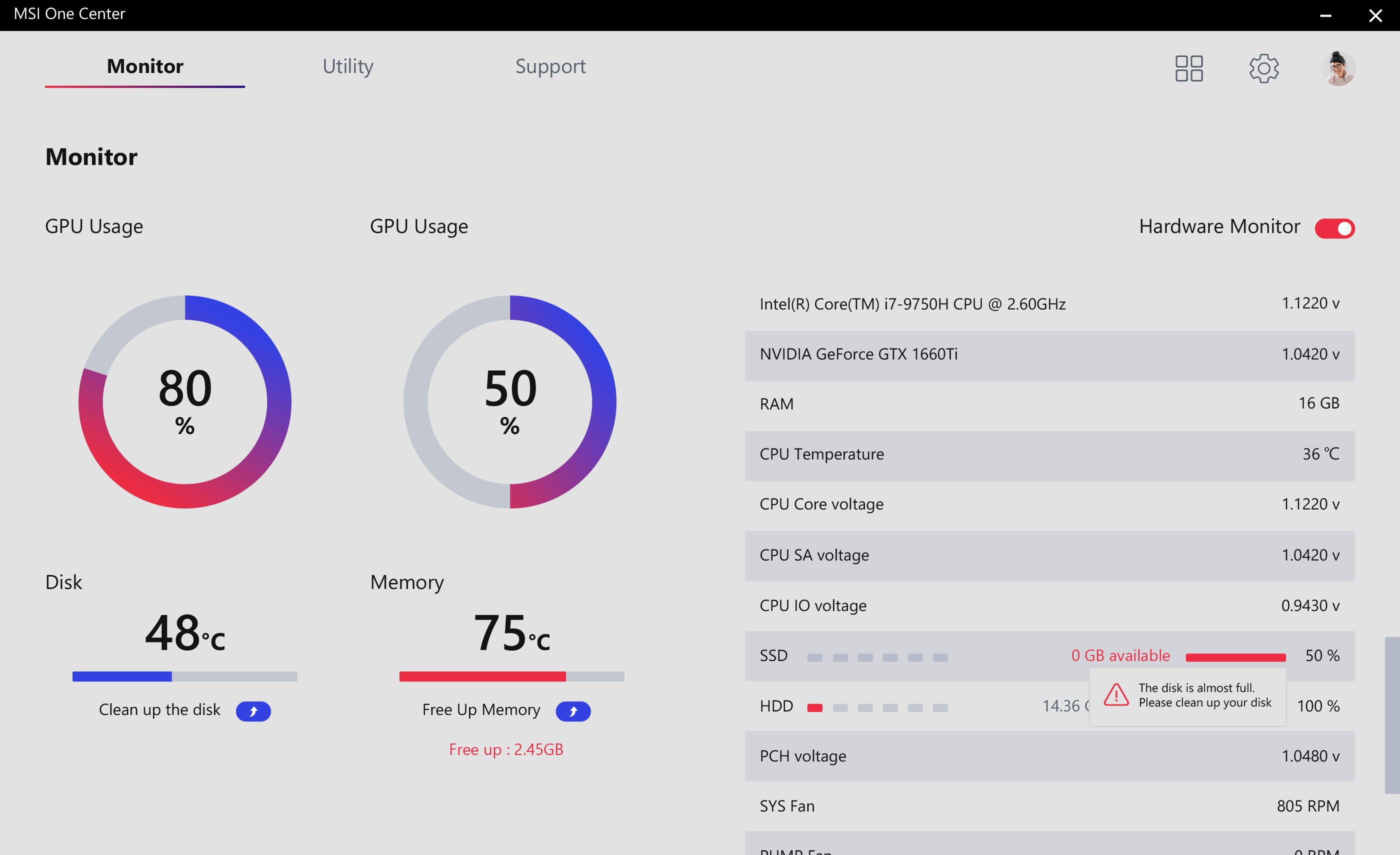
MSI Center's real-time hardware monitoring is the app's heartbeat—displaying CPU, GPU, RAM, and temperature metrics with vivid clarity. Users can keep an eye on critical performance parameters and set custom thresholds to receive alerts before issues escalate. Imagine having a dashboard that not only reports data but also anticipates potential bottlenecks, much like a car's dashboard warnings. This feature is especially valuable for overclockers or gamers pushing their rigs to the limit, providing peace of mind and fostering proactive management.
Core Functionality Spotlight 2: Performance Tuning & Fan Control
Within MSI Center, performance tuning is akin to adjusting a musical instrument; optimizing your system for peak harmony. Users can toggle between different modes—Gaming, Silent, and Eco—to balance power and noise levels effortlessly. The included fan control options allow for refined thermal management, ensuring components stay cool without unnecessary noise. This level of granular control makes the app particularly appealing to users who want a customized experience without flicking through convoluted BIOS menus—think of it as turning your PC into a finely tuned sports car.
Exceptional User Experience & Unique Selling Points
The interface of MSI Center is both sleek and approachable, reminiscent of a modern cockpit dashboard—colorful, customizable, yet straightforward. Its operation is smooth, with rapid response times and minimal lag, translating to a lag-free experience whether you're browsing, gaming, or adjusting settings. The learning curve is gentle; even newcomers can rapidly familiarize themselves thanks to guided prompts and clear navigation paths.
What sets MSI Center apart from other utilities is its holistic approach—integrating hardware monitoring, system tuning, and RGB lighting control into a single unified app, specifically optimized for MSI hardware. Unlike generic PC utilities that often feel fragmented, MSI Center feels like a tailored suit—perfectly fitting your MSI device's unique features, offering unrivaled depth and control.
Recommendation & Usage Suggestions
Considering its powerful yet user-friendly design, I recommend MSI Center for anyone who owns an MSI laptop or desktop and wants to maximize their system's capabilities with minimal fuss. It's especially valuable for gamers looking to optimize gaming performance and aesthetics, or tech enthusiasts aiming to monitor and tweak their hardware settings. For casual users, it's a good way to keep tabs on your system health without needing third-party tools. However, users seeking deep BIOS-level modifications or non-MSI systems may find its features limited. Overall, MSI Center is a well-rounded utility that offers real value—making it a strong contender among PC management tools.
Pros
- Intuitive User Interface
- Comprehensive System Monitoring
- Enhanced Customization Options
- Firmware and Driver Updates
- Gaming Optimization Features
Cons
- Occasional Stability Issues
- Limited Compatibility with Older Hardware
- High Resource Usage
- Delayed Firmware Update Notifications
- Limited Language Support











