
- Name MouseButtonsMapper
- Category Utilities & tools
- Developer Mohamed Elhadj Zouaouid
- Available on PC
- OS Windows 10 version 0.0 or higher
- Keyboard Integrated Keyboard
- Mouse Integrated Mouse
- Memory 750 MB
- languages English
A Handy Tool to Simplify Mouse Button Customization on Windows
MouseButtonsMapper for Windows by Mohamed Elhadj Zouaouid is a lightweight yet powerful utility designed to give users greater control over their mouse buttons, transforming the way you interact with your computer by customizing button functions seamlessly.
About the Developer and Main Features
Developed by Mohamed Elhadj Zouaouid and published under Zouaouid Tech, this application aims to enhance user convenience through intuitive customization. Its standout features include an easy-to-use interface for remapping mouse buttons, support for multiple profiles to switch settings based on activities, and the ability to assign complex macros to single buttons—making repetitive tasks a breeze for power users.
Targeted at power users, gamers, professionals, and anyone seeking a tailored mouse experience, MouseButtonsMapper stands out as a versatile tool that bridges the gap between standard device capabilities and user-specific needs.
Engaging the Curiosity: Making Mouse Buttons Work for You
Imagine your trusty mouse as a Swiss Army knife—each button holding untapped potential and customizations waiting to be unleashed. Whether you're a streamer needing quick macros, an office worker automating common actions, or a gamer remapping buttons for better control, MouseButtonsMapper feels like having a secret weapon right at your fingertips. Its straightforward setup and responsive design make it feel less like installing another app and more like discovering a hidden shortcut to productivity.
Core Functionality: Customization Without the Fuss
Intuitive Button Remapping
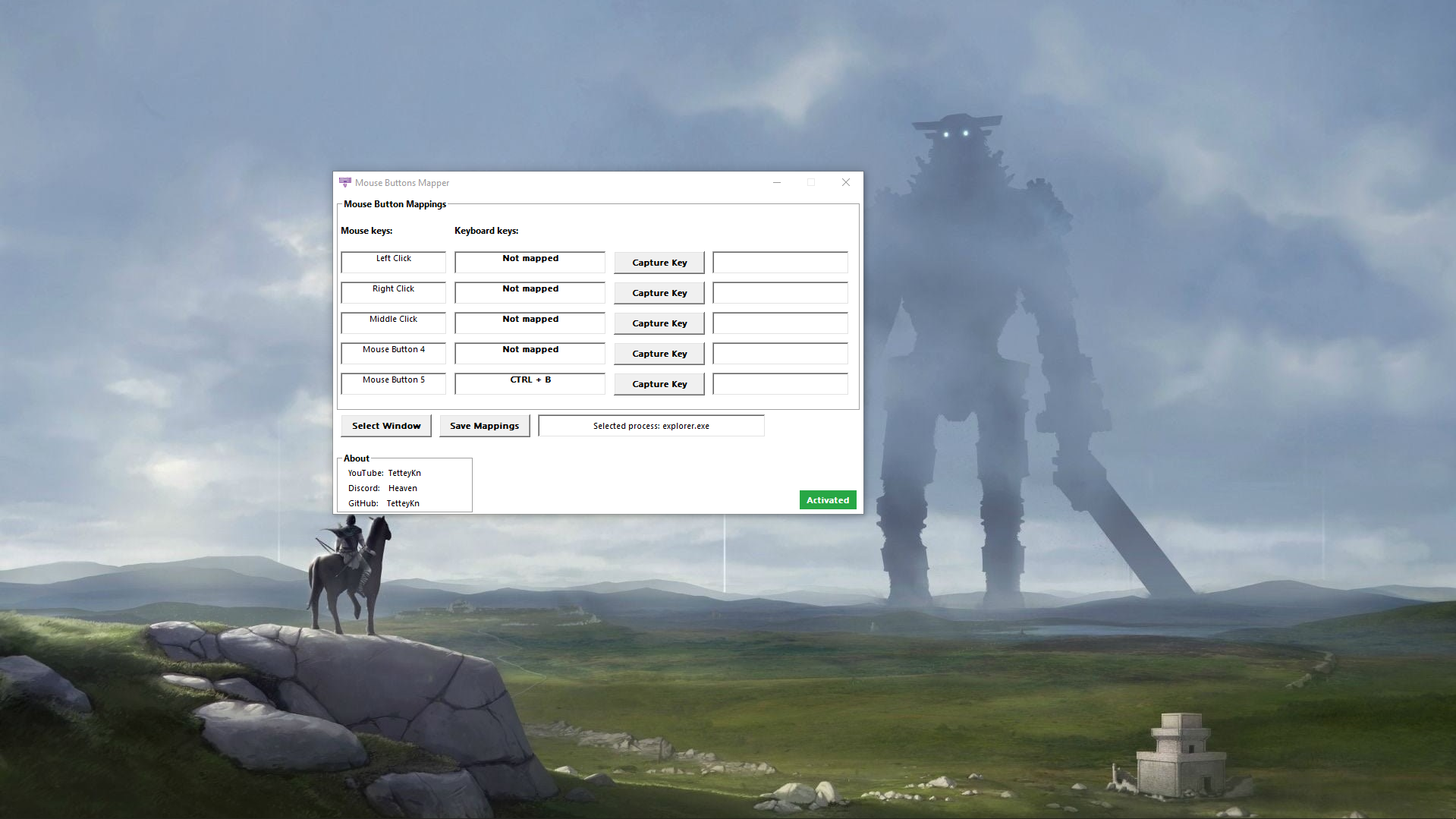
This is the heartbeat of MouseButtonsMapper. The application provides a clean, organized interface listing all your mouse buttons, enabling you to assign new functions or even multiple commands. For example, you can set your middle mouse button to launch your favorite browser or assign a macro that copies and pastes predefined text snippets. The remapping process is as simple as drag-and-drop, reducing what could be a daunting technical task into a quick, almost fun activity.
Profile Management for Contextual Control
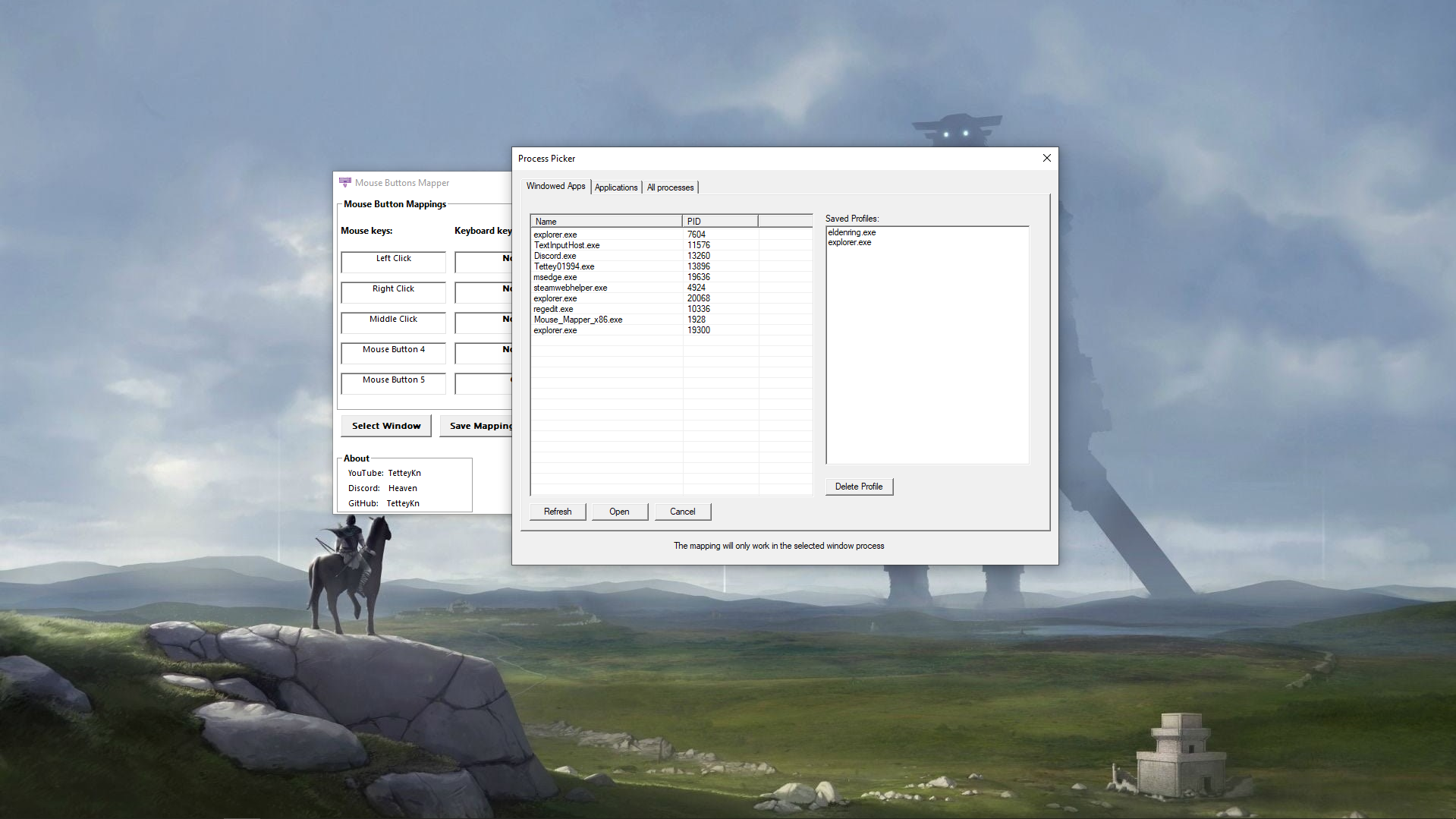
Switching between different workflows or gaming sessions can be a hassle, but not with MouseButtonsMapper. The app allows you to create multiple profiles—say, one for work, one for gaming, and another for entertainment. Switching between profiles is frictionless, enabling you to adapt your mouse's behavior on the fly, just like changing costumes for different occasions. This feature ensures your customizations are always relevant and easy to access.
Macro and Complex Command Support
For users who want to go beyond simple remaps, the macro support feature offers deep customization—think of it as scripting your mouse buttons to act as your personal digital assistants. You can record sequences of keystrokes or commands and assign them to a single mouse button. During a game or a busy workday, this capability can save valuable seconds and streamline workflows, highlighting the app's strength in catering to both casual and advanced users.
User Experience and Differentiators
The interface design strikes a balance between simplicity and comprehensive control. It's akin to a well-organized toolbox—you know where everything is, and you can quickly find exactly what you need without wading through clutter. The app performs smoothly on typical systems, with rapid response times when remapping buttons or switching profiles, which is crucial in dynamic gaming or work scenarios.
Compared to other utilities, MouseButtonsMapper shines with its minimalistic yet powerful approach to profile management and macro flexibility. While many remapping tools focus solely on basic remaps, this application supports complex macros and multiple profiles, setting it apart from more generic tools that often lack such depth. Its straightforward operation makes it accessible even for users new to customization software, yet its features are robust enough for seasoned power users.
Final Verdict: A Reliable Companion for Mouse Customization
If you're someone who spends hours working or gaming and wants a more personalized, efficient mouse setup, MouseButtonsMapper is worth trying out. Its most special feature—support for multiple profiles and macro automation—ensures it can adapt to many scenarios, making your interactions more intuitive and less laborious. While it may not have the bells and whistles of more elaborate software, its lean design and core functionalities are highly effective and user-friendly.
In summary, I'd recommend MouseButtonsMapper for users seeking a dedicated tool to tailor their mouse experience without unnecessary complexity. It's a reliable, straightforward choice that empowers you to make your mouse work smarter, not harder.
Pros
- Intuitive user interface
- Comprehensive customization options
- Supports multiple devices
- Real-time firmware updates
- Profiles for different applications
Cons
- Limited free features
- Occasional bugs with device recognition
- Learning curve for advanced settings
- Limited macOS compatibility
- UI updates could improve











