



- Name Microsoft Forms
- Category Business
- Available on PC
- OS Windows 10 version 19041.0 or higher
- languages English (United States)
Microsoft Forms for Windows: Streamlining Data Collection with Simplicity and Flexibility
Microsoft Forms for Windows is a lightweight yet powerful tool designed to help users create, distribute, and analyze surveys and quizzes directly from their Windows devices. Its seamless integration with the Microsoft 365 ecosystem makes it an essential app for educators, business teams, and anyone needing efficient data gathering.
Introduction: Bridging Creativity and Data in a Friendly Interface
Imagine you're a teacher preparing a quick quiz for your students or a project manager gathering feedback from your team—all with just a few clicks on your Windows device. Microsoft Forms for Windows transforms this vision into reality, offering a smooth, intuitive experience that feels less like work and more like collaboration. Whether you're at the office or on the go, this app makes collecting insights effortless, helping you turn raw data into actionable knowledge without breaking a sweat.
Core Features That Shine
Real-Time Collaborative Form Building
The standout feature of Microsoft Forms is its collaborative environment. Multiple users can work together simultaneously on creating and editing forms, much like a virtual whiteboard that everyone's contributing to in real time. This makes teamwork seamless—no more passing around files or confusion over versions. It's akin to having a shared notebook accessible at all times, no matter where your team sits, fostering faster and more coordinated form development.
Intelligent Data Analysis and Reporting
Once responses start rolling in, the app's built-in analytics step in to simplify the interpretation process. Dynamic charts and summaries update in real time, offering clear visibility into responses. For instance, if you're conducting a customer satisfaction survey, instant visual insights help you spot trends at a glance—think of it as turning raw ingredients into a delicious dish without having to cook from scratch. Its integration with Excel makes further analysis even more straightforward, empowering users to dive deeper if needed.
Seamless Integration with Microsoft Ecosystem
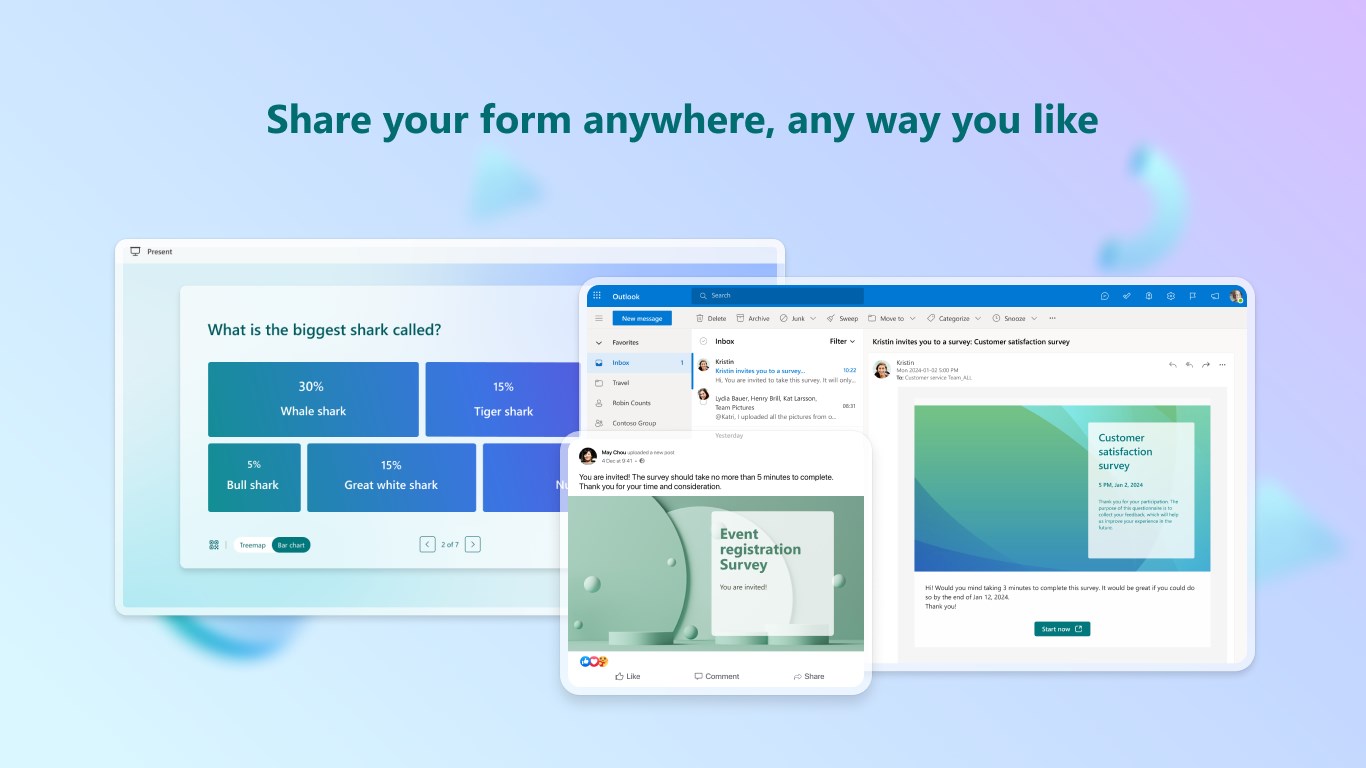
Perhaps most notably, Microsoft Forms for Windows integrates tightly with tools like Teams, Outlook, and OneDrive. This interconnectedness ensures your forms can be shared via email, embedded in Teams conversations, or stored directly in the cloud. Imagine having your survey pop up during a virtual team meeting or embedded in a report—making collaboration and distribution as simple as sending a message. This level of integration helps businesses and educators streamline their workflows without switching between multiple apps.
User Experience: Friendly Interface Meets Practicality
The design of Microsoft Forms for Windows strikes a perfect balance between simplicity and functionality. Its clean, minimalistic interface resembles flipping through a well-organized digital notebook—easy on the eyes and intuitive to navigate. The app responds smoothly to input, with quick loading times even for complex forms, ensuring users stay focused on their tasks rather than troubleshooting technical glitches.
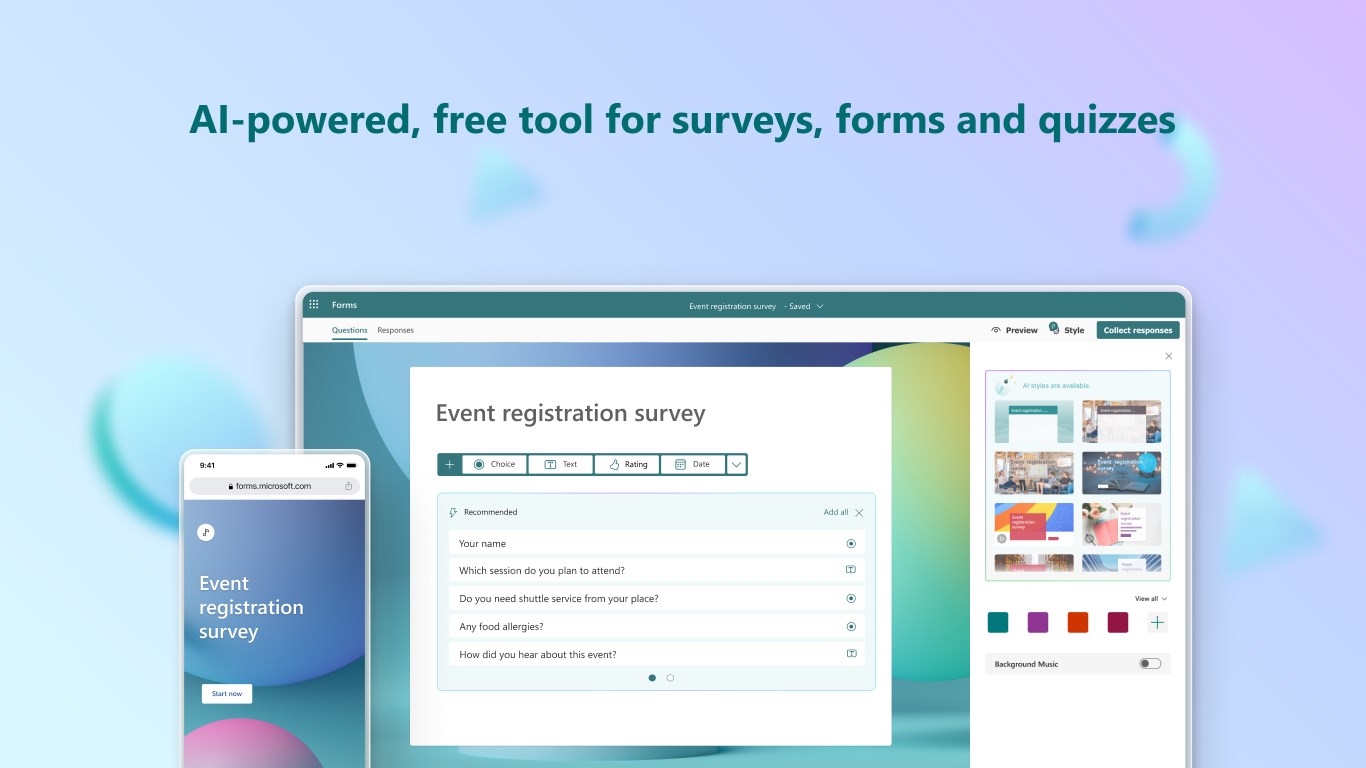
Learning curves are gentle; users familiar with other Microsoft products will find this app instinctive. Creating a form involves just a few clicks—selecting question types, customizing prompts, and setting options—making it accessible even for beginners. Overall, the user experience echoes a well-oiled machine, where each step feels natural and unobstructed.
Unique Differentiators: Collaboration and Task Management in Action
What sets Microsoft Forms apart from other survey tools is its dual focus on collaborative form creation and task-oriented workflows. Unlike standalone apps that limit sharing capabilities, this app excels in enabling teams to jointly design forms, review responses, and track results within the familiar Microsoft environment. This is akin to having a virtual conference room where everyone can contribute live and see updates instantaneously.
Additionally, while many survey tools focus solely on data collection, Microsoft Forms integrates task management elements—responses can trigger alerts in Teams, or tasks can be generated based on specific answers. This tight integration ensures that collecting data directly feeds into actionable workflows, reducing the friction between gathering information and taking steps based on it.
Final Thoughts: A Practical Choice for Modern Data Collection
Considering its intuitive design, collaborative strength, and seamless ecosystem integration, Microsoft Forms for Windows earns a solid recommendation for professionals and educators alike. It's particularly advantageous for teams already embedded within the Microsoft universe, seeking a straightforward yet effective way to craft surveys, quizzes, and polls. If your goal is to streamline data collection with minimal hassle, this app offers a reliable, user-friendly solution worth exploring.
Pros
- User-friendly interface
- Seamless integration with Microsoft 365
- Real-time responses and analytics
- Customizable question types
- Automatic data collection to Excel
Cons
- Limited advanced customization options
- Restricted question types compared to dedicated survey tools
- Limited offline functionality
- Basic analytical tools
- No multi-language support for form interface











