
- Name Mail Merge Toolkit
- Category Business
- Developer MAPILab
- Available on PC
- OS Windows 10 version 0.0 or higher
- Keyboard Integrated Keyboard
- Mouse Integrated Mouse
- languages English, German, Russian
Streamlining Communication: An In-Depth Look at Mail Merge Toolkit for Windows
Imagine sending personalized emails, invoices, or newsletters to hundreds or thousands of recipients with just a few clicks—Mail Merge Toolkit for Windows by MAPILab makes this possible. As a professional tech reviewer, I've explored this add-in's features to see if it truly simplifies mass communication tasks while integrating seamlessly into your workflow.
About the App: Core Information
Mail Merge Toolkit is a specialized add-in designed to extend the functionality of Microsoft Outlook and Word by enabling advanced mail merge operations with enhanced flexibility.
- Developer/Publisher: MAPILab, UAB
- Key Features:
- Supports merging across multiple email clients including Outlook and Exchange
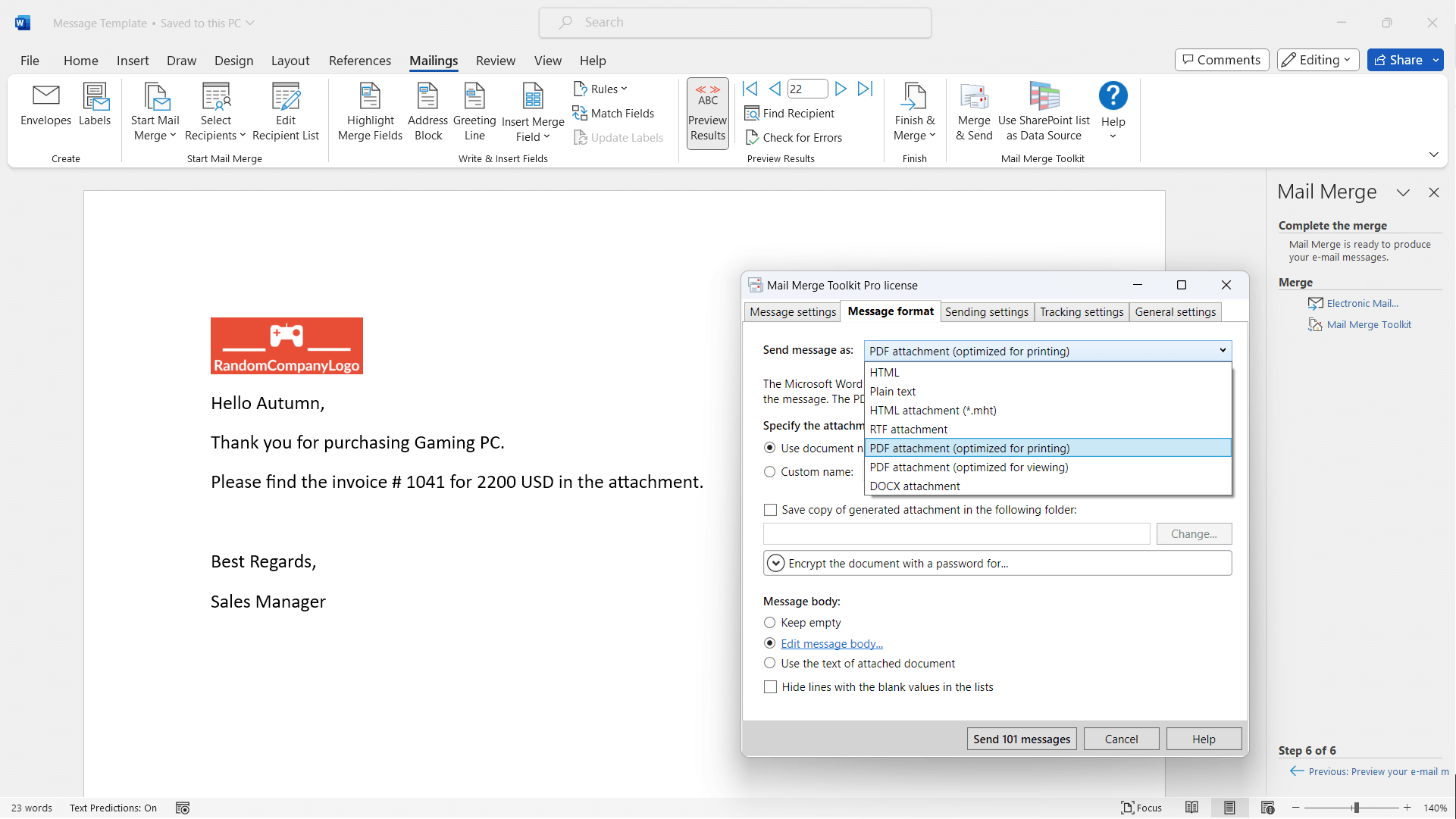
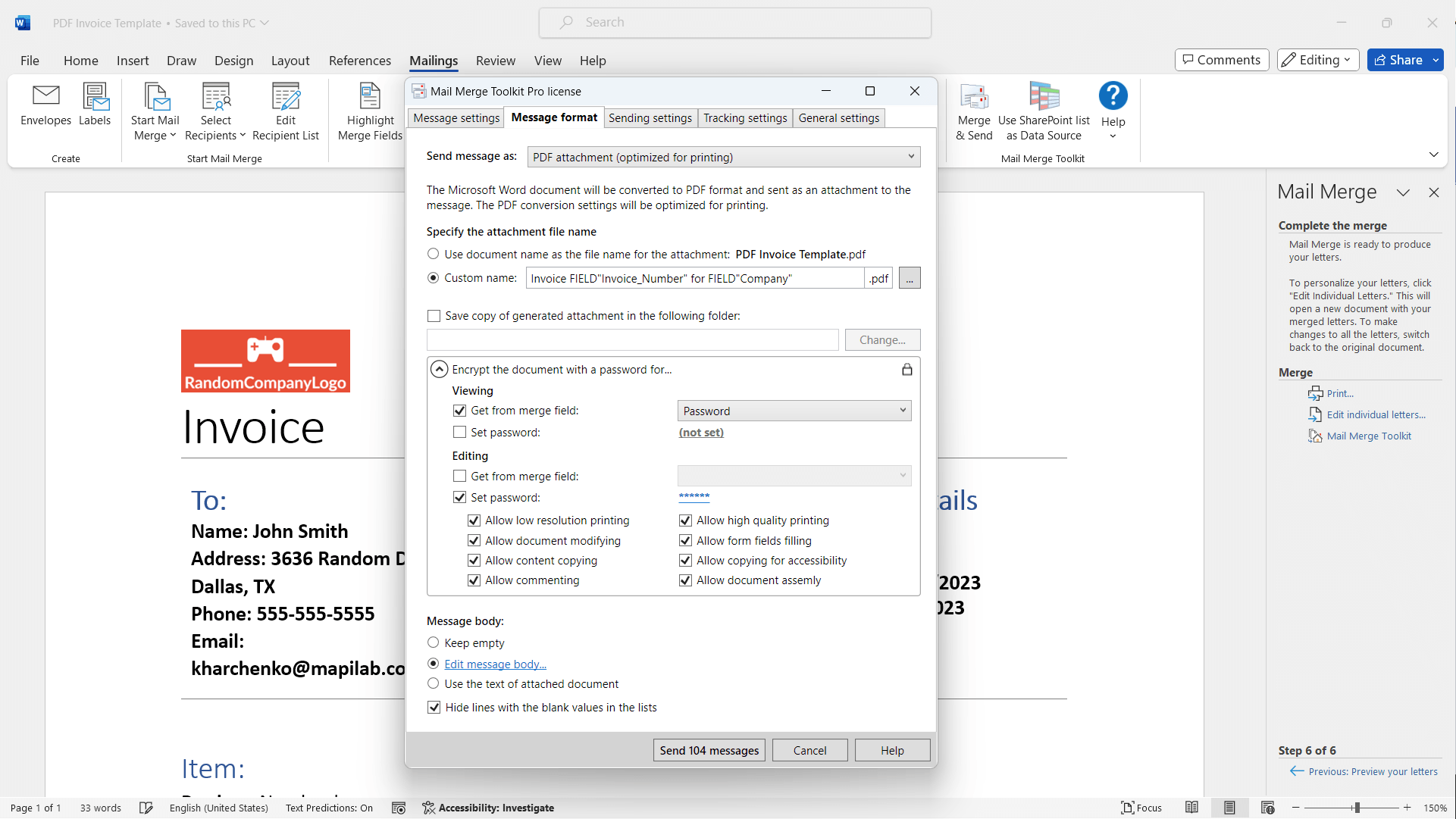
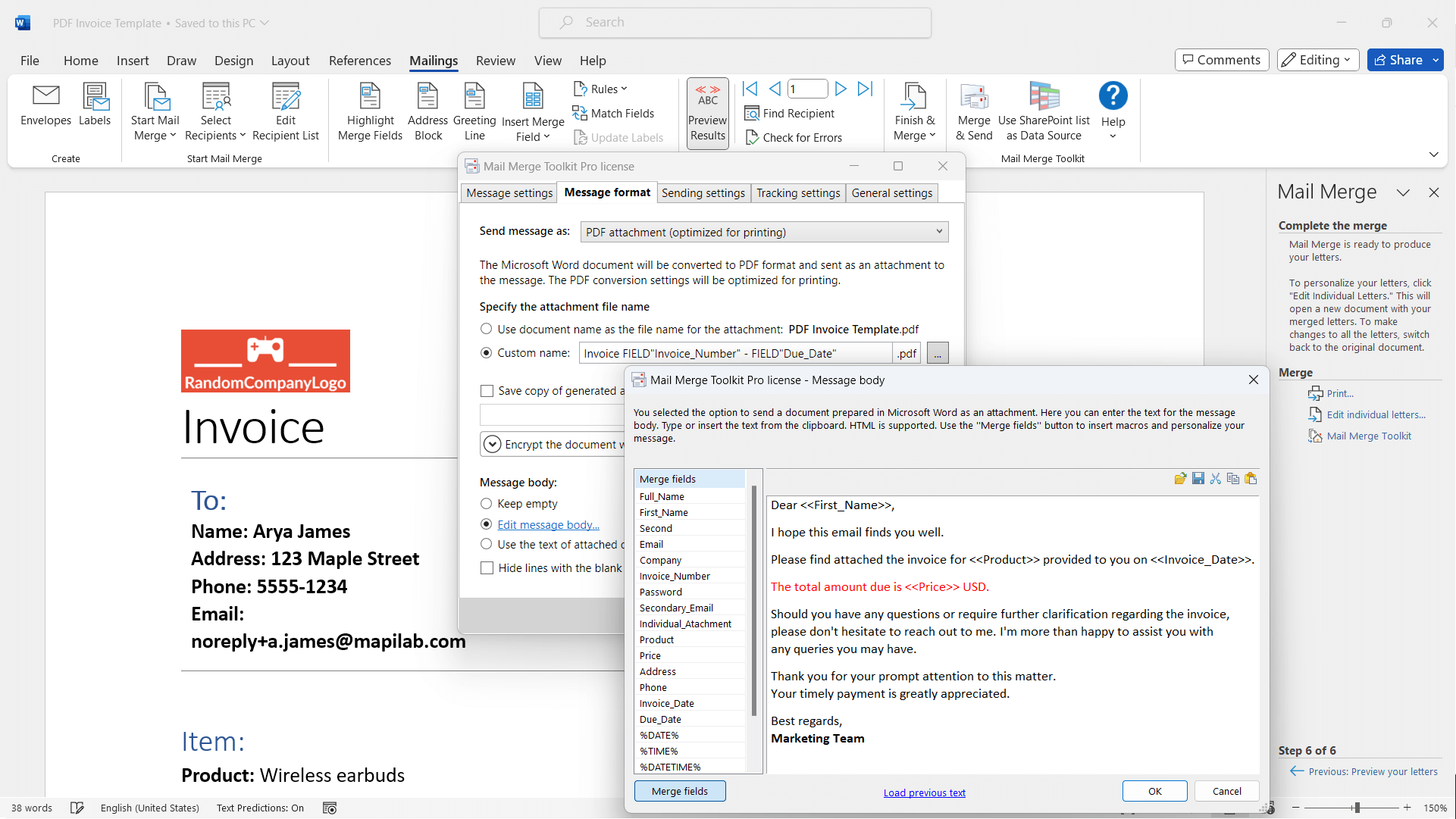
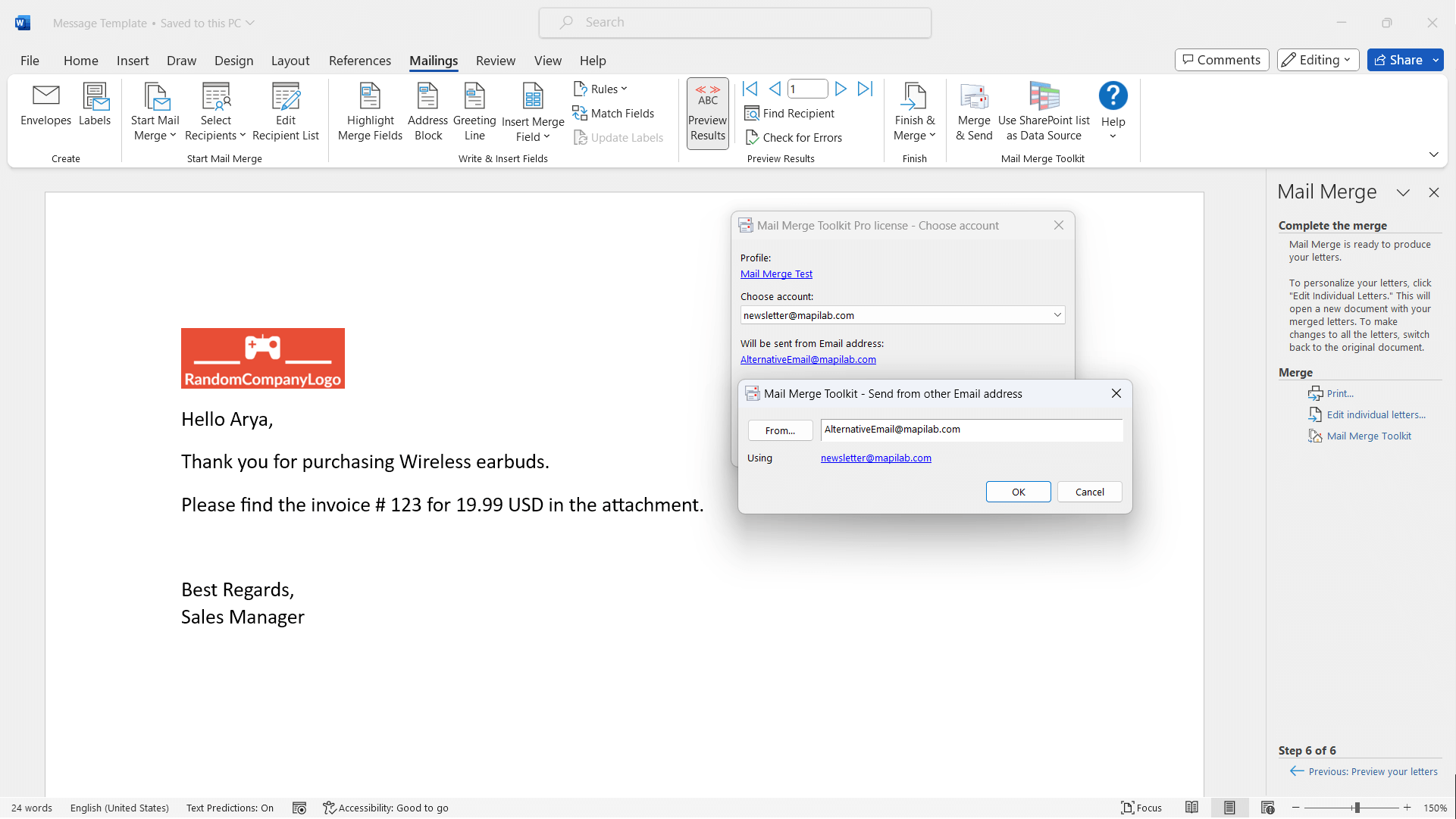
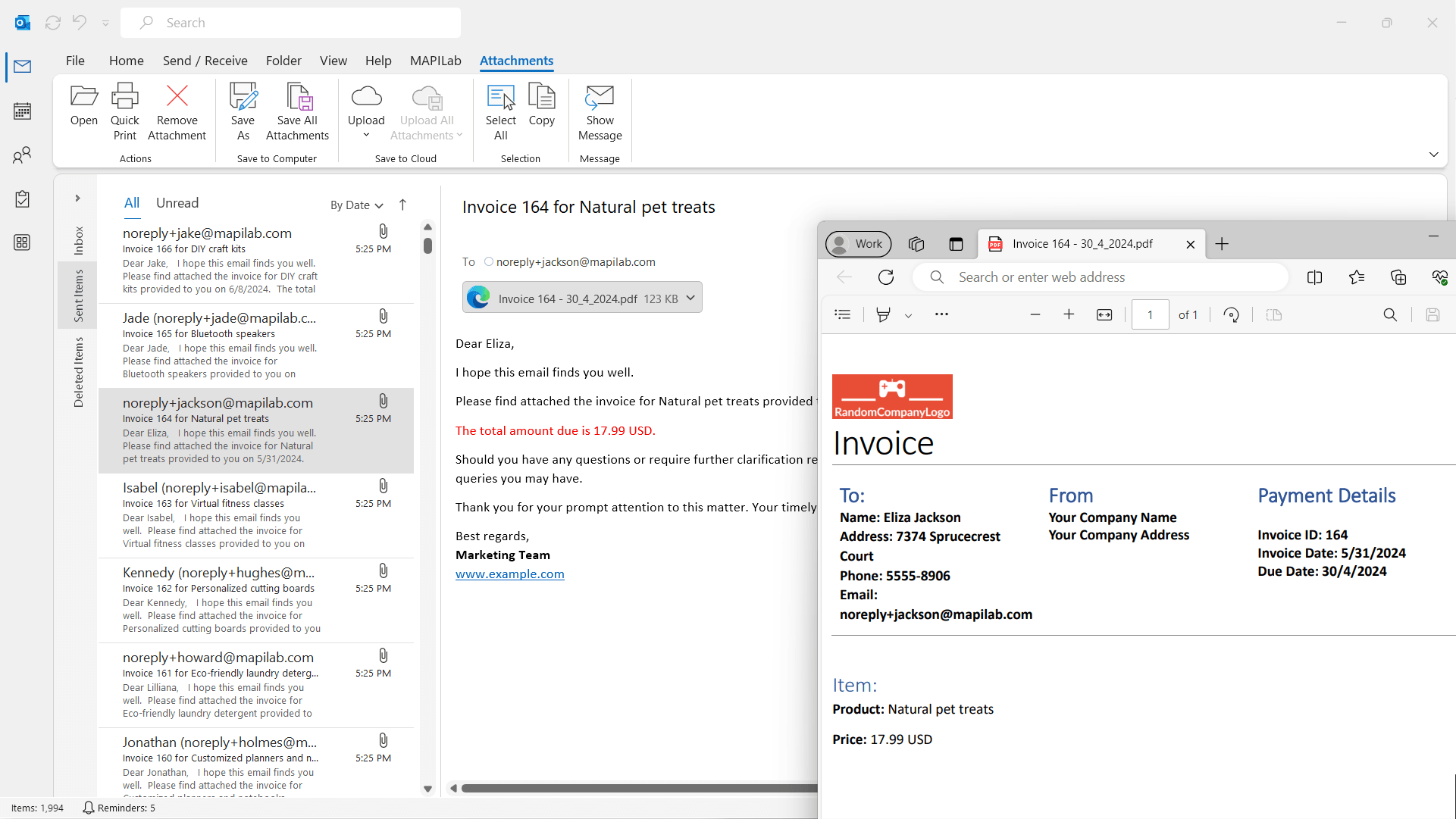
- Enables attaching files and inserting personalized images into merged emails
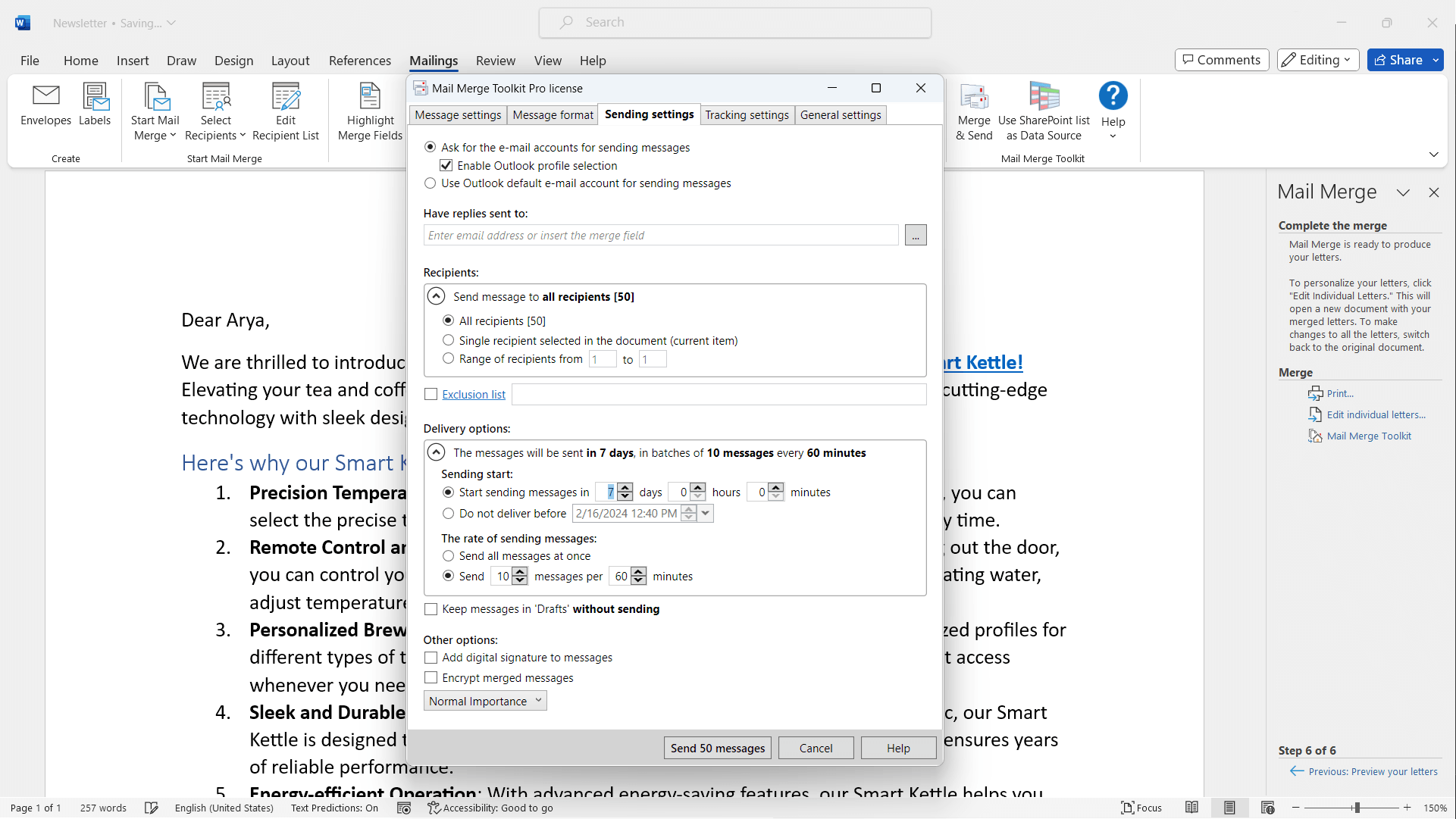
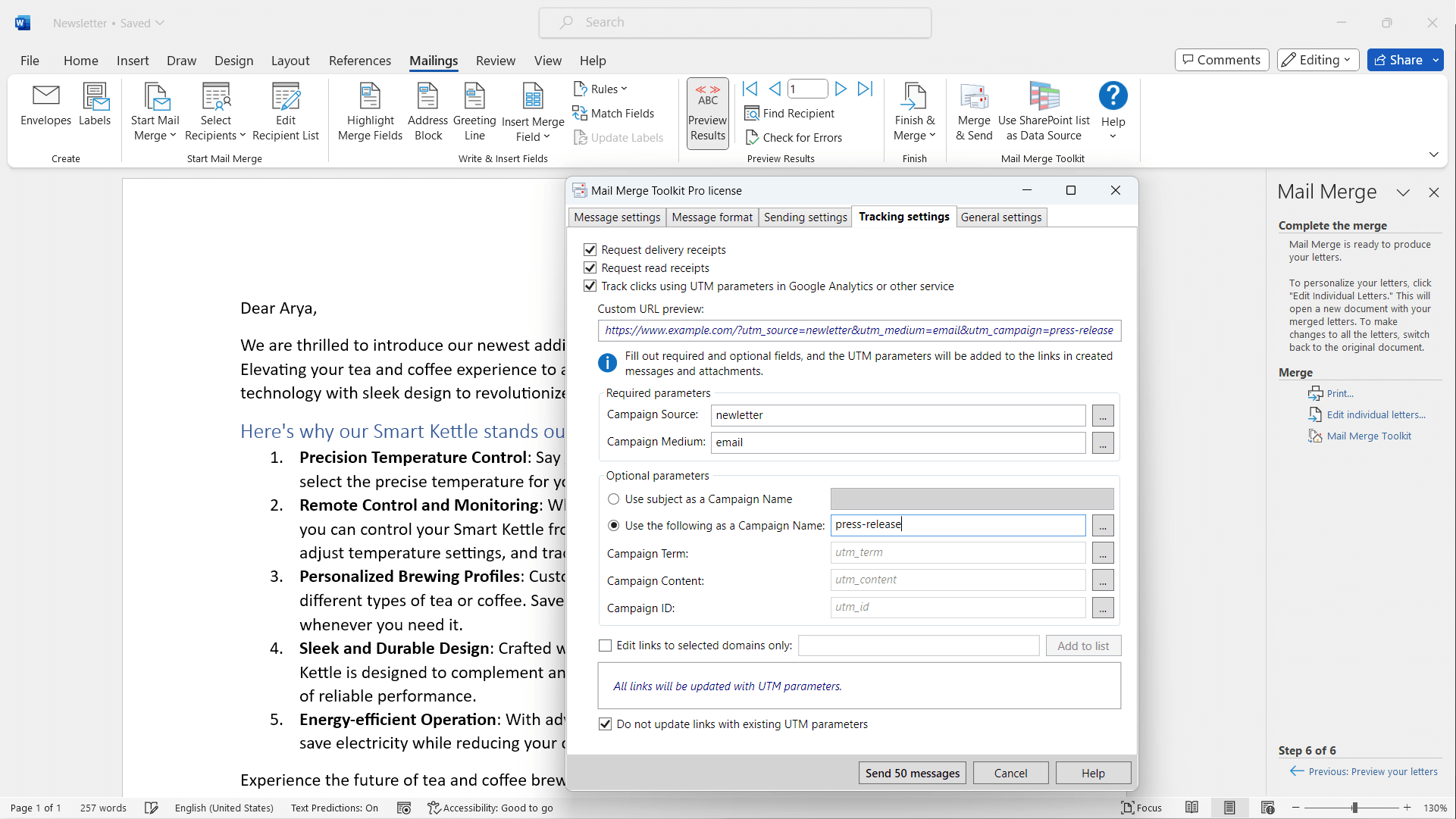
- Offers detailed logging for tracking merges and delivery status
- Supports a broad range of output options including email, PDF, and printing
- Target Audience: Business professionals, marketing teams, customer relationship managers, and anyone requiring personalized mass communication within Outlook and Word environments.
Engaging Introduction: Why This Tool Might Become Your New Best Friend
Picture this: You're at your desk, surrounded by stacks of customer data, and need to craft hundreds of personalized emails that feel genuine but don't burn out your patience or time. Enter Mail Merge Toolkit—a nifty companion that transforms a tedious chore into a virtual breeze. It's like having a seasoned assistant who not only remembers every detail but also makes your email campaigns look polished and professional, all while saving you precious hours. Intriguing, isn't it?
Powerful Features That Pack a Punch
Enhanced Email Personalization and Attachment Management
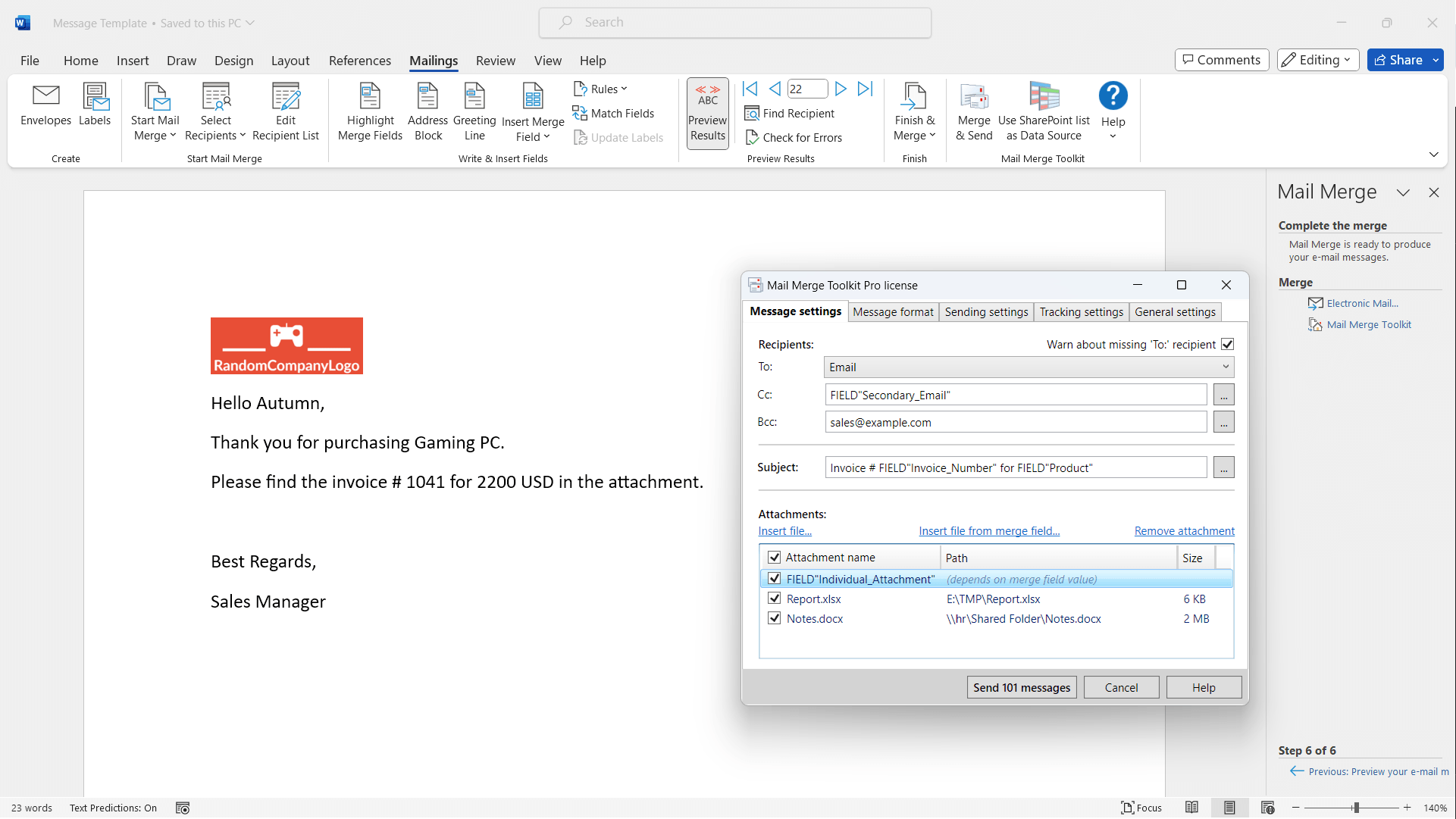
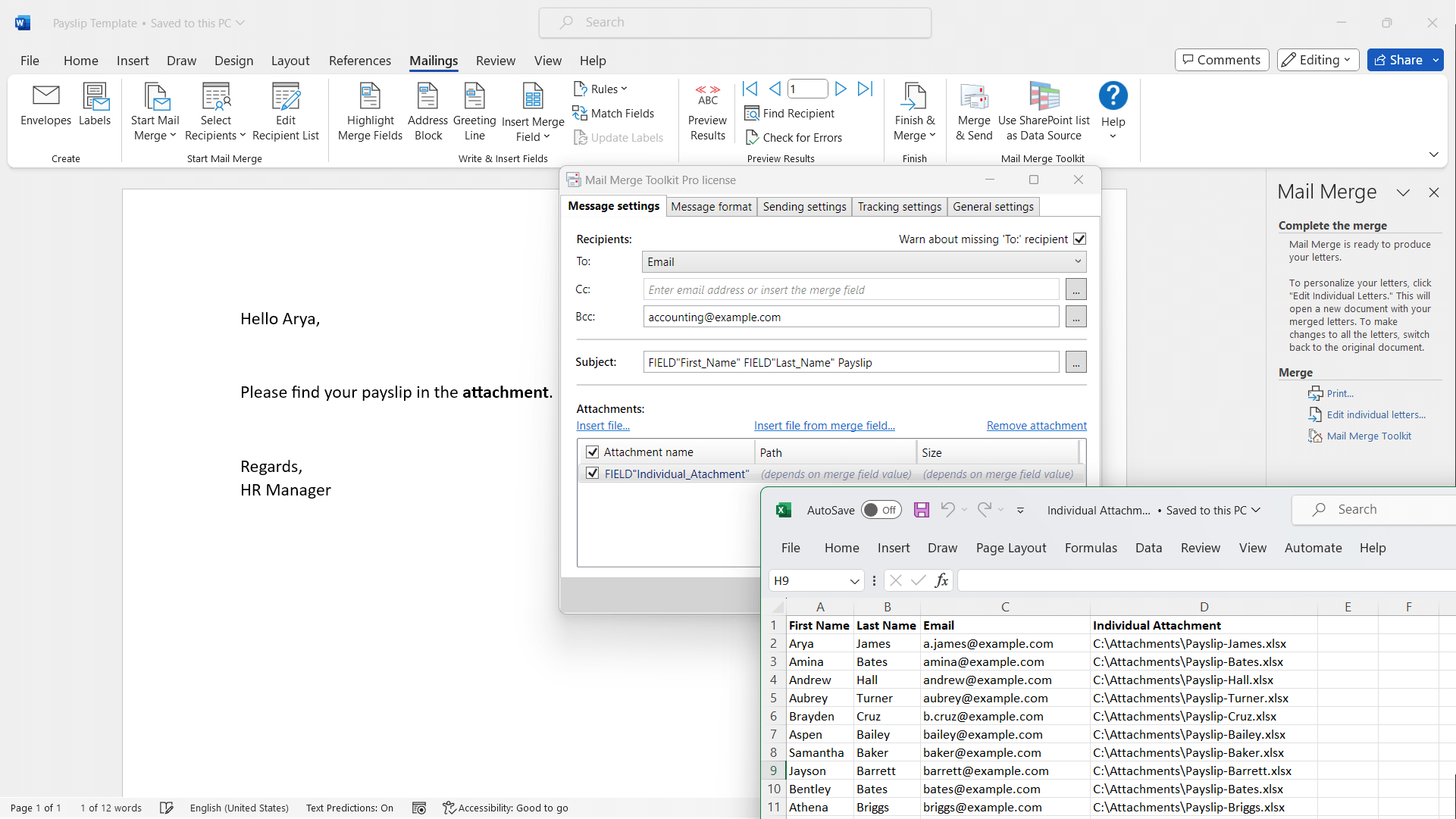
The standout feature of Mail Merge Toolkit is its ability to attach files or images dynamically to each message. Unlike the built-in mail merge in Outlook or Word, which often limits attachments to static files, this add-in allows for individualized attachments—think of each recipient receiving a uniquely tailored invoice, brochure, or report as part of their email. This flexibility elevates your communication from generic to highly personalized, making your outreach more impactful.
Multiple Output Options and Advanced Logging
Beyond simply sending emails, the toolkit offers an array of options including printing and generating PDFs, perfect for scenarios like mailing labels or paper-based correspondence. The logging feature keeps meticulous records of each merge, delivery, and failure, empowering you with insights and troubleshooting tools. It's akin to having a personal assistant meticulously tracking every message sent, ensuring nothing slips through the cracks.
User Experience: Seamless, Intuitive, Yet Powerful
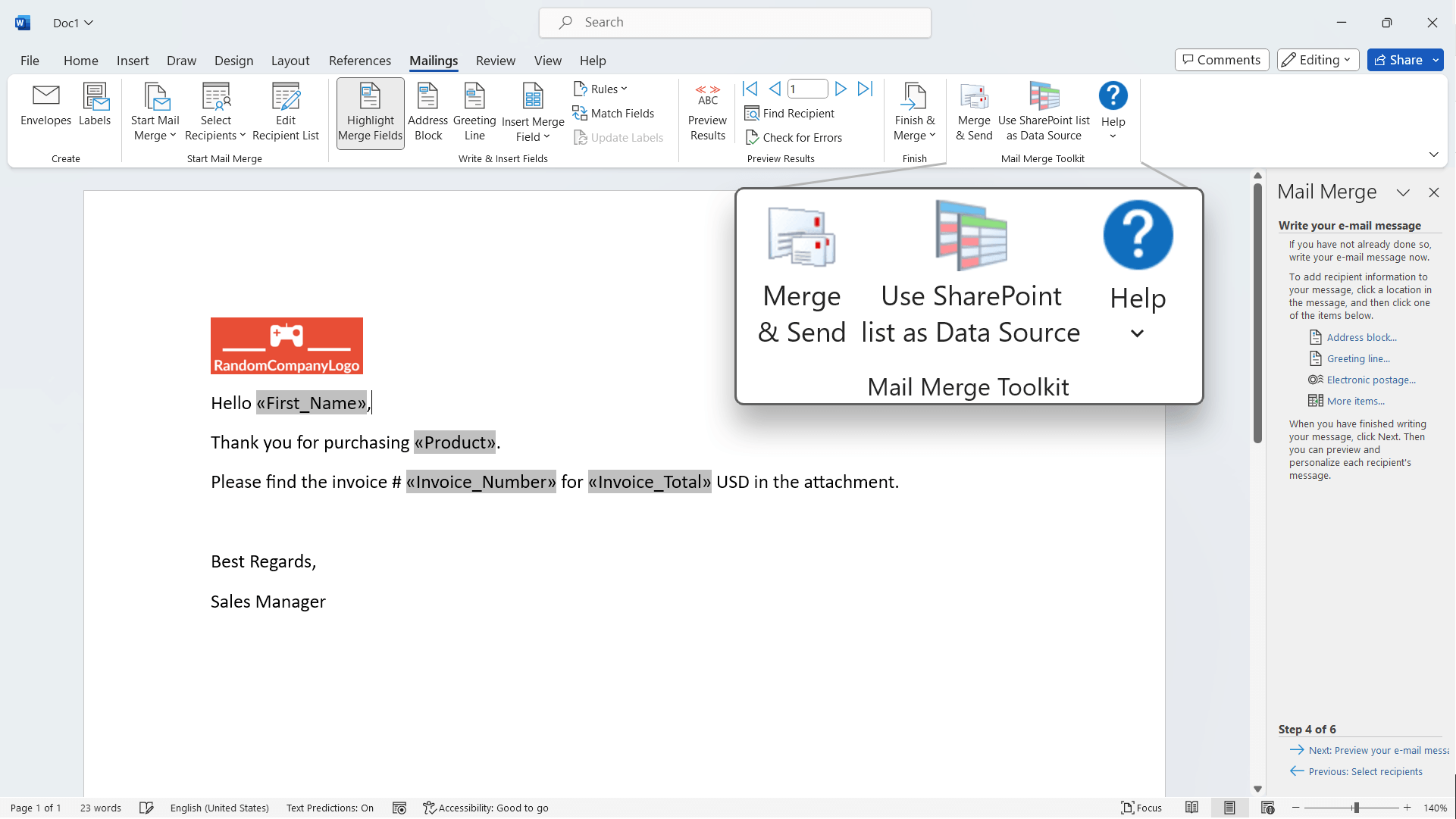
The add-in integrates smoothly into Microsoft Outlook and Word, with a clean, well-organized interface that minimizes the learning curve. Performing a mail merge feels akin to following a familiar recipe, with step-by-step options guiding you through selecting data sources, customizing email content, and executing the merge. The operation runs fluidly—no lag, no crashes—making it suitable even for less tech-savvy users who want reliability without complexity.
Standing Out in the Crowd: What Makes Mail Merge Toolkit Unique?
While other business communication tools may focus solely on email broadcasting or basic mail merges, MAPILab's offering shines with its advanced attachment capabilities and comprehensive logging. Its ability to insert personalized images or specific files per recipient is like customizing each parcel rather than sending out mass-produced goods—adding a layer of professionalism and personal touch.
From a collaborative work perspective, the toolkit's detailed logs and flexible output formats support team efforts, ensuring everyone remains on the same page regarding delivery status and content versions. This differentiates it from simpler, less feature-rich solutions, making it particularly attractive for teams managing large-scale personalized campaigns.
Verdict and Recommendation
Overall, Mail Merge Toolkit stands out as a reliable, feature-rich extension that elevates the standard mail merge process. Its ability to attach personalized files and maintain detailed logs are particularly impressive—these are the features I'd consider its crown jewels. I recommend this tool to professionals who frequently manage large-scale, personalized communications and need a robust solution that integrates seamlessly into their existing Microsoft Office environment.
For casual users or small-scale tasks, the app offers enough power and ease of use without overwhelming complexity. If you're looking for a way to make your email campaigns smarter, more personalized, and more trackable, Mail Merge Toolkit is definitely worth exploring.
Pros
- Seamless integration with Microsoft Office
- Supports complex mail merge scenarios
- User-friendly interface
- Batch sending capabilities
- Customizable templates
Cons
- Limited support for non-Microsoft email clients
- Occasional slow performance with very large datasets
- Some advanced features lack detailed documentation
- Limited free trial or demo options
- Occasional formatting inconsistencies in merged documents











