

- Name Lossless Scaling Toggle
- Category Utilities & tools
- Developer Adrián Guerra Marrero
- Available on PC, Mobile, Xbox console, Surface Hub, HoloLens
- OS Windows 10 version 18362.0 or higher
- Memory 300 MB
- languages English (United States)
Streamlined Windows Scaling: An Essential Tool for Gamers and Power Users
Lossless Scaling Toggle for Windows, developed by Adrián Guerra Marrero under AGMStudio, is a lightweight utility designed to optimize display scaling without sacrificing visual quality. Perfect for gamers, designers, and multi-monitor aficionados, this app promises a smoother experience when adjusting screen resolutions and scaling settings.
A Quick Overview: What Makes Lossless Scaling Toggle Stand Out?
At its core, Lossless Scaling Toggle simplifies the often complex process of display scaling — especially when working with non-native resolutions or multi-monitor setups. It boasts an intuitive toggle feature that allows users to switch scaling modes seamlessly. The app is developed by a dedicated individual team committed to delivering practical, unobtrusive tools that enhance Windows' native capabilities.
- Lightweight, unobtrusive design that integrates smoothly with Windows.
- Easy toggle feature to switch between lossless and traditional scaling modes.
- Preserves image quality at various resolutions, ensuring sharp visuals.
- Targets users who need precision scaling — gamers, designers, multi-monitor users.
Spicing Up Your Display: Core Features in Focus
Seamless Toggle for Lossless Scaling
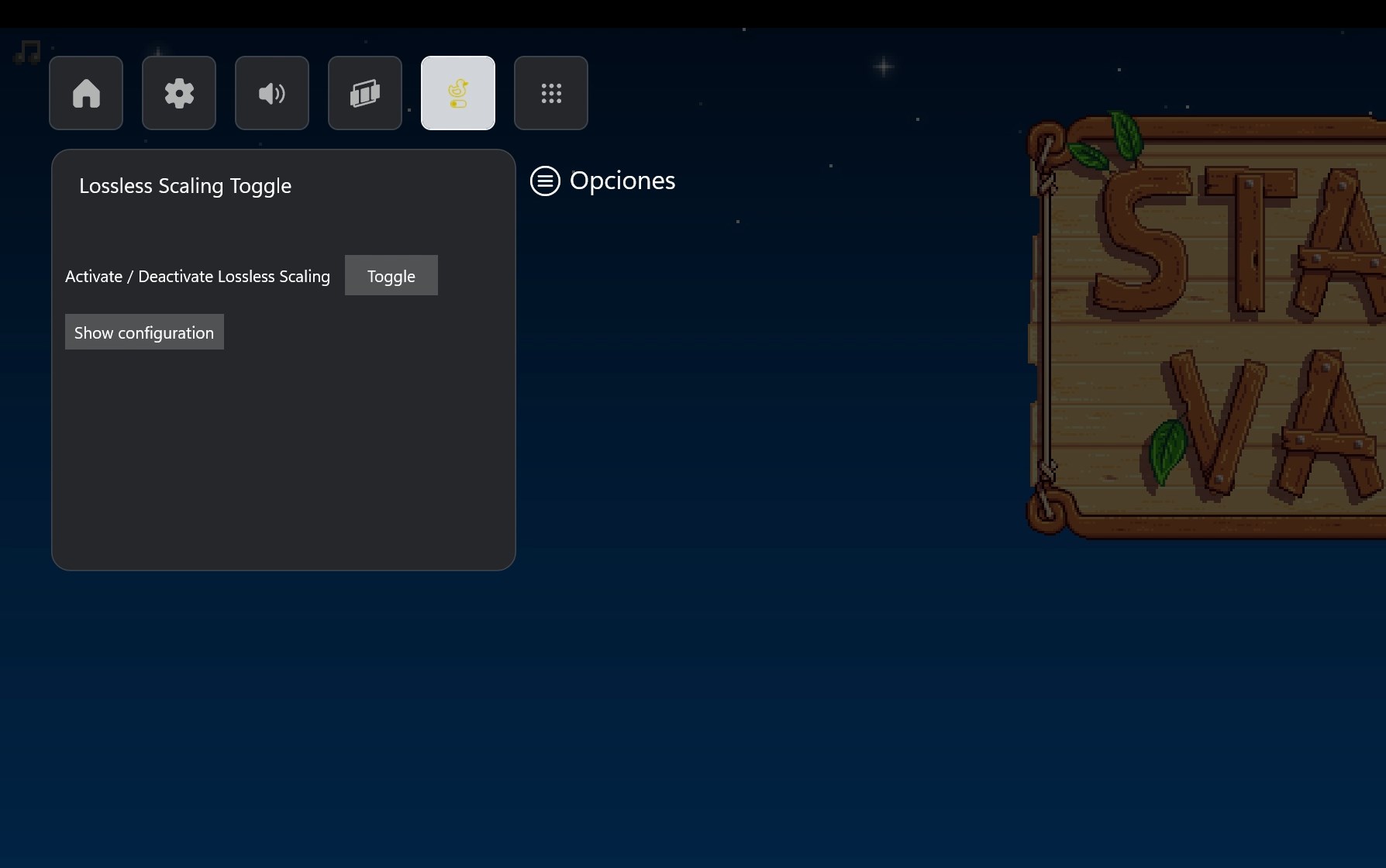
The highlight feature of this application is its ability to switch display scaling modes effortlessly. Imagine you're gaming at a resolution different from your monitor's native one, and the graphics look blurry or stretched — lossless scaling aims to fix that. With a simple toggle, users can switch between scaled and native modes, greatly enhancing visual clarity without delving into complicated settings. This feature is particularly useful when transitioning between applications or gaming scenarios that demand specific resolutions, making it feel like having a switch to fine-tune your visual experience instantly.
Optimized Performance with Minimal Fuss
The app operates quietly in the background, adding almost no overhead on system resources. Its straightforward interface minimizes the learning curve; even users unfamiliar with display scaling can quickly understand and utilize it. The toggle button is prominently displayed, allowing quick access for on-the-fly changes — akin to turning a lamp on or off for better lighting. This simplicity makes it an attractive tool for those who value efficiency without the clutter of bloated software.
Preserving Image Quality in Scaling
Unlike some traditional scaling methods that can lead to pixelation or blurring, Lossless Scaling Toggle ensures that images and text remain crisp and clear, even when stretching or shrinking resolution. This is especially advantageous for designers working with graphics or gamers who demand high visual fidelity. This feature is where it truly distinguishes itself — a little digital wizardry ensuring your screen's clarity stays intact, regardless of resolution adjustments.
User Experience: Smooth, Intuitive, and User-Friendly
The application's interface is clean and minimalistic, akin to a well-organized toolbox. Users will appreciate how straightforward it is to operate — a single toggle for switching modes eliminates confusion. The app's responsiveness is impressive; changes happen instantly with no lag, quite like flipping a switch to light up a room. The learning curve is virtually zero, making it accessible for novices, yet offering enough precision to satisfy power users.
Compared to the Crowd: What Sets It Apart?
Many utilities aim to tweak display settings, but Lossless Scaling Toggle's most compelling advantage is its focus on preserving image quality during resolution adjustments, a niche often overlooked. While other tools provide scaling options, few integrate an easy-to-use toggle that ensures lossless visual fidelity without complicated configurations. Its lightweight design resembles a Swiss Army knife for display settings — simple yet effective. This streamlined approach makes it stand out in a crowded market of verbose utilities, especially for users who want quick, reliable control over their display scaling.
Final Verdict: A Handy Companion for Precision Scaling
If you're someone who frequently switches resolutions or works with multiple monitors, Lossless Scaling Toggle for Windows deserves a spot in your toolkit. Its ability to switch modes seamlessly while maintaining image clarity is a significant advantage, bridging the gap between complex display settings and user-friendly operation. While it's not an all-in-one display optimizer, its laser focus on lossless scaling makes it a valuable utility for those who need pixel-perfect visuals, whether gaming, designing, or multitasking.
Overall, I recommend giving this app a try if display fidelity matters to you. It's best suited for users seeking quick, lossless resolution adjustments without the hassle of elaborate setups. Think of it as your digital dimmer switch—turning up or down the display scaling with ease and precision, making your Windows experience more visually satisfying.
Pros
- Easy toggle feature
- Enhanced graphics quality
- Lightweight and resource-efficient
- User-friendly interface
- Compatible with multiple applications
Cons
- Limited customization options
- Potential compatibility issues on some GPUs
- Lack of detailed scaling settings
- Occasional UI glitches
- No official support for certain multi-monitor setups











