

- Name HyperX NGENUITY
- Category Utilities & tools
- Developer HyperX
- Available on PC
- OS Windows 10 version 17763.0 or higher
- Keyboard Not specified
- Mouse Not specified
- languages Chinese (Simplified), Chinese (Traditional Chinese), English, French, German, Italian, Japanese, Korean, Polish, Russian, Spanish
HyperX NGENUITY for Windows: Customization and Control Made Simple
HyperX NGENUITY is a powerful and intuitive Windows application designed to give gamers and enthusiasts comprehensive control over their HyperX peripherals, enabling personalized lighting, button assignments, and performance settings—all in one place.
Meet the Developer Behind the Magic
Developed by HyperX, a renowned leader in gaming peripherals, the app is published by HP Inc., reflecting its commitment to quality and seamless integration within the broader HP ecosystem. HyperX's expertise ensures the software is both robust and tailored to gaming needs.
What Makes HyperX NGENUITY Stand Out?
- Extensive Lighting Customization: Offers granular control over RGB lighting effects across compatible devices, allowing users to craft unique visual profiles.
- Button Mapping & Macro Programming: Empowers users to assign complex macros and remap buttons easily for quicker in-game commands or productivity tasks.
- Profiles & Synchronization: Supports creating multiple profiles that can be synced across devices, making switching contexts seamless for users with multiple peripherals.
- User-Friendly Interface: Designed with accessibility in mind, ensuring even newcomers can navigate and customize their devices without a steep learning curve.
This application is tailored primarily for gamers, tech enthusiasts, and professionals seeking to optimize their peripherals for a personalized experience.
Immersive Introduction: Dive Into Your Customization Wonderland
Imagine sitting down at your gaming rig—a universe of potential unlocked just a click away. HyperX NGENUITY is like your digital paint palette, offering endless hues and effects to make your setup uniquely yours. Whether you're tuning the lights to match your mood or programming complex macros for that crucial in-game move, this app transforms your peripherals from ordinary tools into extensions of your personality.
Lighting Control: Make Your Setup Shine
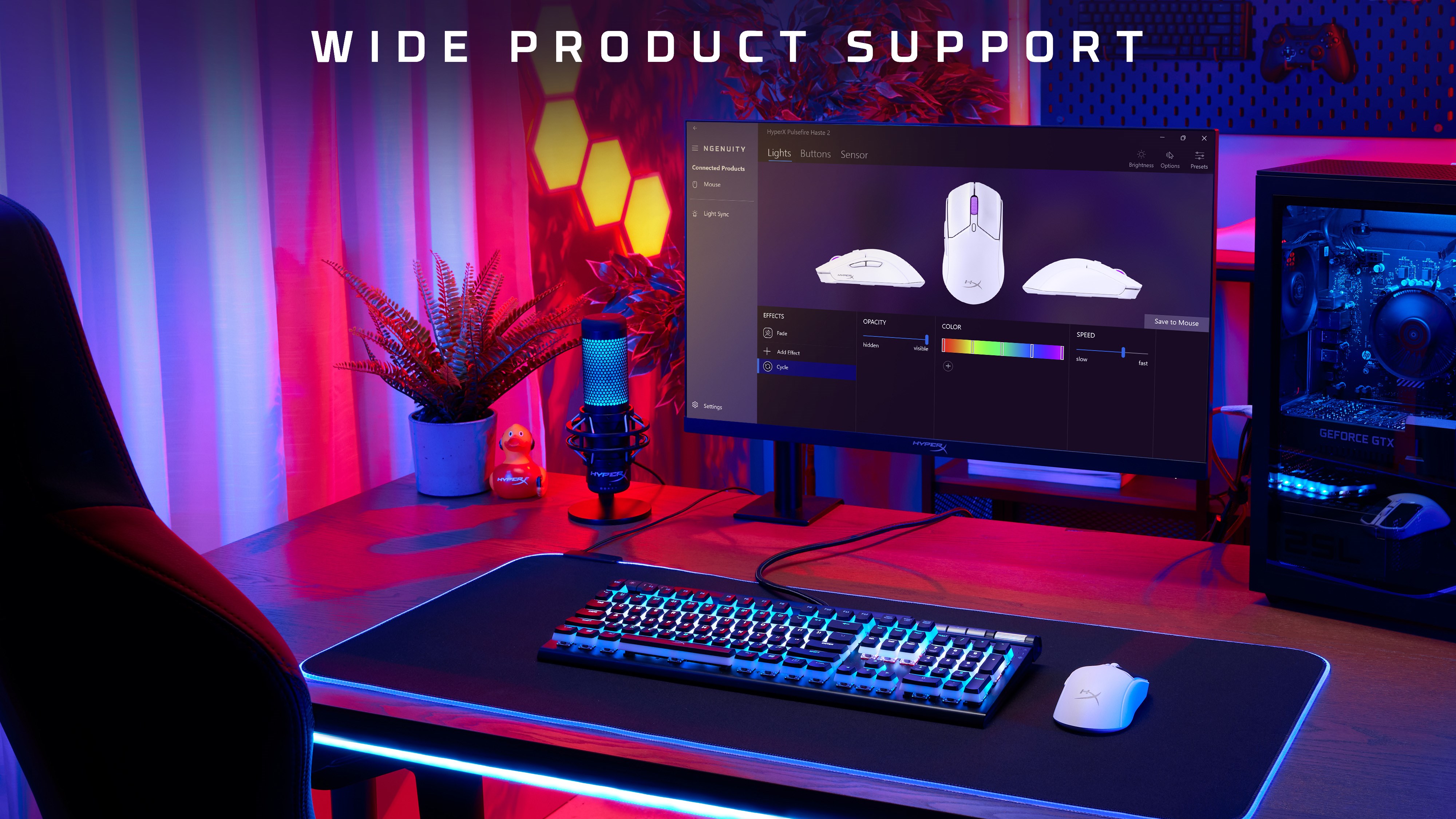
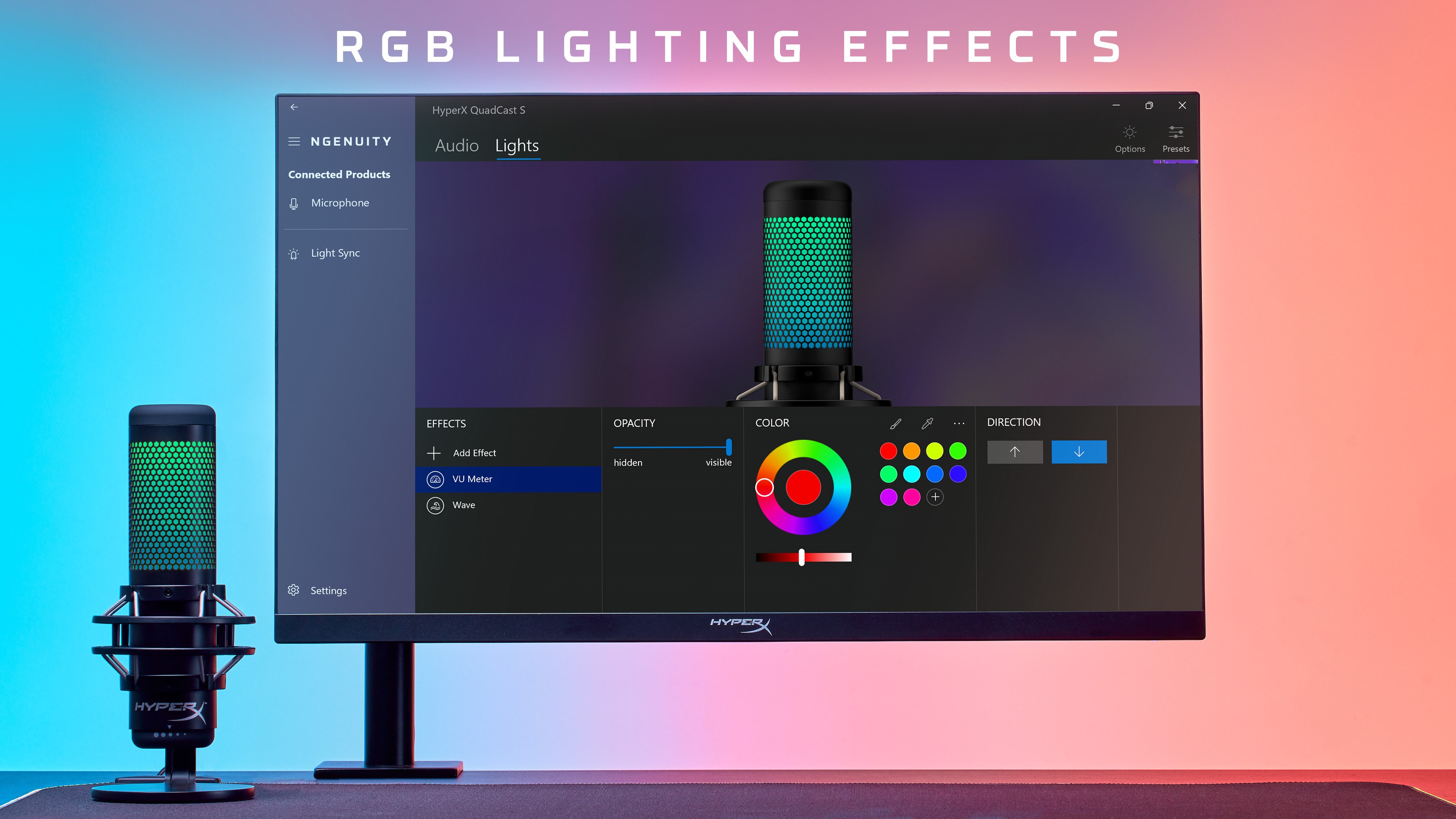
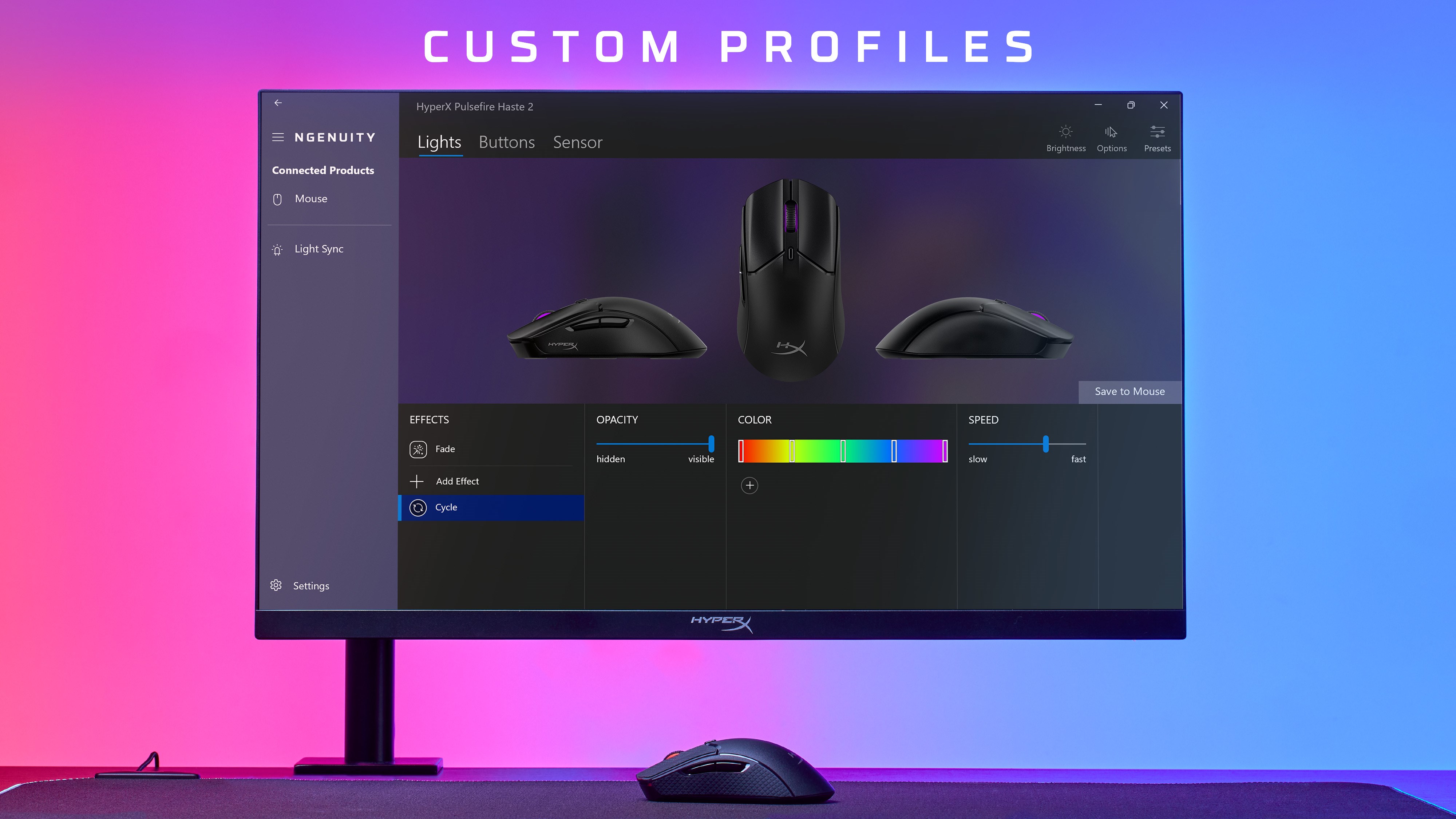
The lighting customization is undoubtedly one of the app's standout features. With a visual interface resembling a digital studio, users can select from various effects—breathing, static, cycle—and tweak their colors with precision. The app's real-time preview allows you to see changes instantly, making it a joy to experiment. Unlike some counterparts that offer preset effects only, NGENUITY lets you craft dynamic light shows that synchronize across devices, adding a layer of cohesion to your gaming space. The process is responsive and straightforward, with minimal lag, even when handling multiple devices simultaneously.
Button & Macro Assignments: Your Gaming Command Center
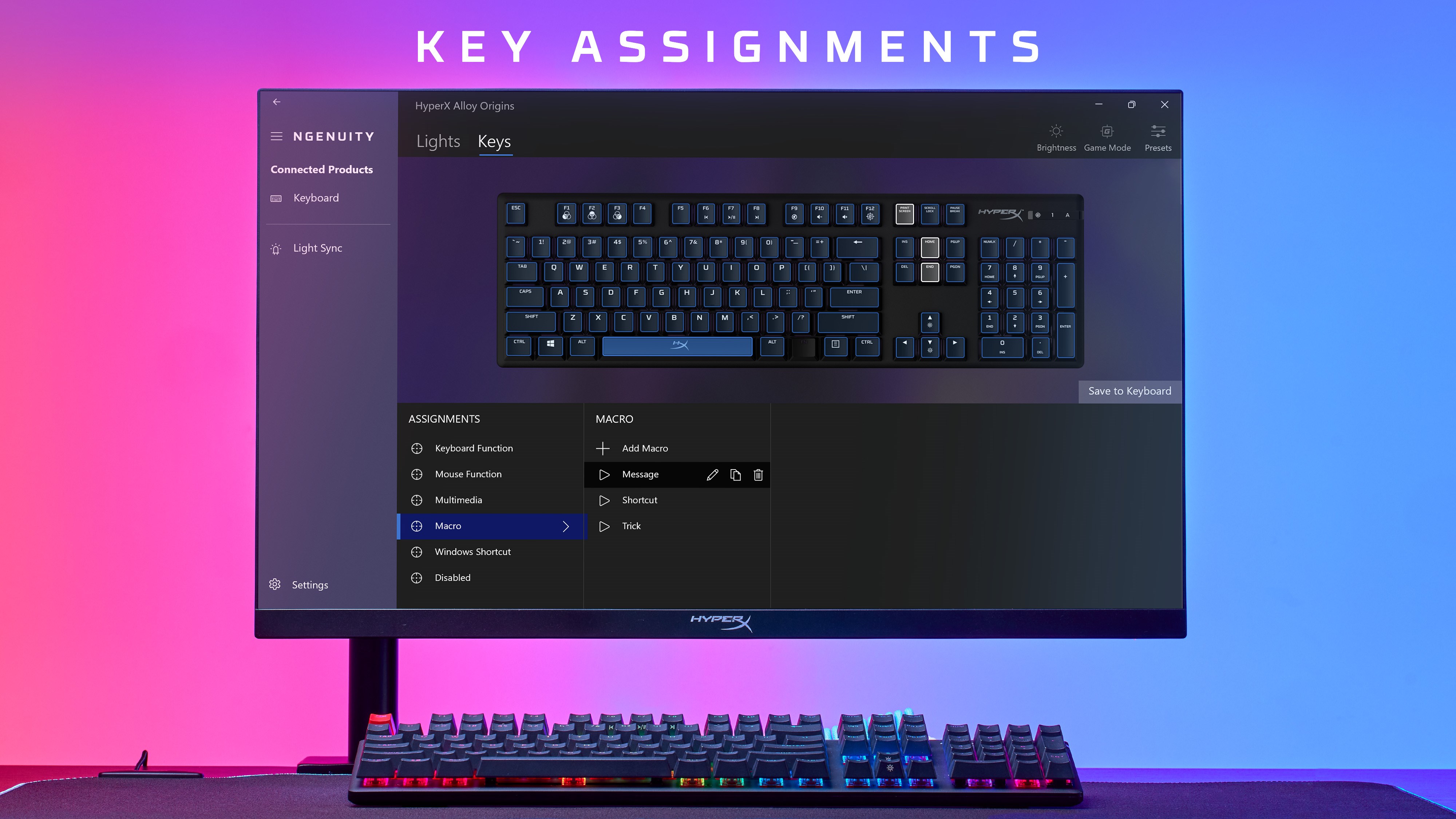
The macro and button remapping feature feels like having a personal assistant laying out your commands exactly how you need. Its drag-and-drop interface makes creating complex macros—think multi-step sequences or timed commands—a walk in the park. The app's profile system allows for quick switching between setups tailored for different games or workflows. This flexibility is especially advantageous for professional streamers or gamers who juggle multiple titles, as each profile can be finely tuned without fussing over settings repeatedly. Notably, the macro Editor's simplicity hides its power, making advanced customization accessible even to beginners.
User Experience: Smooth Sailing for Beginners and Pros
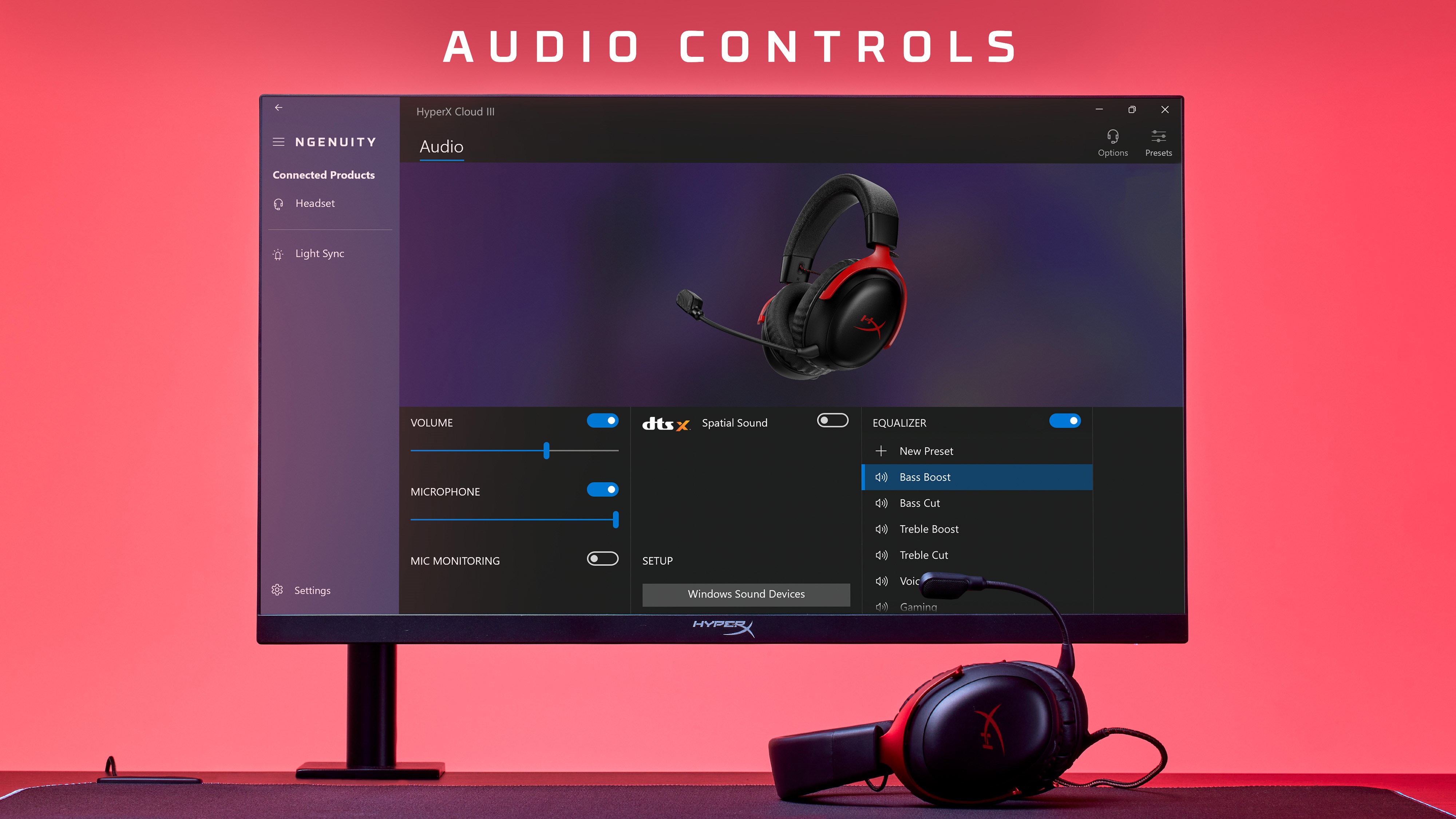
NGENUITY boasts a clean, well-organized interface that balances simplicity with comprehensive controls. Navigation is smooth, with transitions between sections feeling snappy and intuitive. The learning curve is gentle; most functions are discoverable within a few clicks, thanks to helpful tooltips and a logical layout. Users report that even when managing multiple profiles or devices, the app remains responsive and straightforward—though some advanced settings might take a moment to familiarize oneself with. Overall, it offers a satisfying blend of ease of use and depth of customization, empowering users to take full control without frustration.
Why HyperX NGENUITY Shines Among Similar Utilities
Compared to other peripheral management tools, NGENUITY's integration with HyperX devices is seamless and richly featured. Its standout advantage lies in its ability to synchronize lighting effects across multiple devices, creating a unified visual environment, a feature not always present elsewhere. Additionally, the macro creation tool stands out for its combination of simplicity and power, allowing for complex programming without steep learning curves. Unlike some utilities that have cluttered interfaces or limited customization options, NGENUITY maintains focus on user needs, providing a balance of performance and elegance.
Final Thoughts: Is It Worth Your Time?
If you own HyperX peripherals, this app is a must-try. It unlocks the full potential of your gaming gear, transforming the way you interact with your setup. Whether you're after visual flair, quick-access macros, or profile management, HyperX NGENUITY offers a reliable, user-friendly experience. I'd recommend it to serious gamers, streamers, or anyone who wants to personalize and optimize their peripherals. Just a heads-up: for first-time users, spending a few minutes exploring the profiles and lighting options will pay off in mastering the app's full capabilities.
Pros
- Intuitive User Interface
- Extensive Device Compatibility
- Rich RGB Lighting Effects
- Easy Profile Management
- Regular Software Updates
Cons
- Occasional Software Crashes
- Limited Customization for Some Devices
- Slow Response to User Feedback
- Battery Consumption When Running in Background
- Initial Setup Can Be Slightly Complex











