

- Name Go Action Camera App
- Category Business
- Available on PC, Mobile, Surface Hub, HoloLens
- OS Windows 10 version 17763.0 or higher
- Keyboard Integrated Keyboard
- Mouse Integrated Mouse
- languages English (United States)
Introducing Go Action Camera App for Windows
Go Action Camera App for Windows, developed by ABR Software, is a dedicated utility designed to facilitate seamless connectivity and management of action camera devices from a Windows environment. Whether you're a videographer, outdoor enthusiast, or casual user, this application aims to streamline your camera operations and enhance your multimedia workflows.
Key Features and Highlights
This application offers several standout features that distinguish it from typical camera management tools:
- Wireless Camera Management: Effortlessly connect, control, and monitor your Go Action Camera remotely via Wi-Fi, minimizing the need for physical device handling.
- Live Preview and Recording Control: Provides real-time video feed and intuitive controls for recording, pausing, and capturing photos directly from your PC.
- Media Transfer and Organization: Simplifies the process of transferring footage to your computer, with options to organize files within the app, saving time during editing.
- Enhanced Collaborative Workspace: Unlike traditional camera apps, it emphasizes collaborative features, allowing multiple users to access, annotate, and share camera recordings seamlessly, ideal for team projects.
Engaging and User-Friendly Interface
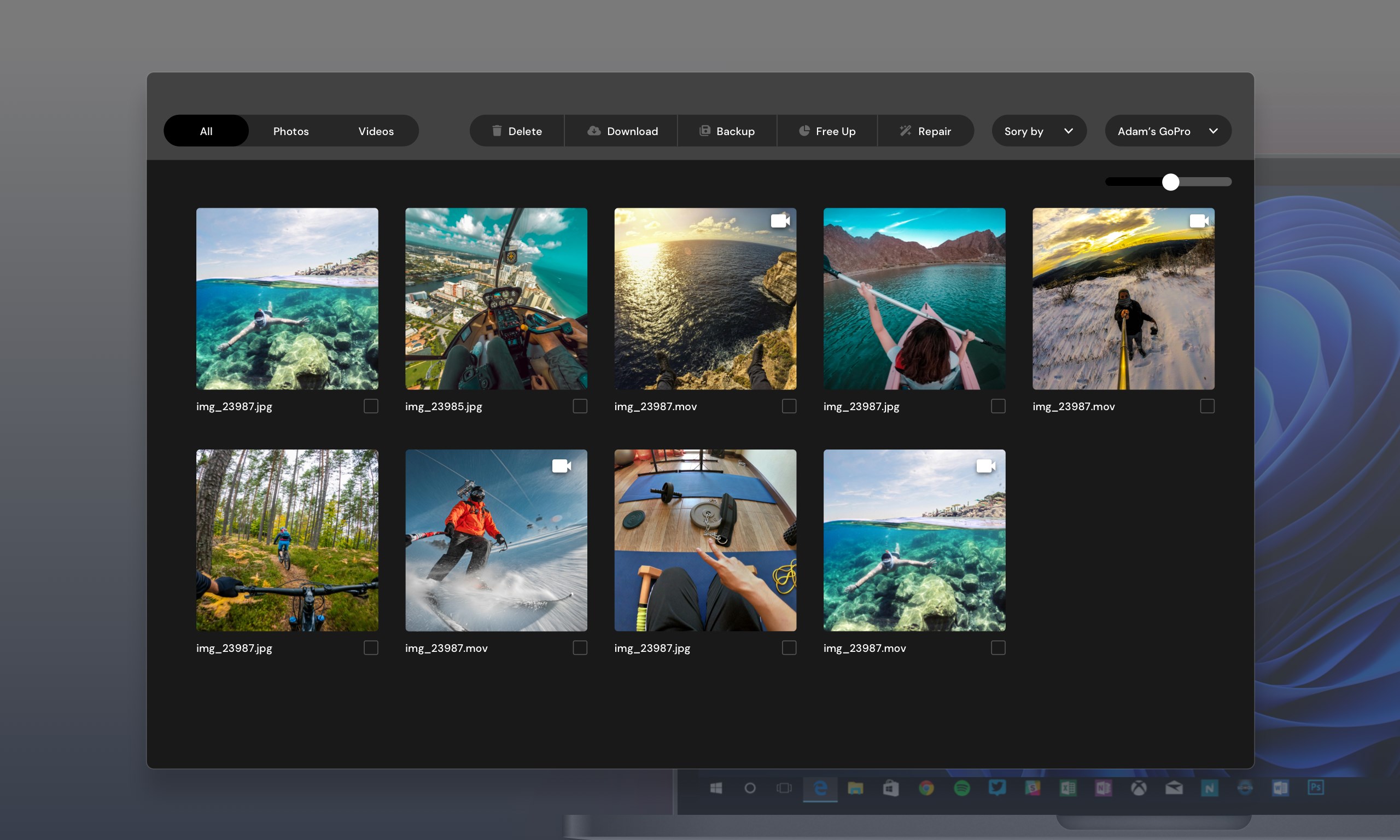
Imagine opening a well-organized digital workspace that feels like a sleek control center of a spaceship—intuitive, uncluttered, and inviting. The interface design of Go Action Camera App is clean and modern, with clear icons and logical navigation paths that make it easy even for first-time users to get started. The layout guides you naturally through connection setup, live viewing, and media management, making the learning curve quite gentle. Actions like zooming in on the camera feed or switching between modes are smooth and responsive, creating a fluid experience that minimizes frustration.
Core Functionality Breakdown
Seamless Camera Connectivity and Control
One of the app's most notable strengths is its straightforward wireless connection process. It scans for nearby cameras and connects swiftly, much like pairing your smartphone with a Bluetooth speaker. Once connected, users can start or stop recordings, capture photos, or change camera settings from their PCs—no need to fumble with physical buttons in tricky outdoor conditions. This real-time control feels akin to having the camera's remote control right at your fingertips, which is particularly handy during action-packed activities such as mountain biking or surfing.
Intelligent Media Management and Sharing
The app's media transfer feature is both thoughtful and efficient. Instead of tediously plugging in a memory card or hunting through folders, users can browse and organize their footage within a dedicated library. Files are presented with thumbnails, making it easy to preview their content. Moreover, the app supports quick sharing options to cloud services or social networks, streamlining workflows for content creators and team collaborations, especially when multiple users need access to the same footage.
Collaborative Features and Task Management
Unique among similar apps, Go Action Camera App integrates collaborative work capabilities directly into the platform. This means team members can annotate video clips, leave comments, or assign tasks related to footage review—all within the same environment. Such features resemble a mini-project management system tailored for multimedia workflows, making it more than just a camera control app, but a comprehensive tool that fosters teamwork without jumping onto multiple apps. This efficient integration reduces the hassle of switching between different platforms, keeping everyone aligned and projects moving smoothly.
Final Thoughts and Recommendations
Overall, Go Action Camera App for Windows stands out as a well-designed, user-centric solution for managing action camera footage. Its most distinctive strength lies in its collaborative workflow features, which elevate it above typical camera control applications. The interface is approachable, the controls are responsive, and the media organization tools are practical. For outdoor enthusiasts, content creators, or teams working on shared multimedia projects, this app provides a reliable bridge between device and desktop, making the process more intuitive and efficient.
If you frequently use action cameras and need a dedicated Windows app that offers both control and collaboration, this would be a worthwhile addition to your toolkit. For casual users or those who prefer simple file transfers, it remains a solid choice, but appreciate that its full potential shines when used in teamwork scenarios. I'd recommend giving it a try if the app's collaborative features align with your workflow, as they are the most compelling aspect of this software's design.
Pros
- User-Friendly Interface
- Smooth Video Recording
- Multiple Shooting Modes
- Easy Sharing Options
- Built-in Editing Tools
Cons
- Limited Device Compatibility
- Occasional App Crashes
- Battery Consumption
- Connectivity Issues
- Limited Advanced Settings











