

- Name Galaxy Buds
- Category Utilities & tools
- Available on PC, Mobile, Surface Hub, HoloLens
- OS Windows 10 version 19041.0 or higher
- languages Albanian, Arabic, Armenian, Assamese, Azerbaijani, Bangla (Bangladesh), Bangla (India), Basque, Belarusian, Bosnian (Latin), Bulgarian, Catalan, Chinese (Simplified), Chinese (Traditional), Chinese (Traditional, Hong Kong SAR), Croatian, Czech, Danish, Dutch, English (Canada), English (Philippines), English (United States), Estonian, Finnish, French, French (Canada), Galician , Georgian, German, Greek, Gujarati, Hindi, Hungarian, Icelandic, Indonesian, Irish, Italian, Japanese, Kannada, Kazakh, Khmer, Korean , Kyrgyz, Lao, Latvian, Lithuanian, Macedonian, Malay, Malayalam, Marathi, Mongolian (Mongolia), Nepali, Norwegian (Bokmål), Odia, Persian, Persian/Farsi, Polish , Portuguese (Brazil), Portuguese (Portugal), Punjabi (India), Romanian, Russian, Serbian (Latin), Sinhala, Slovak, Slovenian, Spanish (Argentina), Spanish (Chile), Spanish (Latin America), Spanish (Mexico), Spanish (Paraguay), Spanish (Spain), Spanish (United States), Spanish (Uruguay), Swedish, Tamil, Telugu, Thai, Turkish, Ukrainian, Urdu, Uyghur, Uzbek, Vietnamese
An Intuitive Companion for Galaxy Buds on Windows: A Closer Look at Samsung's Utility App
If you're a Galaxy Buds user working primarily on Windows, the Samsung Galaxy Buds for Windows app promises to streamline your audio experience. It acts as a bridge, bringing features from Samsung's ecosystem into your PC environment, offering a seamless and smarter way to manage your earbuds. Developed by Samsung Electronics Co. Ltd., this app emphasizes convenience and control for Galaxy Buds owners who want more than just basic connectivity.
Key Features That Stand Out
The app centers around a few core capabilities: personalized sound settings, easy device management, and seamless firmware updates. With these features, it aims to elevate your wireless audio experience beyond mere pairing. Its main highlight is the ability to fine-tune sound profiles tailored to your preferences, and effortlessly switch between devices with minimal fuss.
Getting to Know the App: Designed for Simplicity and Efficiency
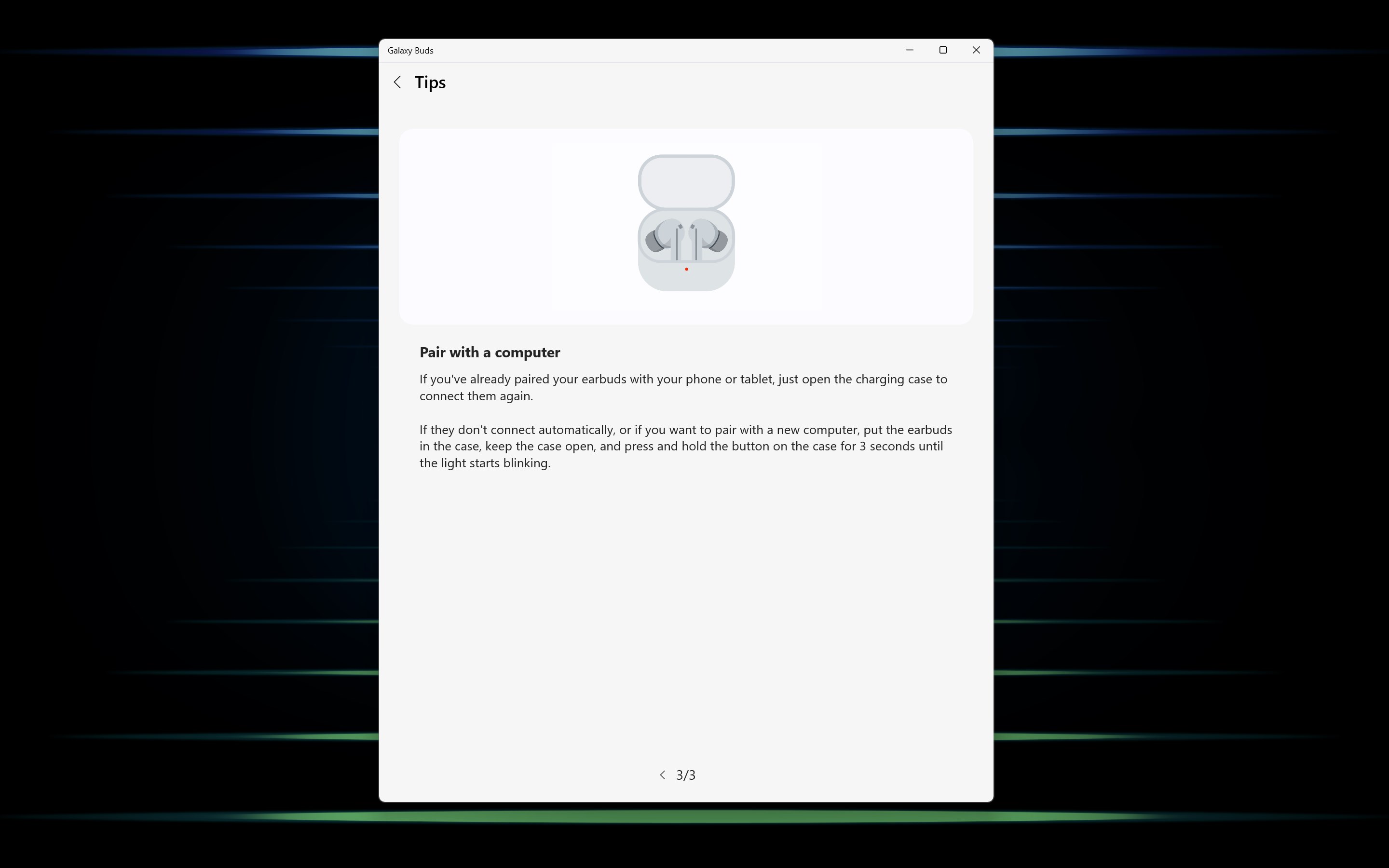
Imagine the frustration of juggling multiple devices and manual controls—this app acts as your audio command center, simplifying your daily auditory routines. The interface is clean, minimalistic, yet intuitively laid out, making it accessible even for newcomers. Setting up your Galaxy Buds on Windows becomes a matter of seconds, thanks to straightforward prompts and clearly labeled options.
Core Functionality Breakdown
Personalized Sound Settings
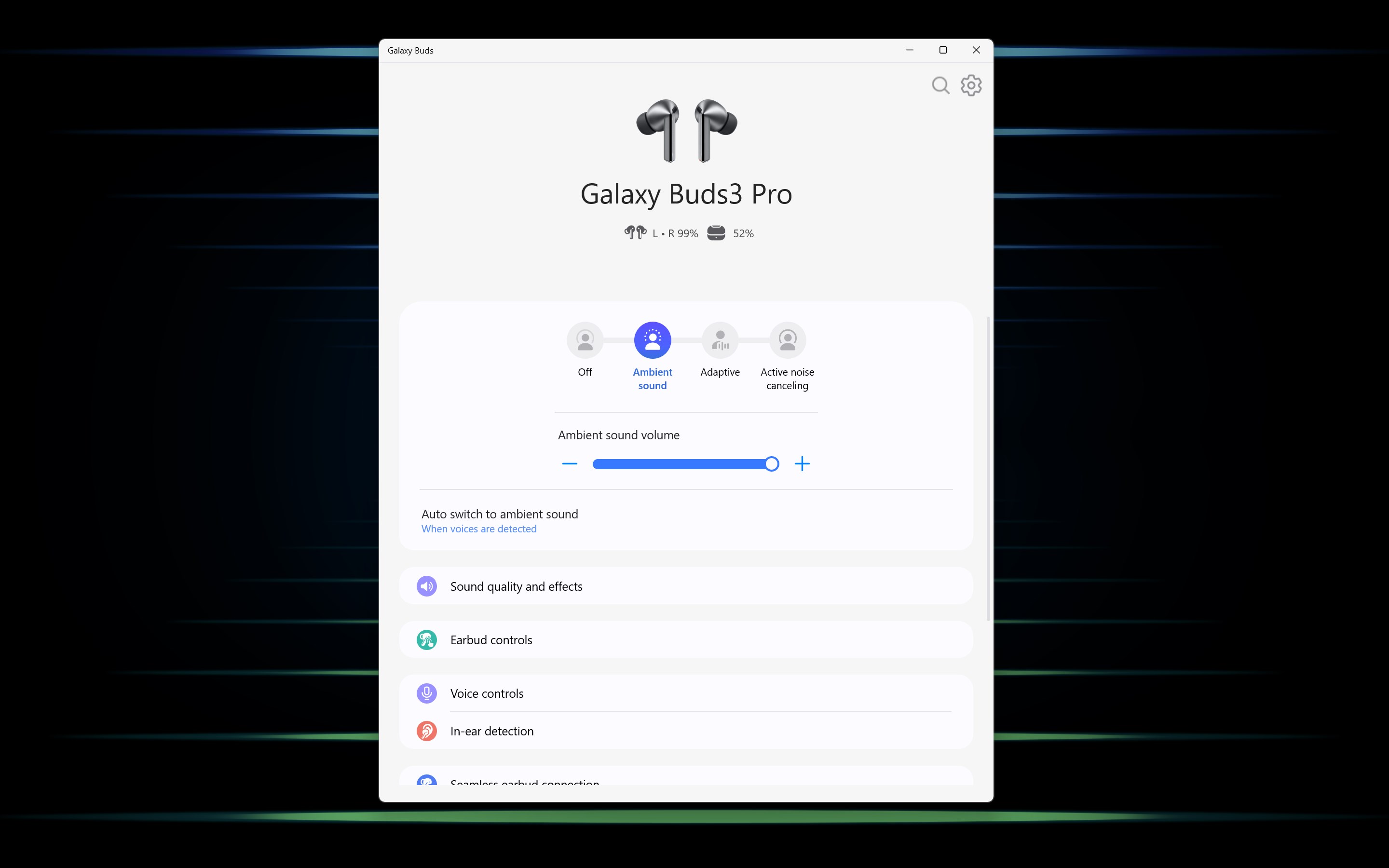
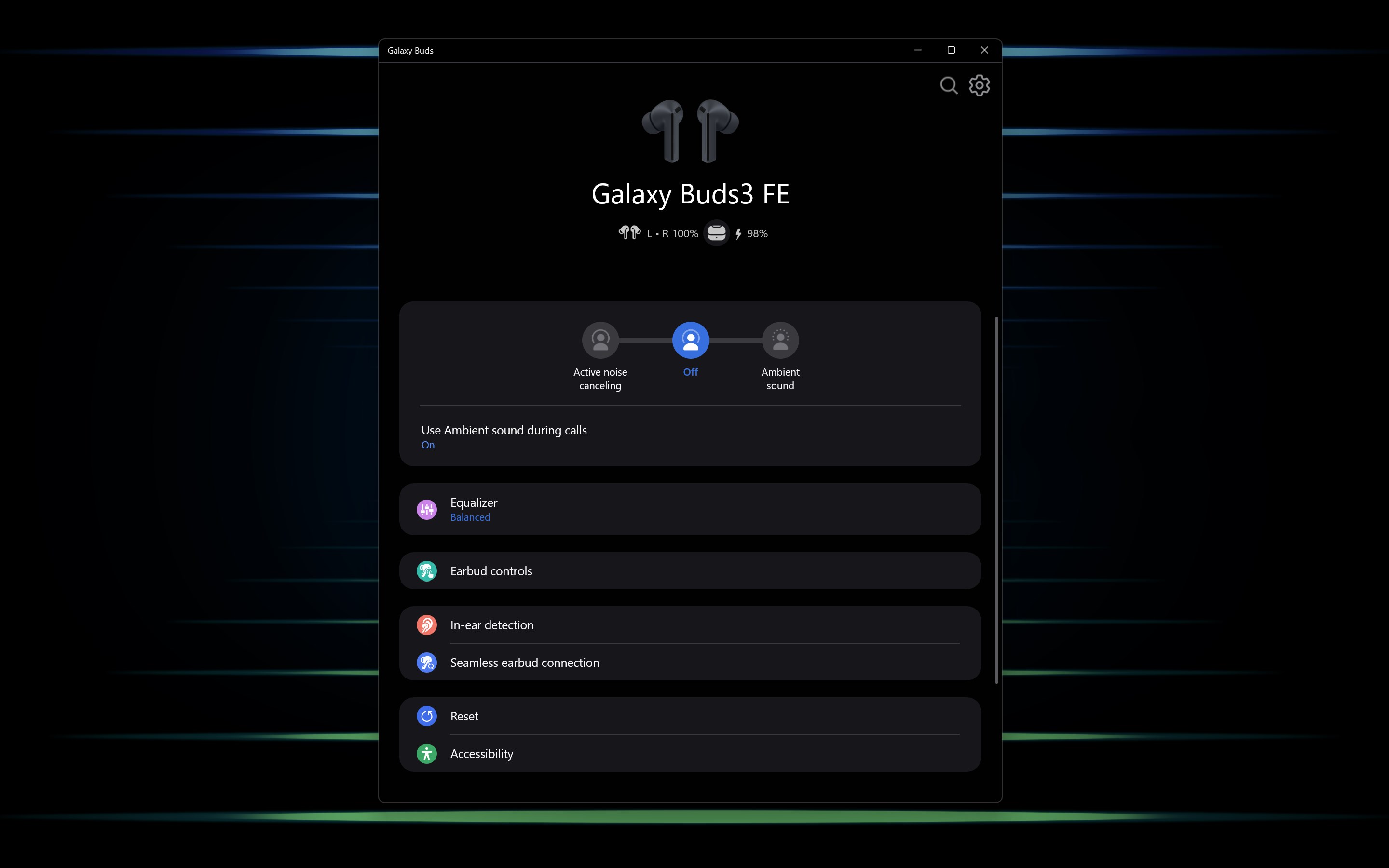
This feature is its crown jewel. Once connected, the app enables you to customize equalizer presets and ambient sound options. Whether you're adjusting for a quiet office, a bustling cafe, or a workout session, you can create profiles that suit the environment. The controls are responsive, allowing real-time adjustments—akin to having a mini sound engineer at your fingertips.
Device Management & Connectivity
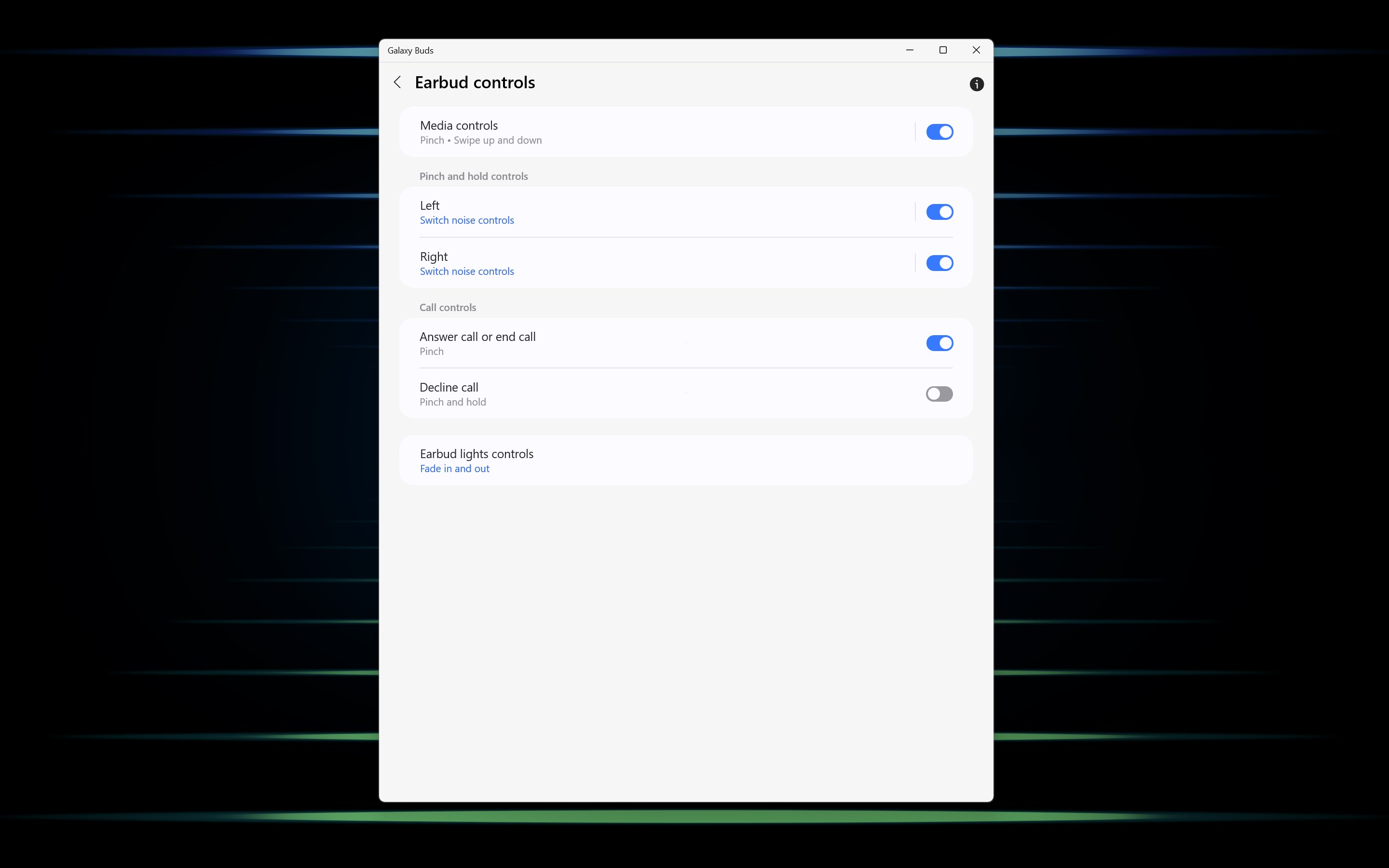
The app offers a centralized dashboard where you can view your Galaxy Buds' battery levels, switch between paired devices, and customize touch controls. The process is smooth, with instant updates reflected on the interface. However, pairing and switching work more fluidly if your Windows device supports Bluetooth 5.0, reducing lag and connection drops, a salient advantage over some generic Bluetooth utilities.
Firmware Updates & Maintenance
Keeping your earbuds updated is effortless. The app notifies you of available firmware upgrades, which can be downloaded and installed directly through a dedicated menu. This proactive maintenance ensures you benefit from bug fixes, improved stability, and new features—much like keeping your device in tip-top shape with minimal effort.
Enhanced User Experience & Unique Selling Points
Unlike many utility apps that merely act as remote controls, Samsung's app emphasizes customization and seamless integration. The interface's sleek design, coupled with rapid responsiveness, makes managing Galaxy Buds feel like a natural extension of your Windows setup. One particularly notable feature is the personalized sound profile, which sets this app apart from more generic Bluetooth management tools. It transforms your earbuds from simple wireless gear into personalized audio companions.
Compared to Similar Utilities & Tools
Many Bluetooth management apps on Windows tend to be clunky, offering limited control and often lacking dedicated profiles or firmware management. In contrast, Samsung's app provides a more comprehensive experience, focusing on fine-tuning and maintenance—important for audiophiles or power users. Its deep integration with Galaxy Buds hardware offers a level of control that generic utilities simply can't match, making it a tailored solution for Samsung device owners.
Final Thoughts & Recommendations
If you own Galaxy Buds and primarily use Windows devices, this app is a valuable addition to your digital toolkit. It transforms the mundane task of managing earbuds into a straightforward, almost enjoyable activity—think of it as a personal sound butler who ensures your audio experience is always optimized. Though not overly complicated, it's especially recommended for users who appreciate customization and consistent device maintenance.
While the app may not replace more robust audio software for professional sound editing, it excels at delivering a user-friendly, integrated experience that maximizes your Galaxy Buds' potential. Overall, I'd rate it as highly recommended for Galaxy Buds owners seeking convenience and enhanced control without needing to learn complex settings.
Pros
- Seamless connectivity
- Intuitive app interface
- Enhanced audio quality
- Battery management features
- Customizable sound settings
Cons
- Limited device compatibility
- Occasional connectivity drops
- Battery life constraints
- Minor lag in settings adjustment
- App stability issues occasionally occur











