

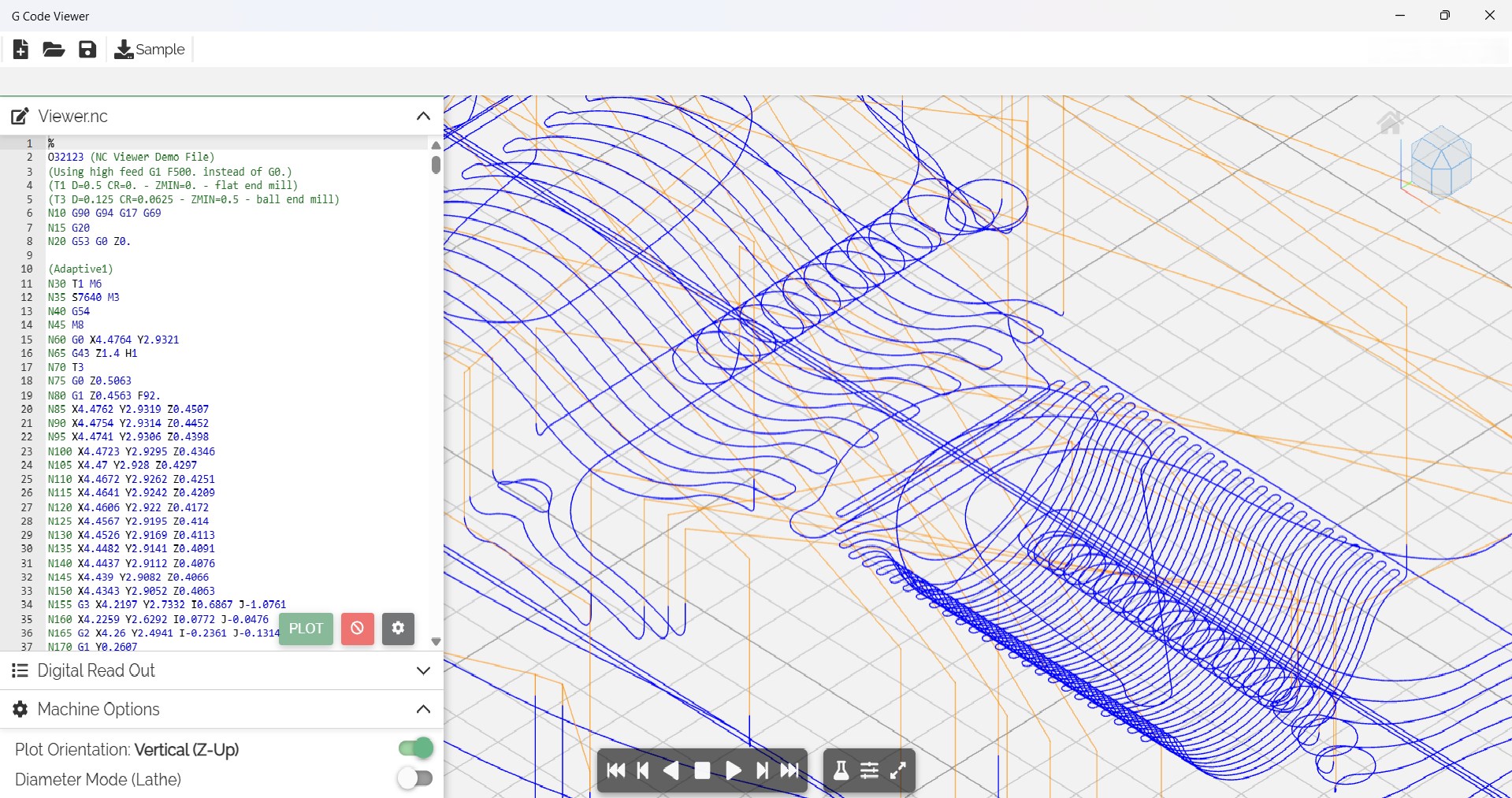
- Name G Code Viewer
- Category Utilities & tools
- Developer PerfectMedia_Place
- Available on PC, Mobile, Surface Hub, HoloLens
- OS Windows 10 version 15063.0 or higher
- Keyboard Integrated Keyboard
- Mouse Integrated Mouse
- languages English (United States)
Unveiling the G Code Viewer for Windows: Your Reliable 3D Printing Companion
If you're a 3D printing enthusiast or a professional who often juggles complex G-code files, the G Code Viewer for Windows by PerfectMedia_Place is designed to be your faithful sidekick—bringing clarity and control to your slicing adventures.
Meet the Developer and Core Features
About PerfectMedia_Place
Developed by PerfectMedia_Place, this application stems from a team dedicated to delivering practical, user-friendly tools aimed at enhancing digital fabrication workflows. Their focus is on providing precise, accessible software that simplifies complex tasks for makers of all levels.
Main Features that Stand Out
- Interactive 3D Visualization: View your G-code in a dynamic, rotatable 3D model to better understand toolpaths and potential issues before printing.
- Layer-by-Layer Analysis: Examine individual layers to fine-tune your slicing parameters or troubleshoot problematic regions.
- Code Editing & Optimization: Modify G-code directly within the viewer to customize your print commands, making adjustments without switching to external editors.
- Compatibility & Ease of Use: Supports standard G-code files with an intuitive interface tailored for both novices and veterans.
Targeted at 3D printing hobbyists, makers, educators, and professionals, this app bridges the gap between raw code and visual understanding, making the complex world of G-code accessible and manageable.
Deep Dive into the App's Capabilities
Engaging Visualizations and User Interface
The first impression when opening G Code Viewer is akin to stepping into a well-organized control room—sleek, clean, and inviting. The interface adopts a minimalistic design, emphasizing clarity without overwhelming the user. The 3D visualization panel is highly responsive, allowing smooth rotations and zooms, which is crucial for inspecting intricate toolpaths. Navigating between different layers or sections is straightforward, thanks to clearly labeled controls and a logically structured layout. This simplicity makes the learning curve gentle, even for newcomers unfamiliar with G-code intricacies.
Powerful Functionality in a Streamlined Package
The standout feature, the interactive 3D visualization, is particularly valuable—it offers a real-time, manipulable model of your print, akin to holding a miniature version of your object in your hands. This capability is especially helpful for preemptively spotting possible issues such as overhangs or areas where support might be needed. The layer-by-layer analysis extends this utility further, allowing you to scrutinize each section meticulously—think of it as peeling back the layers of a cake to see what's inside. Additionally, the G-code editing function enables direct modifications, which can be a massive time-saver; instead of re-slicing or switching software, users can tweak commands on the fly, optimizing prints with precision.
Assessing User Experience and Unique Selling Points
From the user's perspective, the application scores highly on responsiveness and intuitiveness. The interface's clarity combined with fluid interaction makes for a smooth experience—no lag or confusing menus here. The app's learning curve is approachable; most features can be grasped with some initial exploration, making it accessible to newcomers and beneficial for seasoned users needing quick inspections. Unlike some G-code viewers that only display static models or offer limited analysis, this app's real strength lies in its combined visualization and editing features—offering a more holistic toolset that stands out in the utilities landscape.
Would We Recommend It?
Based on its features, ease of use, and thoughtful design, G Code Viewer for Windows deserves a solid recommendation. It's particularly useful if you regularly review or modify your G-code files—saving time and reducing errors before printing. For hobbyists or educators, the visual insights and layer inspection can elevate your understanding of slicing results. Professional users will appreciate its precision editing capabilities, which streamline workflow without needing multiple software tools.
Final Verdict: A Practical and Accessible Tool
If you're seeking a G-code viewer that balances detailed analysis with user-friendly operation, this application has much to offer. Its most distinguishing features—especially the interactive 3D visualization and in-app code editing—make it a compelling choice. While it may not replace dedicated slicing software, it complements existing tools nicely by providing clarity and control that can help ensure successful prints. For anyone serious about refining their 3D printing process, G Code Viewer for Windows is worth trying out and incorporating into your toolkit.
Pros
- Intuitive interface
- Supports multiple programming languages
- Lightweight and fast
- Built-in syntax highlighting
- Regular updates and improvements
Cons
- Limited editing features
- Lacks advanced search options
- Some language support may be basic
- No dark mode option
- Limited export options











