

- Name Fast Tax
- Category Business
- Available on PC, Mobile, Surface Hub, HoloLens
- OS Windows 10 version 18362.0 or higher
- Keyboard Integrated Keyboard
- Mouse Integrated Mouse
- languages English (United States)
Quick Overview of Fast Tax for Windows
Fast Tax for Windows is a streamlined tax calculation and management application designed to simplify the complex world of tax computations, making filing less daunting and more efficient. Developed by Shareware Software, this tool aims to serve small business owners, accountants, and individual taxpayers who seek quick and accurate tax processing within a Windows environment.
Key Highlights and Target Users
The app's main strengths include its intuitive interface, comprehensive tax calculation features, and collaborative work capabilities. Its core functionalities empower users to manage multiple tax scenarios effortlessly, generates detailed reports, and facilitates team cooperation, making it ideal for accountants and teams handling multiple clients. The target audience ranges from small business owners and freelancers to accounting professionals needing a reliable tax management helper.
Engaging and Intuitive User Experience
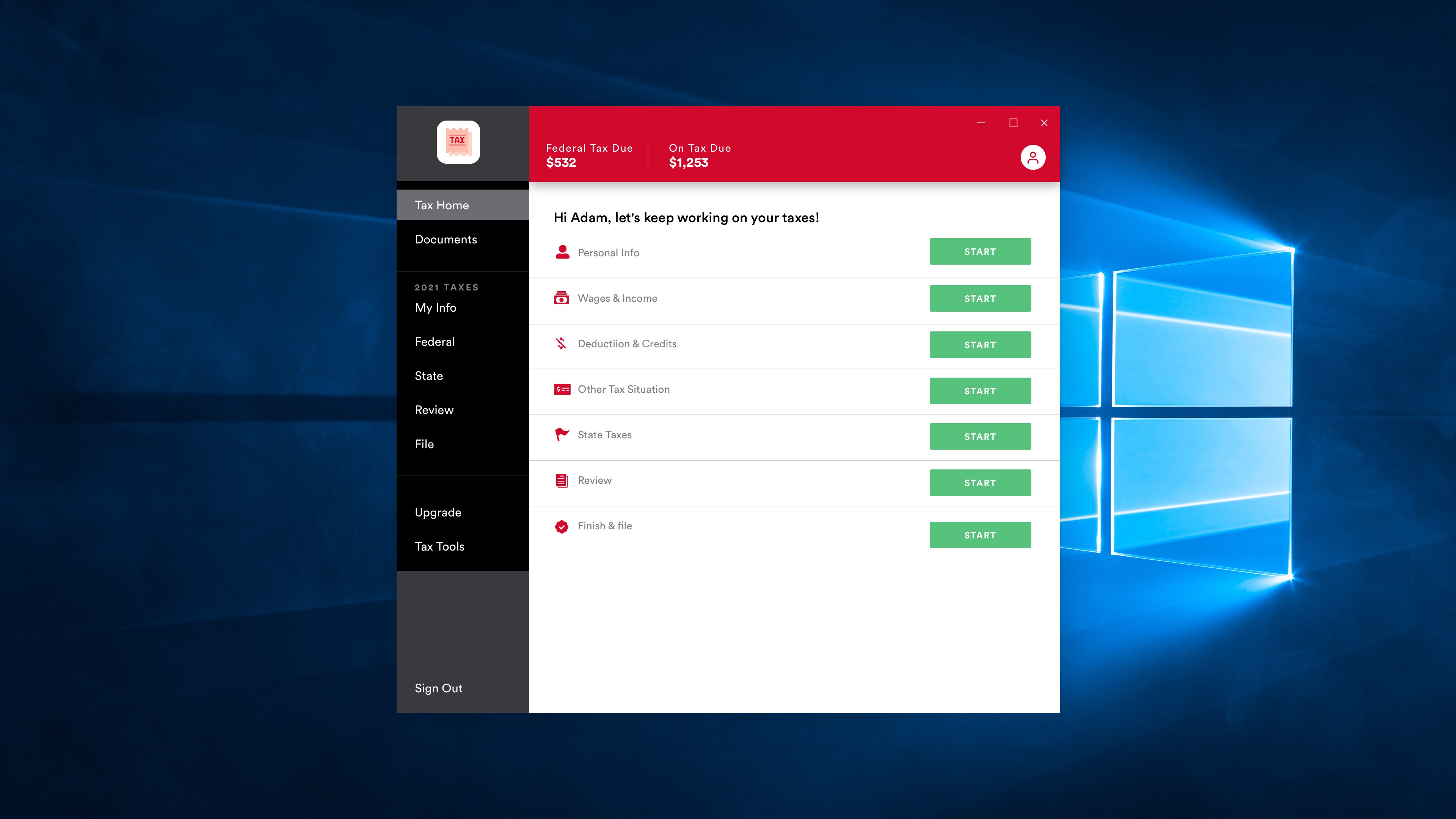
Imagine opening a tool that feels like your digital tax assistant—colorful, organized, and ready to guide you through complex calculations. Fast Tax for Windows offers a clean, straightforward interface that minimizes the clutter often found in financial apps. The layout resembles a well-organized workspace, with easy-to-navigate tabs and icons that make finding the right features feel like flipping through a familiar filing cabinet. The responsiveness is smooth—clicks and inputs are instant, and the app's operation seems to anticipate your needs, creating a seamless workflow. For beginners, the learning curve is gentle; even those unfamiliar with tax software will find the guided prompts helpful, while experienced users can dive directly into advanced functions.
Core Features in Focus
Accurate Tax Calculation Engine
The heart of Fast Tax for Windows is its reliable calculation engine that accounts for various tax regulations and deductions. Unlike generic calculators, it adapts to regional tax laws, ensuring compliance and reducing errors. Users can input income, expenses, and other variables with confidence, knowing the software will swiftly generate precise tax liabilities, empowering users to make informed financial decisions.
Collaborative Work and Task Management
This app stands out from many other tax tools with its unique team collaboration features. It supports multiple users working simultaneously on different aspects of the same project, much like a well-oiled assembly line where each worker handles a specific task, ensuring efficiency. Assigning roles, sharing files, and tracking progress are baked into the system, making it a perfect fit for accounting firms or small teams. This focus on collaboration transforms what used to be a solitary, stressful task into a coordinated effort.
Design, Usability, and Differentiation
The interface strikes a good balance between simplicity and functionality, making it approachable for users of varying tech-savviness. The design employs clear icons, logical workflows, and helpful tooltips that guide users effortlessly. Operation is fluid, with no noticeable lag, allowing users to switch between functions seamlessly. The learning curve is minimal—most users will get comfortable within a short few minutes of exploration. Unlike less integrated tax software, Fast Tax for Windows emphasizes teamwork and task organization, enabling multiple stakeholders to coordinate efficiently without switching between different apps. Its collaborative features are especially advantageous for small firms or teams managing multiple clients, giving it a competitive edge over standalone or single-user applications.
Final Thoughts and Recommendations
Fast Tax for Windows deserves a solid recommendation for users seeking a reliable, user-friendly tax management tool with built-in collaborative features. It's especially suitable for small teams or small business owners who value teamwork and want a straightforward way to handle tax calculations without sacrificing accuracy or efficiency. While it may not have the ultra-deep customization of high-end enterprise solutions, its intuitive design and team-centric features make it a practical choice for many everyday scenarios. I suggest giving it a try if you're looking for a balance between simplicity, precision, and teamwork in tax software—this app could be your efficient partner in tax season and beyond.
Pros
- User-friendly interface
- Accurate calculation features
- Quick data entry process
- Secure data protection
- Official updates and support
Cons
- Limited customization options
- Slow initial load times
- In-app guidance could be improved
- Limited export options for reports
- Offline mode restrictions











