

- Name Edit Docx PLUS
- Category Utilities & tools
- Developer File Format Apps
- Available on PC
- OS Windows 10 version 17763.0 or higher
- languages English (United States)
Introduction: A Game-Changer for DOCX Editing on Windows
Imagine a world where editing your Word documents is as seamless and intuitive as chatting with a friend—that's the promise of Edit Docx PLUS for Windows. Developed by File Format Apps, this tool aims to streamline your document editing experience, making it accessible and efficient, whether you're a casual user or a professional. With its focus on simplicity and power-packed features, it stands out as a handy utility in the crowded space of document editors.
Core Features that Shine Bright
Comprehensive Editing and Formatting Tools
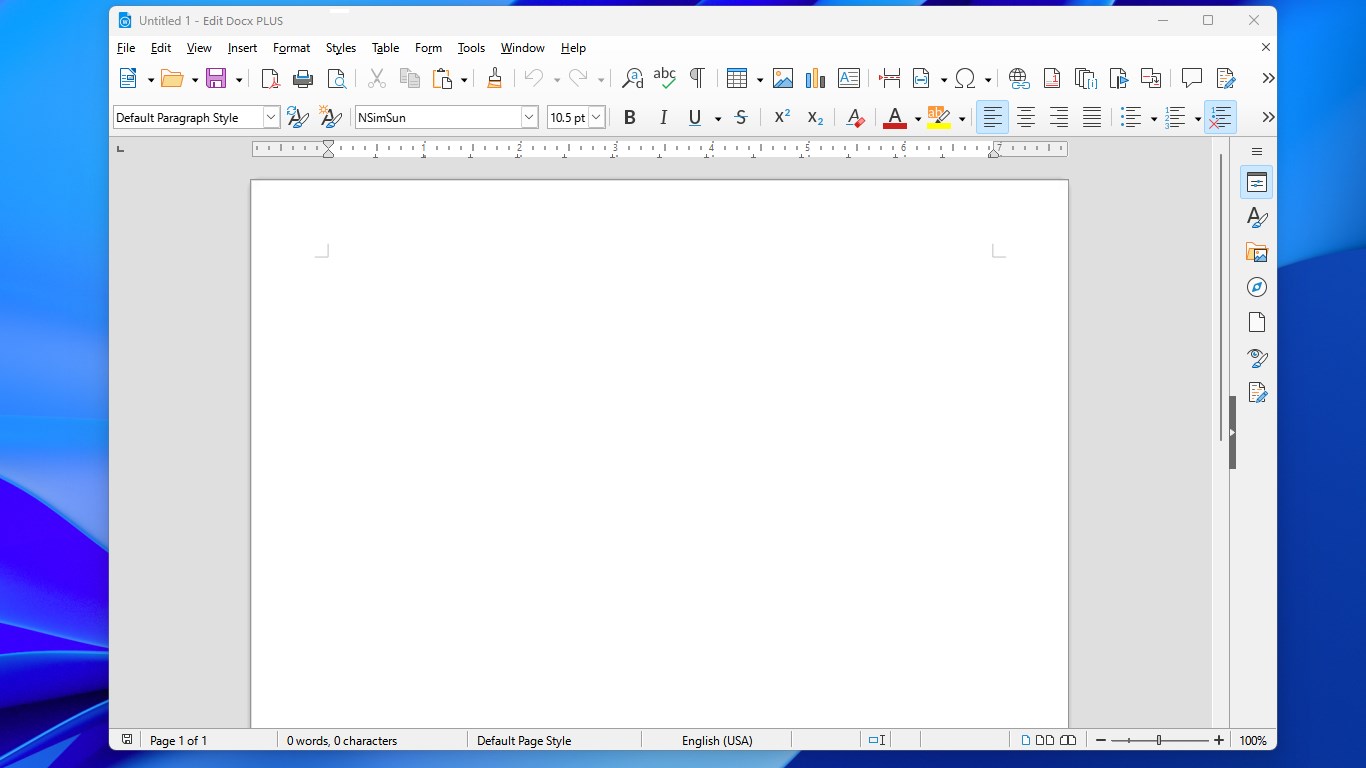
At the heart of Edit Docx PLUS lies its extensive suite of editing functions. From basic text editing, like font adjustments and paragraph alignment, to more advanced features such as track changes, comments, and embedded media, the app provides everything you'd expect from a professional tool. Its intuitive interface ensures that users can navigate these features without wading through a maze of menus—think of it as a well-organized toolbox where every instrument is right at your fingertips.
Seamless Compatibility and File Management
One of the app's standout qualities is its robust compatibility with Microsoft Word's DOCX format. It allows quick opening, editing, and saving documents without the typical fuss of format corruption or lost metadata. Moreover, its smooth file management system supports cloud integration options, making it easy to access and sync documents across devices—perfect for busy professionals or students managing multiple projects.
Unique Document Comparison and Version Control
What truly sets Edit Docx PLUS apart is its built-in document comparison and version control features. Think of it as having a vigilant editor by your side—highlighting differences between document versions and allowing easy rollback to previous edits. This advantage is especially useful for collaborative settings or detailed revisions where precision is paramount. It's akin to having a personal proofreader that keeps track of every change, boosting your editing confidence.
User Experience: Smooth Sailing with a Friendly Interface
From the moment you launch Edit Docx PLUS, the user experience feels polished and approachable. The design strikes a balance between minimalism and functionality—clean layouts with clearly labeled icons make navigation feel natural, like flipping through a familiar notebook. The response time is swift; actions such as editing, saving, or switching documents happen without noticeable lag, akin to gliding smoothly across an ice rink. Learning curves are gentle; even first-time users can quickly grasp the core functionalities without digging through complex tutorials.
What Makes It Stand Out from the Crowd?
Unlike many generic document editors, Edit Docx PLUS emphasizes maintaining document fidelity while offering advanced comparison tools. Its niche lies in focusing on detailed revision tracking and version control, which are often absent or cumbersome in free alternatives. Plus, its lightweight design ensures it doesn't bog down your system, unlike some bulkier office suites. This app essentially offers "just enough" features in a sleek package, making it perfect for users who need dependable editing without the bloat.
Final Verdict: A Practical Choice for Windows Users
All in all, I'd recommend giving Edit Docx PLUS a try if you frequently work with Word documents and value efficient, straightforward editing tools. Its standout features—especially the meticulous document comparison and version control—make it a worthwhile addition to your productivity arsenal. While it may not replace full-featured office suites, it's an excellent companion for quick edits, revisions, and managing multiple document versions. Think of it as your reliable workshop for Document DIY—compact, precise, and user-friendly.
Pros
- User-friendly interface
- Supports comprehensive DOCX editing features
- Cloud sync capability
- Lightweight and fast performance
- Regular updates and improvements
Cons
- Limited offline functionality
- Occasional formatting inconsistencies
- Learning curve for advanced features
- File compatibility restrictions
- Occasional sync delays











