
- Name EasyScan - PDF Scan
- Category Business
- Developer LN
- Available on PC
- OS Windows 10 version 17763.0 or higher
- languages English (United States)
A Fresh Take on PDF Scanning for Windows: EasyScan – PDF Scan for Windows
If you've ever found yourself buried under a pile of paper documents, wishing there was a quick way to digitize and organize everything seamlessly, EasyScan steps in like a trusty digital assistant. Designed to make PDF scanning on Windows straightforward and efficient, this app offers a breath of fresh air for both casual users and professionals alike.
Basic Information & Core Highlights
Clear Purpose in a Nutshell
EasyScan is a dedicated PDF scanning tool aimed at transforming your physical documents into high-quality digital PDFs with ease. Its intuitive design ensures that even tech novices can start scanning with minimal effort.
Developer & Publisher
Developed by LN and published by 3AM Apps, the app benefits from a focused development team that prioritizes simplicity, reliability, and user experience.
Key Features that Shine
- Smart Document Detection: Automatically recognizes document edges, ensuring crisp scans without the need for manual adjustments.
- Multi-Page Compilation: Effortlessly assemble multiple scans into a single PDF, streamlining document management.
- Cloud Sharing & Export: Supports easy sharing via cloud services or direct exports, keeping your workflows flexible.
- OCR Support: Converts scanned images into editable, searchable text, enhancing document usefulness.
In-Depth Evaluation of EasyScan
An Introduction as Fresh as a Morning Coffee
Imagine waking up with a mountain of receipts, notes, and important papers cluttering your desk. You wish for a magic wand to transform this chaos into a sleek digital repository. Enter EasyScan – an app that acts like your trusty helper, swiftly turning paper into pixels. Its simple yet capable interface makes the daunting task of document digitization feel like a walk in the park, all while keeping you in control.
Unlocking Core Functionalities
Intelligent Scanning Experience
One of the standout features of EasyScan is its intelligent document detection. When you place a physical page on your scanner or camera, the app swiftly detects its edges, like a sharp-eyed artist framing a perfect shot. This smart detection minimizes the need for manual cropping, ensuring consistent, professional-looking results. Plus, it's fast—saving you precious time during bulk scans, whether you're digitizing receipts, contracts, or handwritten notes.
Seamless Multi-Page PDF Creation
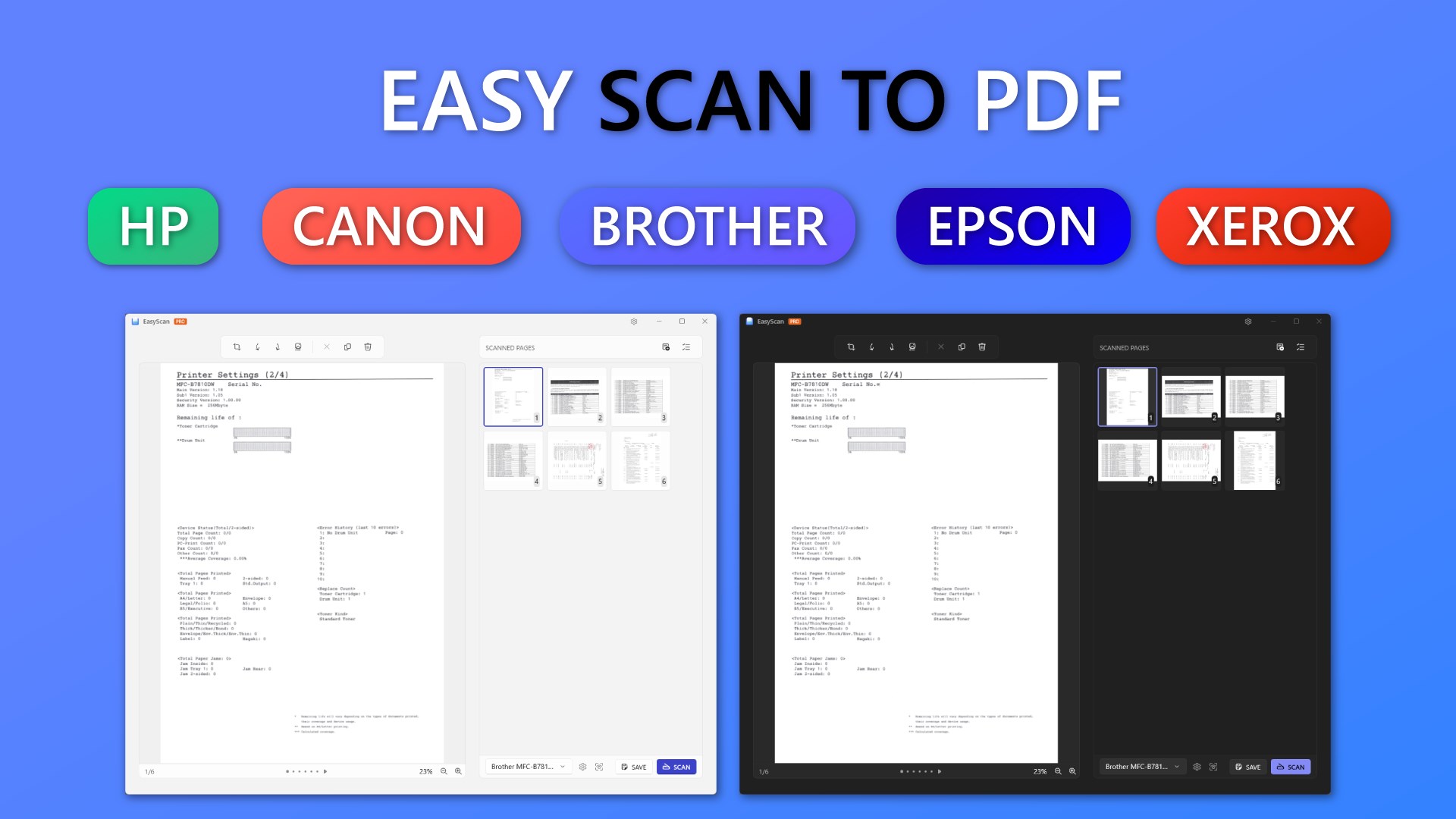
Imagine compiling an entire report or photo album in a single click. EasyScan's ability to assemble multiple scans into one cohesive PDF makes it a champion for batch processing. After scanning several pages, you can effortlessly reorder or delete pages, much like arranging photos in an album. This feature becomes particularly powerful for students, business professionals, or anyone dealing with voluminous documentation, eliminating the hassle of managing multiple files.
Enhanced Sharing with Cloud Integration & OCR
Once your document is digitized, sharing should be just as effortless. EasyScan offers straightforward exporting options, including cloud services, email, or local storage, ensuring your files are always within reach. Its built-in OCR functionality transforms static images into editable and searchable text, turning a scanned page into a tool for productivity—think of it as having a mini-typing assistant inside your scanner. Whether you're extracting information from invoices or digitizing handwritten notes, this feature boosts efficiency significantly.
User Experience: Simple, Smooth, & Intuitive
The app boasts a clean, uncluttered interface that feels more like a friendly workspace than a complex software hub. Navigating through options is intuitive, with clear buttons and straightforward workflows resembling flipping through a well-organized photo album. Response times are brisk, and the learning curve is gentle enough for first-time users to pick up quickly, yet robust enough to satisfy power users who demand control.
What Sets EasyScan Apart in a Crowded Market?
Unlike many PDF scanners that focus narrowly on image capture, EasyScan emphasizes collaborative features and task management. Its ability to easily compile multi-page documents and share them seamlessly makes it a valuable tool for teamwork. When working with colleagues, you can swiftly send a unified PDF of a project draft, making collaboration more akin to passing a physical document across a table—only digitally. This focus on collaborative efficiency and straightforward task handling differentiates it from typical standalone scanner apps.
Final Verdict & Recommendations
EasyScan offers a balanced mix of simplicity and smart features, making it a compelling choice for users who need a reliable PDF scanning tool without the fuss. Its standout capabilities, particularly the intelligent edge detection and multi-page management, provide tangible benefits that streamline workflows. I recommend it especially for small business owners, students, and professionals who prioritize ease of use combined with robust functionality. For those already dealing with collaborative workflows or needing searchable PDFs, EasyScan could become an indispensable part of your digital toolbox.
Pros
- High-quality PDF scanning
- User-friendly interface
- Fast processing speed
- Multiple export options
- OCR feature included
Cons
- Limited editing features
- Occasional app crashes on older devices
- Watermark on free version
- Less customizable scan settings
- Cloud storage integration limited to certain providers











