

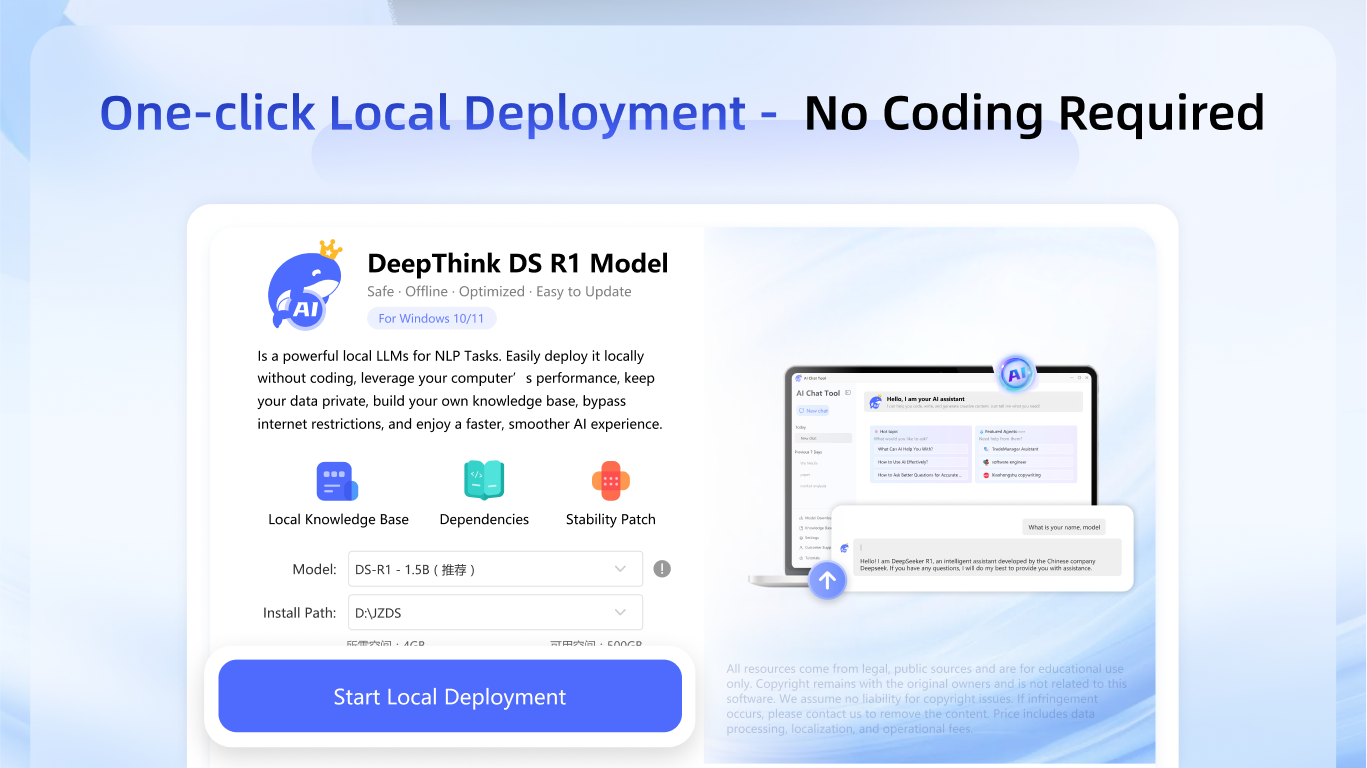
- Name DS AI Chat
- Category Utilities & tools
- Developer 江下信息科技(惠州)有限公司
- Available on PC
- OS Windows 10 version 0.0 or higher
- languages English, English (Afghanistan), English (Åland Islands), English (Albania), English (Algeria), English (American Samoa), English (Andorra), English (Angola), English (Anguilla), English (Antarctica), English (Antigua and Barbuda), English (Armenia), English (Aruba), English (Australia and New Zealand), English (Australia), English (Azerbaijan), English (Bahamas), English (Bangladesh), English (Barbados), English (Belarus), English (Belize), English (Benin), English (Bermuda), English (Bhutan), English (Bolivia), English (Bonaire, Saint Eustatius and Saba), English (Bosnia and Herzegovina), English (Botswana), English (Bouvet Island), English (British Indian Ocean Territory), English (British Virgin Islands), English (Brunei), English (Bulgaria), English (Burkina Faso), English (Burundi), English (Cambodia), English (Cameroon), English (Canada), English (Cape Verde), English (Caribbean), English (Cayman Islands), English (Central African Republic), English (Chad), English (Christmas Island), English (Cocos (Keeling) Islands), English (Comoros), English (Congo (DRC)), English (Congo), English (Cook Islands), English (Côte d'Ivoire), English (Croatia), English (Curaçao), en-cz, English (Djibouti), English (Dominica), English (Dominican Republic), English (Eastern Africa), English (Equatorial Guinea), English (Eritrea), English (Estonia), English (Ethiopia), English (Falkland Islands), English (Faroe Islands), English (Fiji), English (French Guiana), English (French Polynesia), English (French Southern and Antarctic Lands), English (Gabon), English (Gambia), English (Georgia), English (Germany), English (Ghana), English (Gibraltar), en-gr, English (Greenland), English (Guadeloupe), English (Guam), English (Guernsey), English (Guinea-Bissau), English (Guinea), English (Guyana), English (Haiti), English (Heard Island and McDonald Islands), English (Honduras), English (Hong Kong SAR), en-hu, English (Iceland), English (India), English (Indonesia), English (Iraq), English (Ireland), English (Isle of Man), English (Israel), English (Jamaica), English (Jersey), English (Jordan), English (Kazakhstan), English (Kenya), English (Kiribati), English (Kyrgyzstan), English (Laos), English (Latvia), English (Lesotho), English (Liberia), English (Libya), English (Lithuania), English (Macao SAR), English (Macedonia, FYRO), English (Madagascar), English (Malawi), English (Malaysia), English (Maldives), English (Mali), English (Malta), English (Marshall Islands), English (Martinique), English (Mauritius), English (Mayotte), English (Micronesia), English (Moldova), English (Monaco), English (Mongolia), English (Montserrat), English (Mozambique), English (Myanmar), English (Namibia), English (Nauru), English (Nepal), English (Netherlands Antilles (Former)), English (Netherlands), English (New Caledonia), English (New Zealand), English (Nicaragua), English (Niger), English (Nigeria), English (Niue), English (Norfolk Island), English (Northern America), English (Northern Mariana Islands), English (Oman), English (Pakistan), English (Palau), English (Palestinian Authority), English (Papua New Guinea), English (Philippines), English (Pitcairn Islands), English (Puerto Rico), English (Qatar), English (Reunion), English (Romania), English (Rwanda), English (Saint Barthélemy), English (St Helena, Ascension, Tristan da Cunha), English (Saint Kitts and Nevis), English (Saint Lucia), English (Saint Martin (French Part)), English (Saint Pierre and Miquelon), English (Saint Vincent and the Grenadines), English (Samoa), English (San Marino), English (São Tomé and Príncipe), en-sa, English (Senegal), English (Seychelles), English (Sierra Leone), English (Singapore), English (Sint Maarten), English (Slovakia), English (Slovenia), English (Solomon Islands), English (Somalia), English (South Africa), English (South Georgia and the South Sandwich Islands), English (Southern Africa), English (Sri Lanka), English (Sudan), English (Suriname), English (Svalbard and Jan Mayen), English (Swaziland), English (Tajikistan), English (Tanzania), English (Thailand), English (Timor-Leste), English (Togo), English (Tokelau), English (Tonga), English (Trinidad and Tobago), English (Turkey), English (Turkmenistan), English (Turks and Caicos Islands), English (Tuvalu), English (U.S. Minor Outlying Islands), English (U.S. Virgin Islands), English (Uganda), en-ae, English (United Kingdom), English (United States), English (Uzbekistan), English (Vanuatu), English (Holy See (Vatican City)), English (Vietnam), English (Wallis and Futuna), English (Western Africa), English (Zambia), English (Zimbabwe)
Introducing DS AI Chat for Windows: Your Intelligent Virtual Conversation Partner
Imagine having a knowledgeable and attentive AI friend right on your desktop, ready to assist, entertain, or simply chat whenever you need. DS AI Chat for Windows, developed by Jiangxia Information Technology (Huizhou) Co., Ltd., aims to bring conversational AI to your fingertips with a blend of practicality and fun designed for a wide range of users—from students to professionals.
Core Functionality Highlights That Stand Out
1. Advanced Conversational AI with Context Awareness
The app provides remarkably natural and fluent dialogues, understanding context and maintaining conversations seamlessly. Whether you're seeking quick answers, brainstorming ideas, or just cracking jokes, DS AI Chat responds with a human-like touch, mimicking real conversational nuances. This makes it more than a simple chatbot—it's a virtual assistant that truly seems to "get" you.
2. Multifaceted Utility for Everyday Tasks
Beyond casual chatting, this app excels as a productivity companion. From generating creative content, composing emails, coding assistance, to summarizing long articles, DS AI Chat offers versatile tools tailored for efficient workflows. Its ability to switch between casual conversation and task execution makes it a well-rounded utility for daily use.
3. User-Friendly Interface with Minimal Learning Curve
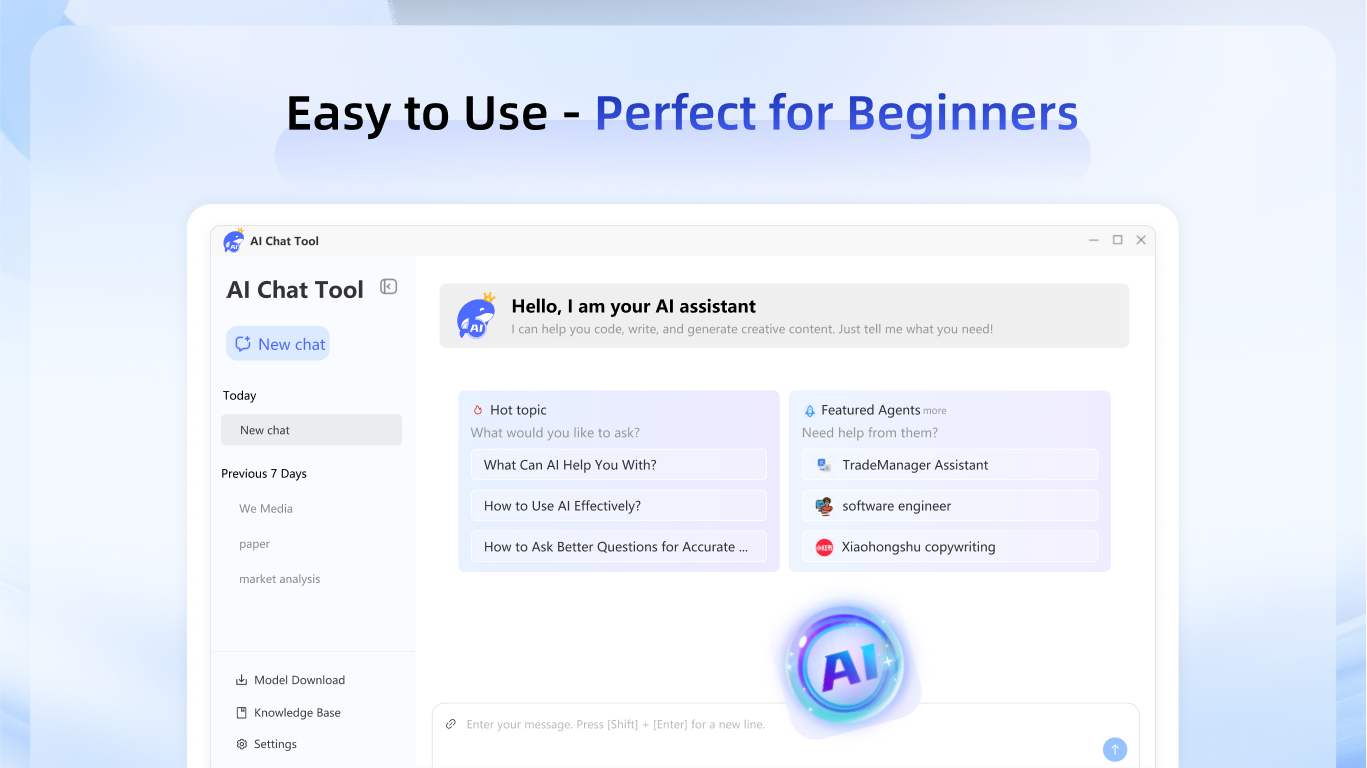
The interface boasts a sleek, minimalistic design that's intuitive and easy to navigate. New users quickly grasp how to interact with the app, thanks to clear prompts and a straightforward layout. Smooth operation without lag or bugs ensures users spend quality time in productive or enjoyable conversations, not troubleshooting.
Evaluating the User Experience: Design and Interaction
Picture opening a well-organized digital chat window, where the clean aesthetic immediately puts you at ease—much like chatting in a cozy cuppa-filled café. The interface's simplicity reduces cognitive load, making it accessible even for tech novices. Interaction feels almost effortless—responses display rapidly, with no noticeable delays, which is crucial for maintaining conversation naturalness. The learning curve is gentle; just a few initial prompts, and you're off to the races.
Compared to other utility apps, DS AI Chat distinguishes itself with its thoughtfully crafted user-centric design, ensuring that even the first-time user finds it inviting and easy to use. Its fluidity makes it suitable for quick queries or deep, lengthy dialogues, offering flexibility that many competitors lack.
What Makes DS AI Chat Truly Unique
The app's most standout feature is its intelligent context retention. While many chatbots treat each message as a separate entity, DS AI Chat remembers prior exchanges to sustain coherent, meaningful conversations. This significantly enhances user engagement and makes interactions feel more human. Additionally, its multifunctionality—serving as both a conversational partner and a practical tool—embodies a versatile digital assistant in one package, saving users the hassle of juggling multiple apps.
Recommendation and Usage Tips
Based on its capabilities, I would rate DS AI Chat as a solid recommendation for users seeking an intelligent, easy-to-use chat application that can serve both casual and task-oriented purposes. It's particularly suitable for those who value natural language processing and contextual understanding in a conversational AI. For optimal experience, I suggest exploring its diverse functions gradually, starting with simple inquiries before moving to more complex tasks, to fully appreciate its nuanced abilities.
While it may not replace specialized tools for every professional need, it offers a trustworthy and engaging AI companion that can streamline daily conversations and basic productivity, making it a worthy addition to your digital toolkit.
Pros
- Intuitive and user-friendly interface
- Fast and accurate responses
- Wide range of topics supported
- Integrates well with other Microsoft services
- Customizable chat settings
Cons
- Occasional inaccuracies in complex topics
- Limited offline functionality
- Preliminary answer suggestions can sound generic
- Occasional lag during peak usage times
- Limited customization options for advanced users











