

- Name Driver Updater..
- Category Business
- Available on PC, Mobile, Surface Hub, HoloLens
- OS Windows 10 version 17763.0 or higher
- Keyboard Integrated Keyboard
- Mouse Integrated Mouse
- languages English (United States)
Efficient and User-Friendly Driver Management at Your Fingertips
Driver Updater for Windows, developed by Computer Solutions, purports to simplify the often tedious task of keeping your device drivers up-to-date, promising a smoother and more secure Windows experience through an intuitive platform.
Overview: A Brief Dive into Its Core Identity
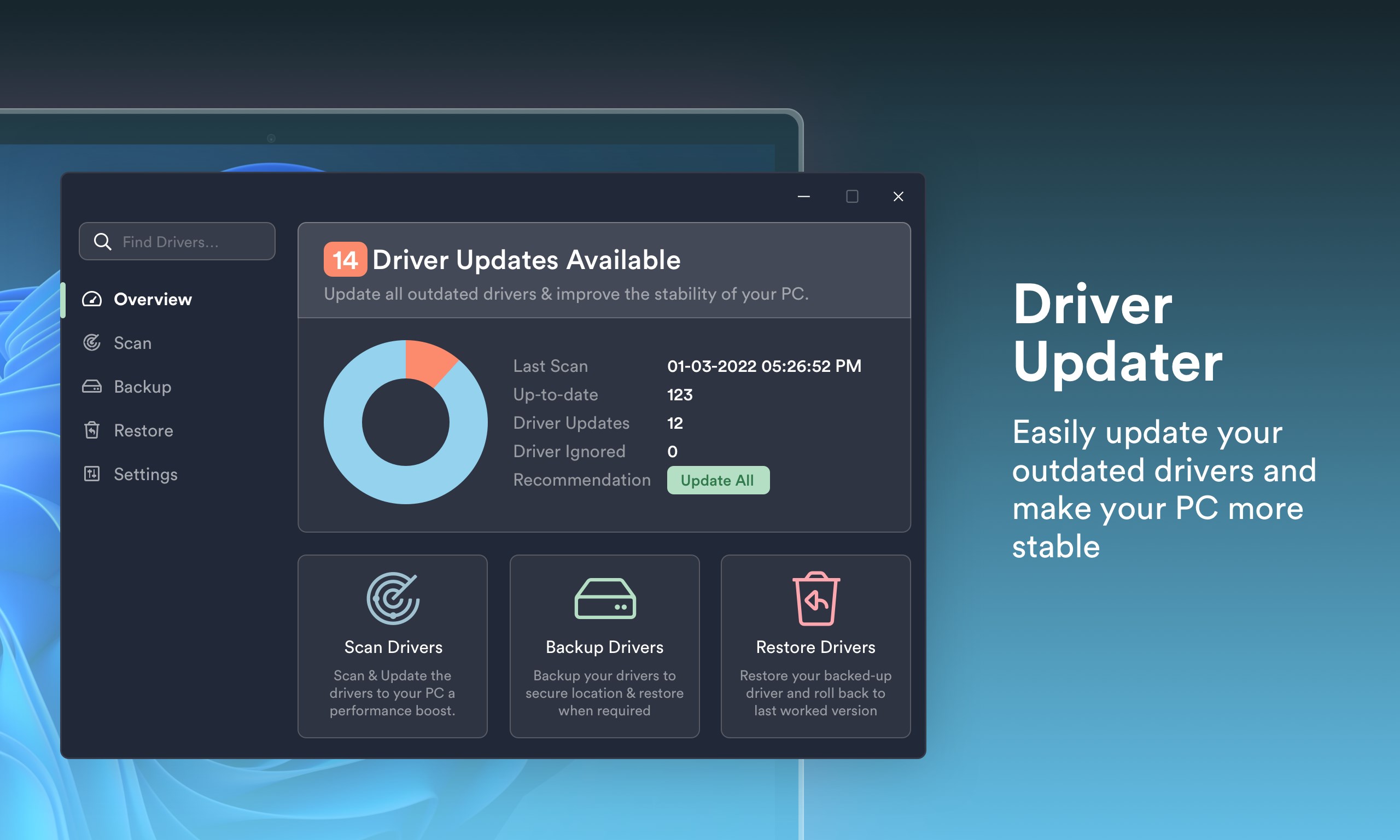
This application serves as a dedicated driver management tool designed to streamline updating, fixing, and managing device drivers on Windows PCs.
Developed by Computer Solutions, a reputable publisher in the software domain, it aims to cater to both casual users and professionals seeking reliable driver maintenance.
Its standout features include automated driver scans, one-click update options, and comprehensive backup and restore functionalities, concentrating on ease of use and stability.
Targeting everyday users, gamers, and IT professionals interested in maintaining system health without steep learning curves, it strives to make driver management accessible for all.
A Fun and Functional Driver Fixer for Everyone
Imagine your Windows PC as a bustling city, where every driver is a traffic controller directing data flows. Driver Updater acts as a vigilant traffic police, ensuring every signal (driver) is functioning smoothly to prevent jams or crashes. Its interface feels like a cozy control tower—simple, uncluttered, and inviting—making driver updates less of a chore and more of an assurance.
Streamlined Driver Scanning and Updating
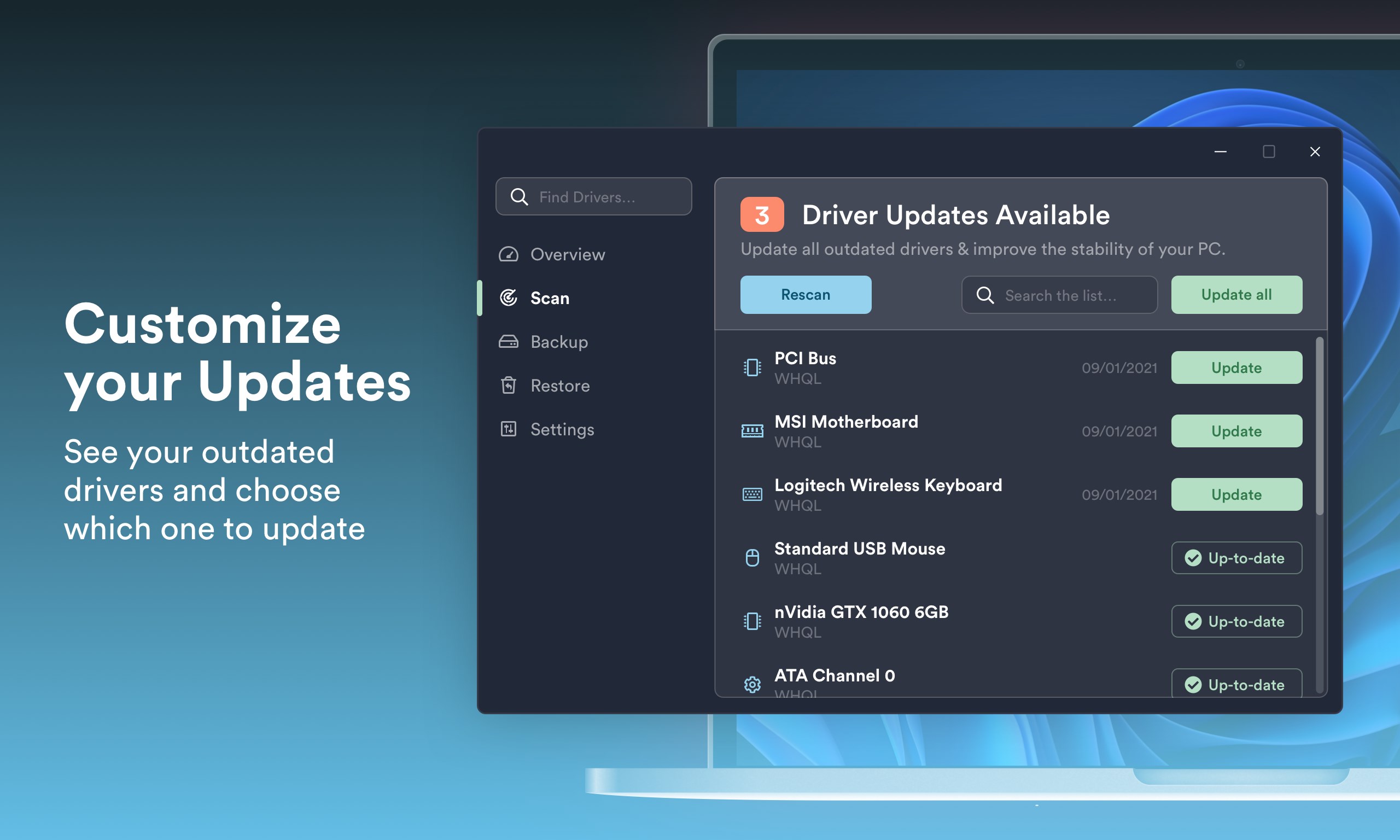
One of the application's core strengths is its ability to automatically scan your system for outdated or faulty drivers. It's like having a diligent mechanic constantly inspecting your vehicle. With just a click, it identifies problematic drivers and offers a straightforward update process. The actual updating is quick and unobtrusive, saving users precious time and effort. The process's transparency—with clear status updates—builds trust and reduces anxiety about potential disruptions.
Backup and Restore: Your Safety Net
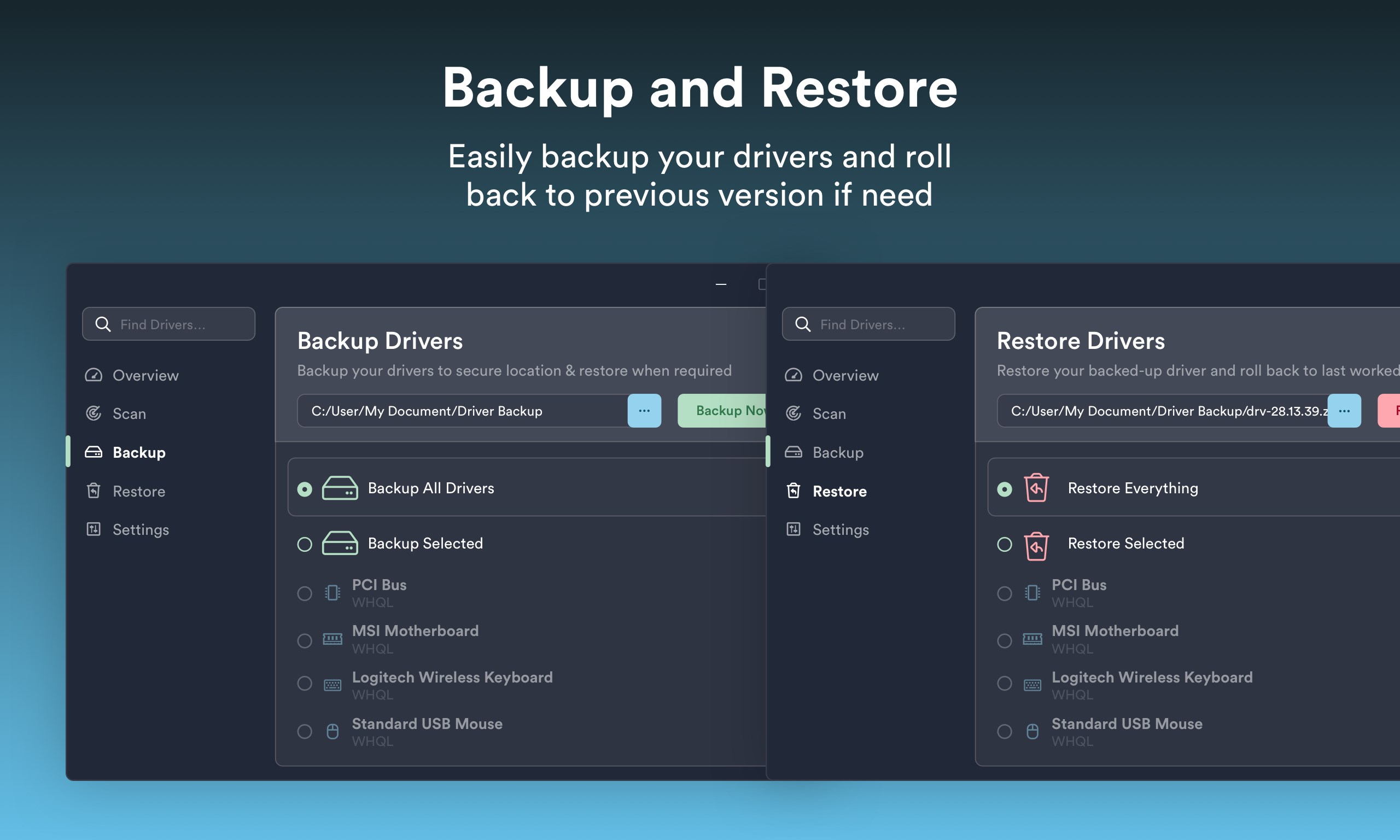
Another highlight is its backup and restore feature, which acts as a safety net during driver updates. Think of it as a snapshot feature in photography—allowing you to revert your system to a previous state if something doesn't go as planned. This is particularly valuable for professional users who prefer cautious updates, knowing they can easily revert changes without fuss. The backup process is straightforward, seamlessly integrated into the update workflow, reinforcing the application's reliability.
Intuitive Interface and Seamless Experience
From the moment you launch the app, its interface feels inviting—minimalist, with clearly labeled buttons and progress indicators. Navigating through scanning, updating, and restoring is as effortless as flipping through a well-organized menu. The application's responsiveness is notable; transitions and operations are smooth, even on less powerful PCs. For users new to driver management, the intuitive design significantly lowers the learning curve, transforming what could be a technical maze into a walk in the park.
What Sets It Apart in the Crowd?
Compared to other driver update tools, Driver Updater for Windows distinguishes itself through its integration of backup and restore features coupled with a user-centric approach. Unlike some competitors that emphasize aggressive or automatic updates—potentially risking system instability—this app strikes a balance: it automates the process but allows users to review and control updates manually.
From a collaborative work perspective, its clear reporting and easy rollback options enhance user confidence, enabling teams to maintain multiple systems efficiently. Furthermore, its focus on stability and safety—as evidenced by robust backup options—appeals to professionals who require reliability over blitzkrieg updates.
Final Verdict and Recommendations
Overall, Driver Updater for Windows offers a well-rounded solution for maintaining healthy device drivers. Its standout features—like the seamless backup-restore mechanism and approachable interface—make it particularly suitable for users who value control and safety without sacrificing convenience.
For casual users seeking straightforward driver management, it's an excellent choice. Even IT professionals managing multiple devices will find its features streamline routine maintenance tasks. I would recommend giving it a try if you're looking for a reliable, non-intrusive driver updater that prioritizes system stability.
Pros
- User-Friendly Interface
- Automatic Driver Scanning
- One-Click Update
- Backup and Restore Features
- Regular Database Updates
Cons
- Limited Free Features
- Occasional False Positives
- Update Success Variability
- Resource Consumption
- Limited Support for Rare Devices











