
- Name Console Remote - Play games on Windows
- Category Utilities & tools
- Available on PC
- OS Windows 10 version 17763.0 or higher
- Memory 4 GB
- languages English (United States)
Empowering Windows Gamers: Console Remote Unveiled
Imagine transforming your Windows PC into a versatile gaming hub, instantly turning your console into a wireless controller—Console Remote by Leo.D makes this possible with an intuitive, user-friendly app that bridges the gap between console and PC seamlessly.
A Brief Overview of Console Remote
This application is designed to let users remotely control and play their console games directly from their Windows PC. Developed by Leo.D, a dedicated team focused on enhancing interconnected gaming experiences, Console Remote stands out as a practical tool for gamers who seek convenience and flexibility.
- Main Features:
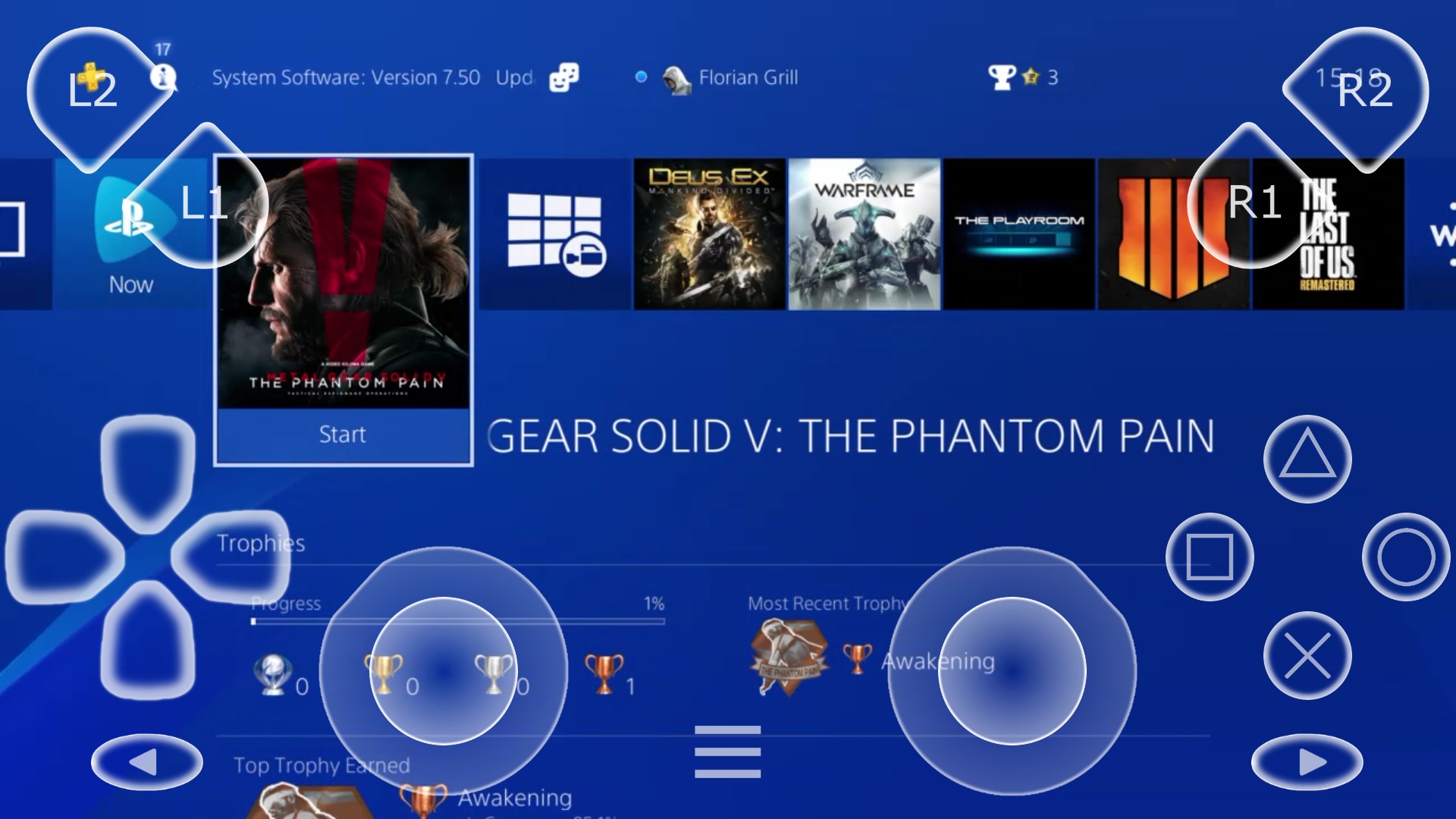
- Wireless controller emulation for Xbox and PlayStation consoles
- Simple setup process with auto-detection of connected devices
- Real-time game streaming and command input
- Customizable button mappings for personalized controls
- Target Users: Gamers seeking to control their consoles remotely, tech enthusiasts exploring cross-platform gaming, and users who appreciate flexible, wireless control options without additional hardware.
Vivid First Impressions: A Friendly Companion for Gamers
Imagine sitting comfortably on your couch or at your desk, wielding your Windows device like a magic wand that commands your gaming console from afar. Console Remote welcomes you into a world where controlling your console isn't limited to sitting right next to it—your PC becomes your command center, offering the flexibility to enjoy gaming sessions from any corner of your space. With its sleek, minimalist interface, the app invites users to jump straight into the action without clutter or confusion—it's like having a tailored remote that adapts to your needs.
Core Features: Precision, Customization, and Seamless Connectivity
Wireless Controller Emulation
The standout feature is its ability to emulate a game controller on your Windows device, effectively turning your PC into an extension of your console. Whether you're using a keyboard, mouse, or specialized controller, Console Remote offers near-zero latency command transmission, making gameplay smooth and responsive. This feature is particularly useful for casual gaming or quick project launches, eliminating the need for bulky physical remotes or multiple controllers.
Auto-Detection & Setup
Getting started feels akin to flipping a light switch; once your console is on and connected to the same network, the app automatically detects it and establishes a connection within seconds. This auto-detection simplifies the otherwise daunting process of pairing devices, reducing setup time and technical barriers. For those who prefer a straightforward experience, this feature is a game-changer—imagine seamlessly switching from console to PC control without the usual fuss.
Real-Time Streaming & Custom Mappings
Live game streaming via the app offers an immersive experience, allowing you to view gameplay on your PC while controlling your console remotely. Plus, the ability to customize button mappings caters to personal preferences or accessibility needs, making controls intuitive and comfortable—just like designing your own control scheme to suit your play style. This level of personalization elevates the app from a mere remote to an empowering tool tailored for each gamer.
User Experience: Simple, Smooth, Friendly
The interface design is clean and navigation is intuitive, making it accessible even for beginners. The app operates with remarkable fluency, with minimal lag, which is crucial for gaming accuracy. Learning curve is gentle; a few minutes of exploration suffice to become proficient, making it perfect for those who value efficiency alongside functionality. Users report that the setup wizard is straightforward and the overall responsiveness is reassuring, akin to having a reliable co-pilot by your side.
What Makes Console Remote Unique and Why It Stands Out
Unlike other utility apps which might require complex configurations or extra hardware, Console Remote simplifies remote gaming through its automatic device detection and customizable controls—clear advantages for everyday users. Its ability to emulate controllers directly on a Windows device and stream games with minimal latency are particularly notable. Most importantly, it emphasizes user convenience without sacrificing performance. This combination of ease and efficiency positions Console Remote as a distinctive leader among similar tools, especially for gamers who crave flexibility and immediacy in their gaming setup.
Final Verdict: A Recommended Tool for Flexible Gaming Control
Overall, Console Remote by Leo.D earns a solid recommendation, particularly for casual gamers and tech enthusiasts eager to streamline their gaming experience. While it may not replace high-end dedicated hardware for professional gamers, its balance of simplicity, responsiveness, and customization makes it an excellent choice for those looking to explore remote console control without complication. Users should note that a stable local network connection is essential for optimal performance. If you are seeking an accessible, efficient way to bridge your console and PC worlds, this app could very well become your new favorite sidekick in gaming adventures.
Pros
- Seamless Game Streaming
- Easy to Set Up
- Wide Compatibility
- Intuitive User Interface
- Supports Multiple Devices
Cons
- Connectivity Issues
- Limited Customization
- Requires High Network Stability
- Compatibility Variability
- Limited Offline Support











