

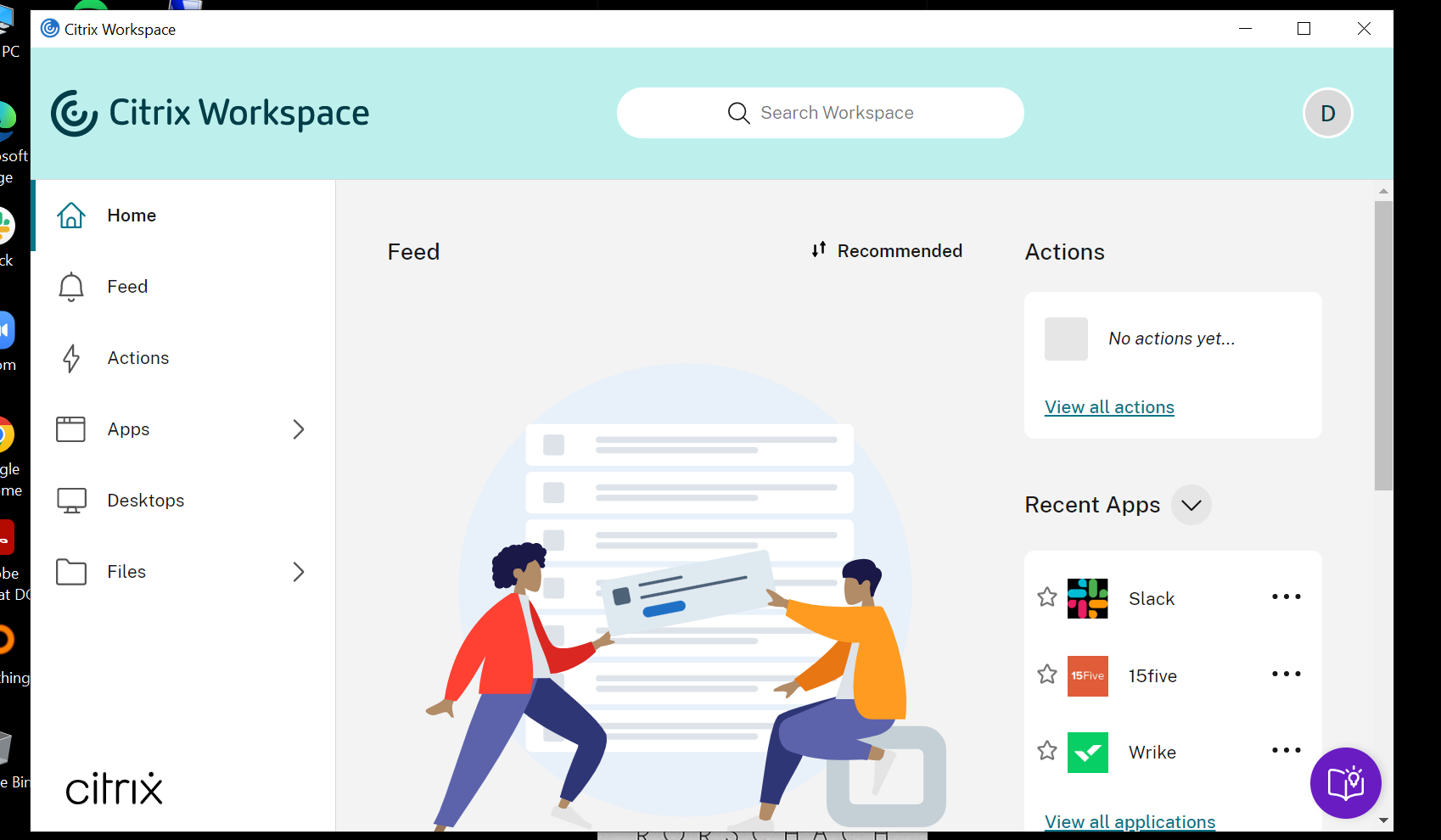
- Name Citrix Workspace App
- Category Business
- Available on PC
- OS Windows 10 version 0.0 or higher
- languages Dutch, English, French, German, Italian, Japanese, Korean, Portuguese (Brazil), Russian, Spanish, Chinese (Simplified), Chinese (Traditional Chinese)
Introduction: Connecting Your Digital Workspace Seamlessly
Citrix Workspace App for Windows stands as a gateway to a unified digital workspace, designed to streamline remote work and enterprise connectivity. Whether you're managing multiple desktops or collaborating across teams, this app aims to bring everything into one cohesive environment, much like a well-organized control center for your digital life.
Core Features That Elevate Productivity
Unified Access to Multiple Resources
The Citrix Workspace App offers a centralized platform to access virtual desktops, SaaS apps, files, and corporate resources. Think of it as having a universal remote control that effortlessly switches between your essential tools without the clutter of multiple logins or applications. This feature significantly reduces time spent toggling between apps, enhancing workflow efficiency.
Robust Collaboration Capabilities
One of the standout features is its collaborative work environment. The app supports seamless sharing, real-time editing, and secure communication channels. It's like having a digital meeting room integrated directly into your workspace—making team collaboration feel as natural as passing notes in a classroom. This feature is particularly valuable for remote teams needing a virtual space to brainstorm and execute joint tasks confidently.
Advanced Security and Compliance
Security is woven into the fabric of this application. With features like multi-factor authentication, secure access, and data encryption, Citrix ensures your corporate data stays protected—a critical aspect in today's cybersecurity landscape. It's akin to having a digital moat guarding your fortress, giving IT managers peace of mind without complicating user experience.
User Experience: Navigating Ease and Efficiency
The interface of Citrix Workspace App strikes a balance between sleek modernity and intuitive simplicity. The design resembles a polished dashboard—organized, clean, and easy to navigate, much like a well-designed cockpit. Users generally find the setup process straightforward, with minimal learning curve, which is vital for enterprise environments where time is of the essence. The app's operational fluidity ensures that switching from one resource to another feels as smooth as gliding on ice, avoiding lag or freezes that could disrupt productivity.
Differentiating Features: What Sets It Apart?
While many remote access tools exist, Citrix Workspace App shines particularly in its collaborative work features. Unlike other solutions that treat collaboration as an add-on, Citrix integrates real-time communication and shared workspace tools directly into its core, making team interactions more seamless. Its task management capabilities are designed to synchronize with enterprise workflows, allowing users to track activities and progress without leaving the app, which isn't common among competitors. These integrated collaborative and task management features make Citrix a compelling choice for organizations prioritizing teamwork and agility.
Final Recommendations and Usage Tips
Considering its robust feature set and smooth user experience, I recommend Citrix Workspace App for businesses that require secure, unified, and collaborative remote working solutions. It's especially suitable for organizations with distributed teams needing reliable access to diverse corporate resources. For individual users or small teams, it might feel like overkill, but for enterprise contexts, it can be a productivity game-changer.
To get the most out of the app, familiarize yourself with its collaboration tools and security options. Ensuring your IT policies are aligned with the app's capabilities will help maximize its benefits. Overall, Citrix Workspace App is more than just a remote desktop tool; it's a comprehensive digital workspace designed to keep remote and hybrid teams connected, secure, and productive, making it a highly recommended addition to enterprise infrastructures.
Pros
- Reliable performance for remote desktop access
- Wide compatibility and device support
- Strong security features including multi-factor authentication
- Easy to integrate with existing IT infrastructure
- User-friendly interface and navigation
Cons
- Occasional connectivity issues with VPNs
- High CPU usage on some devices
- Limited offline capabilities
- Complex setup process for new users
- Some lag during high-resolution video streaming











