

- Name Camera Connect App
- Category Business
- Available on PC, Mobile, Surface Hub, HoloLens
- OS Windows 10 version 17763.0 or higher
- Keyboard Integrated Keyboard
- Mouse Integrated Mouse
- languages English (United States)
Introducing Camera Connect App for Windows
The Camera Connect App for Windows, developed by MB Technologies, aims to bridge the gap between your camera and desktop workflow, providing a seamless way to control, transfer, and manage images directly from your PC. As a tool tailored for photographers, content creators, and tech enthusiasts alike, it attempts to make camera management more integrated and efficient than ever before.
Core Features: What Sets It Apart
Wireless Camera Control at Your Fingertips
The app allows users to connect their compatible cameras wirelessly to their Windows PC, enabling remote control of camera functions such as shutter release, focus, ISO, and aperture. Think of it as turning your PC into an extension of your camera—eliminating messy cables and enabling painless, real-time adjustments while shooting. This feature is especially handy for studio setups or macro photography where precise, stable control is essential.
Easy Image Transfer and Management
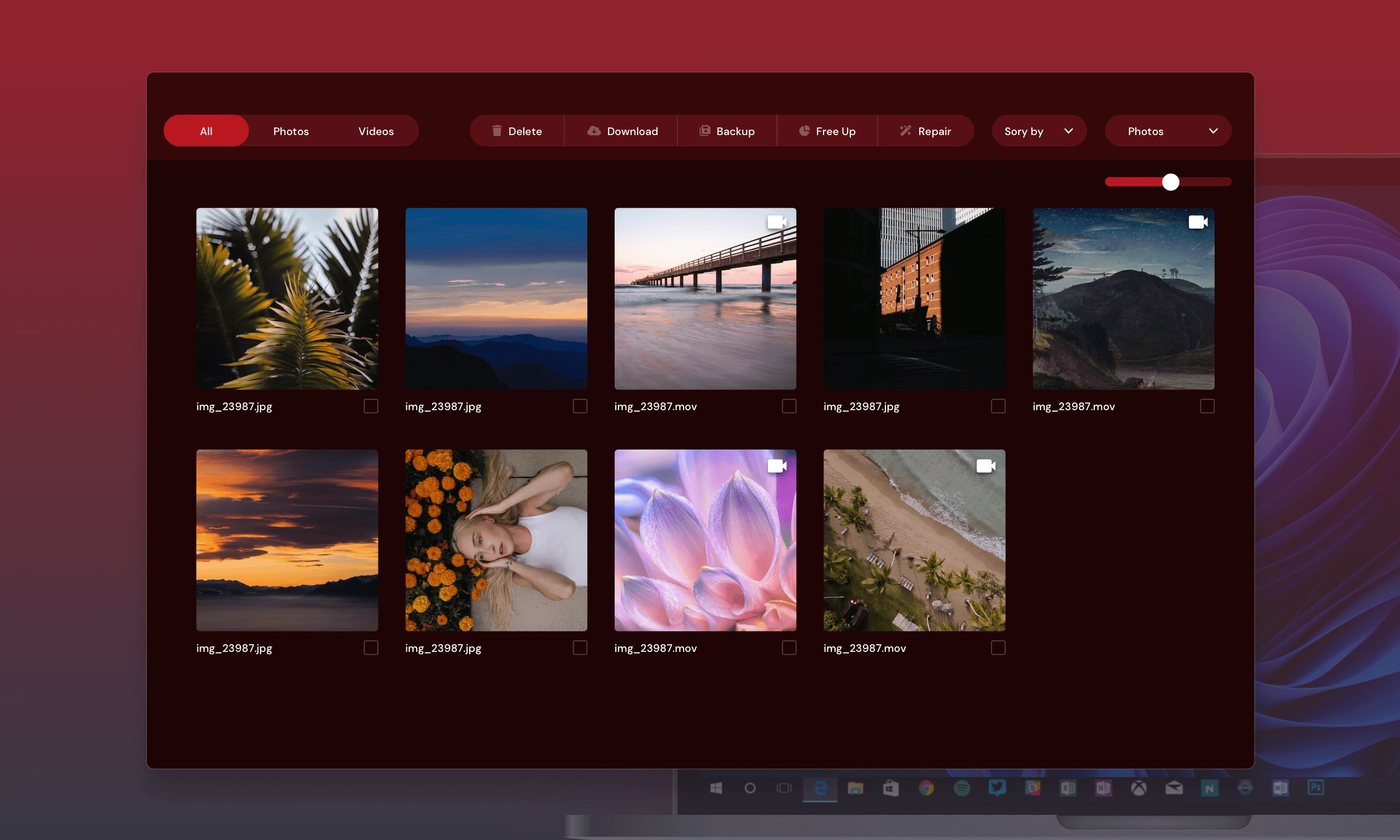
One of the standout features is the streamlined image transfer process. With just a few clicks, photos and videos are wirelessly sent to your PC, bypassing traditional card readers or USB cables. The app also offers simple organization tools, allowing users to browse through their shots directly within the interface. This translates into less time fiddling with cables and more focus on capturing perfect moments—imagine having your entire portfolio at your fingertips immediately after a shoot.
Collaborative Workflow and Task Management
Beyond basic connection and transfer, Camera Connect App integrates features designed for team environments. It supports collaborative work by enabling multiple users to access, review, and comment on images stored in a shared workspace. This facet enhances team coordination—think of it as having a virtual darkroom where everyone can lend their insights instantly, speeding up approval processes and creative feedback loops. This makes it highly suitable for professional teams or studios where quick turnaround times are crucial.
User Experience: From Interface to Interaction
The interface sports a clean, intuitive layout reminiscent of modern photo editing tools—clear icons and minimal clutter make navigation a breeze. Setting up a connection takes less than a couple of minutes, and the app responds swiftly to commands, ensuring a smooth workflow. The learning curve is gentle; photographers familiar with DSLRs will find the controls quite straightforward, while beginners will appreciate the guided setup and helpful hints embedded in the app. Overall, it feels like assembling a trusty toolkit—simple yet powerful, designed to make your photography tasks feel less like work and more like creative play.
Comparative Edge: How It Differs from Similar Apps
While many camera control apps emphasize mere remote shooting or basic image transfer, Camera Connect App's key differentiator lies in its collaborative hub capability. Unlike traditional services that focus solely on individual use, it fosters a mini ecosystem for teams—allowing multiple users to connect, share, and review images in real time. Additionally, its task management features help riders and editors stay in sync, ditching ongoing email chains and manual file sharing. This collaborative approach transforms the app from a simple utility into an integral part of professional workflows, especially in creative environments where coordination and speed matter.
Final Thoughts and Recommendations
Overall, the Camera Connect App for Windows stands out as a reliable, user-oriented tool for anyone looking to streamline their camera-to-PC workflow. Its standout features—wireless control and collaborative workspace—make it particularly appealing for professional photographers, studio teams, and content creators who value efficiency and teamwork. While it may not replace full-fledged photography suites, it complements them nicely, especially during shoots and post-production phases.
I would recommend giving this app a try if you're seeking a straightforward, efficient way to manage your camera remotely and collaborate seamlessly with your team. Its intuitive design, combined with its suite of useful features, can turn an ordinary photo session into a more integrated and enjoyable experience. Think of it as your digital partner behind the scenes—quiet, dependable, and always ready to help elevate your workflow.
Pros
- Intuitive User Interface
- Seamless Device Connectivity
- Efficient Image Transfer
- Remote Camera Control
- Additional Editing Features
Cons
- Limited Compatibility
- Occasional Connectivity Issues
- Basic Editing Tools
- Limited Offline Functionality
- Occasional App Crashes











