

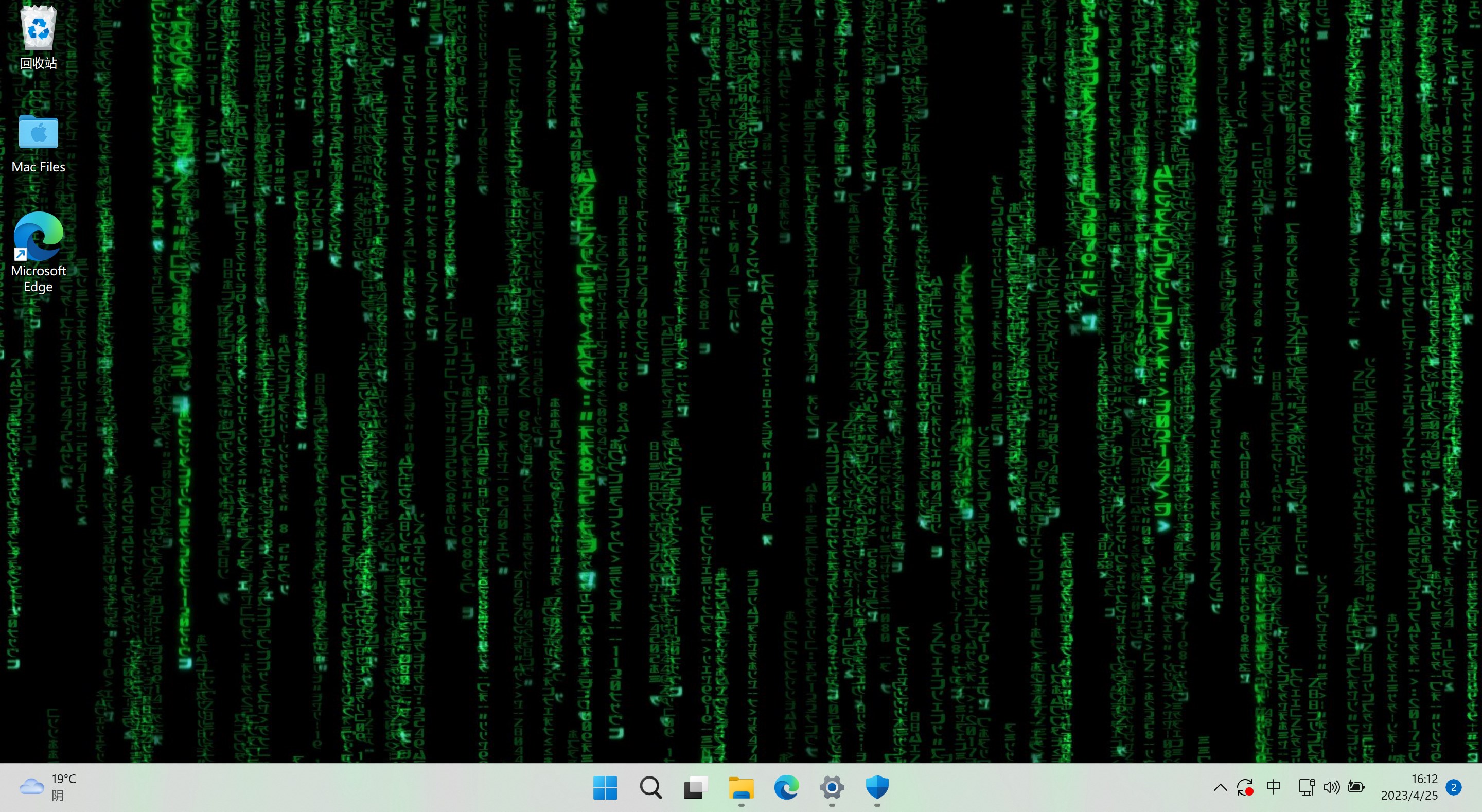
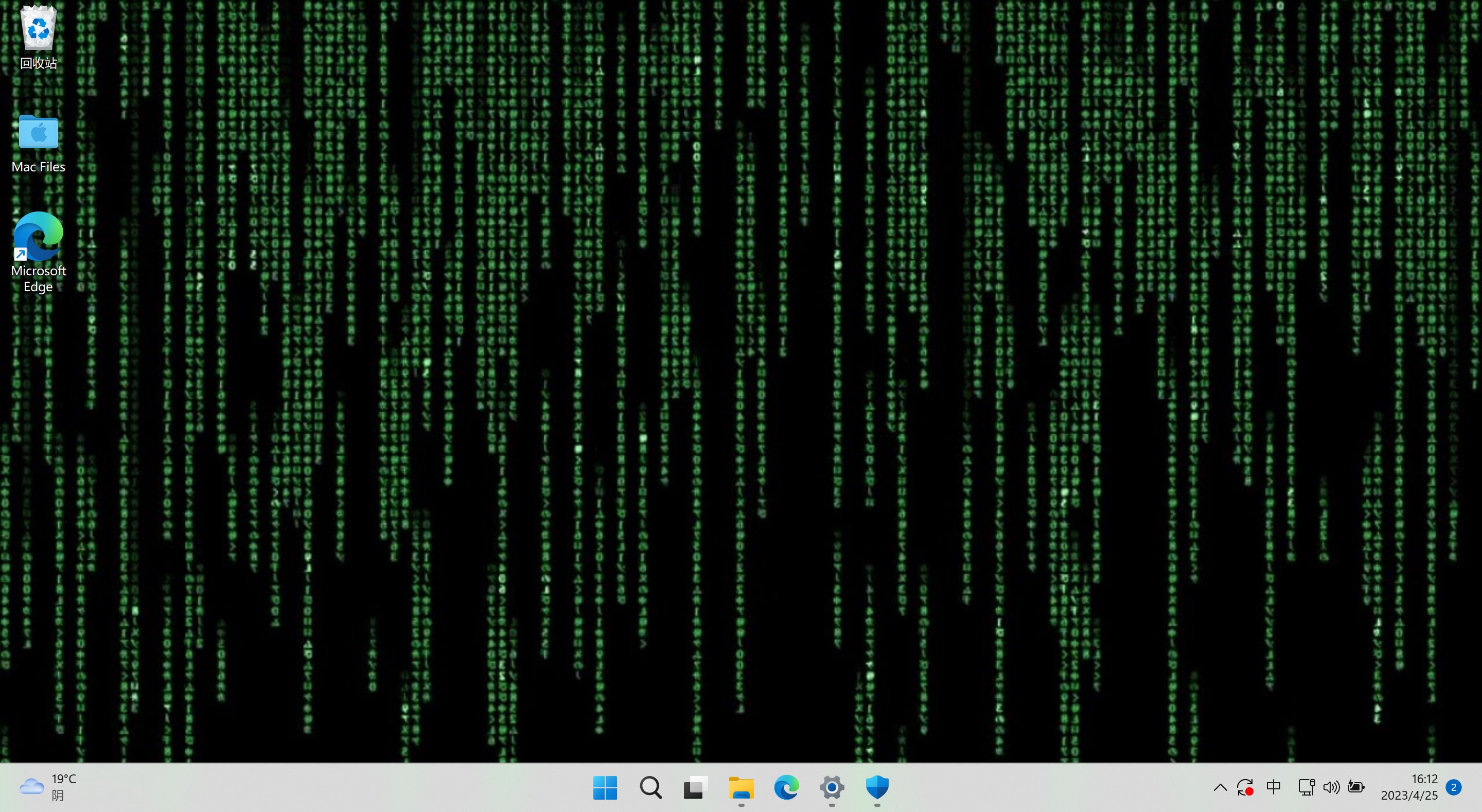
- Name Beautiful Matrix Live Wallpaper
- Category Utilities & tools
- Available on PC, Mobile, Surface Hub, HoloLens
- OS Windows 10 version 17763.0 or higher
- languages English (United States)
Transform Your Desktop with Dynamic Beauty: An Overview of Beautiful Matrix Live Wallpaper
Imagine your Windows desktop transforming into a mesmerizing canvas of swirling, colorful matrices—a visual experience that elevates your everyday computer use from mundane to mesmerizing. Beautiful Matrix Live Wallpaper for Windows by Huada Studio offers just that, blending modern aesthetics with engaging motion, making your workspace both functional and beautiful.
Developer & Core Highlights
Developed by Huada Studio, a team dedicated to enhancing user experience through visually appealing and interactive applications, this live wallpaper transforms static backgrounds into dynamic displays. Its main features include smooth, customizable matrix animations, an easy-to-navigate user interface, and resource-efficient performance suitable for various hardware configurations. Its target audience encompasses tech enthusiasts, digital artists, and anyone looking to personalize their Windows environment with minimal fuss and maximum visual impact.
Vivid Visuals and Immersive Animations
The most eye-catching aspect of Beautiful Matrix Live Wallpaper is its entrancing matrix visuals, reminiscent of sci-fi movies or hacking scenes in film. The app brings to your desktop a cascade of luminous characters flowing seamlessly across the screen, creating a sense of movement and depth. Designed with attention to detail, these animations are vibrant yet not overwhelming, striking a balance between aesthetic pleasure and visual comfort. The real-time rendering ensures that the visuals remain smooth and flicker-free, immersing you into a digital rain that feels both relaxing and stimulating.
Simplified Customization and User-Friendliness
One of the app's standout features is its intuitive customization interface. Unlike many live wallpaper apps that require steep learning curves, Beautiful Matrix Live Wallpaper allows users to tweak settings with ease. You can adjust parameters like flow speed, color schemes, density of the particles, and even select from preset themes. The controls are logically organized and responsive, meaning you can switch from a calm, subdued aesthetic to a more vibrant and energetic display in seconds. This makes it suitable for users of all technical levels, from novices to tech veterans who appreciate quick adjustments without hassle.
Efficiency & Differentiation from Similar Tools
Compared to other desktop utilities and live wallpaper tools, this application distinctly excels in resource management. It boasts optimized performance that minimizes CPU and RAM usage, ensuring your system runs smoothly without lag or battery drain (for laptops). Additionally, what sets Beautiful Matrix Live Wallpaper apart is its focus on high-quality visuals combined with straightforward controls, making it not just a flashy background but a thoughtfully designed visual enhancement. Unlike many competitors that offer overwhelming customization options or introduce distracting animations, this app strikes a refined balance, keeping your workspace both lively and unobtrusive.
Final Verdict & Recommendations
If you're seeking a desktop background that sparks curiosity and adds a touch of futuristic charm, Beautiful Matrix Live Wallpaper is a solid choice. Its stunning visual effects, coupled with easy-to-use controls and performance-friendly design, make it stand out in the crowded realm of desktop customization tools. We recommend it for users who want their Windows environment to feel more alive and engaging without sacrificing system resources. Whether you're working, gaming, or simply browsing, this app offers a subtle yet captivating upgrade. For anyone craving a fresh, dynamic desktop experience, it's definitely worth exploring.
Pros
- Stunning Visual Effects
- Customizable Options
- Smooth Performance
- Low Resource Usage
- Easy to Install and Use
Cons
- Limited Free Features
- No Wallpaper Preview
- Occasional Stability Glitches
- Limited Compatibility with Older Systems
- Lack of Advanced Customization











