


- Name Battery Percentage - Pure Battery add-on
- Category Utilities & tools
- Developer MedhaChaitanya
- Available on PC
- OS Windows 10 version 18362.0 or higher
- languages English (United States)
A Fresh Take on Battery Monitoring: Battery Percentage - Pure Battery for Windows
If you've ever been perplexed by the vague battery indicators on your Windows device, Battery Percentage - Pure Battery by MedhaChaitanya offers a tailored solution to see exactly how much juice is left—like knowing the precise fuel level in your tank before embarking on a long journey. Whether you're a power user, a student, or someone who just wants clarity, this app aims to bring transparency to your device's battery status with a streamlined and user-friendly approach.
About the App
Battery Percentage - Pure Battery is a straightforward utility designed to display an accurate battery percentage on Windows. Developed and published by MedhaChaitanya, the app focuses on delivering clear and instant visibility into your battery's remaining capacity. Its primary selling points include real-time updates, a minimalist interface, and easy integration into your desktop environment. This makes it particularly appealing to those who favor simplicity and reliability over complex features.
Core Features That Stand Out
- Precise Percentage Display: Unlike default Windows indicators that often show only icons or vague bars, this app emphasizes exact battery percentage, helping users plan their device usage more effectively.
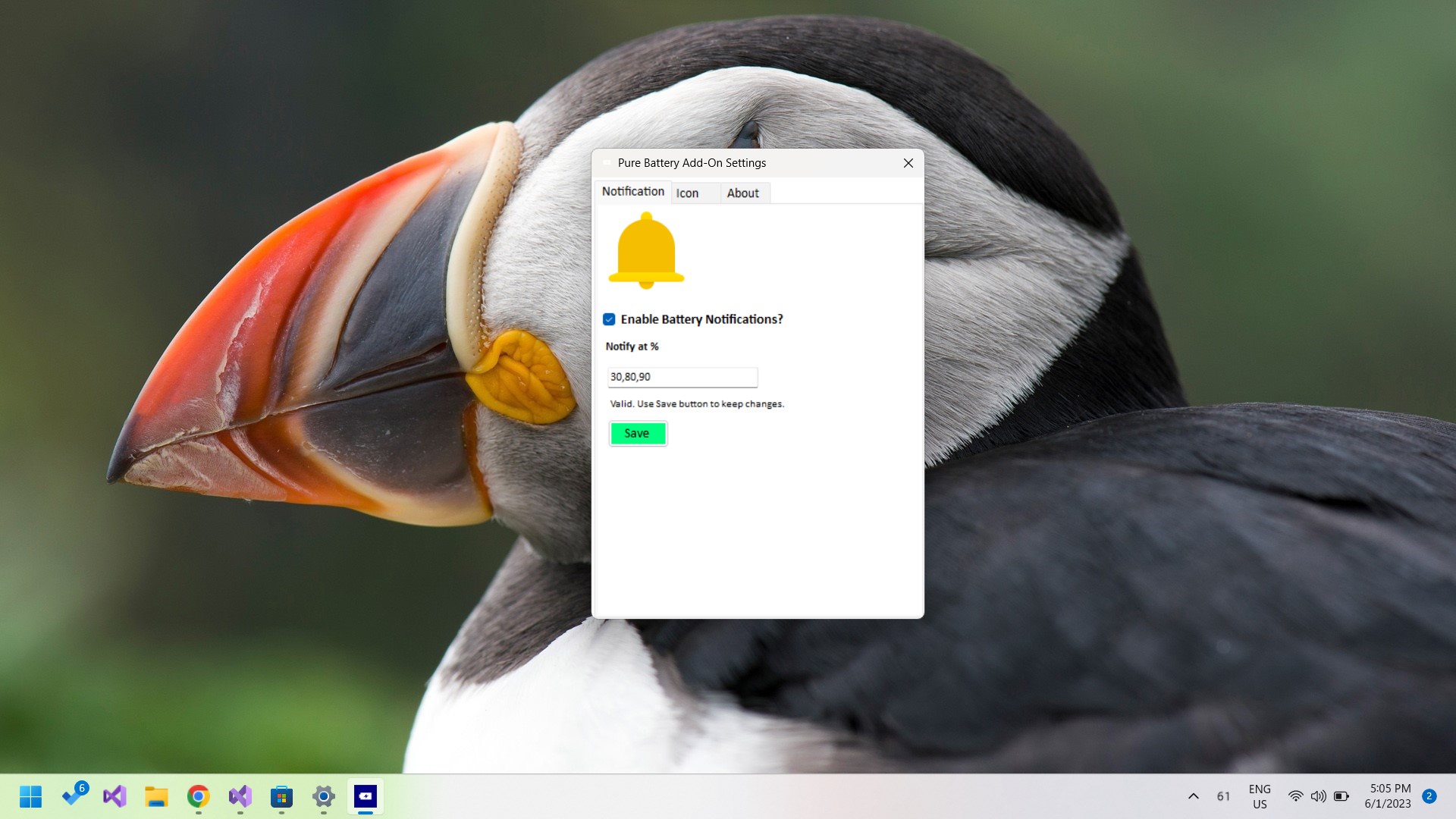
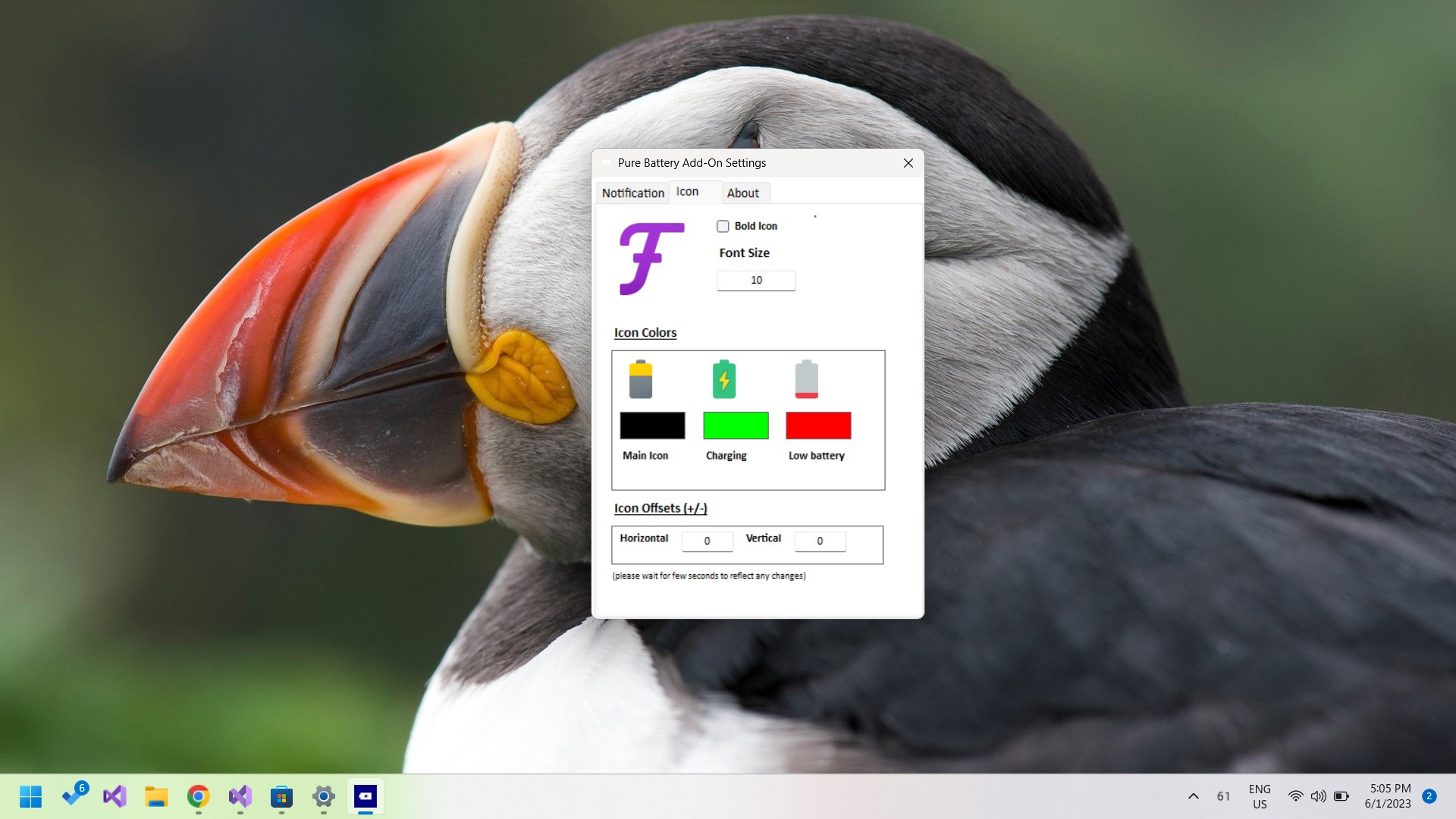
- Minimalist and Customizable Interface: The app's clean, no-frills interface ensures that your battery info is always front and center without cluttering your desktop. Options for customization allow users to tweak display settings to suit their preferences.
- Lightweight and Low Impact: Designed to run seamlessly in the background, it consumes minimal system resources, making it suitable even for older or less powerful machines.
Cracking Open the App: A Dance of Simplicity and Precision
Imagine your laptop as a sophisticated spaceship, and the battery percentage is your vital fuel gauge—essential for smooth operation during crucial moments. Battery Percentage - Pure Battery transforms what could be a dull indicator into a lively, dependable dashboard element. Once installed, it seamlessly integrates into your Windows environment, providing continuous, unobtrusive updates. The interface is as plain as a well-made dashboard: clear, minimal, and direct. No distracting animations or overwhelming options—just the core information you need, when you need it.
Design and User Experience
The app's design is akin to a well-organized cockpit. The focus on clarity means that even users new to such utilities can pick it up quickly without a steep learning curve. The app's efficiency is commendable; it updates in real time without lag, ensuring your battery percentage is always accurate. Navigating through options is straightforward, with simple toggles and settings. This focus on usability makes the app feel as natural as glancing at a speedometer while driving—intuitive and essential.
Performance and Differentiation
Compared to other battery indicator utilities, Battery Percentage - Pure Battery excels in its commitment to precision and simplicity. Many utilities flood users with additional features—such as detailed logs, notifications, or complex customization—which, while useful, can feel cluttered or overwhelming. In contrast, this app's core strength is delivering a singular, reliable function—accurate percentage display—with minimal fuss. Additionally, its lightweight nature ensures it doesn't bog down system resources, making it ideal for routine use. For users seeking a no-nonsense solution that improves upon default Windows indicators without overcomplication, this app shines as a clean, efficient choice.
Final Verdict & Recommendations
In summary, Battery Percentage - Pure Battery is a modest but thoughtful utility for anyone needing precise battery monitoring on Windows. Its most unique features—the exact percentage display and minimalistic design—set it apart from bulkier counterparts. If you value clarity, efficiency, and unobtrusive performance, I'd rate it highly and recommend giving it a try. Ideal for students, professionals, or casual users who want to avoid surprises when their laptop's battery runs low. Keep in mind, it's best suited for those who prefer straightforward tools without unnecessary bells and whistles. Overall, it's a practical addition to your system's toolkit, ensuring you always know exactly how much power you have left, without guesswork or frustration.
Pros
- Accurate Battery Monitoring
- Simple User Interface
- Lightweight App
- Useful Notifications
- Easy to Install and Use
Cons
- Limited Customization Options
- Minor Compatibility Issues
- Lack of Detailed Battery Stats
- No Widget Support
- Occasional Advertisement Display











