


- Name Auto Key Presser - Auto Clicker
- Category Utilities & tools
- Available on PC, Mobile, Surface Hub, HoloLens
- OS Windows 10 version 14393.0 or higher
- languages English (United States)
Introducing Auto Key Presser – A Handy Tool for Automated Input on Windows
Auto Key Presser by Huada Studio is designed to streamline repetitive keyboard tasks, making it ideal for gamers, data entry professionals, and automation enthusiasts alike. It promises to enhance efficiency through simple automation, all while maintaining a user-friendly interface.
Sleek and Intuitive Interface: Simplicity Meets Functionality
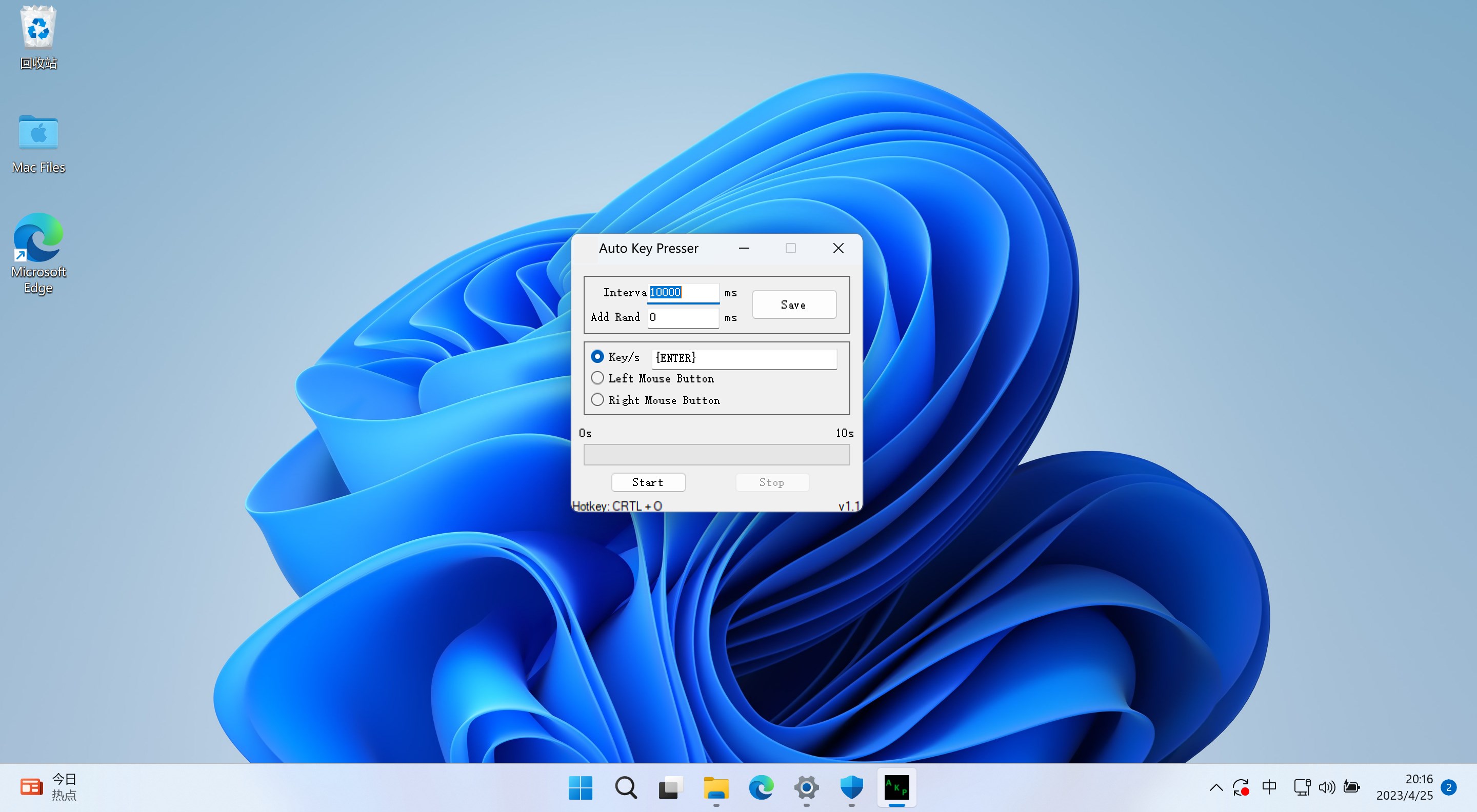
From the moment you launch the app, you'll notice a clean, minimalistic layout that feels more like a well-organized command center than a cluttered utility. The interface utilizes straightforward buttons and clear labels, reducing the learning curve significantly. Whether you're tech-savvy or a casual user, navigating through the app feels like following a familiar map—easy and smooth. The setup for different key presets is seamless, and real-time status updates keep you in the loop during your automation tasks. Overall, the interface design prioritizes clarity and ease of use, making it accessible for beginners without sacrificing depth for experienced users.
Core Functionalities: Power in Simplicity and Precision
1. Customizable Auto Pressing Scripts
The standout feature of Auto Key Presser is its ability to generate customizable scripts for repeating key presses. Unlike generic auto clickers, this tool allows users to define specific key sequences, intervals, and repetitions. Imagine setting up a macro for your favorite game to continuously press “W” to move forward—without the hassle of manual repetition. The scripting feature grants fine-tuned control, ensuring that every press is precise and timed according to your needs, effectively turning manual labor into effortless automation.
2. Dynamic Auto-Clicker Capabilities
Complementing its key pressing tools, Auto Key Presser offers an auto-click feature that supports various click modes—single, double, random, and custom regions. This means that not only can you automate keyboard inputs, but also mouse actions with remarkable accuracy. Whether you're farming in a game, filling out forms, or testing software, this auto-clicker adapts to your scenario. Its ability to set random intervals adds a layer of unpredictability that makes automation more natural and less detectable, which is particularly beneficial in gaming contexts.
3. Automation Scheduling and Management
Another remarkable aspect is the app's scheduling feature. Users can set specific start and stop times, create multiple profiles, and manage different automation scripts efficiently. Think of it as having a virtual assistant working behind the scenes—your tasks are prepared in advance and executed precisely when needed. This level of control is especially useful for batch processing or long-term automation projects, saving you time and mental effort.
User Experience: Ease, Efficiency, and Contrast
Auto Key Presser shines in its balance between functionality and user-friendliness. Despite the depth of options, the learning curve remains gentle due to thoughtful design. The app responds fluidly without noticeable lag, even during intensive multitasking, thanks to optimized responsiveness. Users report that setting up routines takes minutes, not hours, making it accessible enough for novices yet powerful enough for advanced users. Compared to other utilities that often have cluttered interfaces or require scripting familiarity, this app offers a straightforward experience that feels more like a digital “Swiss Army knife”: versatile, reliable, and easy to wield.
Unique Selling Points and Differentiators
What truly sets Auto Key Presser apart from similar tools is its combination of adaptability and simplicity. Its scripting capabilities are robust yet approachable, enabling users to craft tailored automation sequences without a steep technical barrier. Unlike basic auto clickers that just click randomly, this app integrates keyboard and mouse automation in a cohesive workflow, providing a more comprehensive solution. Additionally, its scheduling feature introduces an element of planning that is often missing in competitor tools, making it ideal for scheduled repetitive tasks or gaming routines.
Final Thoughts: A Reliable Companion for Automation Needs
Overall, Auto Key Presser earns a solid recommendation for anyone seeking a dependable, easy-to-use automation tool on Windows. While it doesn't promise to replace complex scripting or coding, it brilliantly bridges usability and functionality. Beginners will appreciate its intuitive design, while power users will benefit from its customizable scripting and scheduling features. Whether you're automating simple tasks or orchestrating complex workflows, this app offers a practical, no-nonsense solution—like having a diligent digital assistant right at your fingertips.
Pros
- User-friendly interface
- Customizable hotkeys
- Lightweight application
- Supports multiple automation profiles
- Free to use
Cons
- Limited advanced scripting options
- Basic customization features only
- No built-in delay variance
- Occasional lag in hotkey responsiveness
- Lacks detailed usage tutorials











