

- Name AI Offline Music Generator
- Category Utilities & tools
- Developer Bytesweavers
- Available on PC
- OS Windows 10 version 17763.0 or higher
- Keyboard Integrated Keyboard
- Mouse Integrated Mouse
- Memory 4 GB
- languages English (United States)
Crafting Music Offline: An Innovative Approach with AI Offline Music Generator for Windows
Imagine having a personal music studio right on your Windows device, capable of creating unique tunes anytime, anywhere. That's precisely what the AI Offline Music Generator from Bytesweavers offers—a seamless blend of AI creativity and user control designed to cater to musicians, hobbyists, and sound designers looking for hassle-free music generation without the need for internet connectivity.
About the App: Key Details at a Glance
The AI Offline Music Generator for Windows is a dedicated tool that leverages artificial intelligence to generate music tracks locally on your computer, bypassing any online dependencies. Developed and published by Bytesweavers, a team specializing in innovative AI applications, this software aims to make music creation accessible, efficient, and versatile.
- Main Features:
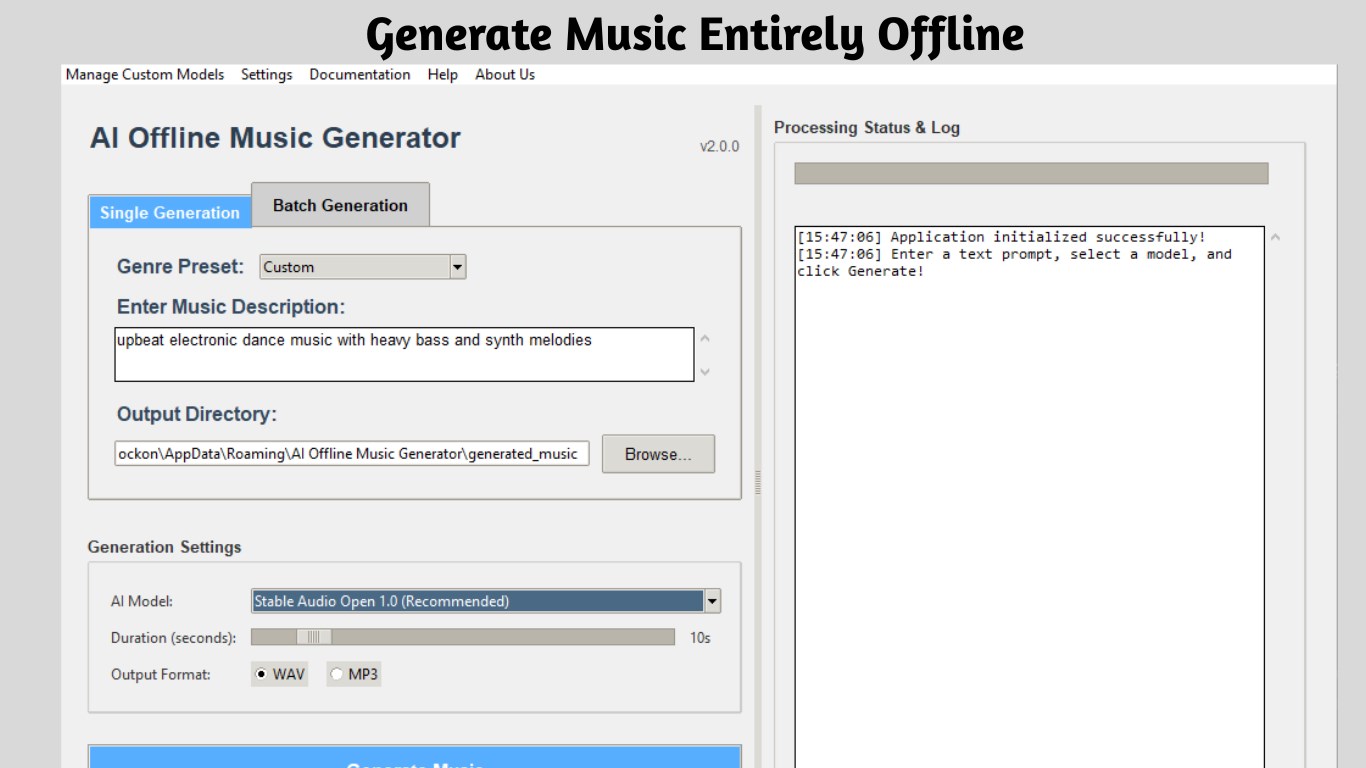
- Offline AI-driven music generation that works entirely on your local device
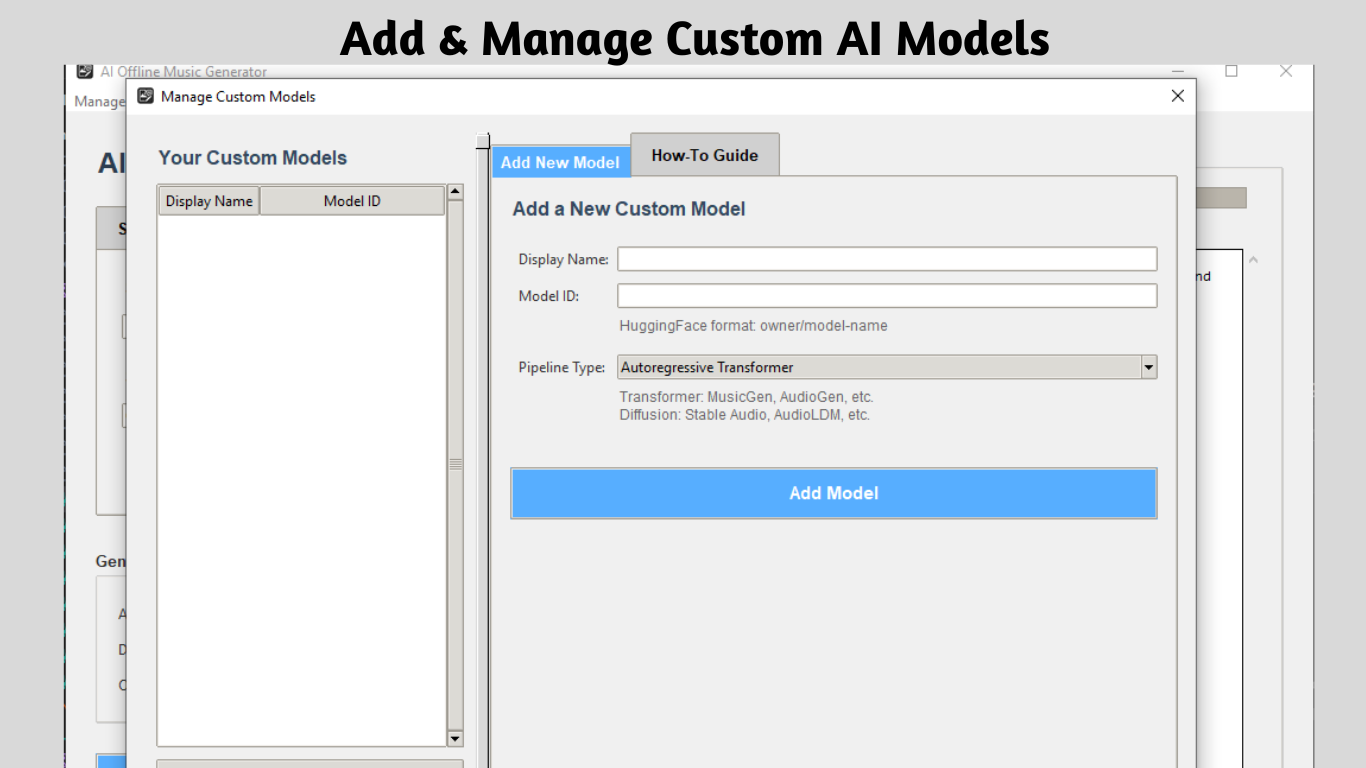
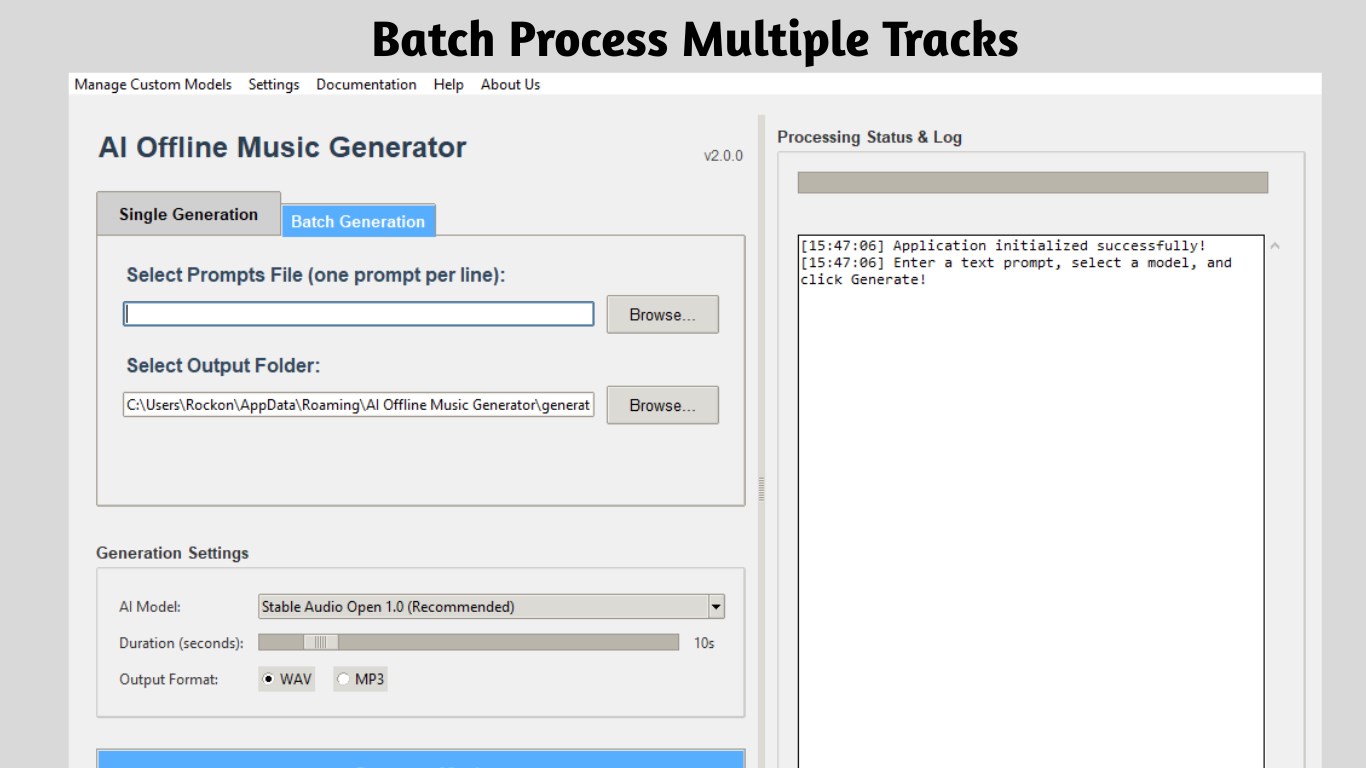
- Customizable parameters allowing users to tailor music styles, lengths, and complexity
- Support for multiple genres and sound profiles to suit various creative needs
- Intuitive interface with minimal learning curve for quick-start experiences
- Target Users:
- Musicians seeking quick drafts or inspiration
- Sound designers looking for ambient soundscapes or background music
- Hobbyists interested in exploring AI-generated music without technical hassle
Initial Impressions: A Friendly Dive into AI-Composed Melodies
Stepping into the AI Offline Music Generator feels like opening a drawer full of musical possibilities—compact, inviting, and surprisingly powerful. Imagine a workshop where your digital assistant doesn't just follow commands but also offers fresh, unexpected musical ideas crafted by AI magic. It's an accessible yet professional-grade toolkit that demystifies music creation with just a few clicks. Whether you're on a train or in a cozy home studio, this app promises a music companion that's always ready when inspiration strikes—or to simply help set the mood with handcrafted tunes.
Core Functionality: Your Musical Partner in Creation
Powerful Offline AI Engine
The standout feature of this app is its ability to generate music offline, ensuring your creative process remains uninterrupted regardless of internet stability. Equipped with a sophisticated AI engine, the app transforms user inputs—such as preferred genre, tempo, and mood—into coherent, high-quality compositions. This “local AI” approach not only enhances privacy and security but also delivers faster processing times since data doesn't need to travel to servers. The result is a seamless, real-time music creation experience you can rely on, much like having a personal composer right on your desktop.
Highly Customizable Music Generation
One of the app's most compelling features is its flexibility. Users can fine-tune aspects like musical style—ranging from soothing ambient to energetic electronic—along with parameters like length, complexity, and instrumentation. This flexibility allows users to generate niche tracks suited exactly to their needs, whether for background ambiance in a video project or initial ideas for a songwriting session. Think of it as a musical chef who lets you select ingredients before cooking—the app adapts to your taste, making every piece uniquely yours.
User Experience and Interface Design
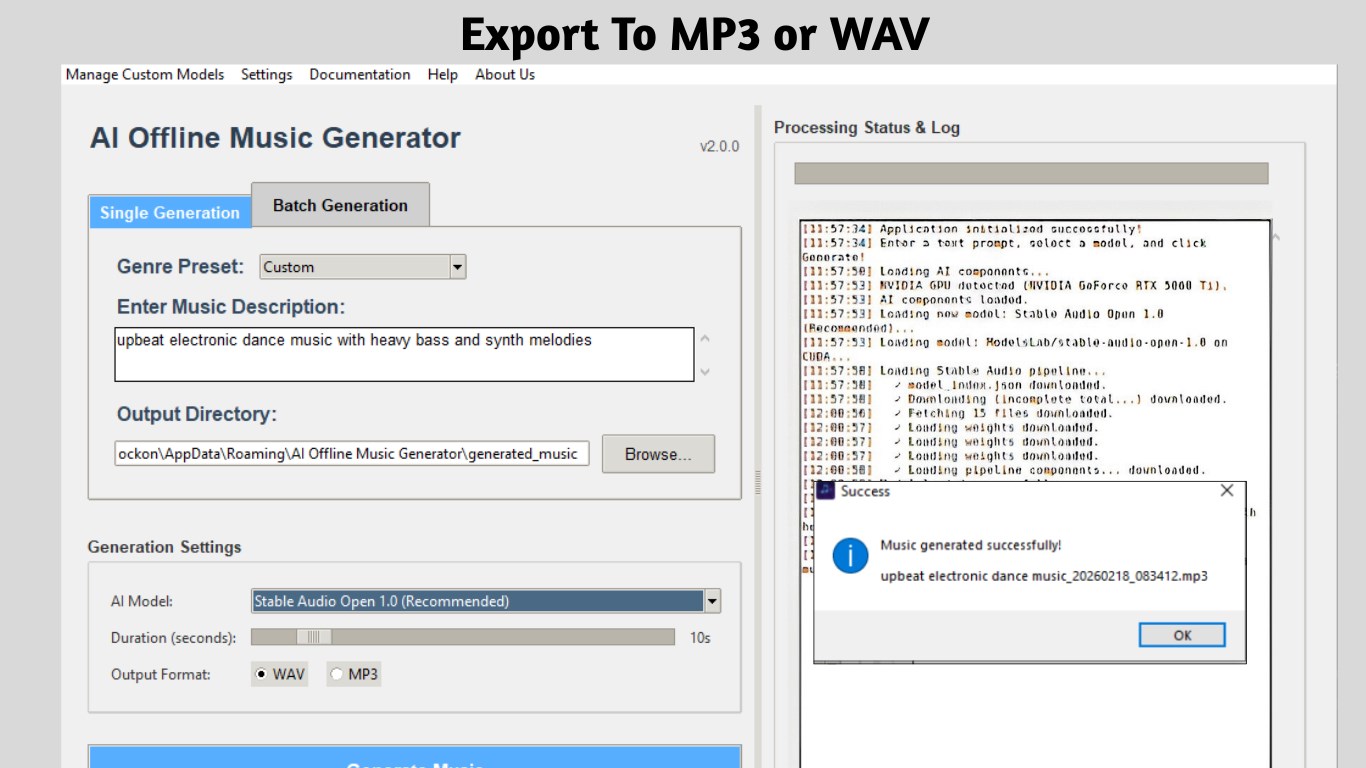
The interface adopts a clean, minimalist aesthetic reminiscent of a well-organized workshop—buttons and controls are intuitively laid out, reducing the learning curve for beginners. Navigation feels smooth, with responsive controls that feel natural, akin to turning a well-oiled machine. Setup is straightforward: select your preferences, click ‘Generate,' and in moments, a new musical creation appears. Even those new to AI music tools will find it accessible, thanks to straightforward onboarding and helpful prompts. The experience is akin to chatting with a knowledgeable friend who always knows just the right tune to craft.
What Sets It Apart from Other Music Utilities?
While many AI-powered music apps emphasize cloud-based processing, the Offline Music Generator's key differentiator is its truly offline operation—ensuring that your creative workflow isn't hindered by lag, connectivity issues, or privacy concerns. Furthermore, its ability to generate high-quality, customizable tracks entirely on local hardware makes it ideal for environments where data security is paramount. The app's focus on simplicity without sacrificing creative depth grants it an edge over more complex, resource-heavy tools that often overwhelm casual or novice users.
Final Thoughts: Is It Worth a Try?
All in all, the AI Offline Music Generator for Windows strikes a commendable balance between power, simplicity, and privacy. It's especially valuable for those who need instant, customizable musical ideas without fussing over complex settings or internet dependencies. While it may not replace professional DAWs or advanced composition tools, it excels as a quick, reliable companion for inspiration and background scoring. I'd recommend it to hobbyists, content creators, or anyone curious about AI's role in music—it's a practical tool that might just inspire your next musical project. Give it a shot, and you might find yourself amazed at the tunes your own computer can produce, offline and on demand.
Pros
- User-Friendly Interface
- Wide Range of Music Styles
- Fast Music Generation
- Offline Functionality
- Customization Options
Cons
- Limited Audio Quality Options
- Occasional Repetitive Outputs
- Limited Free Usage
- Less Export Format Support
- Occasional Processing Delays











