

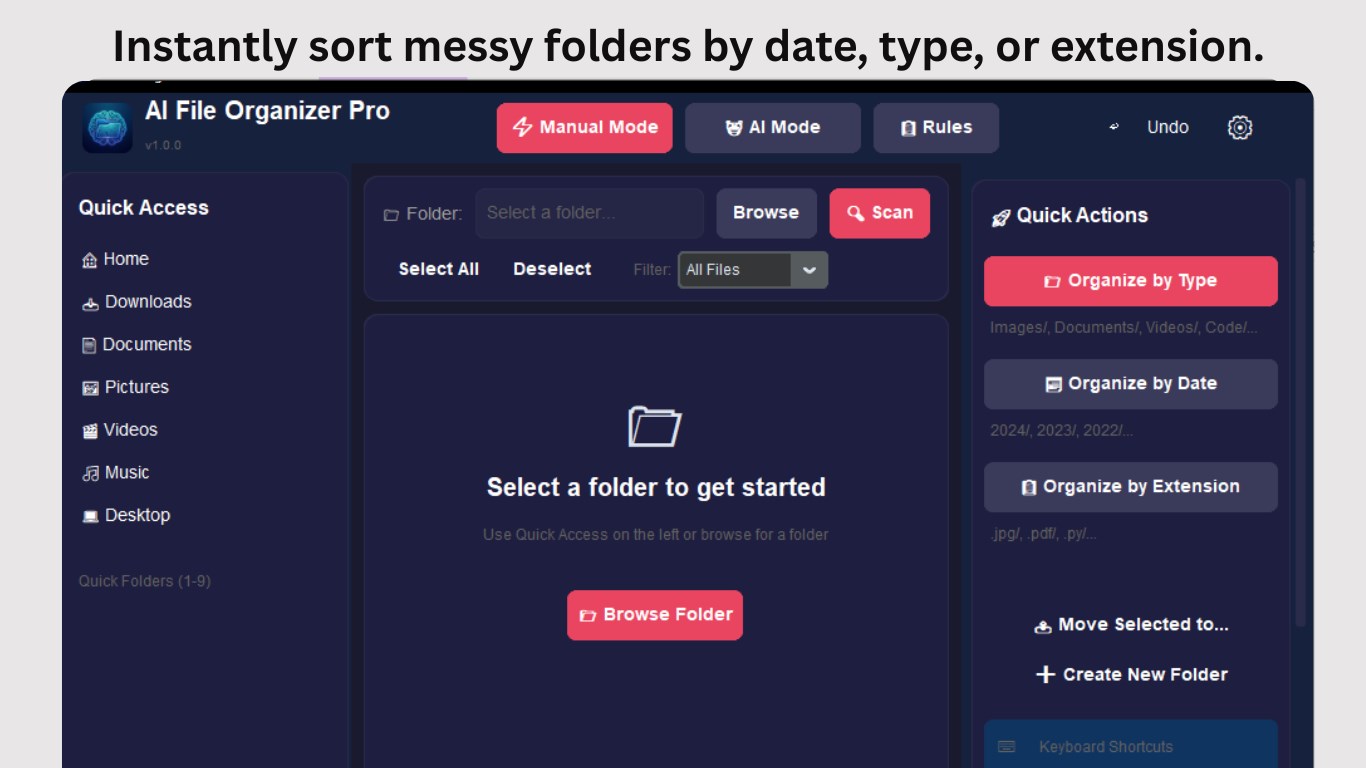
- Name AI File Organizer Pro
- Category Utilities & tools
- Developer Bytesweavers
- Available on PC
- OS Windows 10 version 17763.0 or higher
- Keyboard Integrated Keyboard
- Memory 4 GB
- languages English (United States)
Streamlining Your Digital Chaos with AI File Organizer Pro
In a world overflowing with countless files scattered across folders and drives, AI File Organizer Pro emerges as a reliable digital assistant designed to tame the chaos and bring order to your PC's storage. Whether you're a professional managing vast project files or a casual user seeking tidiness, this app promises to make your file management intuitive and efficient.
Meet the Minds Behind the App
Developed and published by Bytesweavers, a team known for their focus on smart utility solutions, AI File Organizer Pro leverages AI capabilities to transform mundane file sorting tasks into seamless workflows. The team's dedication to user-centric design ensures the app is both powerful and accessible.
Key Features That Make a Difference
Smart Automatic Sorting & Categorization
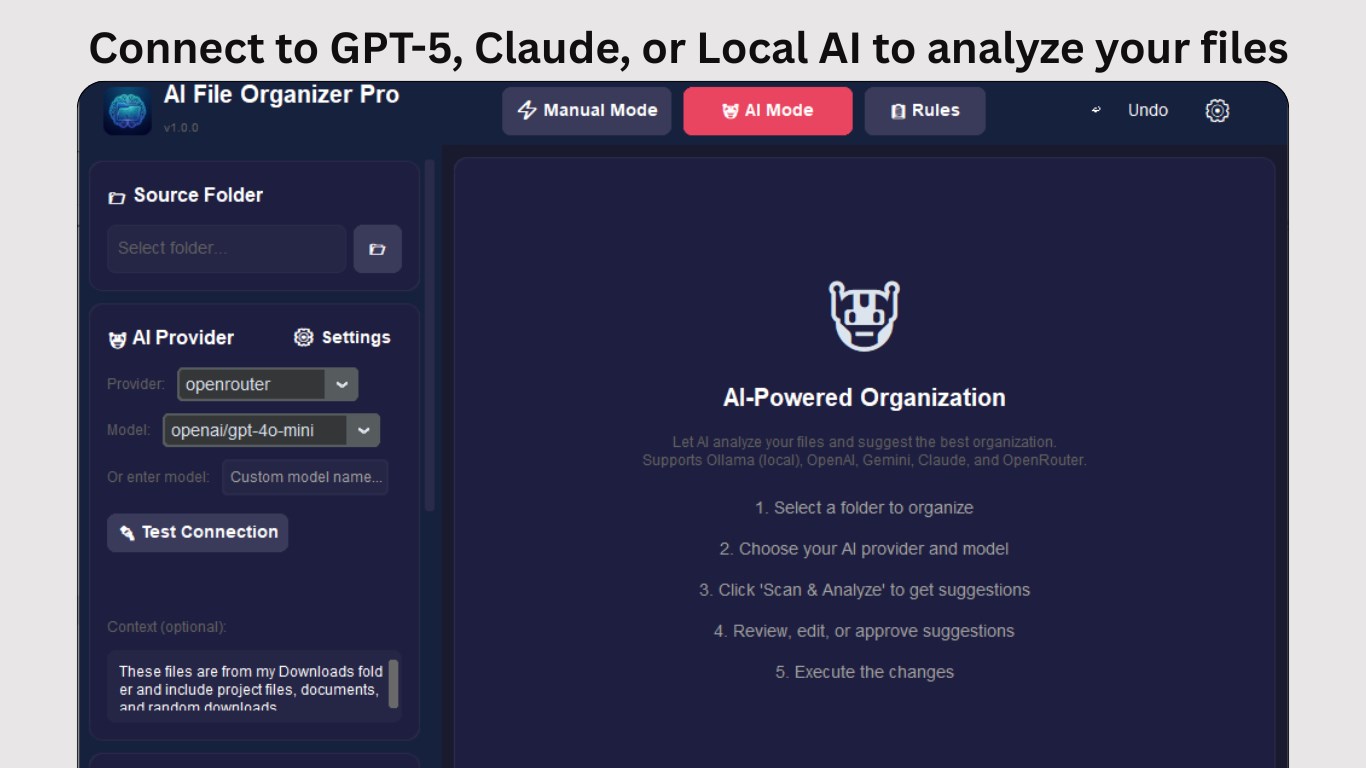
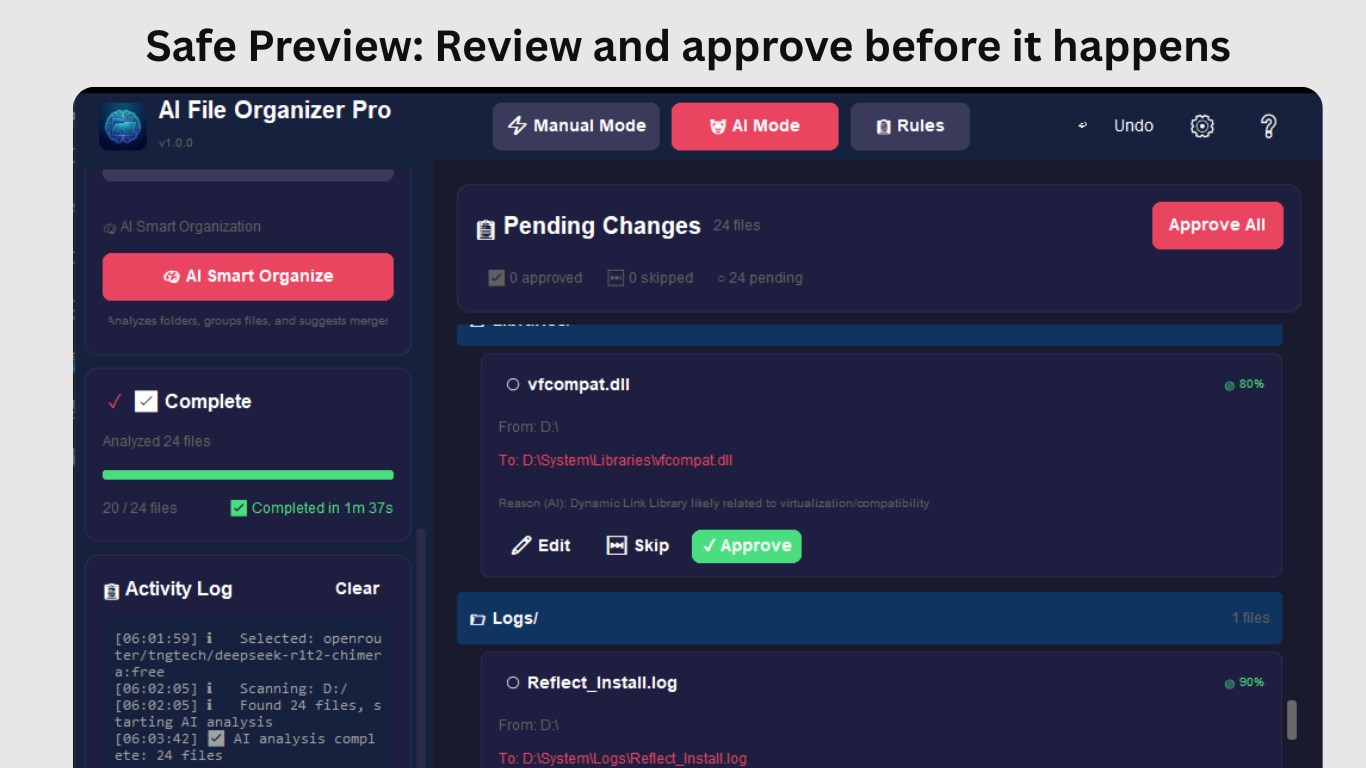
The app's standout feature is its ability to automatically scan your storage, identify file types, and categorize them intelligently. Imagine having a diligent assistant that sorts your documents, images, videos, and other files without you lifting a finger—saving time and reducing clutter. Its AI-powered engine adapts to your habits, refining how files are grouped over time.
Duplicate File Detection & Cleanup
Duplicate files are a silent clutterer, hogging space and complicating searches. AI File Organizer Pro efficiently detects duplicates using advanced algorithms that analyze content similarities, not just filenames. With an easy-to-use interface for reviewing and deleting duplicates, it's like having a virtual librarian ensuring your library is neat and space-efficient.
Customizable Cleanup Rules & User-Friendly Interface
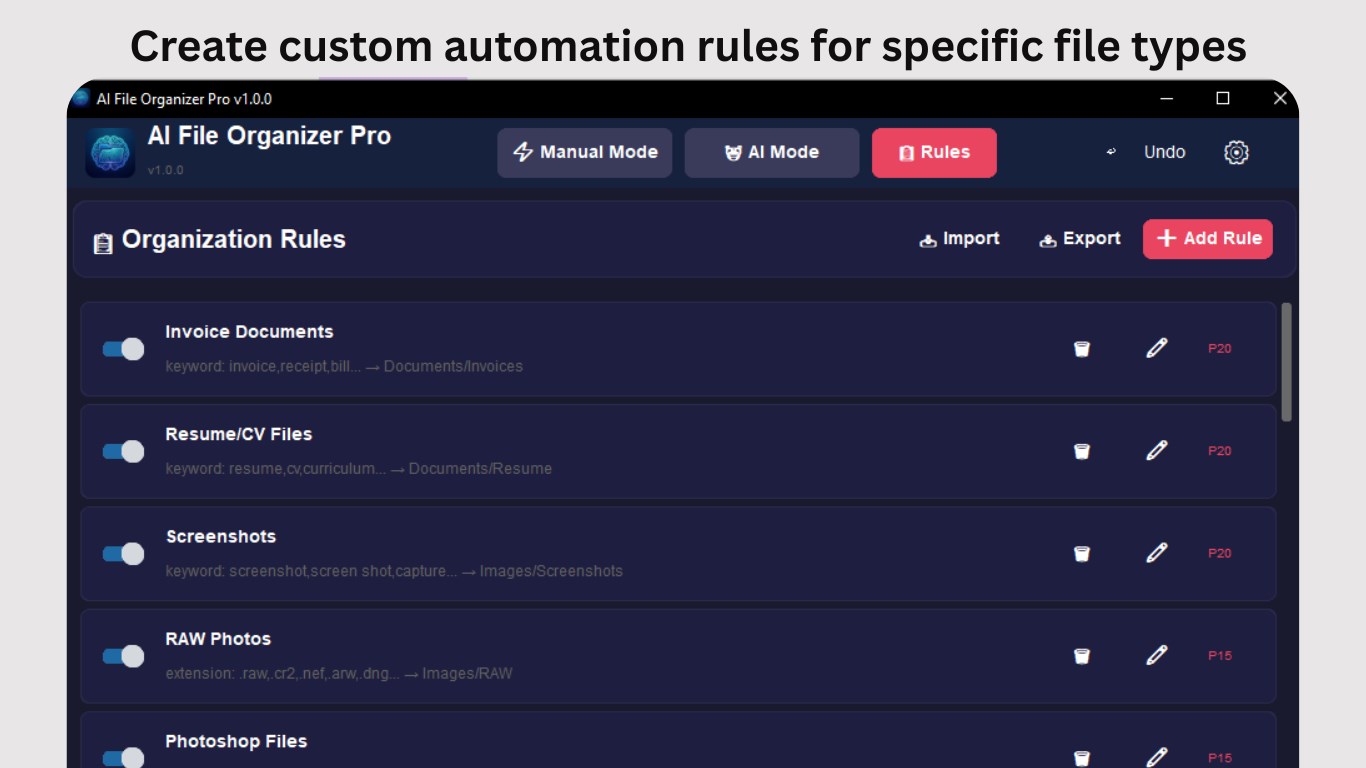
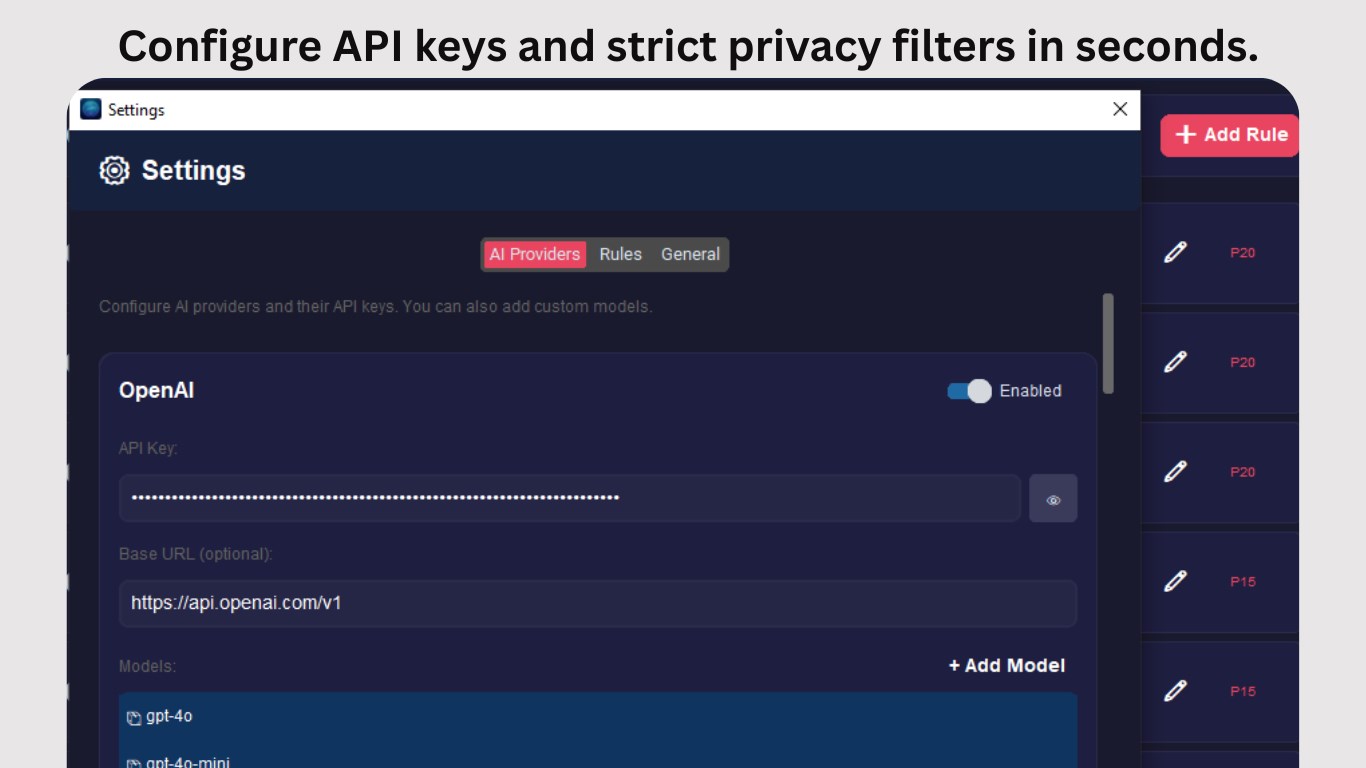
Beyond automation, the app allows users to set personalized rules—for example, archiving files older than a year or grouping project files by client. Its clean, modern interface resembles a well-organized desk, making navigation intuitive whether you're a tech veteran or a novice. The learning curve is gentle; users can get started quickly and fine-tune preferences as they go.
Experience and Unique Selling Points
The interface design exudes clarity and simplicity, with a dashboard that feels like a tidy workspace, helping users get straight to what they need without unnecessary fuss. The app's operations are remarkably smooth; even large-scale scans or reorganizations happen swiftly, thanks to optimized processing routines. Its AI-driven approach stands out among similar utilities—while many tools offer manual sorting or basic cleanup, AI File Organizer Pro harnesses machine learning to adapt to your specific file landscape, making ongoing maintenance effortless.
How Does It Differ from Other Tools?
Unlike traditional file cleaners or manual organizers, this app's AI backbone enables proactive learning and smarter sorting decisions over time. Its duplicate detection isn't just superficial; it deeply analyzes content to catch subtle copies, a feature that can save significant storage space and prevent unnoticed duplicates from piling up. Moreover, its customization options give power users flexibility while still being approachable for beginners.
Final Verdict & Recommendations
AI File Organizer Pro earns a solid recommendation for anyone seeking to restore order to their digital space without investing hours into manual tidying. Its intelligent sorting and duplicate cleanup stand out as particularly valuable tools, especially for users managing extensive or complex file collections. For those tired of endless folder navigation or manual sorting efforts, this app offers an unobtrusive yet effective solution.
In summary, if you value a clean, well-organized digital environment and want a tool that “learns” what you need to keep or remove, AI File Organizer Pro is worth trying out. Its smooth user experience and intelligent features make it a noteworthy addition to your utility toolkit, ensuring your files are just a few clicks away from being organized and accessible.
Pros
- Intelligent File Categorization
- User-Friendly Interface
- Supports Multiple File Types
- Batch Processing Capability
- Customizable Sorting Rules
Cons
- Limited Cloud Integration
- Occasional Misclassification
- Performance Issues with Large Files
- Limited Customization Options
- Initial Setup May Be Slightly Complex











