


- Name 3D Viewer
- Category Utilities & tools
- Available on PC, HoloLens
- OS Windows 10 version 16299.0 or higher
- languages Afrikaans, Albanian, Amharic, Arabic, Azerbaijani, Bangla (Bangladesh), Basque, Belarusian, Bulgarian, Catalan, Chinese (Simplified), Chinese (Traditional), Croatian, Czech, Danish, Dutch, English (United Kingdom), English (United States), Estonian, Filipino, Finnish, French, French (Canada), Galician , German, Greek, Hausa (Latin), Hebrew, Hindi, Hungarian, Icelandic, Indonesian, Italian, Japanese, Kannada, Kazakh, Khmer, Kiswahili, Korean , Lao, Latvian, Lithuanian, Macedonian, Malay, Malayalam, Norwegian (Bokmål), Persian, Polish , Portuguese (Brazil), Portuguese (Portugal), Romanian, Russian, Serbian (Latin, Serbia), Slovak, Slovenian (Slovenia), Spanish (Mexico), Spanish (Spain), Swedish, Tamil, Telugu, Thai, Turkish, Ukrainian, Uzbek, Vietnamese
Introducing 3D Viewer for Windows: A Sleek Companion for 3D Model Exploration
Imagine having a pocket-sized gallery for your 3D creations, right inside your Windows environment. That's precisely what Microsoft's 3D Viewer offers—a user-friendly and versatile platform that turns complex 3D files into interactive experiences. Developed by Microsoft Corporation, this app is designed to bring your 3D models to life with ease and clarity, making it ideal for both hobbyists and professionals alike.
Core Features Highlighted — What Makes It Stand Out
- Intuitive 3D Model Viewing: Supports a wide variety of 3D formats, including FBX, STL, OBJ, and 3MF, enabling smooth and seamless model inspection.
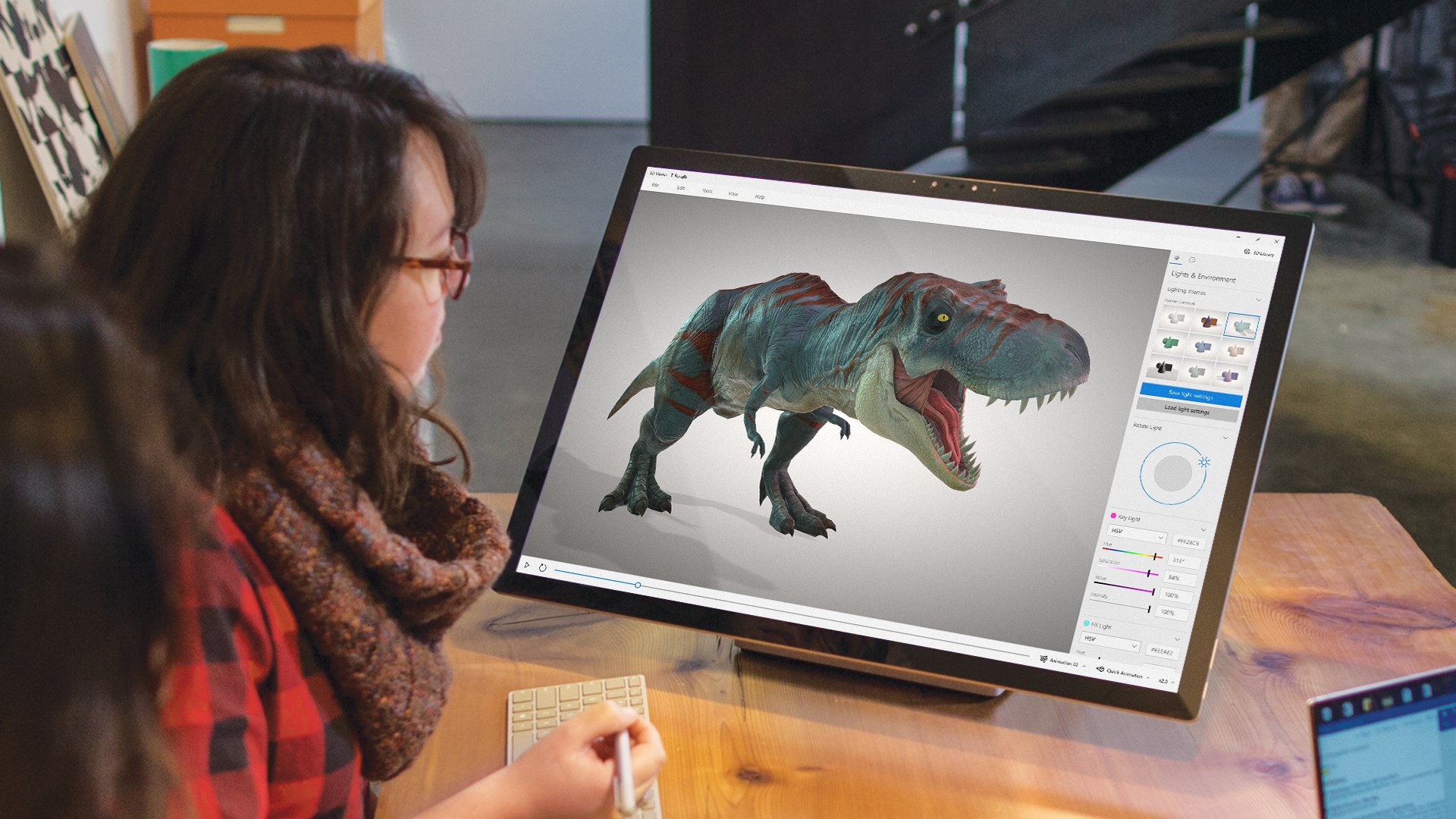
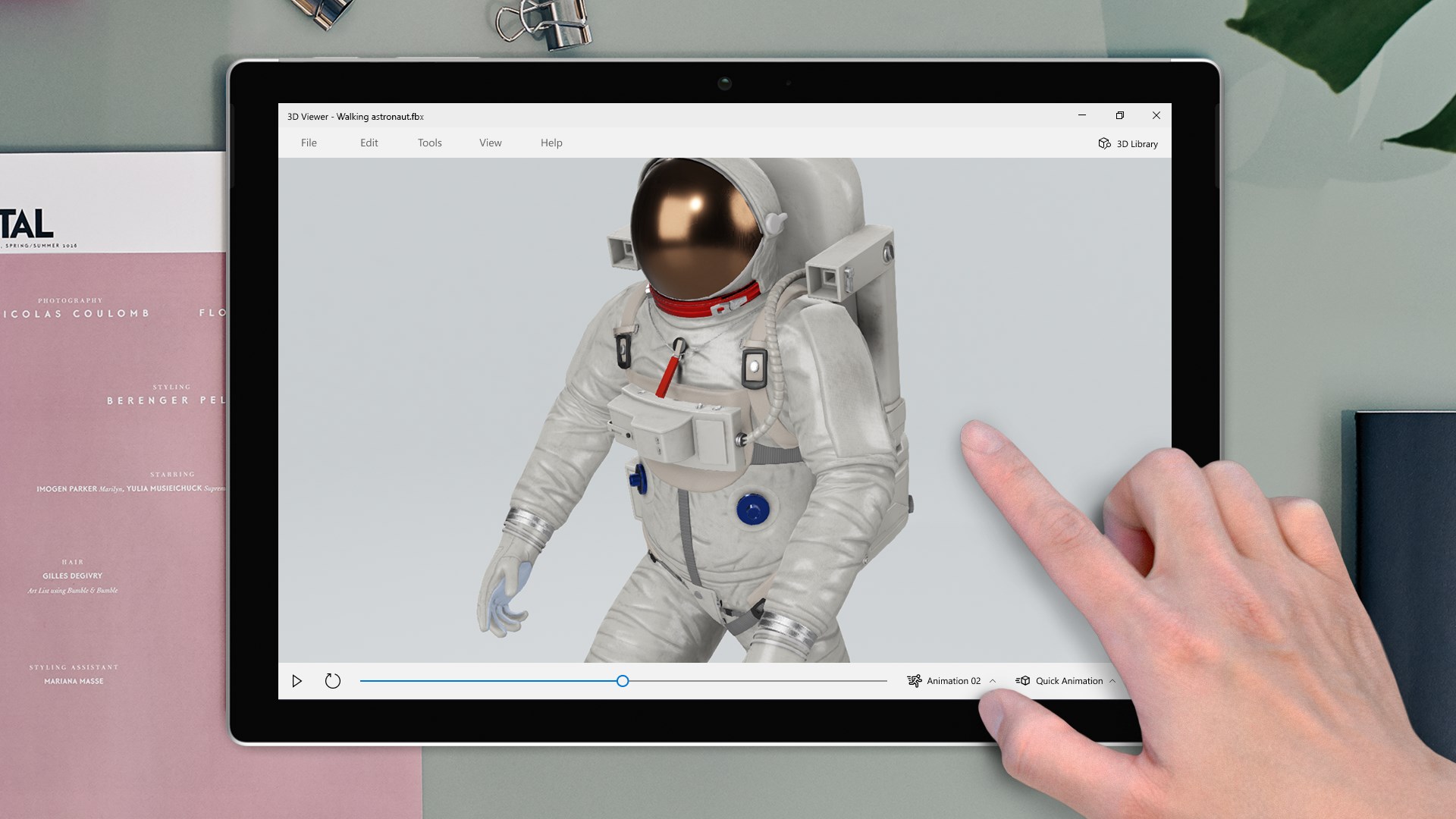
- Interactive Navigation: Offers easy zoom, pan, rotate, and explode views that make examining intricate details as natural as turning a physical model.
- AR Integration: Supports augmented reality experiences where models can be placed into real-world environments using compatible devices.
- Basic Editing & Annotation: Allows simple modifications like color adjustments and adding notes, which is helpful for presentations or collaborative reviews.
A Fresh Take on 3D File Viewing — Making Tech Feel Accessible
Stepping into the 3D Viewer feels like opening a window into a miniature universe—shiny metal parts, textured terrains, and intricate mechanical assemblies come alive with just a few clicks. It's not just a viewer; it's a gateway to understanding complex models, whether you're looking at a detailed mechanical part or a character from your favorite game. The app boasts a clean, streamlined interface that makes navigation feel almost instinctive, even for newcomers.
Visualize and Explore with Precision
The core strength of 3D Viewer lies in its model interaction capabilities. With a straightforward click-and-drag approach, users can rotate models effortlessly, zoom in on minute details, or explode assemblies to see hidden components. What sets this apart is its support for augmented reality—users can project models into real-world settings through their device's camera, offering a tangible sense of scale and context. This AR feature turns static models into interactive showcases, making it a powerful tool for designers, educators, and enthusiasts who want to bridge digital and physical worlds seamlessly.
Design and User Experience: A Smooth Ride
The interface design favors simplicity without sacrificing functionality. Menus are logical, and the learning curve is gentle; almost anyone can pick it up and start exploring right away. The app responds snappily to user inputs, providing a fluid experience that minimizes frustration. Even complex models load quickly, and the performance remains steady across various hardware setups, thanks to optimized rendering processes. For users familiar with basic 3D concepts, a few minutes are enough to become comfortable wielding all the core tools.
What Sets It Apart from Other Utilities & Tools
While many 3D viewing tools are limited to mere visualization, 3D Viewer's augmented reality support is a distinctive feature that elevates it beyond conventional software. Unlike plain viewers that stay confined within the screen, this app lets you contextualize your models in real-world environments, adding a new dimension to presentations and collaborative discussions. Its tight integration with Windows ecosystem means smoother workflows and better compatibility with Microsoft's other products, providing an ecosystem advantage over standalone or web-based 3D viewers.
Final Thoughts: Should You Give It a Spin?
Overall, 3D Viewer for Windows is a reliable, user-friendly option for anyone needing quick access to 3D model inspection—be it for educational, professional, or hobbyist purposes. Its standout feature, AR integration, makes it particularly appealing for those wanting to embed models into real-world scenarios effortlessly, without hefty software setups. For casual users or those already immersed in the Microsoft environment, it offers an elegant balance of power and simplicity.
We recommend trying it out if you frequently work with 3D models or want an accessible tool to better understand complex designs. It's not overburdened with unnecessary bells and whistles, making it a practical addition to your software toolkit. Though it might lack advanced editing features found in dedicated CAD programs, its strengths lie in visualization, exploration, and augmented reality—making it a compelling choice for broad 3D viewing needs.
Pros
- Intuitive 3D model visualization
- Supports a wide range of 3D file formats
- Built-in measurement tools
- Integration with Windows ecosystem
- Free to download and use
Cons
- Limited editing capabilities
- Occasional lag with large models
- Few customization options for lighting and rendering
- Limited annotation tools
- No support for collaborative editing











