
Introduction to Phone Cleaner Pro
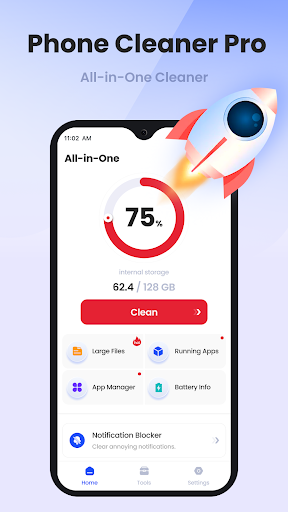
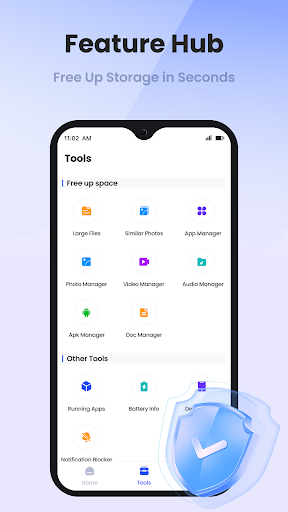
In today's digital age, efficient management of your smartphone's storage, performance, and overall health is essential. Phone Cleaner Pro stands out as a comprehensive solution designed to optimize your device with a suite of powerful features. Whether you're looking to free up space, improve speed, or monitor your device's health, this app provides a user-friendly interface combined with advanced functionalities to meet all your needs.
Main Features of Phone Cleaner Pro
AI - Driven Cleaner
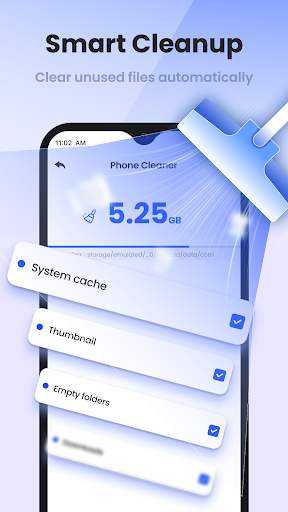
At the heart of Phone Cleaner Pro is its AI - Driven Cleaner. Utilizing cutting-edge AI algorithms, the app can quickly identify and eliminate unnecessary junk, residual, and temporary files. This intelligent cleaning process ensures your device remains clutter-free and operates smoothly without manually sorting through irrelevant data.
App Process Cleaner
The App Process Cleaner feature scans running background processes and allows you to terminate unnecessary apps that consume resources. This helps in enhancing your device's performance and battery life by stopping processes that are no longer needed.
Large File Cleaner
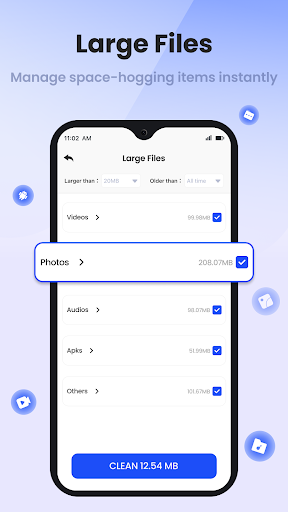
Over time, large files can occupy significant storage space. With the Large File Cleaner, you can easily detect and remove these large data chunks, freeing up space for new apps, media, and files. This feature is particularly useful for users with limited storage capacity.
Similar Photo Cleaner
Managing photos can be overwhelming, especially with duplicate images cluttering your gallery. The Similar Photo Cleaner helps you pinpoint and delete similar or identical photos, keeping your gallery organized and conserving storage space.
Device Info Viewer
Stay informed about your device with the Device Info Viewer. It provides detailed information such as your model, storage, and memory, helping you monitor your phone's specifications and health.
Battery Info Checker
The Battery Info Checker offers insights into your battery's level, temperature, and charging status. Keeping an eye on these parameters can help you extend your battery life and ensure your device operates at optimal conditions.
App Uninstaller
Remove unwanted applications effortlessly with the App Uninstaller. It allows you to view all installed apps and uninstall those that are no longer necessary, freeing up space and reducing background processes.
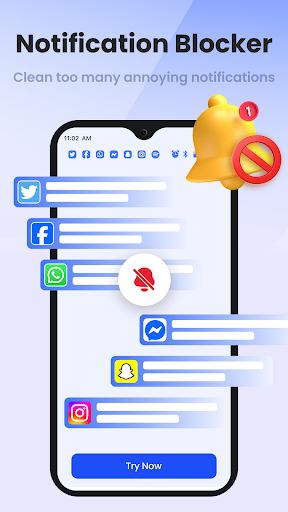
Notification Manager
The Notification Manager helps organize and handle notifications efficiently from various apps. This feature ensures that your notification panel remains uncluttered and relevant alerts are prioritized.
File Manager
The built-in File Manager enables you to sort, manage, and handle diverse file types on your phone. With this tool, managing your documents, media, and downloads becomes more straightforward and organized.
Conclusion
Phone Cleaner Pro is an all-in-one app designed to optimize your mobile experience. With its sophisticated AI-driven cleaning capabilities, efficient process management, and comprehensive device insights, it empowers users to maintain peak device performance with ease. Regularly using this app can help extend your phone's lifespan, improve speed, and keep your storage clutter-free, making it an essential tool for anyone looking to enhance their mobile device's health and efficiency.
Pros
- Intuitive user interface enhances ease of use
- Wide selection of features supports various needs
- Regular updates improve functionality and security
- Excellent customer support provides timely assistance
Cons
- Some features may require additional payments
- Occasional bugs causing minor inconvenience
- Learning curve for advanced functionalities
- High resource consumption on older devices