


Understanding Carrier Services: The Hidden Backbone of Your Messaging Experience
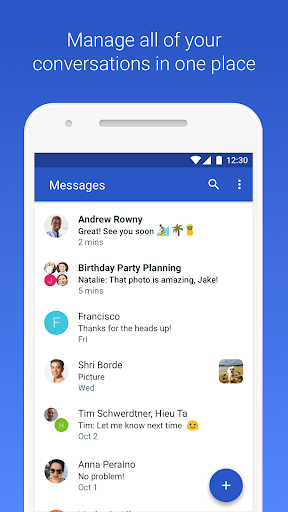
Carrier Services is an essential, yet often unnoticed, app that plays a vital role in enhancing your Android device’s messaging capabilities. Designed to support Rich Communication Services (RCS) within Google's Messages app, Carrier Services ensures that your text messaging experiences are smooth, reliable, and feature-rich. Although you might not actively interact with this app daily, its behind-the-scenes work significantly improves how you send and receive messages on your device.
What Exactly is Carrier Services?
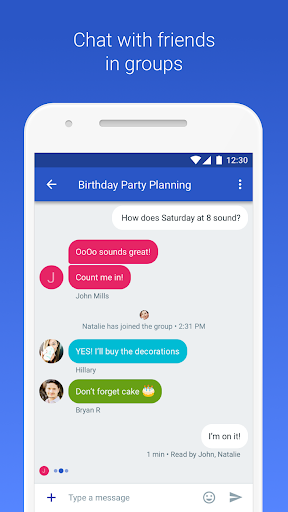
Imagine it: you're sending a whimsical, emoji-laden message to a friend. It’s longer, more dynamic, and richer than a traditional SMS. Under the hood, Carrier Services is working tirelessly to make sure that your message reaches your recipient without any hiccups. It acts as the critical support system that enables advanced messaging features such as RCS, which brings a modern, chat-like experience to your text messaging—think typing indicators, read receipts, and high-resolution images sharing.
Key Features of Carrier Services
Primarily, Carrier Services enhances the messaging experience for Android users. If you use Google's Messages app, you’ve likely benefited from its support. This app is responsible for enabling Rich Communication Services (RCS), transforming basic text messages into a more interactive and engaging experience. Instead of just plain texts, you get instant feedback such as when someone is typing, when they’ve read your message, and the ability to send larger, high-quality multimedia files effortlessly.
Beyond messaging, Carrier Services also plays a crucial role in maintaining a stable connection between your device and your mobile network. It handles complex data exchanges behind the scenes, ensuring that your calls, texts, and data connections are reliable and performant. This functionality is critical for a seamless communication experience, especially as modern mobile networks continue to evolve.
Personal Insights and Benefits
For many users, including myself, the significance of Carrier Services becomes evident when messaging troubles occur—such as delays, failed texts, or missing features. After updating or reinstalling this app, those glitches often disappear, highlighting its importance. While you typically don't interact directly with Carrier Services, knowing it’s actively working in the background provides peace of mind. Its regular updates ensure compatibility with the latest network features, security patches, and performance improvements.
Why You Should Care About Carrier Services
You might wonder, "Is this app necessary?" The answer is a resounding yes. Carrier Services is a foundational component that ensures your device communicates effectively with your carrier’s network. Whether you’re sending a quick message, making a call, or using data services, this app underpins those operations. Think of it as the plumbing system of your digital communication—out of sight but essential for everything to run smoothly.
Next time you update your apps or explore your device settings, take a moment to appreciate the silent work of Carrier Services. It ensures that your messaging remains seamless, your network connections stay stable, and your overall communication experience is nothing short of reliable.
In Conclusion
While Carrier Services might not be the most prominent app on your phone, its contribution to a seamless mobile experience is invaluable. It keeps your smartphone connected, supports advanced messaging features like RCS, and acts as the invisible enabler of reliable communication. So, give a nod of appreciation to Carrier Services the next time your messages go through without a hitch—because behind every smooth interaction is this essential app working diligently behind the scenes.
Pros
- Significantly improves call quality.
- Enhances messaging features.
- Optimizes network connections.
- Provides faster data transfer speeds.
- Supports advanced network functionalities.
Cons
- Limited to certain Android devices.
- May sometimes cause app conflicts.
- Potentially increases battery usage.
- Effects may vary across regions.
- Needs frequent updates.










