

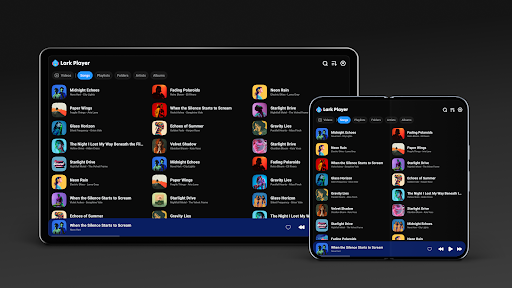
Introduction to Lark Player: Music Player & MP3
Lark Player is a stylish and free offline music player and video player for Android devices. It supports a wide range of formats for both offline music and videos, making it an all-in-one solution for music enthusiasts. With its sleek user interface, powerful equalizer, and comprehensive file management features, Lark Player has quickly become one of the most popular media players worldwide, boasting over 100 million users.
Key Features of Lark Player
Customizable Sound Experience
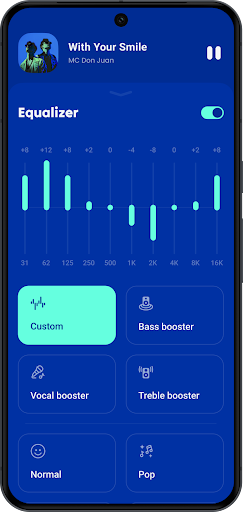
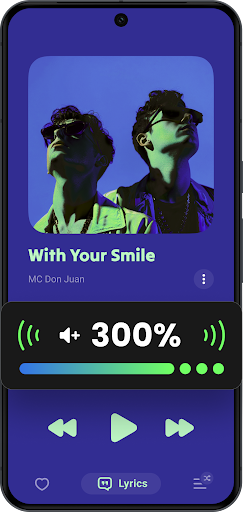
One of the standout aspects of Lark Player is its customizable sound profile. Equipped with preset modes and a powerful equalizer, users can fine-tune their listening experience. Whether you're into Classical, Dance, Jazz, or Heavy Metal, there are dedicated modes to enhance your sound. The equalizer allows for bass enhancement, reverb adjustment, and sound field modifications—perfect for audiophiles seeking personalized audio output.
Support for All Major Formats
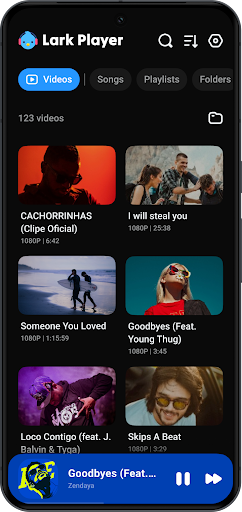
Lark Player is not just an MP3 player. It supports a broad spectrum of audio formats including MP3, MIDI, WAV, FLAC, AC3, AAC, M4A, and more. Additionally, it functions effectively as a video player, capable of playing formats such as MP4, 3GP, WEBM, MOV, and MKV. This dual functionality makes it a versatile app for multimedia consumption.
Effortless File Management
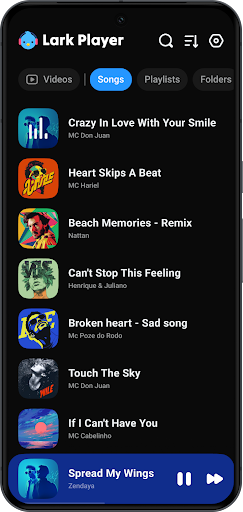
Managing your music library is straightforward with Lark Player. You can browse your collection by song, artist, album, genre, or folders. Additionally, the app enables users to create, edit, and organize playlists seamlessly. Quick file management features like deleting or setting a song as your ringer further enhance user convenience.
Lyrics Support for an Immersive Experience
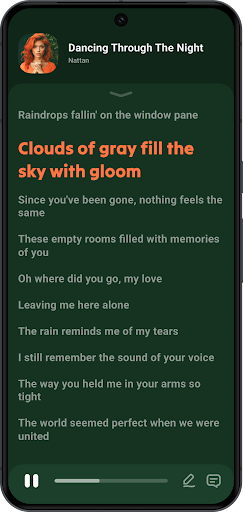
Enjoy your favorite tunes with synchronized lyrics. Lark Player lets you match and display lyrics offline, turning your listening session into a karaoke-style experience. This feature is perfect for music fans who love to sing along or understand the words behind their favorite hits.
Floating Window for Multitasking
With the floating video and music player feature, you can adjust the size and position of the media window, enabling multitasking. Whether you want to browse the web, chat, or do other activities, you can keep your media playing in a floating window seamlessly integrated into your device's interface.
Additional Features Enhancing Your Music Experience
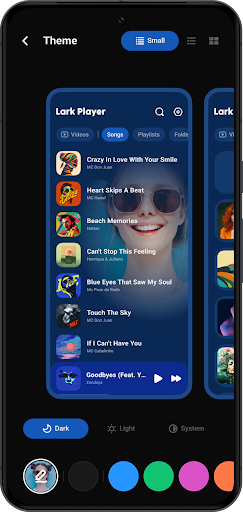
- Beautiful Themes: Switch between day/night themes to suit your mood or environment.
- Offline Music Selection: Set your favorite local tracks as ringtones without an internet connection.
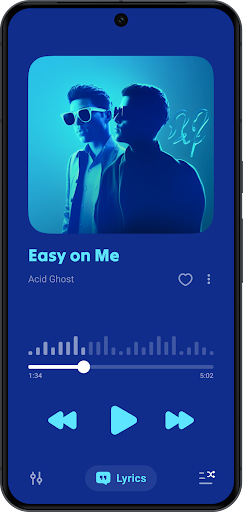
- Shuffling, Looping, and Ordering: Play songs in shuffle, sequential order, or loop, offering flexible listening options.
- Sleep Timer: Automatically turn off the music after a specified duration, ideal for bedtime listening.
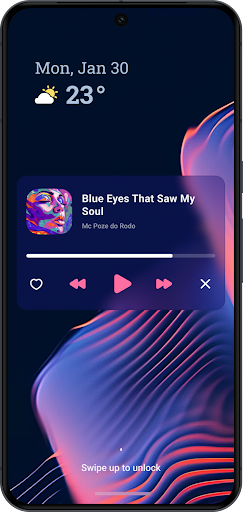
- Background Playback: Continue listening while using other apps, with controls accessible via the notification bar.
- Organized Browsing: Explore your music library by albums, artists, playlists, genres, or folders.
- Sharing: Share your favorite MP3s via Bluetooth, Facebook, WhatsApp, and more.
- Video-to-MP3 Conversion: Support to convert videos to MP3, allowing you to extract audio from videos easily.
Lark Player is a comprehensive offline media app designed for music lovers seeking versatility, ease of use, and quality. Its support for numerous formats, customizable features, and user-friendly interface make it an excellent choice for casual listeners and audiophiles alike.
Conclusion
In summary, Lark Player: Music Player & MP3 stands out as a feature-rich, free offline media player that combines style, functionality, and performance. Whether you're looking to enjoy high-quality music, watch videos, or manage your media files effortlessly, this app delivers an outstanding experience. With its support for a wide range of formats, lyrics, customizable audio settings, and multitasking capabilities, Lark Player is the perfect companion for your entertainment needs. Download it today and immerse yourself in your favorite tunes and videos without any hassle.
Pros
- Highly customizable interface
- Supports various audio formats
- Offline music playback
- Equalizer with presets
- Low battery consumption
Cons
- Contains ads in free version
- Limited features without subscription
- In-app purchases required
- No podcast support
- Occasional playback glitches










