

Introduction to Files by Google
Are you overwhelmed by a cluttered collection of files, photos, and documents on your mobile device? Managing storage can be daunting, but Files by Google emerges as a game-changing solution designed to simplify the process. As an intuitive smart file organizer, this app helps you free up space, find files swiftly, and secure your personal data seamlessly. Whether you’re an everyday user or someone looking to optimize device performance, Files by Google offers a comprehensive toolkit that makes file management effortless and efficient.
Main Features of Files by Google
Free Up Space and Manage Storage
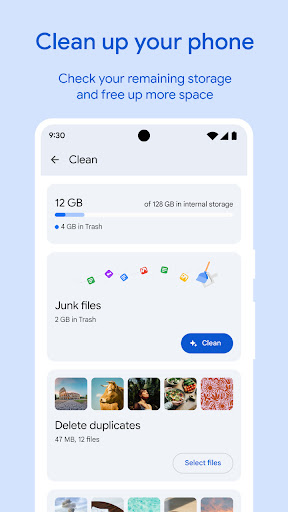
With Files by Google, you can easily free up space on your device by receiving personalized cleaning recommendations. The app provides clear visuals showing how much space is left on your device, SD card, or USB drive. It helps identify and delete old photos from chat apps, duplicate files, or clear cache to optimize storage health. This proactive approach ensures your device operates smoothly without the clutter of unnecessary files.
Find Files Faster
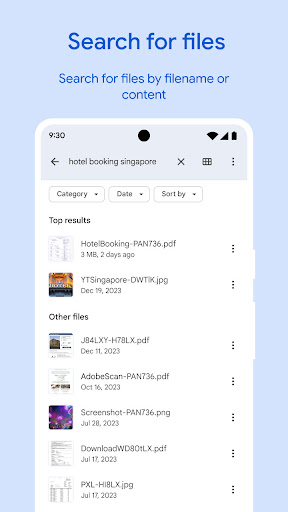
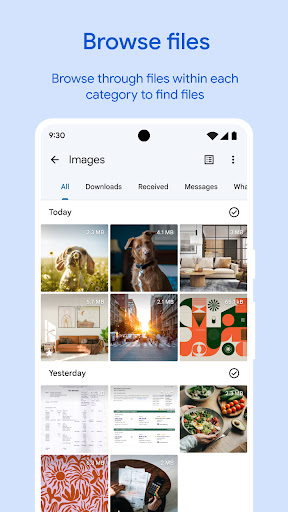
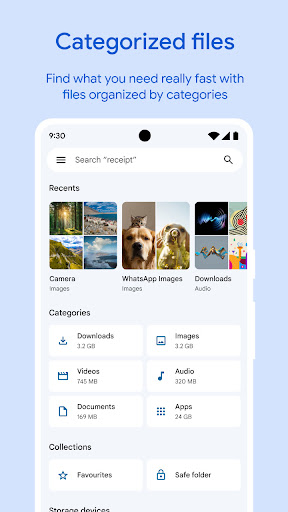
Searching for specific photos, videos, and documents becomes a breeze with Files by Google. The app’s lightning-fast search function and simple browsing interface help you locate files instantly. You can also sort files by size to pinpoint those that are consuming the most space. Whether you want to quickly access a recent download or a favorite GIF, this app streamlines your file navigation experience.
Fast & Secure Offline File Sharing
Sharing large files no longer requires internet or email attachments. Files by Google allows fast, offline file transfers to nearby Android and Chromebook devices via Quick Share. With transfer speeds reaching up to 480 Mbps, your files—whether photos, videos, or apps—are shared securely with end-to-end encryption, ensuring privacy and protection during the transfer process.
Secure Your Files
Safeguarding sensitive data is effortless with Files by Google. You can set a PIN or pattern to lock specific folders dedicated to private files. This feature adds an extra layer of security, independent of your device lock, so only you can access your confidential information.
Media Playback and Backup
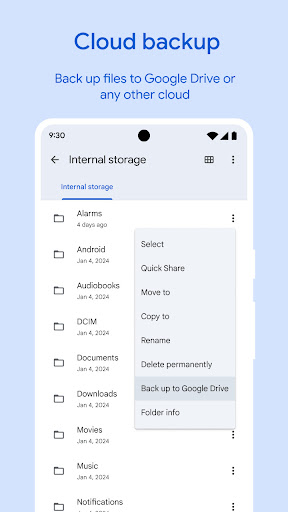
The app also supports offline entertainment by allowing you to listen to music or watch videos directly within the app, complete with features like playback speed control and shuffle. Additionally, you can back up files to Google Drive, SD card, or other cloud services. This ensures your important data is preserved and can be easily restored or accessed across devices.
Smart Recommendations and User-Friendly Design
Files by Google offers personalized suggestions to optimize your storage and protect your device better. As you continue using the app, its recommendations become smarter and more tailored to your habits. What's more, the app itself is lightweight—requiring less than 20 MB—and completely ad-free, making it an unobtrusive yet powerful tool for ongoing device management.
Why Choose Files by Google?
In today’s digital age, managing storage efficiently is essential for maintaining device performance and ensuring your personal data remains secure. Files by Google is thoughtfully designed to cater to users of all technical levels, combining simplicity with powerful features. Its ability to quickly identify redundant files, safeguard sensitive data, and facilitate offline sharing makes it a must-have app for anyone eager to declutter their smartphone or tablet. Plus, its minimal storage footprint and intuitive interface guarantee a smooth user experience without any fuss or distracting ads.
Pros
- User-friendly interface
- Efficient file management
- Offline file sharing
- Smart storage recommendations
- Secure file cleanup
Cons
- Limited cloud integration
- No advanced file editing
- Occasional app crashes
- Requires Google account
- Ads in the free version










