
Introduction to the Clean Utility Toolkit
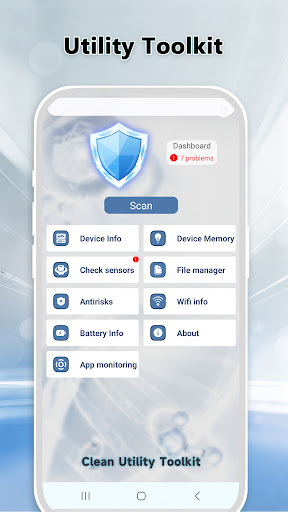
The Clean Utility Toolkit is a comprehensive, all-in-one mobile phone maintenance application designed to simplify and enhance your device management experience. Built to cater to users seeking an easy yet effective way to keep their smartphones running smoothly, this toolbox combines essential features like file cleaning, battery and network information queries, as well as phone diagnostics. Whether you want to free up storage, monitor system health, or troubleshoot device issues, the Clean Utility Toolkit offers a straightforward solution tailored for everyday use.
Main Features of the Clean Utility Toolkit
• Junk Cleaning
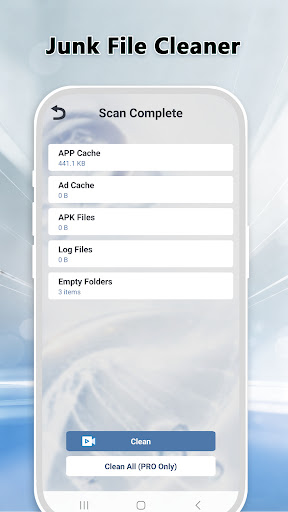
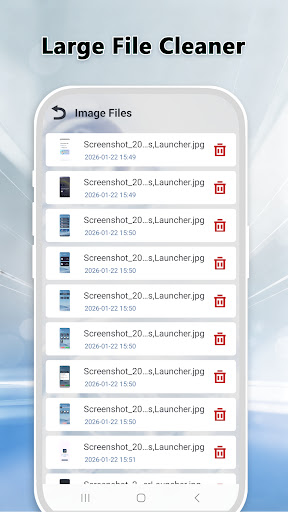
One of the primary functions of the app is junk cleaning. It performs a deep scan of your device to identify cache junk, residual files, and other redundant data that can accumulate over time. This process helps to automatically clear unnecessary files, freeing up valuable storage space and enhancing your phone's performance without risking the deletion of important data.
• Wi-Fi Detection
Maintaining a stable wireless connection is crucial, especially when streaming, gaming, or working online. The Wi-Fi detection feature offers an in-depth analysis of your current network environment. It helps identify potential issues with your wireless connection and provides insights to optimize your Wi-Fi performance, ensuring faster, more reliable internet access.
• Phone Diagnostics
The app facilitates quick and easy diagnostics of your device by testing the functionality of various phone components. Whether you need to check the health of your battery, speaker, camera, or other hardware elements, this feature allows users to identify potential issues early, helping to maintain the overall health of their smartphone.
• Easy Operation
The user interface of the Clean Utility Toolkit is intentionally designed to be intuitive and straightforward. Even users with minimal technical knowledge can effortlessly navigate through the app’s features to perform essential maintenance tasks quickly and efficiently.
• Privacy and Security
All operations within the Clean Utility Toolkit are performed locally on your device, ensuring that your data remains private and secure. Importantly, no information is uploaded to the internet, providing peace of mind while cleaning or diagnosing your phone.
Why Choose the Clean Utility Toolkit?
Pros
- Offers a user-friendly interface that simplifies navigation and usage.
- Provides fast performance with quick load times and smooth operation.
- Includes a variety of features that enhance the overall user experience.
- Offers regular updates that improve functionality and fix bugs.
- Supports multiple devices and screen sizes for greater accessibility.
Cons
- Limited customization options for individual user preferences.
- Occasional bugs or glitches that may impact app stability.
- Some features may require additional in-app purchases.
- The app may consume significant device resources, affecting battery life.
- Onboarding process could be streamlined for new users.