- Name MyRadar Pro
- Category News & weather
- Developer ACME AtronOmatic
- Available on PC
- OS Windows 10 version 19041.0 or higher
- Mouse Integrated Mouse
- DirectX Version 11
- Memory 4 GB
- Keyboard Not specified
- languages English (United States), Spanish
An App that Brings the Sky Closer: MyRadar Pro for Windows
If you're a weather enthusiast, outdoor adventurer, or just someone who likes to stay one step ahead of Mother Nature, MyRadar Pro for Windows offers a compelling way to visualize the weather around you with clarity and precision. Think of it as having a high-tech weather satellite in your pocket, bringing real-time radar updates right to your desktop—no more guessing or relying solely on passively received forecasts.
Developed by ACME AtronOmatic: A Trusted Name in Weather Tech
Created by the well-established team at ACME AtronOmatic, MyRadar Pro benefits from years of experience in weather data visualization. Known for their focus on user-centric design and accuracy, the developers have crafted an app that balances detailed meteorological data with easy-to-navigate interfaces. Their consistent updates and clear commitment to quality make this app a reliable companion for everyday weather needs.
Key Features That Make a Difference
Real-Time Doppler Radar Data
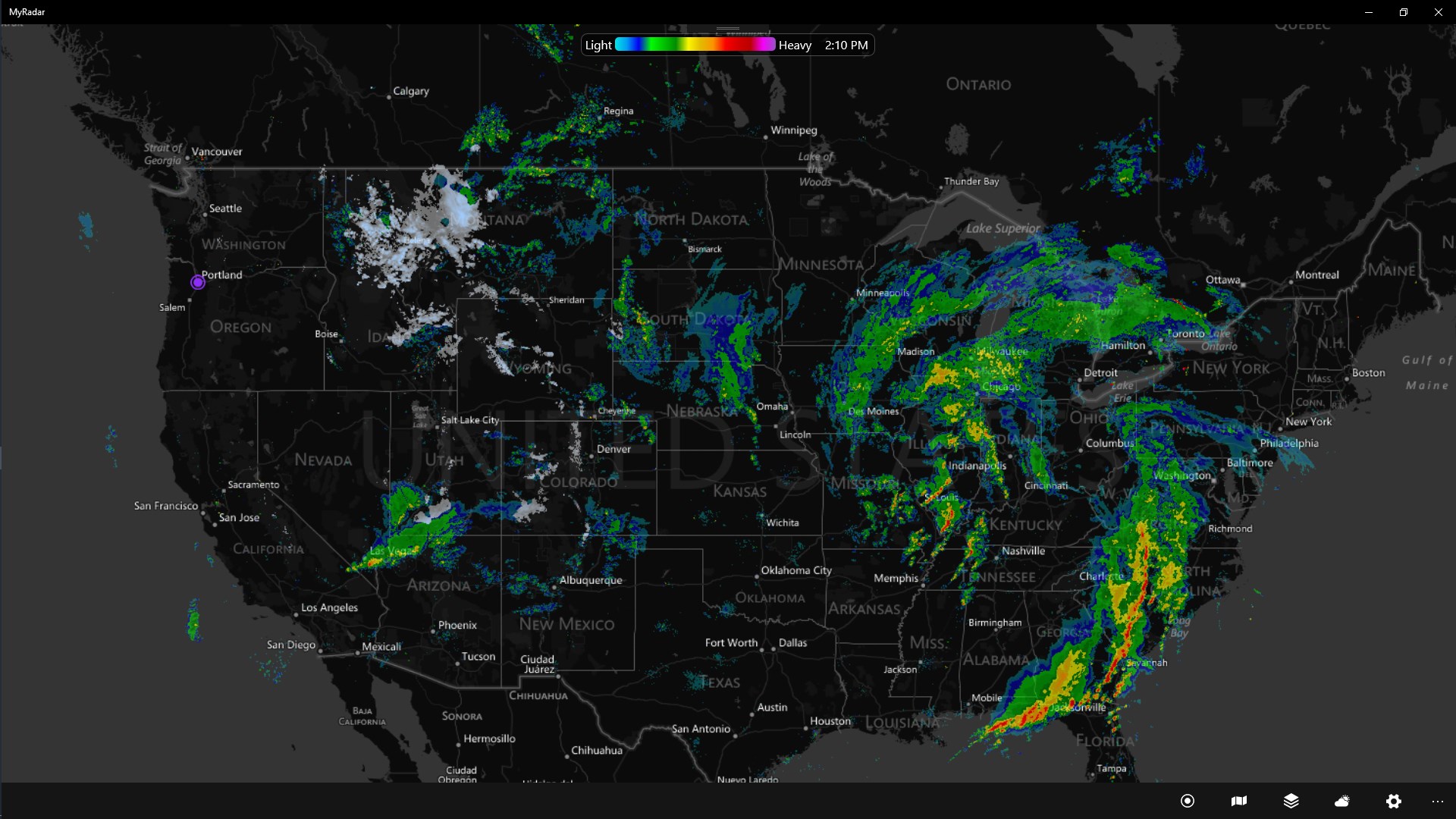
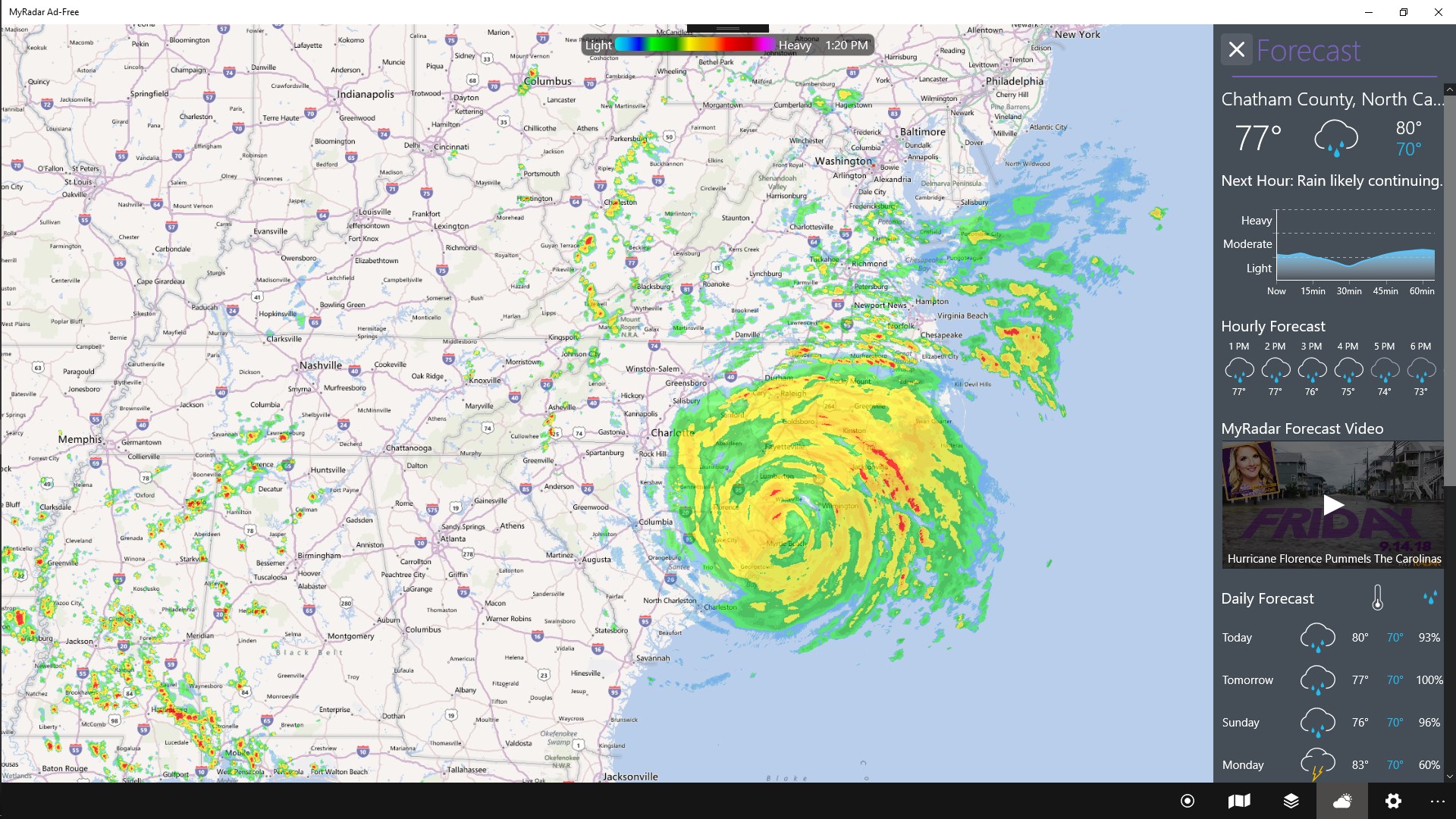
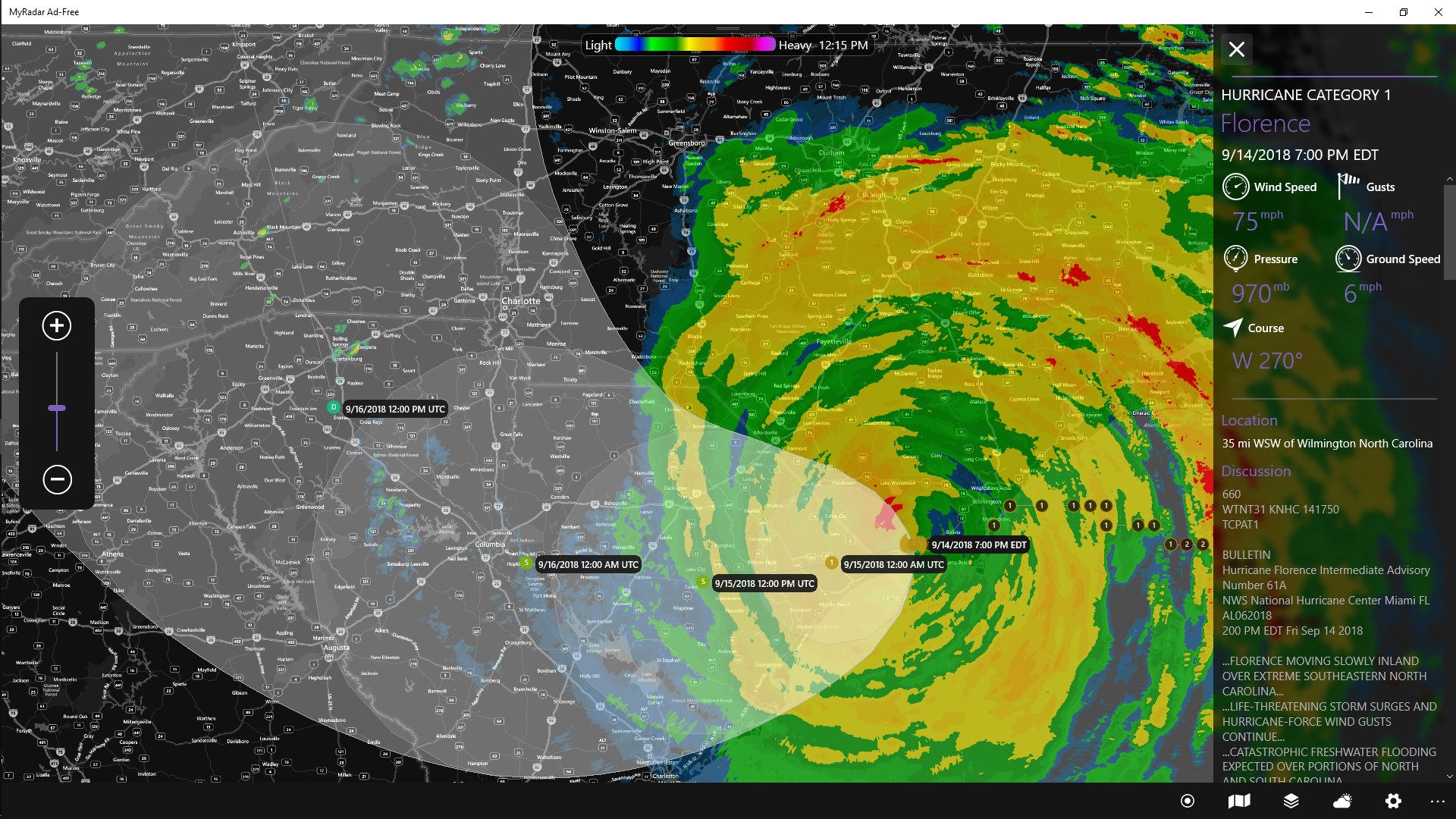
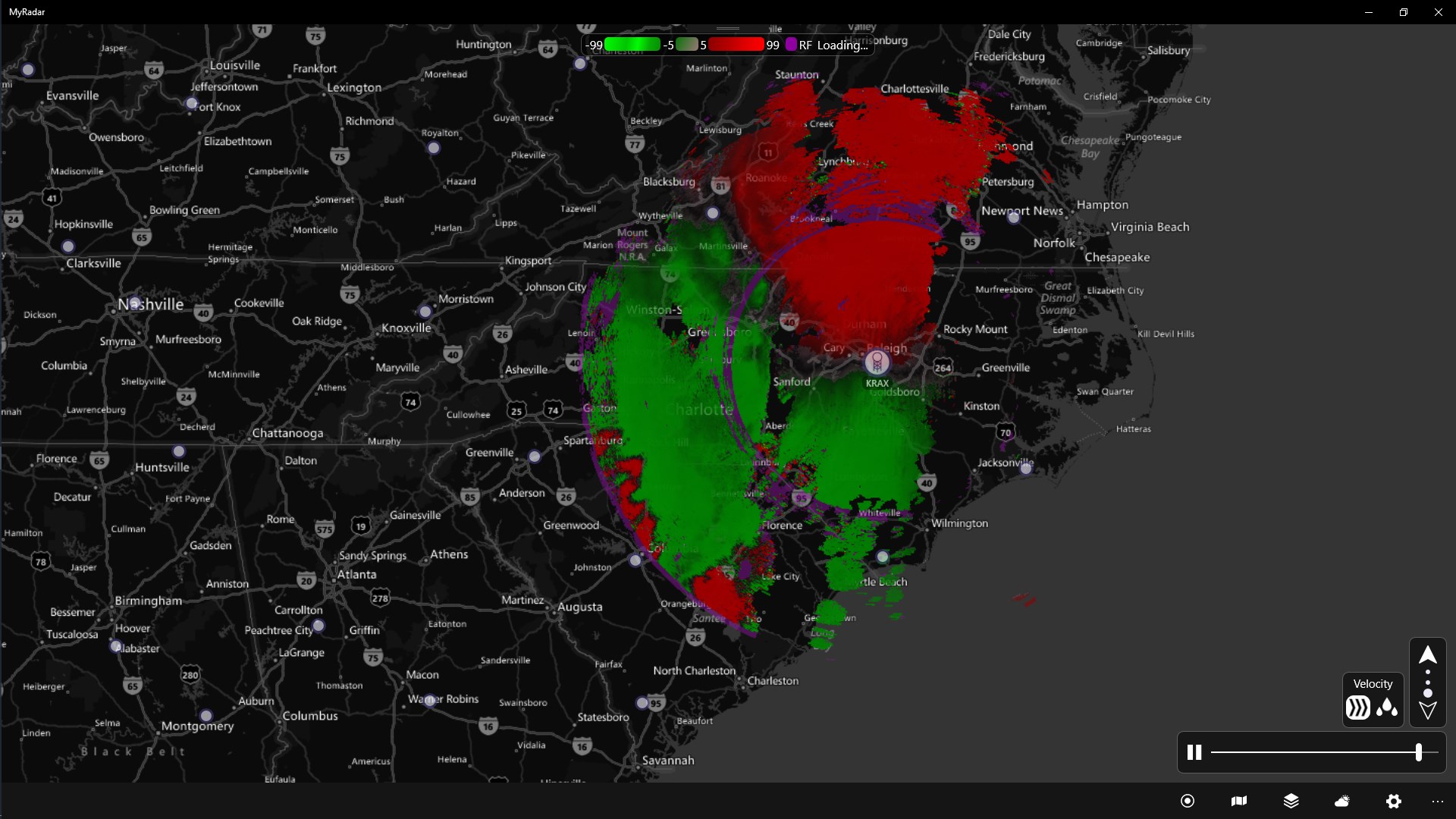
The core highlight of MyRadar Pro is its high-resolution Doppler radar overlay. It displays animated weather patterns—such as storms, rain bands, and snow—with precise movement directions. Unlike static weather widgets, this feature enables users to see how weather systems evolve in real time, akin to having a radar plane circling above, giving you instant insight into incoming weather threats.
Customizable Map Layers and Alerts
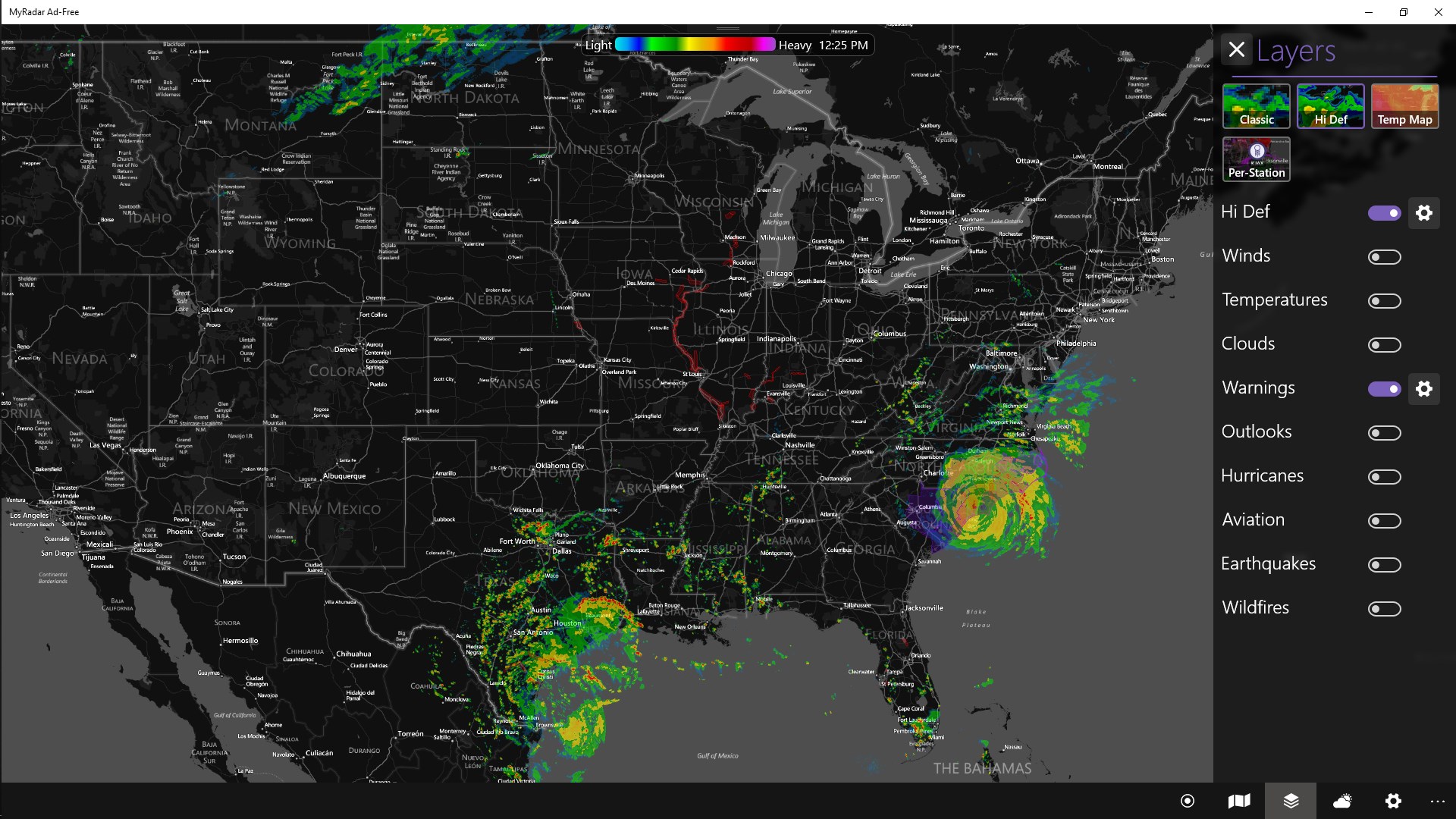
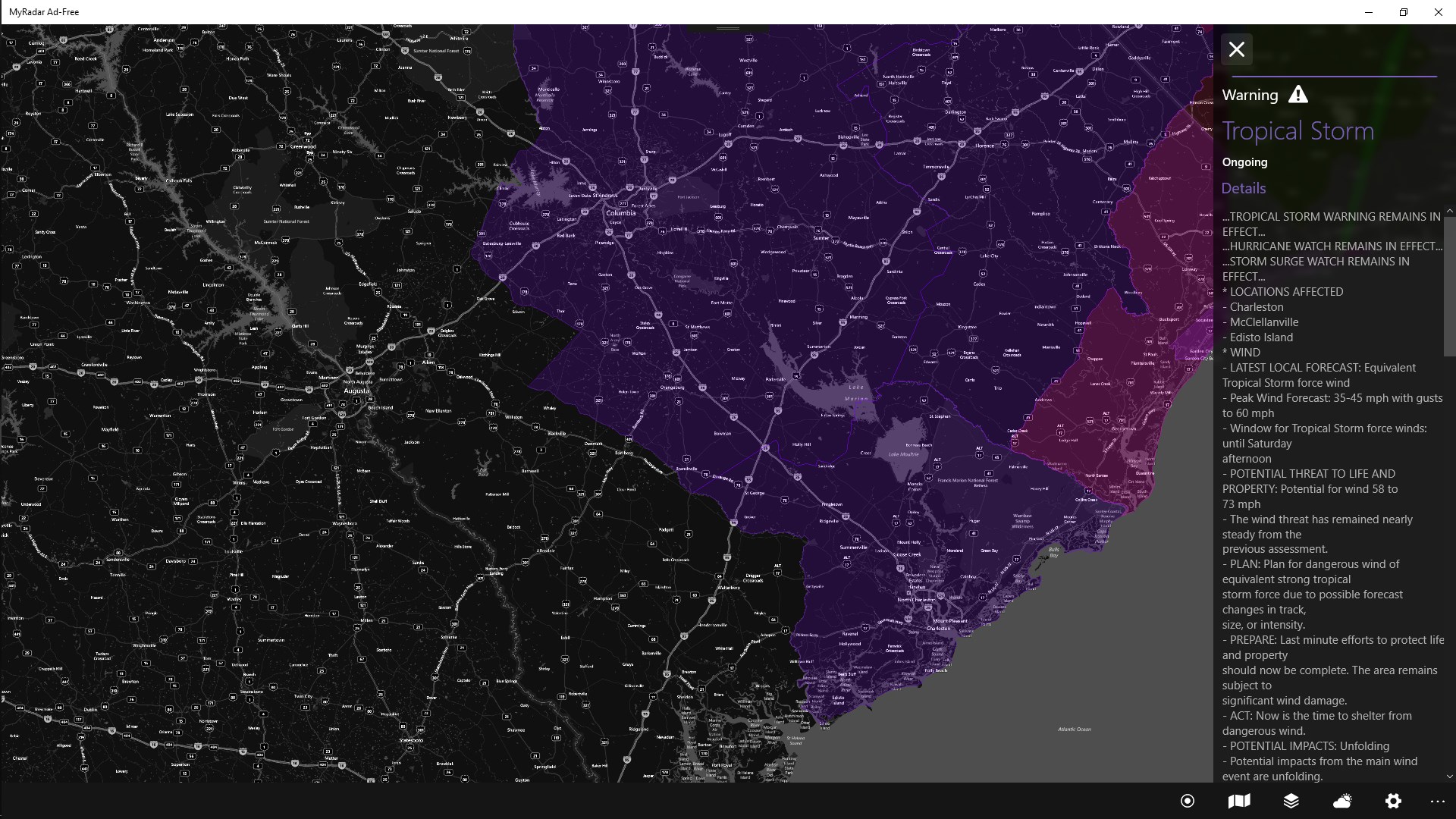
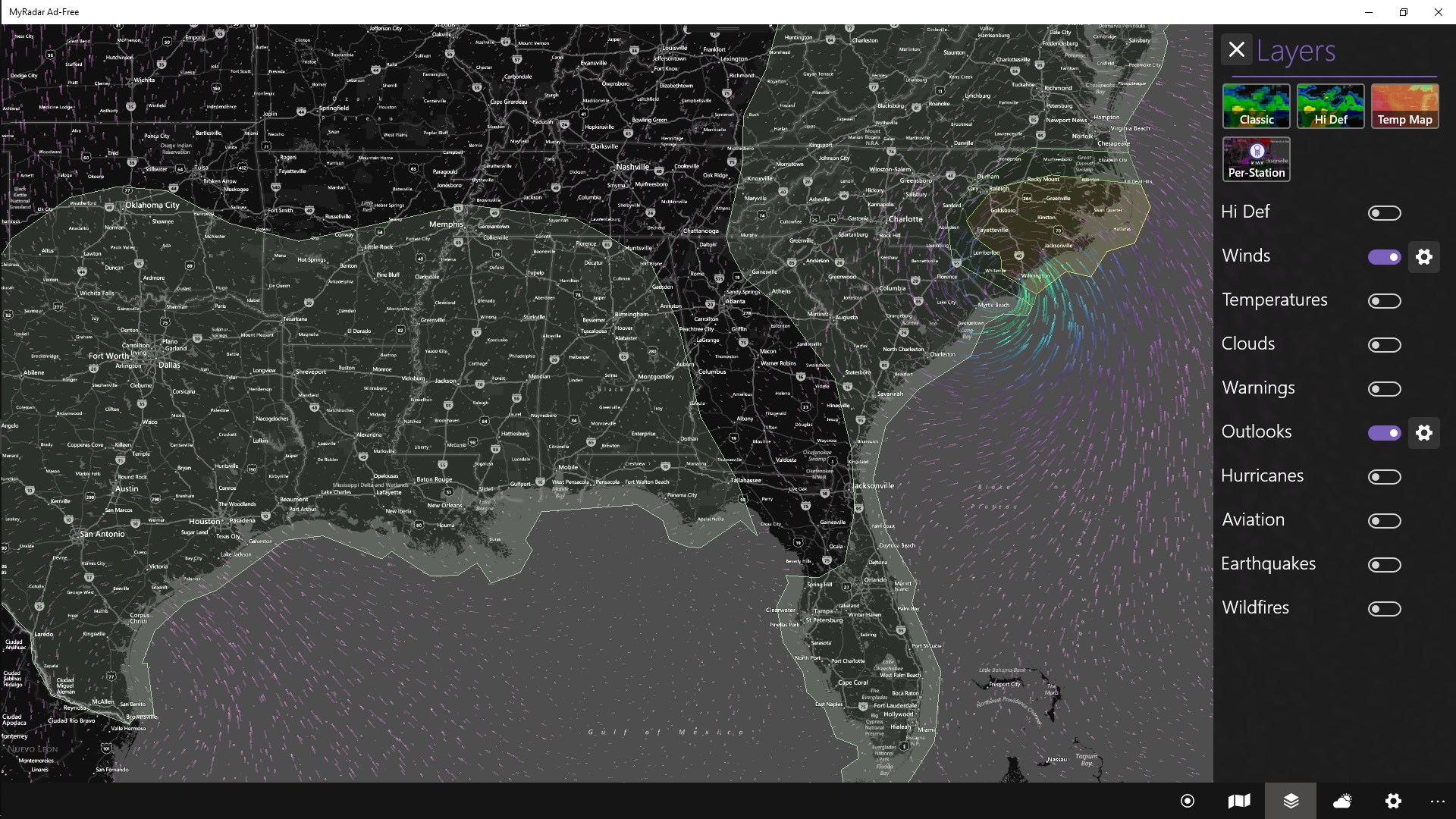
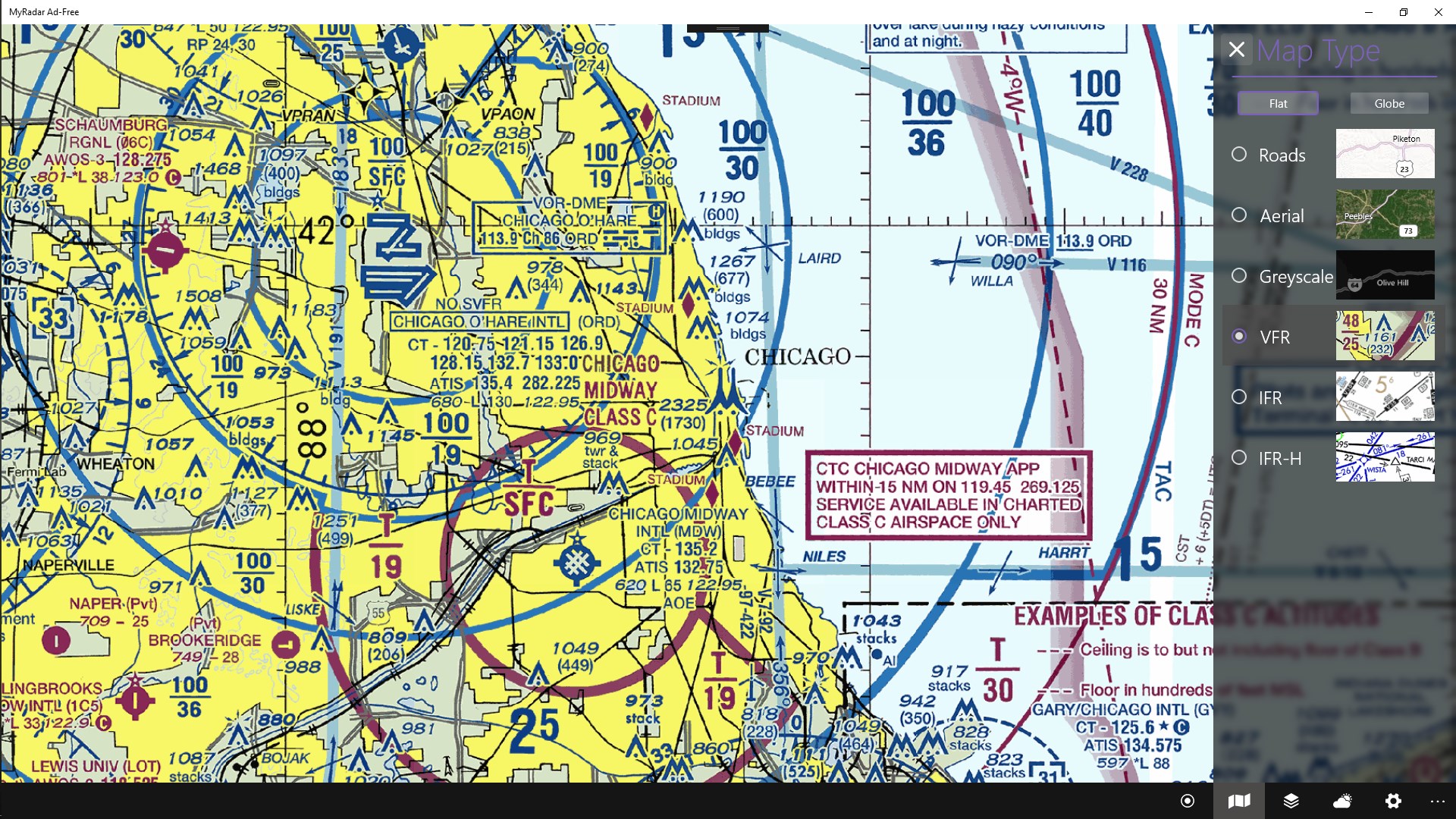
The app offers a variety of overlay options—from severe weather warnings to hurricane paths—allowing users to tailor the map according to their interests. Moreover, location-specific alerts notify you about imminent weather hazards, making it invaluable for outdoor events or travel planning. This customization elevates the experience beyond simple weather display, turning it into a proactive safety tool.
User-Friendly Interface with Intuitive Navigation
The design prioritizes clarity and ease of use. With a sleek, minimalist interface, navigating between different radar layers, adjusting zoom levels, or switching locations is smooth like gliding across ice. The responsiveness ensures that even less tech-savvy users can quickly learn to interpret complex weather visuals, which is no small feat considering the depth of data provided.
Experience: Smooth, Clear, and Insightful
Using MyRadar Pro feels like holding a detailed weather chart in your hands. The interface's visual simplicity makes complex data accessible—think of it as turning a complicated weather system into a clear, animated story unfolding right on your screen. The app runs seamlessly on Windows, with smooth animations and quick updates that keep you in the know without frustrating lag or confusing menus.
One of the standout features is its intuitive control scheme, which reduces the learning curve significantly. Whether you're casually checking the forecast or analyzing severe weather patterns, the app responds instantly to commands, making data exploration a breeze. The design strikes a balance—professional enough for weather buffs, yet welcoming for everyday users.
What Sets MyRadar Pro Apart
Compared to other weather apps, MyRadar Pro's real-time radar animations and customizable overlays stand out. While many apps provide forecasts and basic radar images, this app's ability to animate weather movements dynamically is akin to turning a still map into a moving story, providing a comprehensive snapshot of weather evolution. Its alert system also enhances safety, especially for outdoor enthusiasts and travelers who need timely warnings.
Another distinctive element is its focus on local accuracy. The app integrates detailed radar scans specific to your chosen locations, ensuring that you're not looking at generalized or outdated data. This specificity is a key advantage for users who need precise, real-time information rather than broad, generalized forecasts.
Final Thoughts and Recommendations
I highly recommend MyRadar Pro for Windows to anyone who values accurate and detailed weather insights delivered in a user-friendly package. It's especially suitable for outdoor enthusiasts, event organizers, or anyone needing real-time weather updates that go beyond basic forecasts. The app's standout feature—animated radar views combined with customizable alerts—makes it a practical and educational tool that can help you better understand weather dynamics.
While it may seem technical at first glance, the app's straightforward design helps new users acclimate swiftly. For those seeking an in-depth, visually engaging weather tool that keeps their finger on the meteorological pulse, MyRadar Pro stands out as a reliable choice—trust me, once you start using it, you'll wonder how you ever managed without it.
Pros
- Accurate weather radar visuals
- User-friendly interface
- Real-time weather alerts
- Customized weather data
- High-resolution maps with clutter filters
Cons
- Occasional data refresh delays
- Limited free features
- Battery consumption issue
- Map navigation can be slow on older devices
- In-app advertisements in free version