
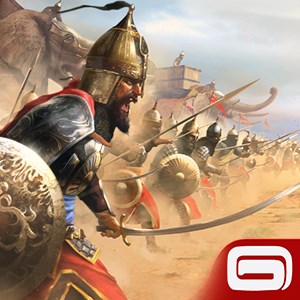
- Name March of Empires
- Category Strategy
Unveiling the Strategic Depth of March of Empires for Windows
If you're someone who enjoys crafting majestic kingdoms while navigating the complexities of diplomacy and warfare, March of Empires presents an enticing blend of city-building and strategic conquest. Developed by Gameloft SE, this game aims to immerse players in a medieval world filled with endless possibilities for empire expansion and alliance forging.
Game Overview: Building Empires on a Grand Scale
March of Empires is a mobile-style strategy game adapted for Windows platforms, where players take on the role of a ruler seeking to expand their dominion across diverse terrains. Gameloft SE, renowned for their polished mobile titles, brings their expertise into this medieval-themed combat and management simulation. The game's core features include real-time multiplayer battles, resource management, and alliances that allow players to cooperate or compete with others globally. Targeted at strategy enthusiasts, history buffs, and multiplayer gamers, it offers a comprehensive experience for those eager to test their tactical skills.
Engaging and Vibrant Interface: Navigating a Medieval World with Ease
From the moment you launch March of Empires, you're greeted with beautifully rendered medieval landscapes—castle fortresses rising proudly against sprawling vistas. The interface is intuitively designed, featuring clearly labeled icons and a logical layout that makes managing your empire feel like steering a well-oiled machine. Smooth animations and minimal loading times ensure that players remain immersed without frustration, whether they're collecting resources, upgrading structures, or deploying troops. This seamless experience facilitates quick learning curves for newcomers while providing depth for seasoned strategists.
Core Features That Make a Mark
Diplomacy and Alliances
The game's standout feature is its emphasis on diplomatic relationships. Players can forge alliances, trade resources, and coordinate joint attacks, transforming the game into a dynamic web of political intrigue. Unlike many competitors, March of Empires offers a transparent decision-making process—players can clearly see the consequences of their diplomatic choices, helping to manage risks and foster long-term alliances.
Strategic Combat and Decision Visibility
Combat is initiated through real-time battles that require careful positioning and tactic deployment. What sets this apart is its decision consequence visibility; players can assess their options and foresee potential outcomes before committing to a battle. This clarity reduces the 'black box' feeling common in many strategy games, empowering players to make informed, confident decisions rather than relying solely on intuition or trial-and-error. This feature significantly enhances the strategic depth and replayability.
Resource and Information Management
The game manages information overload impressively. As your empire grows, resource control can become complex, but March of Empires employs a clean UI with contextual information displays that prevent clutter. You're always aware of critical data—what needs urgent attention, what can wait—helping you prioritize effectively. This balance ensures that players stay engaged without being overwhelmed by extraneous details, fostering a smooth learning curve even as the game complexity deepens.
Comparison with Similar Strategy Titles
While games like Clash of Clans or Rise of Kingdoms also offer empire-building experiences, March of Empires distinguishes itself with superior decision consequence visibility and information management. Instead of overwhelming players with countless data points, it provides clarity on the ripple effects of strategic choices, akin to having a crystal ball that shows potential futures—helping players plan their moves with confidence. This focus on transparency and manageable complexity makes it especially appealing for players who prefer thoughtful, strategic play over rapid-fire micro-management.
Final Thoughts and Recommendations
Overall, March of Empires for Windows stands out in its genre for its clear interface, thoughtful presentation of decision consequences, and effective information management. It's well-suited for players who enjoy deep strategic planning and diplomatic maneuvering while appreciating polished visual aesthetics. For those seeking a medieval empire-building game that rewards foresight and careful decision-making, this title warrants a strong recommendation. New players can jump in with ease, while veterans will find plenty of layers to explore, making it a worthwhile addition to any strategy gamer's collection.
Pros
- Engaging real-time multiplayer battles
- Extensive kingdom building features
- High-quality graphics and animations
- Regular updates with new content
- In-game tutorials for beginners
Cons
- High in-app purchase demands
- Long load times during startup and loading screens
- Occasional server connectivity issues
- Resource management can feel grind-heavy
- Limited offline capabilities











