
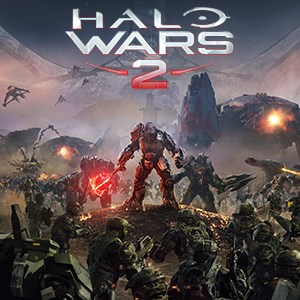
- Name Halo Wars 2: Standard Edition
- Category Strategy
An Epic Strategy Experience Set in the Halo Universe
Halo Wars 2: Standard Edition for Windows offers players a captivating real-time strategy experience, seamlessly blending the universe's rich lore with engaging tactical gameplay. Designed by Microsoft Studios, this title is perfect for both Halo fans and RTS enthusiasts seeking a compelling challenge on their PCs.
Core Features That Make It Stand Out
Immersive Campaign and Robust Multiplayer
The game features an engaging single-player campaign that immerses players in the ongoing fight between humanity and alien threats, with high-quality cinematic storytelling and mission diversity. Complementing this is a competitive multiplayer mode, where strategic prowess and quick decision-making lead to victory against online opponents worldwide.
Strategic Base Building and Unit Management
Halo Wars 2 offers a thoughtful blend of base construction and unit command. Players can gather resources, develop bases, and deploy a variety of units—from infantry to towering vehicles—each with unique abilities, enabling layered tactical play. The balance between expansion and combat dynamics creates a deeply satisfying gameplay loop.
Special Spotlight: Decision Visibility and Overload Management
One of the most compelling features of Halo Wars 2 is its clear decision consequence visibility. Unlike many RTS titles that obscure the outcomes of actions, this game thoughtfully presents information in a way that allows players to assess their choices swiftly, reducing frustration and encouraging strategic planning. Additionally, its effective information overload management ensures players are not bogged down by excessive data, promoting a smooth and intuitive experience, much like having a well-organized battlefield map that highlights key threats and opportunities.
Design, Interface, and Player Experience
The user interface strikes a commendable balance between functional clarity and visual appeal—smooth menus, intuitive controls, and contextual prompts make navigation effortless, even for newcomers. The game runs fluidly on modest hardware, with responsive controls that feel natural whether commanding armies or zooming across the battlefield.
Learning curve-wise, Halo Wars 2 is accessible, thanks to in-game tutorials and helpful hints that guide players through complex mechanics at a comfortable pace. Experienced RTS players will appreciate deeper strategic layers and unit synergies, while casual players find it engaging enough to pick up and enjoy.
Differentiation and Unique Advantages
Compared to typical strategy titles, Halo Wars 2 excels in its decision transparency. It acts like a well-lit command tower—players see exactly how their actions ripple through the battlefield, aiding in more deliberate and satisfying decision-making. Moreover, its robust information management system ensures that players are only deluged with essential data, avoiding cognitive overload and maintaining focus on tactical execution.
Recommendation and Usage Suggestions
For strategy aficionados and Halo enthusiasts alike, Halo Wars 2 offers an accessible yet deep tactical experience that's worth exploring. Its user-friendly interface, coupled with its clear decision pathways, makes it suitable for both newcomers and seasoned RTS players aiming for strategic mastery. I recommend it for anyone looking for a well-rounded, immersive strategy game that respects your time and intelligence—think of it as a finely tuned military operation where every command counts.
Pros
- Strategic Gameplay
- Strong Visuals
- Rich Storyline
- Multiplayer Modes
- Regular Updates
Cons
- High System Requirements
- Long Load Times
- Limited Campaign Length
- Interface Complexity
- Occasional Connectivity Issues











