
Discover the Power of YouCam Perfect - Photo Editor
Are you searching for a **comprehensive** and **easy-to-use** photo editing app that transforms your selfies into stunning works of art? Look no further than YouCam Perfect — the ultimate **selfie photo editor** and **beauty camera** app trusted by over 800 MILLION downloads worldwide. This feature-rich mobile application offers a wide array of tools, allowing users to enhance, retouch, and creatively customize their photos effortlessly. Whether you're a casual selfie-taker or a social media influencer, YouCam Perfect provides everything you need to create captivating images that stand out.
Advanced AI-Powered Editing Tools
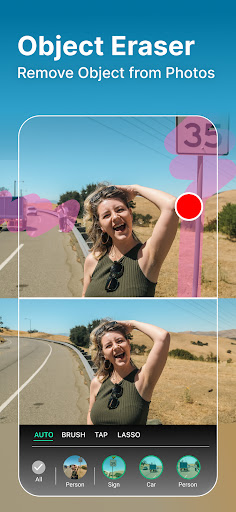
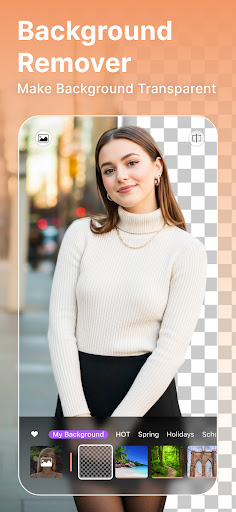
One of the standout features of YouCam Perfect is its impressive suite of AI tools that simplify complex editing tasks. With the magical object remover, you can easily erase unwanted background elements or distracting objects from your photos. Need to cut out a subject and place it on a different background? The app's background removal and green screen functionalities make this a breeze, allowing users to generate professional-quality images in seconds.
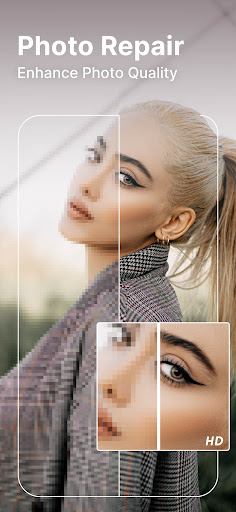
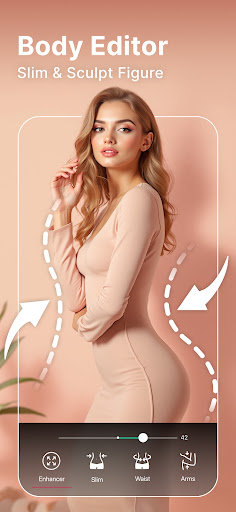
Additionally, the app enhances photo quality by sharpening details and reducing noise simultaneously. Want to extend the background? The AI Background Extension feature enlarges your images seamlessly, maintaining natural proportions. Body shaping tools let you instantly slim your waist or adjust your height, offering natural-looking transformations to perfect your body silhouette or proportions. This makes YouCam Perfect a handy tool for body retouching, ensuring you look your best in every shot.
Beauty & Makeup Camera for Flawless Selfies
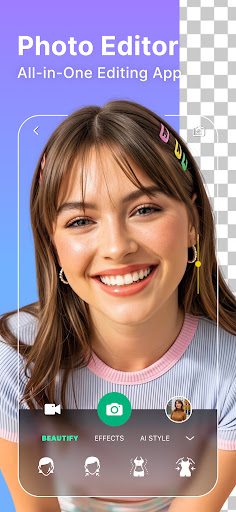
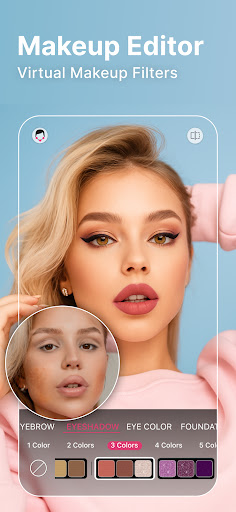
Looking to boost your selfie game? YouCam Perfect excels with its powerful beauty camera features. Achieve a radiant, flawless look with one-tap skin smoothing, blemish removal, and teeth whitening. The app’s advanced AI makeup tools enable you to experiment with virtual lipstick, blush, contour, and complete makeup styles, giving you a professional makeup look without any hassle. You can naturally reshape facial features—lift eyes, slim jawlines, refine noses—making each selfie picture-perfect.
Transform Photos into Engaging Videos
Bring your images to life with image-to-video capabilities. Convert your selfies and favorite photos into short, animated videos filled with stylish transitions and dynamic effects. Trending effects like AI Hug and AI Kiss add an emotional flair, helping you create memorable moments that can be shared on social media or with friends.
Creative Collages, Filters & Fun Effects
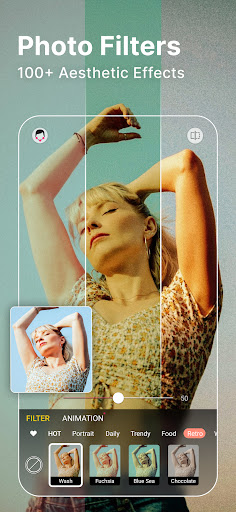
Unleash your creativity with a variety of collage maker options. Pick from stylish grids, freestyle layouts, and templates to craft beautiful stories or showcase multiple moments in one frame. Decorate your images with charming frames, stickers, and eye-catching fonts. To set the perfect mood, choose from over 100 trendy filters that instantly enhance the aesthetic of your selfies and photos.
Innovative Generative AI & Avatar Creation
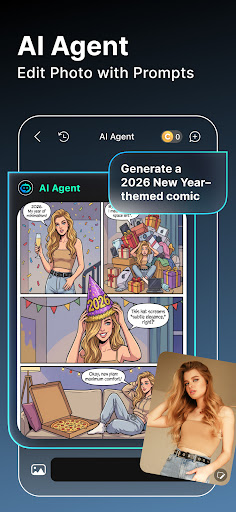
YouCam Perfect incorporates generative AI tools to produce professional-looking headshots, digital avatars, and unique profile pictures. Generate AI Headshots suitable for resumes or LinkedIn, or craft fun AI Avatars with over 30 styles for your social media profiles. Pet lovers can even transform their furry friends into adorable, customizable pet avatars, adding a fun twist to your photo collection.
Add Sparkle & Animation for a Touch of Magic
Make your photos truly shine with animated effects. Add sparkles, motion overlays, and playful animations to your selfies for that eye-catching appeal. Live filters like sparkle effects can be applied during the shoot or in real-time, helping you wow your followers with magical, enchanting images.
Creative Tools: Drawing, Layers & More
Enhance your images with creative overlay tools such as brushes, layers, and drawing features. The Magic Brush allows you to add glitter or fun shapes, while airbrush tools blend seamlessly with all skin tones for natural results. Combine stickers, text, and images with multi-layer editing to produce complex, artistic compositions.
Effortless Sharing & Continuous Updates
Once your masterpiece is ready, effortlessly share it across social media platforms like Instagram, Facebook, or Snapchat directly from the app. The cloud backup feature ensures your edited photos are safely stored and accessible whenever needed. The developers frequently update YouCam Perfect with new effects, tools, and features, so your editing experience remains fresh and innovative.
Conclusion
In summary, YouCam Perfect - Photo Editor is more than just a basic photo app; it’s a powerful creative tool that combines professional-grade editing with fun, innovative features. Whether you want to perfect your selfies, create engaging videos, or craft eye-catching collages, this app makes it all accessible with intuitive controls and cutting-edge AI technology. Elevate your photo sessions and let your images speak volumes—download YouCam Perfect today and unlock endless possibilities for your photos!
Pros
- Intuitive interface facilitating rapid edits.
- Extensive selection of editing tools.
- Instantaneous beautification options.
- Frequent updates introducing new features.
- Compatible with both Android and iOS devices.
Cons
- Includes in-app purchase options.
- May consume battery life quickly.
- Advertisements can be disruptive at times.
- Requires internet connection for complete functionality.
- Certain features are accessible only via premium upgrade.











