

Introduction to B612 AI Photo&Video Editor
Imagine having a pocket-sized photography studio right in your hands. B612 AI Photo&Video Editor is an innovative all-in-one camera and photo/video editing app designed to elevate your selfies and videos with ease. Whether you’re a casual user or a professional content creator, this app combines powerful tools, trendy effects, and intuitive features to make every moment more memorable and shareable. Let’s explore what makes B612 a must-have app for photography and video enthusiasts.
Main Features of B612 AI Photo&Video Editor
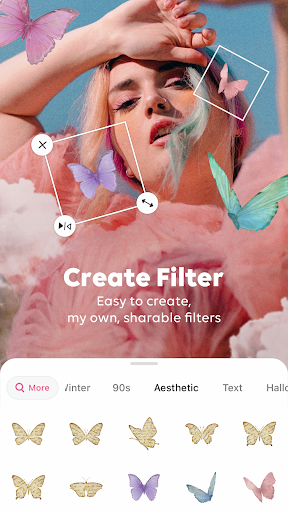
Create Your Own Filters
Unleash your creativity by designing custom filters that reflect your unique style. The app simplifies the process, allowing even beginners to craft one-of-a-kind filters with just a few taps. Once created, these filters can be shared with friends, making your content stand out. Additionally, explore a diverse array of creative filters made by the B612 creators community, updated daily to keep your visuals fresh and trendy.
Smarter CAMERA
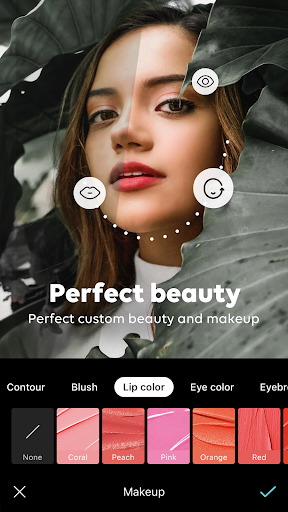
The integrated Smarter CAMERA applies real-time filters and beauty enhancements while you capture moments, ensuring that your photos and videos look their best instantly. Take advantage of daily-updated AR effects and seasonal trendy filters to add a fun, fresh touch to your captures. The Smart Beauty feature offers personalized beauty recommendations based on your face shape, enabling you to create your perfect look effortlessly. For makeup lovers, AR Makeup provides natural to trendy makeup styles, which you can adjust for a personalized finish.
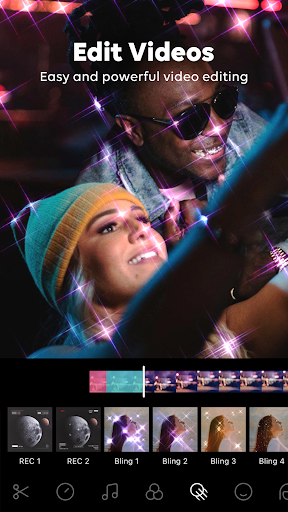
Take high-quality shots with features like high-resolution mode and night mode. Capture spontaneous moments with the Gif Bounce feature, which creates GIFs to share fun, lively content. The app also allows you to turn your daily life into a music video by editing videos with over 500 kinds of music or extract sound sources from your videos for more customization.
All-in-One Pro Editing Tools
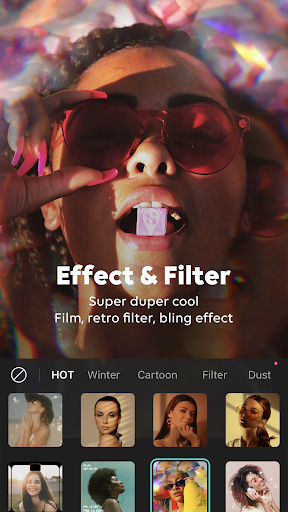
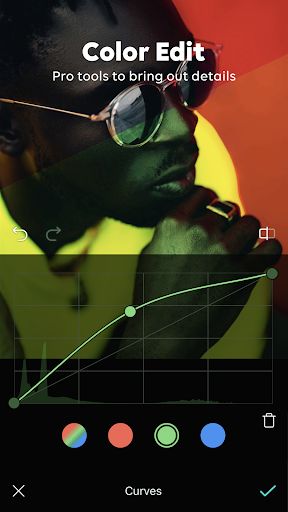
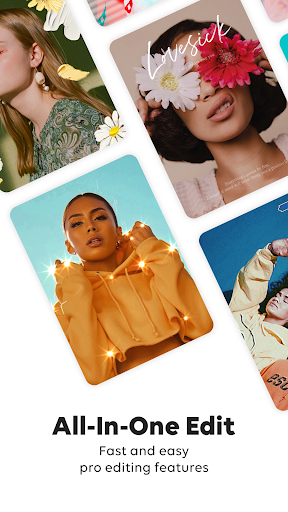
B612 packs professional-grade photo and video editing tools into a simple interface. Explore various filters and effects, ranging from retro to modern styles, to craft the perfect atmosphere. The advanced color editing features, including professional curves, split tone, and HSL, allow precise adjustments for vibrant colors and rich details.
Enhance portraits naturally with beauty effects, body editing, and hair color styling. Edit videos with trendy effects and music, add borders or crop to ideal ratios, and decorate your images with a wide selection of stickers and texts. Custom stickers are also supported for even more personalized creativity.
Why Choose B612 AI Photo&Video Editor?
Picture a compact device that functions as a versatile photography studio, always ready to help you produce stunning photos and videos. B612 offers a user-friendly experience with a sleek interface that makes creative editing accessible to all, regardless of skill level. Whether you're capturing a selfie, creating a montage, or editing a quick video, the app provides an array of tools designed to elevate your content.
Ease of Use and Customization
Getting started is straightforward—no complicated setups or accounts required. The app’s customization options are extensive, allowing you to fine-tune filters, effects, and edits to match your vision precisely. The collage feature makes it simple to assemble your favorite moments into shareable memories; perfect for sharing on social media or keeping as digital keepsakes.
Considerations and Tips
While B612 is powerful, some minor quirks exist. The presence of occasional ads might be slightly intrusive, but they are a small compromise considering the free, feature-rich experience. Also, some functionalities, especially when using AR effects or high-resolution recording, may require an active internet connection and consume significant battery power. Planning your editing sessions accordingly will ensure a smoother experience.
The Verdict: A Must-Have for Creative Content Creation
Overall, B612 AI Photo&Video Editor is a delightful app that seamlessly blends powerful editing tools with intuitive usability. It’s ideal for casual users looking to enhance their photos and videos effortlessly or for serious content creators aiming for professional-quality results on the go. With its extensive features, trendy effects, and endless customization options, it’s a top choice to unleash your creativity and produce eye-catching visuals. Whether for social media fame or personal enjoyment, give B612 a try and start creating captivating content today.
Pros
- Intuitive and easy-to-use interface.
- Extensive selection of filters and effects.
- Enables high-definition photo and video editing.
- Rapid processing speed for modifications.
- Regular updates introducing new features.
Cons
- Some functionalities need in-app purchases.
- May be demanding on older devices' resources.
- Includes occasional advertisements.
- Free version has limited features.
- Requires internet connection for some features.










