





Introduction to Yahoo Mail
Discover the mail app designed to streamline your email management and simplify your digital life. Yahoo Mail is a secure, fast, and user-friendly application that makes handling emails effortless, allowing you to focus more on what matters and less on inbox clutter. Whether you're managing personal messages or professional correspondence, this app offers a comprehensive solution that adapts to your needs. Download Yahoo Mail now to experience its most efficient features and enjoy a clutter-free, organized inbox every day.
Main Features of Yahoo Mail
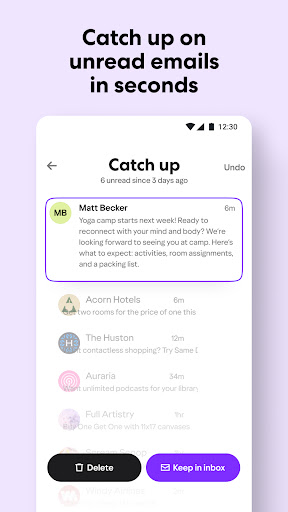
Catch Up in Seconds
With Yahoo Mail, you can quickly sort through unread emails with just a tap. Its gamified and intuitive view makes inbox cleanup an effortless task, helping you keep your mailbox organized without wasting time. Keeping up with your emails has never been easier, especially when you need to respond promptly to urgent messages.
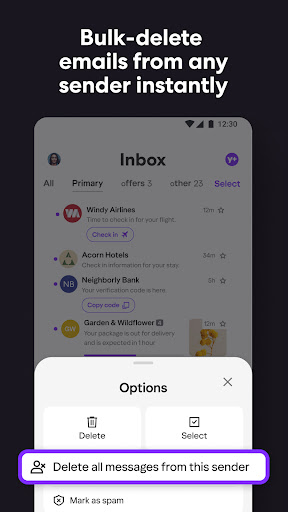
Eliminate Junk
Say goodbye to unwanted emails with delete by sender and one-tap unsubscribe shortcuts. Instantly declutter your inbox by removing unnecessary emails and subscriptions, so you can focus on what’s important. The junk filter intelligently detects spam, reducing distractions and keeping your mailbox safe.
Track Packages and Find Receipts
Managing online purchases is seamless with Yahoo Mail’s integrated features — easily view order status at the top of your inbox and keep track of recent purchases in a dedicated section. This helps you stay organized, especially when juggling multiple orders and receipts in one place.
Secure Your Inbox
Your security is a top priority with Yahoo Mail. Benefit from advanced security measures, including warnings about suspicious emails and two-step verification to safeguard your account from unauthorized access. These features ensure your personal and professional data remain protected.
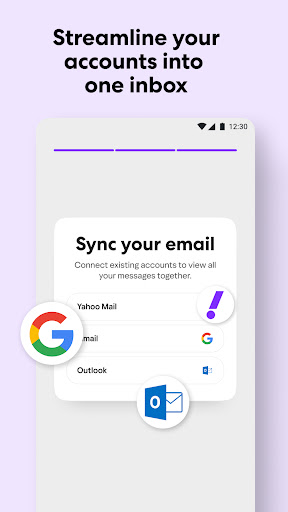
Connect Multiple Accounts
Easily manage all your email accounts — whether Gmail, Outlook, AOL, or Hotmail — within the Yahoo Mail app. This unified platform enables quick switching and management of various email accounts without the hassle of multiple apps.
Enhanced Accessibility
Yahoo Mail prioritizes accessibility by offering high contrast themes, dynamic text resizing, and VoiceOver compatibility, ensuring that users with different needs can navigate and manage their inboxes effortlessly.
Yahoo Mail+
Upgrade your experience with Yahoo Mail+, available as an in-app purchase for $1.99/month. Enjoy ad-free mail, additional organization and privacy features, and 24/7 tech support across your devices. This subscription auto-renews monthly and can be managed via your account settings.
Why Choose Yahoo Mail?
Yahoo Mail is more than just a traditional email service — it’s a comprehensive tool designed for efficiency and security. From smart search capabilities that help you find emails swiftly to customizable themes that personalize your experience, the app caters to both casual users and professionals. Its capacity to connect multiple accounts simplifies digital organization, making it an essential app for those who handle various email addresses daily.
Furthermore, Yahoo Mail’s focus on security and privacy ensures you can manage your inbox with peace of mind. With features like spam filtering and suspicious email warnings, you’re always protected from potential threats. Coupled with an intuitive, clean interface, Yahoo Mail offers a smooth user experience from the moment you download it.
Whether you’re aiming to declutter your inbox, track online orders, or manage multiple email accounts effortlessly, Yahoo Mail is a reliable choice to enhance your digital life. Its combination of powerful features, security measures, and user-friendly interface makes it a great tool for both personal and professional email management.
Pros
- User-friendly interface for easy navigation.
- Seamless integration with other Yahoo services.
- Strong spam filter to keep inbox clean.
- Supports multiple email account management.
- Customizable themes for personalized experience.
Cons
- Advertisements can be intrusive at times.
- Limited cloud storage compared to competitors.
- Occasional syncing issues with other devices.
- Lacks advanced customization options.
- No end-to-end encryption for emails.











