

Opera: Private Web Browser
Experience the ultimate browsing freedom with Opera, the no-BS browser that combines speed, security, and customization in one comprehensive package. Unlike other browsers that offer basic page loading, Opera goes beyond by integrating a suite of powerful tools designed to enhance your online experience—free VPN, ad-blocking, tracker-blocking, and extensive customization options. Say goodbye to intrusive ads, slow load times, and privacy concerns, and hello to a browser that truly does more than just load pages.
Full Feature Lineup
•Free VPN:
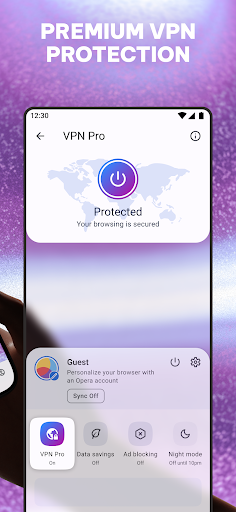
Privacy should never come at a cost. With Opera's free VPN, you get total online privacy whenever you browse. No sign-ups, no data collection, and no hidden charges. A simple tap enables your VPN, making your browsing safer on any network, whether at home or on the go.
•Enhanced Ad Blocker:
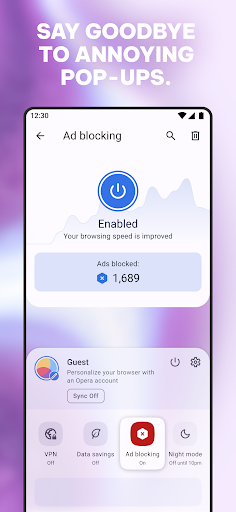
Say farewell to unwanted ads with Opera’s ad blocker. Powered by uBlock Origin, it effectively eliminatess intrusive ads and speeds up your browsing. Not just a bandaid, but a full cleanup that removes trackers and all the digital clutter slowing your device down.
•Tracker Blocker:
Protect your browsing habits from being sold or monitored. Opera’s tracker blocker prevents hidden trackers from collecting your data, ensuring your online activities remain your own.
•Complete Customization:
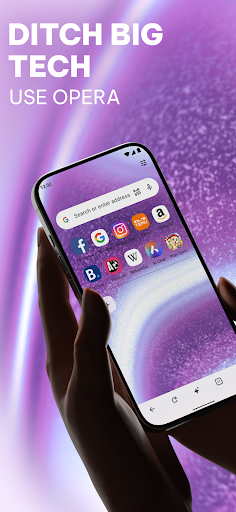
Make Opera your own with themes, wallpapers, and layout adjustments. Choose Dark Mode for comfortable night browsing or personalize your experience with custom icons and backgrounds. Your browser, your rules.
•Sync Across Devices:
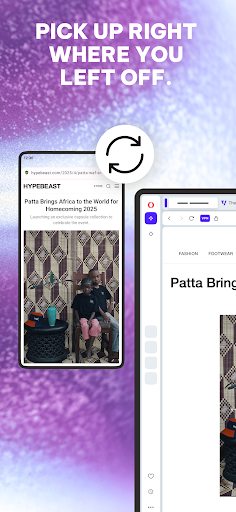
Keep your tabs, bookmarks, and settings synchronized across all your devices. Whether on your phone, tablet, or laptop, Opera ensures seamless browsing continuity.
•Data Saving:
Opera’s streamlined page compression reduces load sizes, saving data while maintaining speed. No more loading 10MB webpages; instead, enjoy quick, efficient access without draining your data plan.
Browse Privately, Anytime, Anywhere
With Opera's free VPN, you can browse with TOTAL privacy and security with just a single tap. There’s no need for complicated sign-ups or freemium models that later surprise you with charges. For those seeking protection beyond a browser, VPN Pro subscription extends coverage to all your apps and devices—perfect for protecting your entire digital family with just one subscription.
Speed and Efficiency with AI Integration
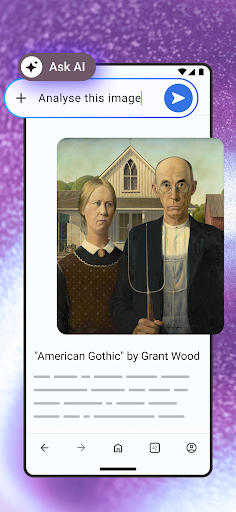
Opera’s latest AI-powered features make your browsing smarter and more efficient. The AI adapts to your habits, suggesting relevant articles and content, helping you find what you need faster. Pages load swiftly thanks to AI-optimized resource management, ensuring smooth streaming and multitasking without bogging down your device.
Additionally, AI enhances security by identifying suspicious websites and blocking potential threats, giving you peace of mind while exploring the web. The browser becomes more personalized over time, offering tailored news feeds, themes, and layouts based on your preferences, all aimed at improving your online experience.
Ultimate Customization & Practical Features
Opera's impressive customization options include Dark Mode, personalized wallpapers, and sleek layouts that match your style. The integrated sidebar makes multi-tasking effortless—access social media, messaging apps, and Spotify without leaving your browser window. It’s a tailor-made solution for those who demand control and flexibility in their browsing environment.
Why Choose Opera?
If you're tired of a cookie-cutter browser that only loads pages, Opera stands out as the internet’s ideal companion. Its focus on privacy, speed, and customization makes it perfect for users seeking a smarter, safer, and more personalized online experience. Download Opera today and elevate your browsing game to new heights.
Pros
- Fast browsing experience
- Built-in ad blocker
- Free VPN service
- Data saver mode
- Customizable UI
Cons
- Limited extension support
- Occasional website compatibility issues
- Not as widely used as competitors
- VPN has limited locations
- May use more RAM than other browsers










