

Introduction to X Launcher Pro
Are you seeking a way to give your Android device a fresh new look without switching to a different phone? X Launcher Pro is the perfect solution for users who want to rejuvenate their Android experience with ultimate customization and sleek design. This launcher transforms your device's appearance, making it not only aesthetically pleasing but also highly functional—without any intrusive advertisements.
Main Features of X Launcher Pro
•No Ads:
Enjoy an uninterrupted experience with the removal of all ads in the Pro version. This means no accidental disturbances, enabling you to focus entirely on your tasks and enjoy seamless interaction with your device.
•App Manager
Access the App Manager quickly by swiping up, allowing you to find local apps and effortlessly drop them onto your desktop for immediate access. Managing your apps has never been easier or more intuitive.
•Control Center
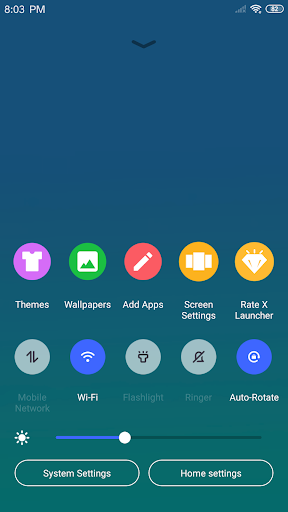
Swipe down to open the Control Center, where you can promptly set WiFi, network preferences, adjust brightness, volume, and even take photos instantly, mirroring the seamless control found on popular smartphones.
•Variety of Themes
The built-in Theme Store offers various stylish themes, ensuring your device's look adapts smoothly to your preferences. The themes provide a consistent experience while enhancing the visual appeal of your home screen.
•Latest Wallpaper Library
Choose from a rich collection of icons and wallpapers to personalize your device further, bringing your unique style to your Android device.
•Customizable Interface
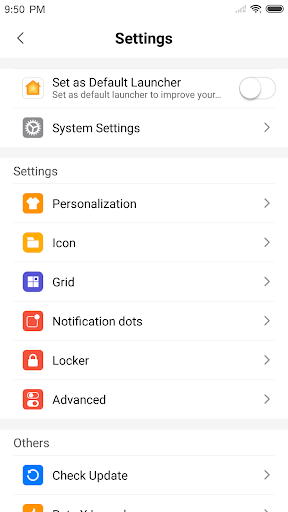
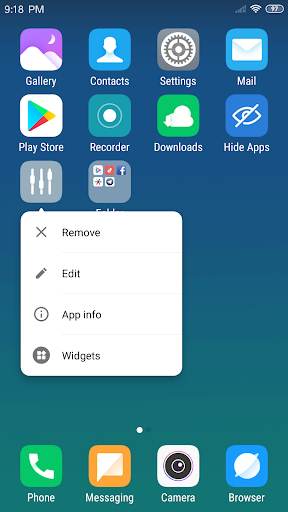
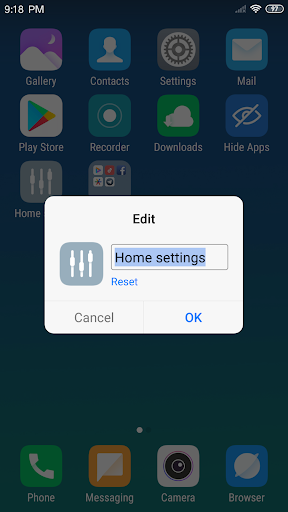
You can modify app icons and names, selecting local images to crop and use as custom icons. Adjust the number of rows and columns to tailor the layout perfectly to your needs.
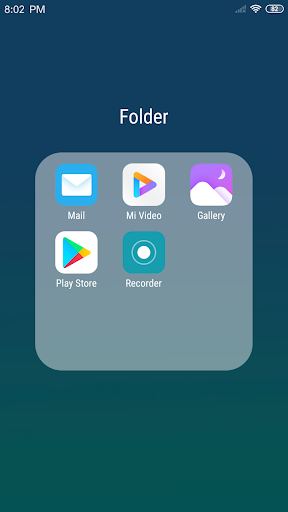
•Flat Style Folders
Create folders simply by dropping one app onto another; this flat style design keeps your app drawer organized and modern.
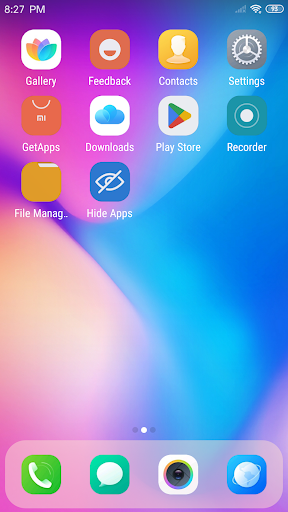
•Hide Apps
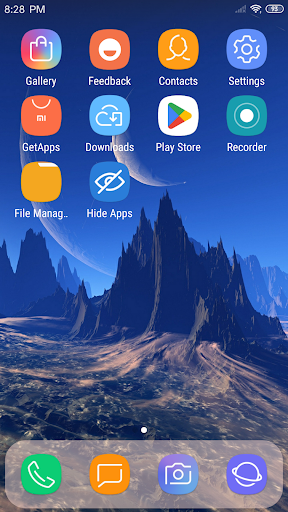
Hide unwanted applications from the launcher to maintain a clean and private home screen environment.
Why Choose X Launcher Pro? Common User Experience and Performance
If you've ever wanted to refresh your Android device with a sleek, customizable interface reminiscent of iOS, X Launcher Pro delivers just that. Its user-friendly design allows you to personalize every aspect of your home screen—layouts, icons, wallpapers, and more—making your device feel brand new every day.
The app features intuitive controls like gesture navigation, customizable app drawers, and quick access to essential settings via the control center, ensuring a smooth and efficient user experience. Plus, it preserves performance by being lightweight and resource-friendly, so you can enjoy rapid app launches and seamless transitions.
This launcher also empowers you with tools such as app sorting options (by name, date, or usage), transition effects, and a flexible interface that appeals to both beginners and tech enthusiasts alike. All these features combine to offer a perfect blend of style, function, and efficiency.
Conclusion: Is X Launcher Pro Worth It?
Absolutely! X Launcher Pro presents an affordable, customizable, and stylish alternative to full device upgrades. With its rich feature set—including app management, theme customization, and performance optimization—you can elevate your Android experience to a new level. Whether you want a simple aesthetic overhaul or advanced personalization tools, this launcher caters to all needs.
For users eager to tweak their device’s interface while maintaining smooth performance, X Launcher Pro is an excellent choice. Dive into the world of personalized Android customization and rediscover your device—maybe even find your new favorite launcher!
Pros
- Smooth and intuitive user interface.
- Highly customizable with themes.
- Supports app hiding for privacy.
- Fast performance with no lagging.
- Regular updates with new features.
Cons
- Limited free features; premium required.
- Some themes may contain bugs.
- Ads in the free version can be intrusive.
- Occasional crashes on older devices.
- Limited widget options compared to other apps.











