


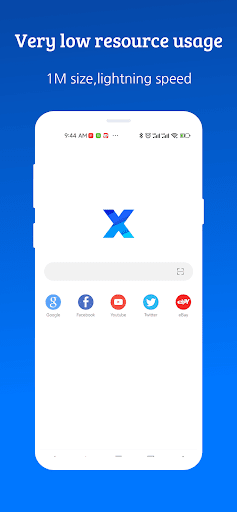
Overview of XBrowser - Mini & Super fast
Are you tired of slow and bloated mobile browsers that drain your device's resources? XBrowser - Mini & Super fast offers a sleek, minimalist solution designed for users who crave speed, efficiency, and privacy without sacrificing features. This lightweight browser, with a size of approximately 1MB, is engineered to deliver a lightning-fast browsing experience while consuming minimal resources. Whether you're on an older smartphone or simply want a smoother internet experience, XBrowser might be the perfect choice for you.
Key Features of XBrowser
Minimalist & Super Fast
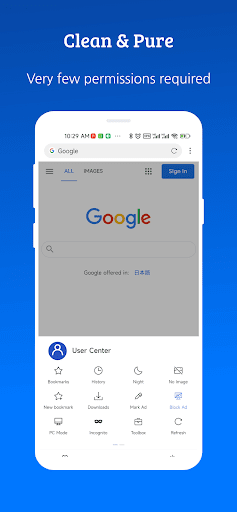
The core of XBrowser is its minimalistic approach, significantly reducing clutter and focusing on speed. With a compact size of just 1M, it uses minimal system resources, enabling smooth and rapid page loading. Users will notice the difference immediately, experiencing almost instantaneous access to their favorite websites without lag or delays.
Ad Blocking
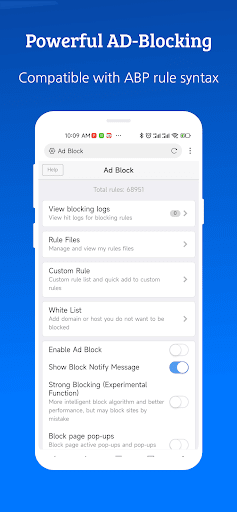
Enjoy a cleaner browsing experience with super ad blocking ability. It effectively removes up to 80% of malicious advertisements, enhancing both security and user comfort. Additionally, the browser supports importing and subscribing to third-party blocking rules, allowing further customization of what ads are filtered out.
Video Sniffing
Save your favorite online videos effortlessly with the video sniffing feature. This functionality allows you to quickly detect and download videos from various websites, turning your browsing sessions into a multimedia hub without the need for external applications.
Built-in Support for User Scripts
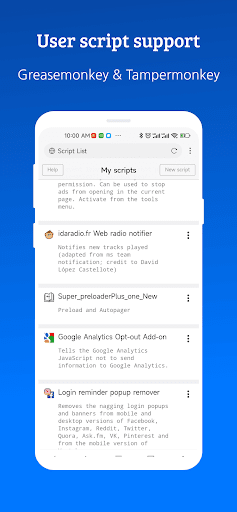
GreaseMonkey and Tampermonkey support are integrated into XBrowser, enabling advanced users to run custom scripts. This greatly enhances the browser’s capabilities, allowing for personalized tweaks, additional functionality, and a more tailored browsing experience.
Security and Privacy
Privacy is a major focus in XBrowser. The app requests only essential permissions and avoids background residency services, push notifications, or unnecessary data collection. It provides a variety of security and privacy options, including incognito mode and anti-tracking features, to ensure your online activities remain confidential and secure.
Autofill Forms
Speed up your browsing by letting XBrowser automatically fill out web forms with your saved information such as user name, password, and address. This feature simplifies repetitive tasks and enhances user convenience.
Personalization and Customization
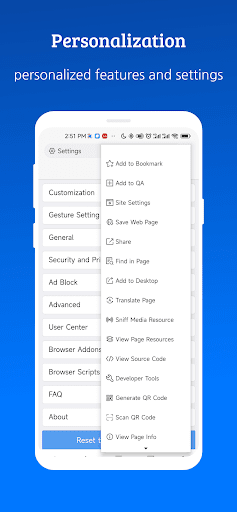
The browser offers extensive personalization options. Customize themes, appearance, gestures, and shortcut controls to match your preferences. These flexibility options make the browsing experience more intuitive and enjoyable, adapting to your unique style.
Why Choose XBrowser - Mini & Super fast?
In today’s fast-paced digital world, having a browser that combines speed, security, and customization is essential. XBrowser stands out by providing an ultra-lightweight design that offers big features, such as advanced ad blocking, video downloading, script support, and strong privacy protection, all while maintaining an extremely low resource footprint. Whether you’re browsing on an older device or want a distraction-free, seamless experience, this browser delivers.
Its minimalist design eliminates unnecessary clutter, making it easy to navigate and quick to load pages. Meanwhile, privacy-conscious users will appreciate the robust security options that safeguard their data from trackers and malicious ads. With the added benefit of extensive customization, XBrowser adapts to your personal browsing style, making it not just a tool but a tailored web experience. For anyone seeking a fast, secure, and lightweight mobile browser, XBrowser - Mini & Super fast presents a compelling solution that’s worth exploring.
Pros
- Super lightweight
- Consumes minimal storage
- Provides blazing fast loading speeds for web pages
- Supports various extensions for customization
- Includes ad-blocking feature to improve browsing experience
- Privacy-focused with no background processes
Cons
- Limited options for user interface customization
- Lacks some advanced browser features
- Occasional page rendering issues
- Does not support all popular web extensions
- No integrated password management feature











