

Workday Mobile App: Your All-in-One Workplace Companion
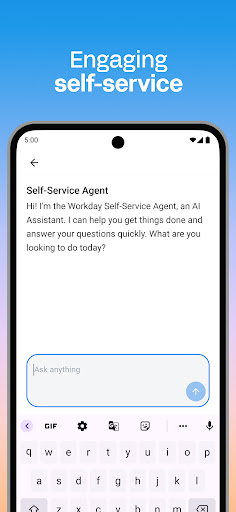
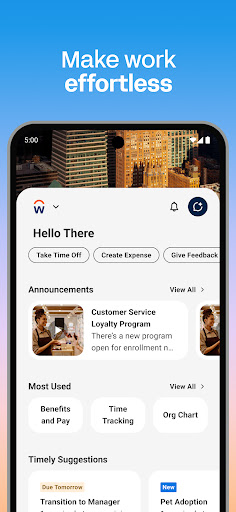
The Workday Mobile App offers a comprehensive set of tools, insights, and solutions designed to enhance workplace productivity. All your essential tasks and information are accessible in a single, user-friendly platform. Whether you're checking in for work, requesting time off, connecting with colleagues, or exploring new opportunities, this app streamlines your work experience seamlessly.
Key Features of the Workday Mobile App
The Workday app functions as the ultimate mobile solution for employees and managers alike, providing instant access to nearly all Workday functions. Its features include:
- Push notification reminders to ensure you never overlook important tasks.
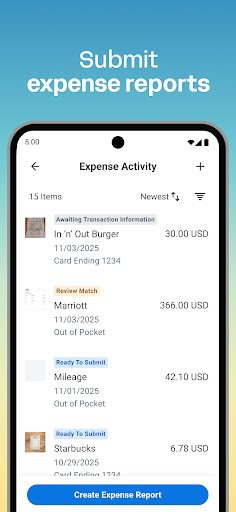
- Submit timesheets and expenses effortlessly from your device.
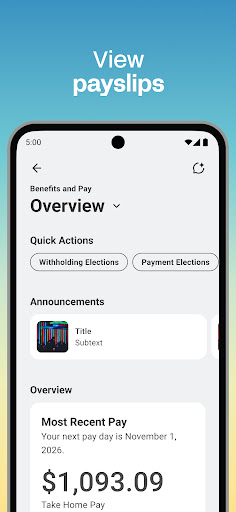
- View your payslips securely at any time.
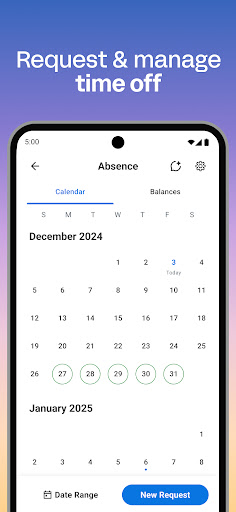
- Request time off quickly and manage leave directly through the app.
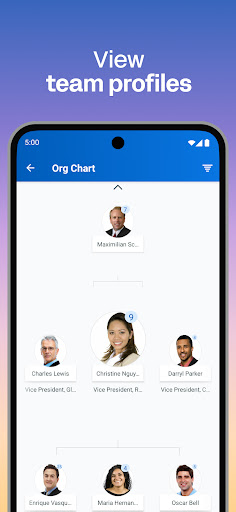
- Learn about your teammates and stay connected within your organization.
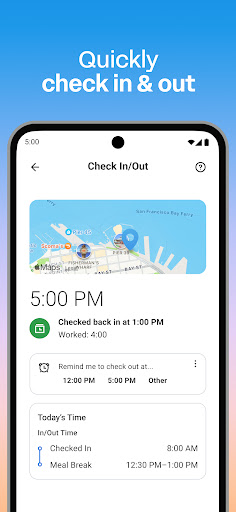
- Check in and out of work with simple taps, aiding accurate time tracking.
- Access training videos to develop new skills conveniently.
- Discover internal opportunities like gigs and new jobs within your organization.
Management and HR Features for Leaders
Managers can leverage specialized features, including:
- Approve employee requests with minimal effort.
- View team and employee profiles to monitor performance.
- Adjust employee roles and responsibilities easily.
- Manage payroll and compensation requests swiftly.
- Provide performance reviews directly via the app.
- Use the hours tracker and view employee timesheets for better scheduling.
- Browse interactive reports and dashboards to analyze workforce data.
Simplicity and Security You Can Rely On
The Workday Mobile App is designed for ease of use, organizing all your work-related tasks into an intuitive interface. It adapts to your needs, offering quick access to the tools, insights, and actions that matter most. Whether you're managing personal schedules or employee data, everything is just a tap away. Plus, security is a top priority: your data is protected by industry-leading Workday security measures and mobile-native features like biometric authentication. Since your information is stored securely in the cloud, you can have peace of mind knowing that your data remains safe and consistently up-to-date, even if your device is lost or stolen.
Why Use the Workday App? Unlocking a Smarter Work Life
Managing your work schedule can sometimes feel overwhelming, like solving a Rubik''s Cube blindfolded. Workday comes to the rescue as a powerful personal assistant, simplifying the way you navigate your professional responsibilities. Upon opening the app, you’ll experience a clean, organized, and user-friendly dashboard that makes finding necessary information a straightforward task. From tracking your hours to accessing payroll details, everything is designed for efficiency.
One of its standout capabilities is time tracking. You can clock in and out with a tap, which seamlessly logs your hours and syncs with your calendar—ensuring you never miss a meeting or deadline. The employee self-service feature empowers you to request leave, update personal information, and handle other HR-related tasks without delays or unnecessary bureaucracy. Real-time notifications keep you informed about company updates or upcoming events, acting as a 24/7 personal assistant.
Accessible on both Android and iOS devices, the Workday app is designed to be fast, responsive, and battery-conscious—perfect for on-the-go management. Whether you’re a seasoned professional or just starting your career, this app simplifies your work life by offering reliable, comprehensive features tailored to today’s dynamic work environment. Once you start using Workday, you'll wonder how you managed without it, as it truly elevates your productivity and workplace engagement.
Pros
- User-friendly interface for easy navigation.
- Comprehensive management of HR and finance tasks.
- Frequent updates bringing new features.
- Robust reporting and analytics capabilities.
- Accessible via cloud for remote work.
Cons
- Initial steep learning curve.
- Can be costly for small enterprises.
- Limited offline functionality.
- Customization options may be complicated.
- Occasional performance slowdowns.











