





Webex Meetings: The Ultimate Video Conferencing Solution
In today’s fast-paced digital world, seamless and reliable communication tools are essential for remote work, virtual collaborations, and staying connected with loved ones. Webex Meetings stands out as a leading video conferencing application designed to meet these needs with a rich spectrum of features. Whether you're hosting a professional webinar or catching up with friends, Webex Meetings offers a robust platform to connect anywhere, anytime.
Meet Anywhere, Anytime
Experience a smooth and high-quality meeting environment regardless of your location. Webex Meetings provides industry-leading video and audio conferencing, equipped with background noise cancellation, ensuring clear communication even in noisy settings. The app supports integrated content sharing, making presentations, screen sharing, polls, and annotations straightforward and effective. With the ability to join and present from any device—be it desktop, smartphone, or tablet—Webex Meetings ensures that your meetings are accessible and flexible.
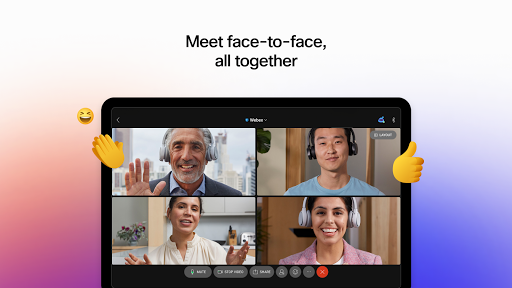
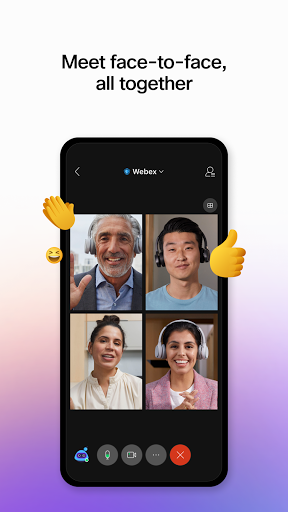
It facilitates over 25 billion meetings per month, affirming its position as the most trusted video conferencing solution used worldwide. From professional webinars to casual catch-ups, Webex Meetings brings people together effortlessly, emphasizing collaboration, real-time chat, reactions, and instant translation into more than 100 languages.
Additional features include recording meetings for later review, sharing content seamlessly, and participating through interactive chat and reactions—making virtual meetings more engaging and productive.
Key Features of Webex Meetings
Flexible Meeting Options
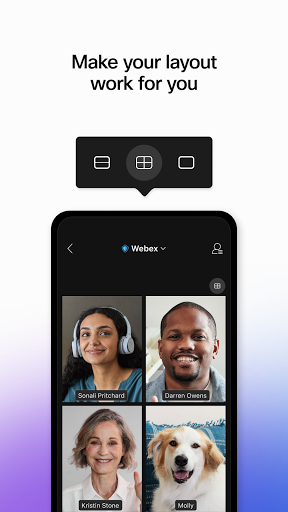
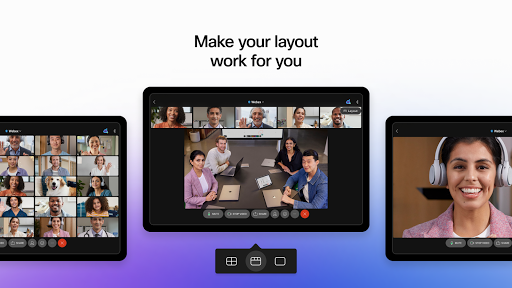
Join and present from any meeting or webinar with ease. Customize your video layout to suit your preferences, share your screen, conduct polls, add annotations, and more—all designed to enhance your meeting experience.
Multilingual Support & Accessibility
The platform offers real-time translation into over 100 languages, making international collaboration more straightforward than ever. Accessibility features ensure everyone can participate comfortably.
Security and Privacy
Webex Meetings prioritizes your privacy by providing end-to-end encryption. Rest assured, your conversations remain confidential and protected against unauthorized access.
Additional Capabilities
Schedule meetings directly within the app, integrate with your calendar, and record sessions to catch up or review later. The platform's intuitive interface simplifies virtual collaboration for users of all proficiency levels.
The User Experience and Performance
During practical use, users consistently report high video and audio quality, minimal lag, and a lightweight application that doesn’t strain device resources. The app adapts well to various network conditions, ensuring reliability even in less-than-ideal connectivity environments.
Installation and setup are straightforward—available on both Android and iOS devices—and signing up is quick, especially with the free plan suitable for small teams or personal use. The seamless calendar integration and scheduling capabilities make organizing meetings seamless, turning Webex Meetings into a virtual personal assistant that helps you stay organized and productive.
Latest Updates and Requirements
Recent updates, such as version 44.9.1, focus on usability improvements and bug fixes, enhancing overall user experience. To enjoy full features, your device should run on Android 8.0+ with a dual-core CPU for optimal video performance. Note that Webex service availability may vary by country, so checking the official website is recommended.
Remember that by installing Webex Meetings, you agree to the Terms of Service and Privacy Statement, and consent to receiving updates and communication from Webex.
Final Thoughts
If you're seeking a video conferencing app that combines ease of use, comprehensive features, and top-tier security, Webex Meetings is an excellent choice. Its versatility makes it suitable for business meetings, education, remote team collaboration, or personal gatherings. With consistent performance, support for multiple devices, and an intuitive interface, Webex Meetings helps you stay connected effectively—anywhere, anytime.
Pros
- High-quality video conferencing
- Cross-platform compatibility
- End-to-end encryption
- Easy to schedule meetings
- Rich collaboration tools
Cons
- Limited features on the free plan
- Occasional connectivity problems
- Complex interface for beginners
- Resource-intensive on devices
- Needs a strong internet connection











