



Discover the Power of WAMR: Reveal Deleted Messages!
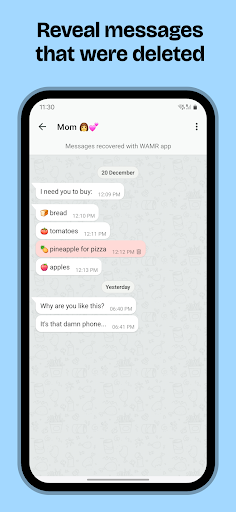
Have you ever been in a situation where you received a message, only for it to disappear before you had a chance to read it? If you've been searching for a solution to view these suddenly vanished messages, WAMR is here to help! This innovative application is designed to recover deleted text messages and media attachments from your chat apps, ensuring you never miss out on important conversations again. Whether it's photos, videos, voice notes, GIFs, or stickers, WAMR provides a seamless way to regain access to deleted content, all while maintaining your privacy.
How Does WAMR Work?
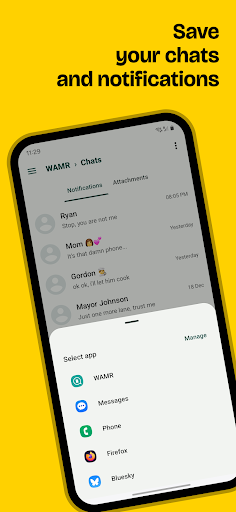
For those searching "wamr", this app leverages your device's notification history to create a backup of incoming messages. As soon as a message arrives, WAMR saves its content to local storage. When someone deletes a message after sending it, the app detects the deletion instantly and retrieves the message or media from its backup. This clever workaround for disappearing messages allows users to see what was originally sent, providing a much-needed solution to the frustration caused by message deletion.
Benefits of Using WAMR
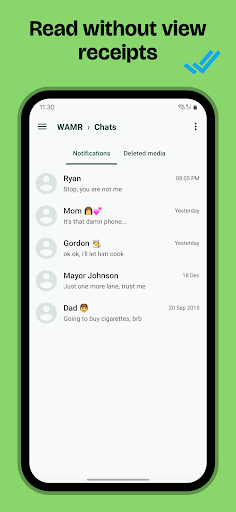
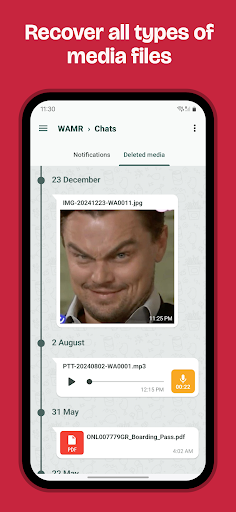
One of the key advantages of WAMR is that it enables you to read entire chat conversations without sending "read receipts" or blue check marks—preserving your privacy. It also supports media recovery; if someone deletes a photo, video, or voice note, WAMR will notify you and attempt to recover the media, so you don’t miss out on visual or audio content that was shared before deletion. This feature is particularly useful when you want to retain memorable moments or important files shared via messaging apps like WhatsApp, Facebook Messenger, or Instagram.
Important Considerations for Users
To optimize performance while using WAMR, ensure the following:
- Enable Notifications: Make sure notifications are active for your messaging apps, as the app depends on notification access to log messages.
- Battery Optimization: Exclude WAMR from battery saver modes to prevent it from being closed in the background.
- Download Success: For media files, a stable internet connection is necessary to fully download and store media content.
Privacy and Security
Privacy is a major concern with any app that accesses personal messages. Rest assured, WAMR is designed with privacy in mind. All data is stored exclusively on your local device, meaning no third parties have access to your messages or notifications. This local storage ensures your conversations remain private and secure. It's important to note that WAMR no longer supports the STATUS DOWNLOAD feature; apologies for any inconvenience. Downloading the app allows you to always stay in the loop by viewing deleted messages, with minimal impact on your privacy.
Why Choose WAMR? A Personal Perspective
Many users find WAMR to be an indispensable tool for staying informed about their messaging conversations. Its user-friendly interface and simple setup process make it accessible for anyone, regardless of technical expertise. By offering the ability to recover and view deleted messages and media, WAMR helps prevent missing out on important moments or discussions. While some may be concerned about privacy, the app's reliance on notification access rather than full message access strikes a good balance between utility and security.
Conclusion: Never Miss a Message Again
If you dislike the idea of losing important or interesting messages, WAMR: Reveal Deleted Messages! is the perfect app for you. It’s a powerful yet easy-to-use tool that ensures you’re always in the loop, even when others attempt to delete messages or media. With its ability to recover both textual content and media attachments, this app transforms how you view and manage your notifications. Download WAMR today and never wonder what was said or shared—stay informed and in control of your digital conversations!
Pros
- Quick recovery of deleted messages.
- User-friendly and intuitive interface.
- Compatible with multiple messaging applications.
- Does not require root access to operate.
- Efficient notification system for updates.
Cons
- May occasionally fail to recover some messages.
- Presence of intrusive advertisements.
- Limited to recovering only text messages; cannot recover media files.
- Cannot recover multimedia content such as images or videos.
- Potential privacy concerns due to data access permissions.











