
Vmake AI Captions and AI-Powered Talking Video Studio Overview
Vmake offers a versatile suite of AI-driven tools designed to empower creators, professionals, and hobbyists to produce high-quality video content with ease. From an innovative AI Captions app that simplifies adding synchronized subtitles to a comprehensive Talking Video Studio that transforms your smartphone into a professional-grade video production platform, Vmake is revolutionizing digital content creation.
Introducing the Vmake AI Talking Video Studio
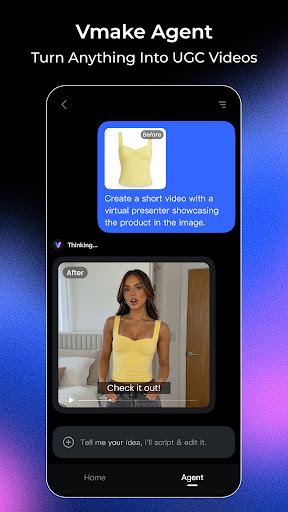
The Vmake AI Talking Video Studio harnesses advanced artificial intelligence technology to allow users worldwide to craft studio-quality talking videos directly from their phones. Whether you're a fitness coach, beauty expert, real estate agent, or content creator in any niche, Vmake streamlines the process of producing professional-looking videos that truly resonate with your audience. Its design emphasizes quick workflows, effortless editing, and industry-specific customization, making high-quality video production accessible to everyone.
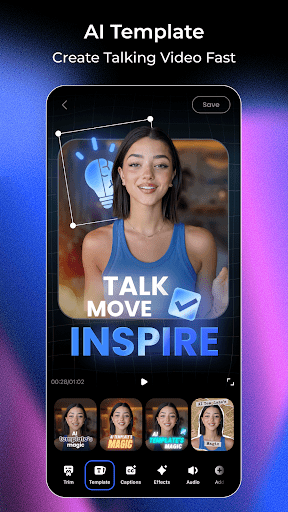
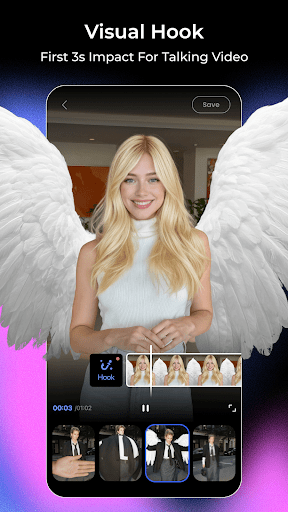
This comprehensive toolset includes features such as customizable templates, dynamic intros, and advanced subtitle editing, helping you create engaging, polished videos with minimal effort. The inclusion of AI enhancements ensures your videos look sharp and vibrant, even upscaling low-resolution clips to HD quality. For added convenience, Vmake offers a variety of innovative tools like AI-powered object removal, instant thumbnail creation, and beauty filters—everything you need to elevate your video content efficiently.
Key Features of the Vmake Talking Video Studio
- Create Talking Videos: Utilize advanced video editing tools with customizable templates, subtitles, and dynamic intros to produce captivating spoken content.
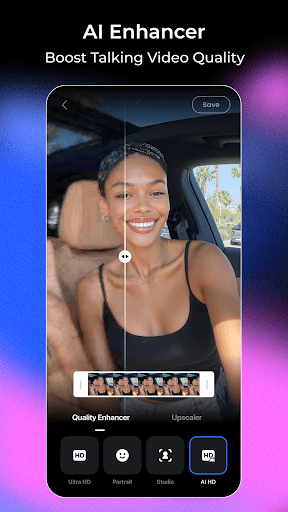
- AI Enhancer: Improve video and image quality while upscaling low-resolution footage effortlessly.
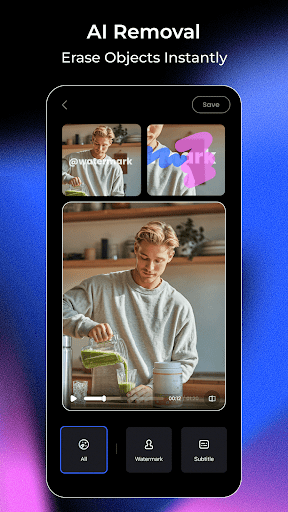
- AI Removal: Use smudge tools to eliminate unwanted objects, people, or watermarks from your videos seamlessly.
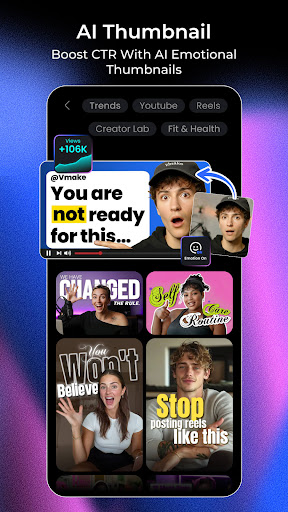
- AI Thumbnail: Generate eye-catching, high-quality video thumbnails instantly with AI-powered design options.
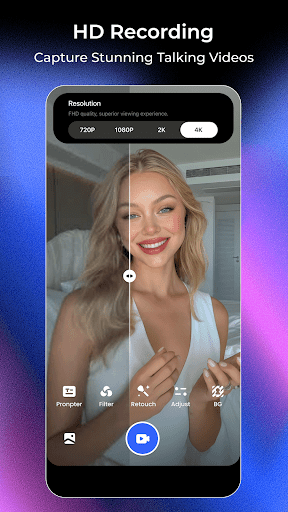
- HD Camera: Record videos using the app’s support for beauty filters, ensuring the best possible video shooting experience.
- Talking Photo: Upload your own photos or select AI models to make static images talk, adding a fun and dynamic element to your content.
- Teleprompter: Keep your lines on point with an AI-synced teleprompter that floats above your screen and works across any camera app.
- Video to Text: Extract speech from videos to convert spoken content into editable text, supporting both local videos and links, simplifying content repurposing.
Get Creative with Vmake AI Captions
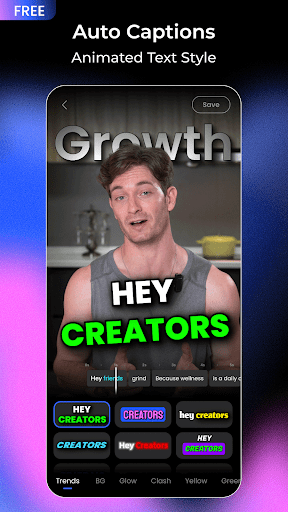
For content creators who love adding engaging captions to improve their videos, Vmake AI Captions is a game-changer. This intuitive app leverages AI technology to automatically generate accurate captions that sync perfectly with your spoken words, bringing a professional touch to your social media content.
From the moment I started using Vmake AI Captions, I was impressed by its ability to handle different accents and languages with remarkable accuracy. It detects speech effortlessly and creates synchronized captions, saving hours of manual transcription. I tested it across multiple languages, and the results were consistently reliable, highlighting its robustness for diverse content needs.
Intuitive User Interface and Customization Options
The app's user-friendly interface makes navigation straightforward, even for beginners. Upload your video, select your desired language, and Vmake AI Captions takes care of the rest—generating captions in just a few taps. If you wish to customize the appearance, you can choose from a variety of fonts, colors, and styles, allowing you to match the captions to your video's vibe perfectly. It’s like having a mini design studio right at your fingertips!
Performance and Reliability
Performance matters, and Vmake AI Captions delivers. Available on both Android and iOS, the app runs smoothly without crashes or lag. Its processing speed is fast enough to keep up with quick editing workflows, making it ideal for content creators under tight deadlines. Reliable and efficient, Vmake ensures a seamless experience whether you're editing a quick clip or preparing a professional production.
Final Thoughts
If you're passionate about creating engaging video content and want to add a professional touch with minimal effort, Vmake's suite of AI-powered tools is a perfect choice. Whether it's generating high-quality talking videos, enhancing visual quality, removing unwanted elements, or creating accurate captions, Vmake simplifies every step of the process. Its versatility, ease of use, and powerful features make it an essential tool for modern content creators aiming to elevate their digital presence. Give Vmake a try today and transform your video content into something truly exceptional!
Pros
- User-friendly interface for quick captioning
- Supports multiple languages for international use
- Provides various font styles and colors
- Delivers high-quality caption output
- Processes captions quickly
Cons
- Limited features in the free version
- Requires an internet connection to operate
- Occasional crashes reported
- Limited options for animation customization
- May consume battery rapidly during usage











