

Vault - Hide Pics, App Lock icon

Vault - Hide Pics, App Lock

1.29M
4.3
Installs
0.10B
Version
6.9.13.09.22
Advertisement
Vault - Hide Pics, App Lock screenshot
Advertisement

Vault - Hide Pics, App Lock: Your Ultimate Privacy Protection App

Are you looking for a dependable solution to safeguard your private photos, videos, and apps? Vault - Hide Pics, App Lock is designed specifically to help you maintain your mobile privacy with ease. With over 100 million users worldwide, this versatile app offers a comprehensive suite of features such as App Lock, Private Bookmark, Incognito Browser, and Cloud Backup. Best of all, these features are available for free, making Vault an essential tool for anyone serious about their digital security.

Top Features of Vault

☆ Hide and Protect Photos & Videos

Vault allows you to import your confidential photos and videos into a secure, hidden storage space. These files can only be accessed or played after entering the correct password. Besides local protection, you can back up these files to Cloud Space for added security, ensuring that your precious memories are never lost. Whether it’s personal photos or sensitive videos, Vault keeps everything under lock and key.

☆ App Lock (Privacy Protection)

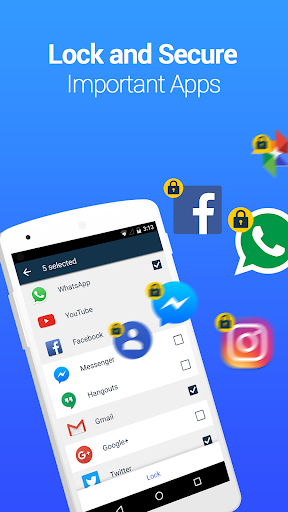
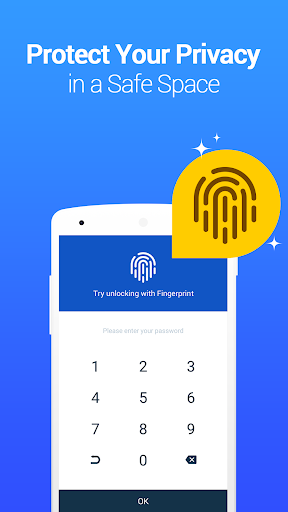
With the App Lock feature, you can prevent unauthorized access to your social media apps, call logs, and phone apps. Protecting your digital footprint is simple—set a PIN, password, or opt for fingerprint authentication. This ensures that your private conversations and app data remain confidential from prying eyes.

☆ Private Browser & Private Bookmark

Need to browse the internet discreetly? Vault’s Private Browser leaves no browsing traces, shielding your online activities from detection. Need to save websites? Use the Private Bookmark feature to bookmark favored pages securely, accessible only with your authentication credentials.

☆ Cloud Backup & Data Transfer

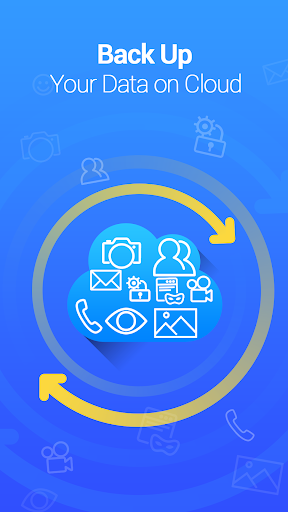
For seamless data management, Vault offers Cloud Backup. By backing up your photos and videos to the cloud, you can restore your files anytime, anywhere. The Data Transfer feature simplifies moving your secure data to a new device through cross-device synchronization, ensuring continuous privacy protection during device upgrades.

☆ Password Recovery & Advanced Privacy Options

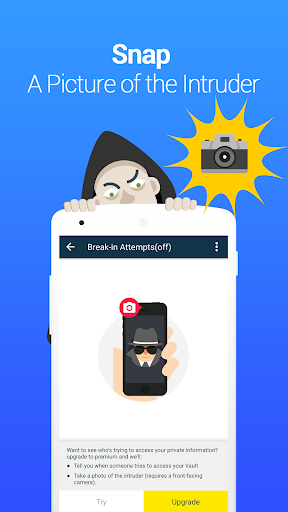
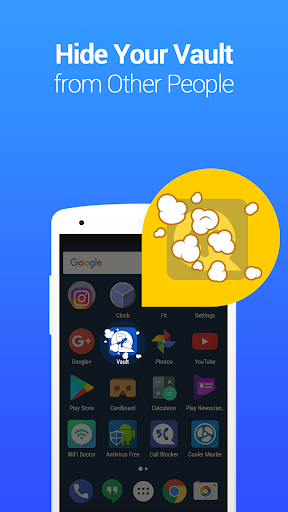
Worried about forgetting your password? Vault provides a security email setup, allowing easy password recovery. Moreover, you can create multiple vaults, each with a different password, to categorize and protect various types of private content. For even more concealed storage, Vault’s Stealth Mode hides the app icon from your home screen, making it virtually invisible to others. Should someone attempt unauthorized access, Vault’s Break-in Alerts feature captures their photo and logs the attempt details.

Support and Tips for Optimal Use

Q&A Highlights

  • Forgot Password? If you have set up a security email, tap the "Forgot Password" option after entering the wrong password. Follow the instructions to reset. Without a security email, recovering your data requires cloud backup restoration after reinstallation.
  • Stealth Mode Access: To access Vault in stealth mode, add the widget to your home screen or use a disguised app like “NQ calculator” to open Vault with your password.
  • Lost Photos/Videos: Be cautious—automatic cleaning apps might delete Vault’s data folders. To prevent data loss, avoid deleting Vault’s data folders and regularly back up your files to the cloud.

Vault also uses Device Administrator permissions to enhance security and functionality.

Why Choose Vault - Hide Pics, App Lock?

This app combines ease of use with robust security features, making it ideal for safeguarding your private media and apps. Whether you want to hide sensitive photos from family or keep your online activities private, Vault offers reliable protection without compromising user experience. Its intuitive interface, multiple layers of security—including stealth mode, fake vaults, and break-in alerts—ensure your privacy is always maintained.

Final Thoughts

If privacy is your priority, Vault - Hide Pics, App Lock is a top-tier application that provides comprehensive tools to protect your personal data. Its versatile features like app lock, private browsing,, and cloud backup make it a must-have for privacy-conscious users. Remember to keep your passwords secure to avoid losing access. Download Vault today and take control of your mobile privacy effortlessly.

Pros

  • User-friendly interface for easy navigation.
  • Robust encryption to ensure data protection.
  • Compatibility with various file formats.
  • Adjustable lock options to suit user preferences.
  • Provides cloud backup for data security.

Cons

  • Contains advertisements that may be distracting.
  • Some functionalities require in-app purchases.
  • Can cause performance issues on older devices.
  • Limited free cloud storage options.
  • Reports of occasional app crashes.

Download From Google Play
Advertisement

Frequently Asked Questions

What is Vault - Hide Pics, App Lock and how does it work?

Vault - Hide Pics, App Lock is a privacy-oriented app designed to safeguard personal photos, videos, and applications from unauthorized access. It operates by creating a secure, password-protected space for storing sensitive files and offers an app lock feature to lock individual apps, preventing unauthorized use.

Is Vault - Hide Pics, App Lock safe to use for protecting my photos and videos?

Yes, Vault - Hide Pics, App Lock is built with security in mind, utilizing strong encryption to protect your photos and videos from unauthorized access. It employs advanced security protocols to encrypt data, maintaining privacy even if your device is compromised. Nonetheless, keeping the app and device software updated enhances security.

Can I recover my data if I forget my Vault password?

Vault - Hide Pics, App Lock offers a feature that allows users to recover their data if they forget the password. During setup, users are advised to set up a security email or question for password recovery. Setting this up is essential to regain access if the password is forgotten.

Does Vault - Hide Pics, App Lock affect the performance of my device?

Vault - Hide Pics, App Lock is optimized for efficient operation, minimizing impact on device performance. It is lightweight, consumes minimal system resources, and ensures smooth device operation while securing your data. Regular updates help optimize both performance and security.

Is Vault - Hide Pics, App Lock available for both Android and iOS devices?

Yes, Vault - Hide Pics, App Lock is available on both Android and iOS platforms. It can be downloaded from the Google Play Store and Apple App Store, respectively. The app provides similar features across both platforms to offer a consistent user experience.

You May Like










