
Introducing TrustDial: Caller, SMS & Block
TrustDial: Caller, SMS & Block is an innovative communication management application designed to help users take control of their phone calls and messages. It offers a comprehensive solution to identify unknown callers, block spam and robocalls, and organize SMS messages efficiently. Built with user privacy and safety in mind, TrustDial strictly complies with Google Play Console policies to ensure a secure and transparent experience for everyone.
Main Features of TrustDial
Caller Identification
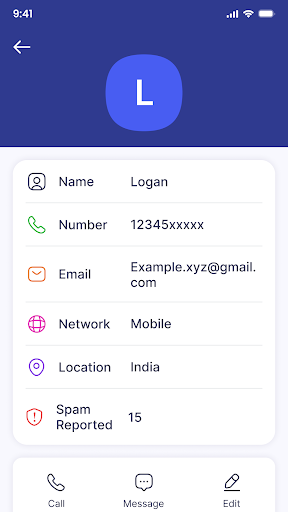
One of TrustDial's standout features is its ability to accurately identify unknown numbers. Whether you receive a call from a new contact or a telemarketer, TrustDial provides reliable caller details instantly. The app even offers background information about the caller if available, helping you decide whether to answer or ignore. This feature is especially useful for avoiding accidental pickups from spam or scam calls, allowing you to stay safe and save time.
Spam Call Blocking
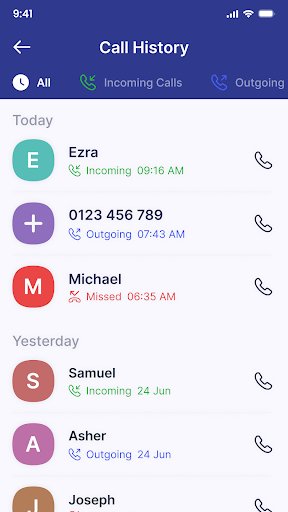
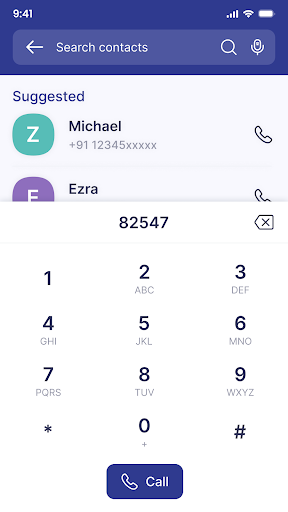
TrustDial offers a robust spam filtering system that effectively blocks unwanted robocalls and telemarketing calls. Users can customize blocking settings to suit their preferences, ensuring an uncluttered and interruption-free phone experience. The app seamlessly integrates as your default dialer and SMS app, providing comprehensive call and message management within one platform.
Smart SMS Organizer
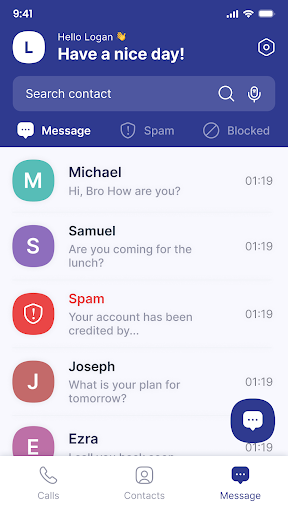
Keeping your inbox tidy is effortless with TrustDial's intelligent message organization. The app categorizes incoming SMS into sections such as Personal, Promotions, and Spam. This automatic sorting makes it easier to prioritize important messages and quickly identify spam, saving you from manually filtering through countless texts each day.
Seamless Integration & Privacy
TrustDial can be set as your default dialer and messaging app, offering a smooth transition without compromising your existing contacts or workflow. The app requires permissions solely for functions like caller ID, spam detection, and message organization. These permissions are carefully limited to protect your data, and no contacts or personal information are stored or shared with third parties, ensuring your privacy remains intact.
User Experience and Practical Benefits
Getting started with TrustDial is quick and straightforward. Downloading the app from your app store takes only moments, and the intuitive interface means you can start managing your calls and messages with minimal effort. The onboarding tutorial provides a clear overview of the main features, making setup a hassle-free process.
Users greatly appreciate the app's ability to identify callers before answering, which can prevent many unwanted interruptions. The spam filtering system is effective at keeping your inbox clean while letting you customize blocking preferences to optimize your experience. Moreover, TrustDial understands the importance of privacy; it does not store or share your contacts or personal data, giving users peace of mind as they enjoy enhanced control over their communication.
Final Thoughts
In today's fast-paced digital world, managing unwanted calls and spam messages is more important than ever. TrustDial: Caller, SMS & Block provides a reliable, user-friendly solution that boosts your phone security and organization. Its powerful caller ID, flexible spam blocking, and automatic message categorization make it a must-have app for anyone eager to regain control over their mobile communications.
If you are tired of spam calls and cluttered messages, give TrustDial a try. It helps you stay connected only with what truly matters, prioritizing your privacy and peace of mind. Experience a smarter way to manage calls and messages with TrustDial today!
Pros
- User-friendly interface for quick navigation.
- Includes a comprehensive caller ID feature.
- Efficiently organizes and manages SMS messages.
- Offers advanced options for call blocking.
- Allows customization of user settings.
Cons
- Occasional advertisements may be intrusive.
- Caller ID updates require internet connectivity.
- Free version offers limited features.
- Initial setup process can be lengthy.
- Consumes a moderate amount of battery life.











